1
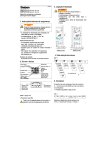
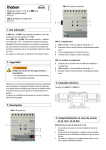
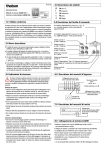
309 371 01 GB GB 687 0 103 Installation and operating instructions Digital Time Switch µ 2 1 L 3 N C1 0 6 C1 12 C2 18 24 TR 687-3 top2 TR 687-3 top2 C3 MENU OK 2 8mm 0,5mm 2 2,5mm C1 16(3)A 250V~ C2/C3 10(3)A 250V~ 120-230V~ 50-60Hz L N R10a - 10T C2 C3 4 5 µ 6 7 8 9 µ N L L TR 687-3 top2 Contents Basic safety instructions Screen and keys Operating instructions Overview of menu selection Connection/installation Reset Initial start-up Menu item STORAGE Select memory Menu item TIME/DATE Set date, time, summer/winter changeover Menu item OVERRIDE Set manual control Menu item OPTIONS Set language Set meter pulse OBELISK top2 memory card Technical details/Service address/Hotline 2 3 4 4 5 6 7 8 9 10 11 12 13 14 15/16 Basic safety instructions GB WARNING Danger of death through electric shock or fire! Installation should only be carried out by a qualified electrician! • The digital time switch with 3 channels is designated for installation on DIN Top hat rails (in accordance with EN 60715) • Corresponds to type 1 BSTU in accordance with IEC/EN 60730-2-7 • Power reserve (10 years) is reduced if memory card is inserted (in battery operation) Designated use • The digital time switch can be used for lighting, ventilation etc. • Only for use in closed, dry rooms Disposal Dispose of device in environmentally sound manner 3 Screen and keys Operating instructions Programmed switching times Date display Channel status C1, C2, C3 ON OFF 1.Read text line C1 C2 C3 Flashing text/symbol represents query C4 Time display OK ESC Days of the week from 1 to 7 2.Make a decision Display of active keys with relevant function bbbb YES 4 MENU OK – Activate screen – Open menu – Cancel menu – ESC (leave menu) –Save selection –Save selection Options are displayed NO Confirmation Amend/ change OK press press bbbb Overview of menu selection GB MENU 19 10 09 C1 OFF C2 OFF C3 OFF 9:40 MEMORY TIME/DATE OVERRIDE OPTIONS END 46 BERLIN 1 ok BONN 2 HORB 3 COLOGNE 4 TIME C1 SET DATE SU--WI END OVERRIDE ON LANGUAGE METER PULSE INFO END ULM 5 5 Connection/installation WARNING Warning, danger of death through electric shock! Must be installed by qualified electrician! Disconnect power source. Cover or shield any adjacent live components. Ensure device cannot be switched on! Check power supply is disconnected! Earth and bypass! Connect cable Strip cable by 8 mm (max. 9). Insert cable at 45° in the open terminal (2 cables per terminal is possible). Only with flexible wires: Press screwdriver downwards to open spring terminal. 6 Spring terminal Spring screwless terminal NC contact Test tap 45° cable RESET GB Press the 4 buttons simultaneously. All switching times and settings are retained after RESET. Date and time values equate to last power failure. 7 Initial start-up Activate time switch ENGLISH Set language, date, time and summer/winter time changeover YEAR ok MONTH DAY HOUR Press desired button and follow on-screen instructions. MINUTE SU-WI EUROPE SU-WI EUROPE WEST SU-WI EUROPA EAST SU-WI FIX DATE NO SU-WI *Text is entered in OBELISK top2 software. 8 MEMORY* 1 SU-WI FREE RULE ok 19 10 06 C1 OFF C2 OFF C3 OFF 9:40 46 Select MEMORY GB You can choose one of 5 MEMORY slots each with 200 memory locations. A memory location can store a switching time or date range allocated to a channel. One program memory is always active. Press MENU. MENU 19 10 09 C1 OFF C2 OFF C3 OFF 9:40 MEMORY TIME/DATE OVERRIDE OPTIONS END 46 ok MEMORY +/– 1 MEMORY +/– 2 MEMORY +/– 3 MEMORY +/– 4 MEMORY 5 Use + or – to select desired memory and confirm by pressing OK. 9 Set date, time and summer/winter time changeover Press MENU. Use to select desired (TIME/DATE) setting. Confirm by pressing OK. MENU 19 10 09 C1 OFF C2 OFF C3 OFF 9:40 MEMORY TIME/DATE 46 ok For information on the various date rule options, see the initial start-up chapter. TIME DATE SU-WI END 10 Set manual control Press MENU. Use to select desired (OVERRIDE) setting. Confirm by pressing OK. GB MENU 19 10 09 C1 OFF C2 OFF C3 OFF 9:40 MEMORY TIME/DATE OVERRIDE 46 ok CHANNEL C1 OVERRIDE ON * OVERRIDE C1 OFF C2 OFF C3 OFF 9:40 46 * OVERRIDE OFF appears when relay is switched on. If manual switching has already been programmed and is to be deleted, END OVERRIDE appears on screen. 11 Set language Press MENU. Use to select desired setting (LANGUAGE). Confirm by pressing OK. MENU 19 10 09 OPTIONS C1 OFF C2 OFF C3 OFF 9:40 46 ok ok LANGUAGE 12 DEUTSCH ENGLISH FRANCAIS Set meter pulse MENU 19 10 09 OPTIONS C1 OFF C2 OFF C3 OFF 9:40 The normal switching program can be deactivated via the meter pulse. The channel is only programmed as a timer for a load profile meter. 46 ok METER PULSE C1 ok GB NO METER PULSE BEGIN OF THE PERIOD ok ok END OF THE PERIOD PERIOD 0:30 ON -> METERING ok OFFS -> METERING LENGTH OF THE PULSE 0:00 10 13 OBELISK top2 memory card Using memory card Insert memory card in the tariff time switch. Copy stored data. Remove OBELISK top2 (No. 907 0 894) memory card after taking reading etc. The program can only be entered in the digital time switch via this OBELISK interface. OBELISK COPY PACKAGE END ok BERLIN 1 ok HORB 2 COLOGNE 3 ok MEMORY 2 MEMORY 3 ... ... 14 MEMORY 1 OVER WRITE OK CANCEL ok COPY Technical data • Time accuracy: ≤ ±0,25 s/day at +23 °C • Power reserve: approx. 10 years at +20 °C • Operating voltage:120–230V~ –15 %/+10 % • Permissible ambient temperature: • Frequency: 50–60 Hz –10 °C ... +55 °C • Power consumption: approx. 1,7 W • Protection class: II in accordance with • Standby: approx. 0,3 W EN 60730-1 for designated • Switch output: floating installation Switching of choice of external wires • Protection rating: IP 20 in accordance with is permitted. Switching of SELV is not EN 60529 permitted. • Pollution degree: 2 • Gap: <3 mm (µ) • Rated impulse voltage: 4 kV • Contact material: AgSnO2 • Switching capacity max.: channel 1: 16 A, 250 V~, cos ϕ = 1, (3 A, 250 V~, cos ϕ = 0,6) channel 2–3: 10 A, 250 V~, cos ϕ = 1, (3 A, 250 V~, cos ϕ = 0,6) • Switching capacity min.: 10 mA/230 V AC 100 mA/12 V AC/DC 20 mA/120 V AC 15 GB Service address/Hotline Service address Theben AG Hohenbergstr. 32 72401 Haigerloch DEUTSCHLAND Fon +49 (0) 74 74/6 92-0 Fax +49 (0) 74 74/6 92-150 Hotline Fon +49 (0) 74 74/6 92-369 Fax +49 (0) 74 74/6 92-207 [email protected] Addresses, telephone numbers etc. www.theben.de 16