1
Telemetrie-Messtechnik Schnorrenberg
Operating instructions
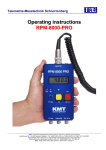
RPM8000-OBD2
RPM and SPEED measurement in cars
via CAN “On-Board Diagnostics” interface
with analog and pulse outputs
• No sensor installation required
• Analogue and pulse output
• Direct reading of RPM and SPEED
• Display of RPM and SPEED
• 16-8-4-2 or 1 pulse / engine revolutions
• Max. 10000 RPM and 250 km/h
• 16 pulse / km/h
• Universal 8-30VDC supply
TMS • Telemetrie-Messtechnik Schnorrenberg • Dipl.-Ing. Werner Schnorrenberg
Habichtweg 30, D-51429 Bergisch Gladbach, Tel: 02204-9815-52, Fax: 02204-9815-53, Mobil: 0171-8902387
Bankverbindung: Sparkasse KölnBonn, Kto.-Nr: 1900310663, BLZ: 370 501 98
RPM8000-OBD2 offers a discerning solution for automotive RPM
measurement without an additional sensor. The information will read
direct from the CAN-OBD2- interface (ISO 15765 CAN, 11/29Bit ID,
250/500 kBaud) . The instrument is simply connected to the standard
OBD2 connector and the RPM or SPEED is shown directly on the LCD
display. You even have the choice to output the data as an analog
voltage (0-5V) or as a digital pulse sequence (TTL).
The RPM measuring range of the analog output is 0.5 Volt per 1000
RPM. The standard TTL frequency output of 16Hz per engine
revolution can scaled with a frequency divider of 1:1, 1:2, 1:4, 1:8 or
1:16.
The SPEED measuring range of the analog output is 0.020V per km/h
(0-5V = 0-250km/h) The TTL frequency output is 16Hz/km/h max.
250km/h.
Technical details:
Input source
Supply voltage
via CAN-OBD2 connector or 8-30 VDC
Current consumption
200 mA at 12V
RPM Analog output:
Connectors:
CAN-OBD2 Interface (ISO 15765 CAN BUS)
CAN 11 ident 250 KB, CAN 11 ident 500 KB
CAN 29 ident 250 KB, CAN 29 ident 500 KB
Update rate 20Hz or better
BNC OUT for analog RPM and SPEED
BNC OUT for TTL frequency RPM and SPEED
OBD2 Plug for INPUT with 3m cable
Pin connection: 4
5
6
14
16
GND Car
GND Signal
CAN-High
CAN-Low
Battery (+)
0-5V, 0.5 V per 1000 RPM, max. 10000 RPM
max. delay 50 ms (car timeout), min. delay 4ms,
typ. delay 10 ms
accuracy 0.5 % (tested with calibrator)
output impedance 2 ohm 10 mA
RPM Digital output:
16Hz (1:1) per engine revolutions max. 10000 RPM
RPM frequency divider 1:1, 1:2, 1:4, 1:8 or 1:16
DIV 1:1 = 2666,66 Hz at 10000 RPM = 16Hz/rev.
DIV 1:2 = 1333,33 Hz at 10000 RPM = 8 Hz/rev.
DIV 1:4 = 666,66 Hz at 10000 RPM = 4 Hz/rev.
DIV 1:8 = 333,33 Hz at 10000 RPM = 2 Hz/rev.
DIV 1:16 = 166,66 Hz at 10000 RPM = 1 Hz/rev.
TTL level 0 and 5 V
output impedance 130 ohm
accuracy 0.5 % (tested with calibrator)
SPEED Analog output:
max. delay 50 ms (car timeout), min. delay 4ms,
typ. delay 10 ms
Dimensions:
jitter 0.1 – 1 %
Weight:
0.5kg without connection cable
Material:
anodized aluminum
0-5V, 0.02 V per km/h, max. 250Hz
150 x 100 x 30mm
Operating temperature: -20°C to +70°C
max. delay 50 ms (car timeout), min. delay 4ms,
typ. delay 10 ms
accuracy 0.5 % (tested with calibrator)
output impedance 2 ohm 10 mA
SPEED Digital output:
Storage temperature:
-30 to +80°C
Humidity:
20 – 80%
Vibrations:
5g
Shock:
in all directions 100 g
16Hz/km/h max. 250km/h = 4000Hz
TTL level 0 and 5 V
output impedance 130 ohm
accuracy 0.5 % (tested with calibrator)
max. delay 50 ms (car timeout), min. delay 3ms,
typ. delay 10 ms
jitter 0.1 – 1 %
Synchronization time
~ 2 seconds
Displays:
graphic display:
Divider, numeric and graphic
RPM and SPEED
Rotary switch:
LED green
Power ON
LED green/red
RPM supported over CAN
YES / NO (green/red)
LED green/red
SPEED supported over CAN
YES / NO (green/red)
frequency divider for RPM 1:1, 1:2, 1:4, 1:8 or 1:16
Rotary switch can switch-OFF the SPEED function
(only RPM measurement possible)
RPM8000OBD2 – in transport case
Version 2011-01
2
Technical Data are subject to change without notice!
Functions and display:
Circular connector 8-poles
To OBD-2 interface
Pin connection:
4
GND Car
5
GND Signal
6
CAN-High
14 CAN-Low
Divider Function for RPM TTL output
F1 = DIV 1:1 =
F2 = DIV 1:2 =
F4 = DIV 1:4 =
F8 = DIV 1:8 =
F16 = DIV 1:16 =
2666.66 Hz / 10000 RPM
1333.33 Hz / 10000 RPM
666.66 Hz / 10000 RPM
333.33 Hz / 10000 RPM
166.66 Hz / 10000 RPM
RPM
Display the actual RPM
Resp. Time (ms)
Display the averages
response of ask/answer of
CAN BUS information
LCD RPM
Display the actual RPM
SPEED LED
Lights up green when
SPEED is available at CAN
Lights red when SPEED is
not available at CAN
Dark if switch off by RPM
TTL DIV switch!
PWR LED
Lights up green when
powering is applied at the
OBD-2 interface
RPM TTL DIV rotary switch
Divide the RPM TTL output frequency.
F1 = DIV 1:1 =
F2 = DIV 1:2 =
F4 = DIV 1:4 =
F8 = DIV 1:8 =
F16 = DIV 1:16 =
RPM LED
Lights up green when RPM
is available at CAN
Lights red when RPM is
not available at CAN
2666.66 Hz / 10000 RPM
1333.33 Hz / 10000 RPM
666.66 Hz / 10000 RPM
333.33 Hz / 10000 RPM
166.66 Hz / 10000 RPM
You can switch off the SPEED function
by RPM TTL DIV switch! At only RPM
you can reach faster response time!!
RPM analog output
RPM TTL output
SPEED analog output
SPEED TTL output
5V at10000 RPM
=
30mV/ revolutions
2666.66Hz at 10000 RPM
=
16Hz/revolutions (DIV1:1)
5V at 250km/h
=
20mV per 1 km/h
4000Hz at 250km/h
=
16Hz per 1 km/h
First steps
1)
Connect the RPM8000-OBD2 with the OBD2 interface in the car which is normal
positioned in the area below the steering wheel.
* Avoid any obstructions trough the RPM8000-OBD2 connection cable in your
driver’s cabin!
* Make sure thant you don’t get any driving affects through the connection cable
or RPM8000-OBD2 device!
* The RPM8000-OBD2 is only for authorized test people e.g. from R&D departments.
* Not suitable for general use on puplic streets!
2)
Switch on your car electronic by the car key. Now the RPM8000-OBD2 will start to search
the OBD2. It will take about 2-3 sec. When the RPM8000OBD2 detects ISO 15765 CAN
than the RPM- and SPEED-LED will lights up green. If the RPM8000-OBD2 search
routine will take more than 20 seconds, the OBD2 protocol is not compatible.
Supported protocol:
ISO 15765 CAN:
CAN 11 ident 250 KB, CAN 11 ident 500 KB
CAN 29 ident 250 KB, CAN 29 ident 500 KB
Version 2011-01
4
Technical Data are subject to change without notice!
First steps
3)
Now you can start your car engine and follow up with the measurement.
4)
With the RPM TTL DIV rotary switch one can divide the RPM TTL output frequency and
switch Off the SPEED function to reach a faster response time. When switching Off the
RPM measurement the SPEED LED is dark!
Version 2011-01
5
Technical Data are subject to change without notice!