1
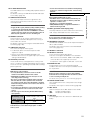
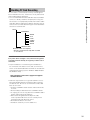
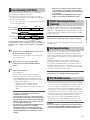
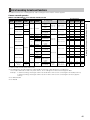
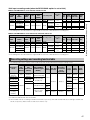
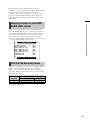
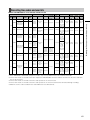
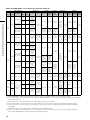
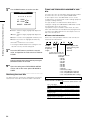
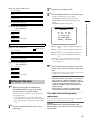
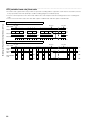
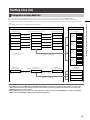
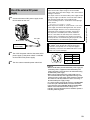
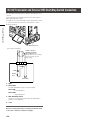
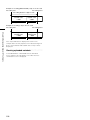
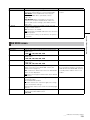
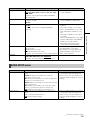
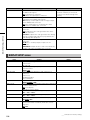
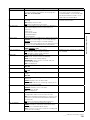
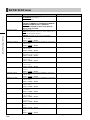
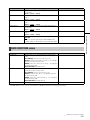
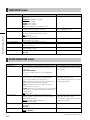
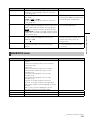
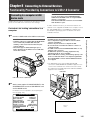
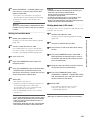
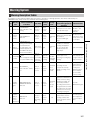
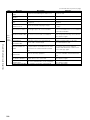
GENLOCK and time code input/output connection and setup Camera operating conditions Recording format 720P SDI OUT (720P) VIDEO OUT 576i (480i) SDI OUT (576i (480i)) VIDEO OUT SD (576i (480i)) VIDEO OUT, SDI OUT (SD) TC OUT 90H advance 90H advance 120H advance 120H advance 90H delay 90H delay 120H delay × × 120H delay No output GL PHASE SDI OUT (HD) SDI COMPOSITE SDI COMPOSITE SDI COMPOSITE SDI SD (576i (480i)) GENLOCK input and camera output phase (In phase: Out of phase: ×) COMPOSITE Disabled Counter Setting and Display Pressing the COUNTER button to view the counter displays the counter value on the time code indicator in the LCD and in the viewfinder. The counter value is indicated in “Hour : Minute : Second” format. The counter value is not displayed during playback. The menu option REC COUNTER in the DISPLAY SETUP screen can be set to display two types of counters. TOTAL: provides a continuous count until reset by pressing the COUNTER RESET button. The counter value is retained when P2 cards are replaced and when the power is turned off. CLIP: The counter is reset to 0 at the start of each recording and allows you to keep track of clip recording time while shooting the current clip. NOTE • Pressing the RESET button when the counter value is displayed resets the counter to 0. • The counter value indicates values in the range between 0:00:00 and 9:59:59 in 1-second steps. 69 Chapter 4 Adjustments and Settings for Recording 1080i Video and reference signal to be output GENLOCK input externally SDI OUT (1080i) 1080i VIDEO OUT SDI OUT (1080i) SD (576i (480i)) VIDEO OUT SDI OUT (720P) 720P VIDEO OUT Camera setup