1
pg.2
USER SERVICING INSTRUCTIONS
1. B
efore using and reusing, inspect the product carefully. Discard any products that have cut, damaged or frayed wire
insulation cords, cracks, lamp holders or enclosures, loose connection, or exposed copper wire.
2. When storing the product, carefully remove the product from wherever it is placed, including trees, branches, or bushes,
to avoid any undue strain or stress on the product conductors, connections and wires.
3. W
hen not in use, store neatly in a cool, dry location protected from sunlight.
USER SERVICING INSTRUCTIONS
WARNING: Remove all plastic fasteners and tags. These are part of the packaging and should be discarded.
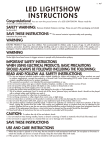
Congratulations! You’re the proud owner of a outdoor Projector. Please read over the directions carefully before
using the item.
• Creates a christmas light show.
• Lighting effects: Fire & Ice
• Portable design.
• LED color: white
CONTENTS
Outdoor Lightshow Projector1 pc
Image Slides8 pcs
INSTRUCTIONS
Set-up Approximately 1-5 minutes.
1. R
emove contents from packaging.
2. place unit on level floor and install the stake ,adjust the angle of the stake .
3. P
ull slide holder out and insert desired Image Slide.
4. Plug into receptacle or other outlet device to activate your Projector.
5. T o deactivate, unplug.
6. D
o not block the cooling fan on bottom or ventilation opening on top of Projector.
7. When picture is not clear,only adjust the focal length.It’s on the front of the projector.
Mounting Instructions:
1. Adjust the desired inclination-angle via the mounting bracket and
fix the bracket screws tightly.
2. For the pin spot with plug, connect the fixture to the mains with
the power plug.
Outdoor-Holiday Projector assembly instructions
1. A
ssemble the light stake parts A & B as shown in illustration 1 ,
Push the A and B parts together until tighten the screws.
2. Push A through the circle, insert the grooves of projector, and
tighten the circle, then adjust the angle of projector.
3.Open the lid of the projector (turn right or left), choose your
favorite slides, in the projector. (see Illustration 2)
Illustration 1
Illustration 2
WARNING
This device complies with Part 15 of the FCC Rules. Operation is subject to the following two conditions: 1) this device may
not cause harmful interference, and (2) this device must accept any interference received, including interference that may
cause undesired operation.