1
Item #1000044891
Model #AM212-WH
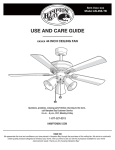
USE AND CARE GUIDE
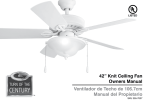
GLENDALE 42 IN. CEILING FAN
Questions, problems, missing parts? Before returning to the store,
call Hampton Bay Customer Service
8 a.m. - 6 p.m., EST, Monday-Friday
1-855-HD-HAMPTON
HAMPTONBAY.COM
THANK YOU
Table of Contents
Table of Contents .......................................................... 2
Safety Information ......................................................... 3
Operation ..................................................................... 17
Pull Chain Operating Instructions .......................................... 17
Reverse Switch Operating Instructions ..................................17
Warranty ......................................................................... 4
Care and Cleaning .......................................................18
Pre-Installation .............................................................. 4
4
Tools Required ......................................................................... 4
Hardware Included .................................................................. 5
Package Contents .................................................................... 6
Dual Mounting Instructions ...................................................... 7
Troubleshooting .......................................................... 18
Service Parts ............................................................... 20
Installation ..................................................................... 8
Assembly ........................................................................ 9
Standard Ceiling Mounting .......................................................9
Close-to-Ceiling Mounting ..................................................... 10
Hanging the Fan .................................................................... 11
Attaching the Fan Blades ....................................................... 14
Installing the Light Kit ............................................................ 16
2
Safety Information
1.
To reduce the risk of electric shock, ensure electricity has
been turned off at the circuit breaker or fuse box before
beginning.
2.
All wiring must be in accordance with the National Electrical
Code “ANSI/NFPA 70-1999” and local electrical codes.
Electrical installation should be performed by a qualified
licensed electrician.
3.
WARNING: To reduce the risk of electrical shock or fire, do
not use this fan with any solid-state fan speed control device.
It will permanently damage the electronic circuitry.
WARNING: To reduce the risk of personal injury, do not
bend the blade arms (also referred to as flanges), when
installing the brackets, balancing the blades or cleaning the
fan.
The outlet box and support structure must be securely
mounted and capable of reliably supporting a minimum of 35
lbs. Use only UL-listed outlet boxes marked “FOR FAN
SUPPORT.”
4.
The fan must be mounted with a minimum of 7 ft. clearance
from the trailing edge of the blades to the floor.
5.
Avoid placing objects in the path of the blades.
6.
To avoid personal injury or damage to the fan and other
items, be cautious when working around or cleaning the fan.
7.
Do not use water or detergents when cleaning the fan or fan
blades. A dry dust cloth or lightly dampened cloth will be
suitable for most cleaning.
8.
After making electrical connections, spliced conductors
should be turned upward and pushed carefully up into the
outlet box. The wires should be spread apart with the
grounded conductor and the equipment-grounding conductor
on one side of the outlet box and ungrounded conductor on
the other side of the outlet box.
9.
All setscrews must be checked and retightened where
necessary before installation.
WARNING: Do not insert foreign objects between rotating
fan blades.
WARNING: To reduce the risk of fire, electric shock or
personal injury, mount the fan to the outlet box marked
acceptable for fan support with the screws provided with the
outlet box.
CAUTION: To reduce the risk of personal injury, use only
the screws provided with the outlet box.
3
HAMPTONBAY.COM
Please contact 1-855-HD-HAMPTON for further assistance.
Warranty
We warrant the fan motor to be free from defects in workmanship and material present at time of shipment from the factory for a period
of lifetime after the date of purchase by the original purchaser. We also warrant that all other fan parts, excluding any glass or acrylic
blades, to be free from defects in workmanship and material at the time of shipment from the factory for a period of one year after the
date of purchase by the original purchaser. We agree to correct such defects without charge or at our option replace with a comparable or
superior model if the product is returned. To obtain warranty service, you must present a copy of the receipt as proof of purchase. All
costs of removing and reinstalling the product are your responsibility. Damage to any part such as by accident, misuse, improper installation or by affixing any accessories, is not covered by this warranty. Because of varying climatic conditions this warranty does not cover
any changes in brass finish, including rusting, pitting, corroding, tarnishing or peeling. Brass finishes of this type give their longest useful
life when protected from varying weather conditions. A certain amount of “wobble” is normal and should not be considered a defect.
Servicing performed by unauthorized persons shall render the warranty invalid. There is no other express warranty. We hereby disclaim
any and all warranties, including but not limited to those of merchantability and fitness for a particular purpose to the extent permitted by
law. The duration of any implied warranty which cannot be disclaimed is limited to the time period as specified in the express warranty.
Some states do not allow limitation on how long an implied warranty lasts, so the above limitation may not apply to you. The retailer shall
not be liable for incidental, consequential, or special damages arising out of or in connection with product use or performance except as
may otherwise be accorded by law. Some states do not allow the exclusion of incidental or consequential damages, so the above
exclusion or limitation may not apply to you. This warranty gives specific legal rights, and you may also have other rights which vary from
state to state. This warranty supersedes all prior warranties. Shipping costs for any return of product as part of a claim on the warranty
must be paid by the customer.
Contact the Customer Service Team at 1-855-HD-HAMPTON or visit www.hamptonbay.com.
Pre-Installation
SPECIFICATIONS
Fan size
Speed
Volts
Low
42 in.
Medium
High
120
Amps
Watts
RPM
CFM
N.W.
G.W.
0.21
10.2
99
1442.37
X kg
X kg
0.32
24.1
159
2415.55
(X lbs.)
(X lbs.)
0.43
50.5
217
3484.12
C.F.
X cu. ft.
NOTE: These are approximate measures. They do not
include amps and wattage used by the light kit.
TOOLS REQUIRED
Phillips
screwdriver
Flat blade
screwdriver
Step
ladder
4
Wire
stripper
Electrical
tape
Pre-Installation (continued)
HARDWARE INCLUDED
NOTE: Hardware shown to actual size unless noted
otherwise in the table below.
FF
AA
JJ
BB
GG
CC
KK
HH
DD
II
EE
Part
Description
Quantity
AA
Plastic wire nut (not to scale)
3
BB
Canopy mounting bracket screw with lock washer (preassembled)
4
CC
Blade arm screw and lock washer (preassembled)
10
DD
Clevis pin (preassembled)
1
EE
Cotter pin (preassembled)
1
FF
Collar setscrew (preassembled)
2
GG
Collar mounting screw with lock washer (preassembled)
6
HH
Light kit mounting screw (preassembled)
3
II
Light holder thumbscrew (preassembled)
10
JJ
13 watt compact fluorescent bulb (not to scale)
3
KK
Pull chain and fob (not to scale)
2
5
HAMPTONBAY.COM
Please contact 1-855-HD-HAMPTON for further assistance.
Pre-Installation (continued)
PACKAGE CONTENTS
A
B
C
D
F
E
H
G
I
Part Description
Quantity
Part
Description
Quantity
A
Mounting bracket (preassembled)
1
F
Blade
5
B
Canopy
1
G
Blade arm
5
C
Canopy bottom cover (preassembled)
1
H
Light kit
1
D
Hanger ball/downrod assembly
1
I
Glass shade
3
E
Fan motor assembly
1
6
Pre-Installation (continued)
DUAL MOUNTING INSTRUCTIONS
This ceiling fan is supplied with two types of hanging assemblies: the
standard ceiling installation using the downrod with ball and socket
mounting, and the "close-to-ceiling" mounting. The "close-to-ceiling"
mounting is recommended in rooms with less than 8 ft. ceilings or in
areas where additional space is desired from the floor to the fan blades.
When using the standard downrod installation, the distance from the
ceiling to the bottom of the fan blades will be approximately 12 in. The
"close-to-ceiling" installation reduces the distance from the ceiling to the
bottom of the fan blades to approximately 9 in.
Once you have decided which ceiling installation you will use, refer to the
corresponding sections and procedures during the assembly period.
Where necessary, each section of the instructions will note the different
procedures to follow for the two types of installation.
Standard Ceiling Mounting
Close-to-Ceiling Mounting
7
HAMPTONBAY.COM
Please contact 1-855-HD-HAMPTON for further assistance.
Installation
MOUNTING OPTIONS
NOTE: You may need a longer downrod to maintain proper
blade clearance when installing on a steep, sloped ceiling.
The maximum angle allowable is 18° away from horizontal. If
the canopy (B) touches the hanger ball/downrod assembly
(D), then remove the decorative canopy bottom cover (C) and
turn the canopy (B) 180° before attaching the canopy (B) to
the mounting bracket (A).
WARNING: To reduce the risk of fire, electric shock, or
personal injury, mount the fan to an outlet box marked
acceptable for fan support using the screws provided with the
outlet box. An outlet box commonly used for the support of
lighting fixtures may not be acceptable for fan support and
may need to be replaced. If in doubt, consult a qualified
electrician.
If your ceiling fan does not have an existing UL-listed mounting
box, then install one using the following instructions:
□
Disconnect the power by removing the fuses or turning off
the circuit breakers.
□
Secure the outlet box (LL) (not included) directly to the
building structure. Use appropriate fasteners and materials
(not included). The outlet box and its bracing must be able
to fully support the weight of the moving fan (at least 35
lbs.). Do not use a plastic outlet box.
MM
LL
The illustrations below show three different ways to mount the
outlet box (LL) (not included).
To hang your fan where there is an existing fixture but no ceiling
joist, you may need an installation hanger bar (MM) (not
included) as shown above.
LL
LL
LL
A
8
Assembly — Standard Ceiling Mounting
1
2
Preparing the canopy
□
Remove the two non-slotted mounting bracket screws
(BB) from the canopy (B), and loosen the slotted
mounting bracket screws (BB) on the canopy (B).
□
Remove the canopy (B) from the mounting bracket (A)
by turning the canopy (B) counterclockwise.
□
Preparing the motor
Remove the clevis pin (DD), and cotter pin (EE), and
loosen the two collar setscrews (FF) from the motor
collar.
EE
BB
BB
A
3
DD
B
Assembling the fan
□
WARNING: Failure to properly install the cotter pin (EE)
could result in the fan becoming loose and possibly falling.
Tighten the two collar setscrews (FF) on top of the
fan motor assembly (E) firmly.
NOTE: If a longer downrod is needed (not included), take
out the screw located in the hanger ball, lower the hanger
ball and remove the pin. Remove all three pieces from the
downrod, and assemble them onto the new longer downrod
before proceeding step 3.
□
Route the wires through the canopy (B) and then
through the hanger ball/downrod assembly (D).
□
Align the holes at the bottom of the hanger
ball/downrod assembly (D) with the holes in the
collar on top of the fan motor assembly (E). Carefully
insert the clevis pin (DD) through the holes in the
collar and the hanger ball/downrod assembly (D). Be
careful not to jam the clevis pin (DD) against the
wiring inside the hanger ball/downrod assembly (D).
□
FF
FF
D
B
EE
FF
FF
E
Insert the cotter pin (EE) through the hole near the
end of the clevis pin (DD) until it snaps into the
locked position.
DD
9
HAMPTONBAY.COM
Please contact 1-855-HD-HAMPTON for further assistance.
Assembly — Close-to-Ceiling Mounting
1
2
Preparing the canopy
□
Remove the mounting bracket (A) from the canopy (B)
by loosening the four mounting bracket screws (BB)
on the top of the canopy (B). Remove the two
non-slotted mounting bracket screws (BB) and loosen
the slotted mounting bracket screws (BB).
□
Remove the canopy bottom cover (C) from the canopy
(B).
Preparing the motor
□
Remove three of the six collar mounting screws with
lock washers (GG) (every other one) from the collar
on top of the fan motor assembly (E).
GG
BB
BB
E
A
B
C
3
Assembling the fan
GG
WARNING: Failure to completely tighten the three collar
mounting screws (GG) could result in the fan becoming loose
and possibly falling.
B
□
Make sure the slot openings are on top, and then
proceed to place the canopy (B) over the collar at the
top of the fan motor assembly (E).
□
Align the mounting holes in the bottom of the canopy
(B) with the holes in the top of the fan motor assembly (E), and fasten using the three collar mounting
screws with lock washers (GG) previously removed.
□
Tighten the collar mounting screws (GG) securely.
E
10
Assembly — Hanging the Fan
4
Attaching the fan to the
electrical box
WARNING: To reduce the risk of fire, electric shock or
other personal injury, mount the fan only to an outlet box or
supporting system marked acceptable for fan support and
use the mounting screws provided with the outlet box.
□
Pass the 120-volt supply wires through the center
hole in the mounting bracket (A).
□
Attach the mounting bracket (A) on the outlet box (LL)
by sliding the mounting bracket (A) over the screws
provided with the outlet box. When using “close-toceiling” mounting, it is important that the mounting
bracket (A) be level. If necessary, use leveling
washers (not included) between the mounting
bracket (A) and the outlet box (LL). Note that the flat
side of the mounting bracket (A) is toward the outlet
box (LL).
□
Securely tighten the two mounting screws.
5a
LL
A
Hanging instructions for
standard mounting
5b
WARNING: The hook is only to hold the fan while attaching
wiring. Failure to hang as instructed may result in the tab
breaking causing the fan to fall. The hook must pass from the
inside to the outside of the canopy.
WARNING: The tab in the ring must rest in the groove of
the hanger ball (D). Failure to properly seat the tab in the
groove could cause damage to the wiring.
□
Carefully lift the fan motor assembly (E) up to the
mounting bracket (A) and seat the hanger ball (D) in
the mounting bracket (A) socket. Make sure the tab
on the mounting bracket (A) socket is properly seated
in the groove in the hanger ball (D). This will help to
balance the ceiling fan.
D
Hanging instructions for
close-to-ceiling mounting
□
A
Carefully lift the fan motor assembly (E) up to the
mounting bracket (A) and hang the fan on the hook
provided using one of the holes at the outer rim of the
canopy (B).
A
E
E
B
B
11
HAMPTONBAY.COM
Please contact 1-855-HD-HAMPTON for further assistance.
Assembly — Hanging the Fan (continued)
RR
WARNING: To avoid possible electrical shock, be sure
electricity is turned off at the main fuse box before wiring.
SS
WARNING: Check to see that all connections are tight,
including ground, and that no bare wire is visible at the wire
nuts (except for the ground wire).
Follow the steps below to connect the fan to your
household wiring. Use the plastic wire nuts (AA) with your
fan. Secure the plastic wire nuts (AA) with electrical tape.
Make sure there are no loose strands or connections.
Connect the ground conductor (TT) of the 120V supply
(this may be a bare wire or a wire with green colored
insulation) to the green ground lead(s) (NN) of the fan.
When using standard ceiling mounting, there are two
green grounding leads: one from the mounting
bracket (A) and one from the hanger ball/downrod
assembly (D). When using “close-to-ceiling”
mounting, there is only one green ground lead (NN)
from the mounting bracket (A) since the hanger
ball/downrod assembly (D) is not used.
□
Connect the fan motor white wire (OO) to the supply
white (neutral) wire (SS) using a plastic wire nut (AA).
□
Connect the fan motor black wire (PP) and the blue
wire (QQ) to the supply black (hot) wire (RR) using a
plastic wire nut (AA).
□
Turn the wire nut connections upward, spreading
them apart so the green (ground) (NN) will be on one
side of the outlet box (LL) and the white (OO), black
(PP) and blue wire (QQ) will be on the other side.
Carefully tuck the connections up into the outlet box
(LL).
12
NN
QQ
If you feel you do not have enough electrical wiring
knowledge or experience, have your fan installed by a
licensed electrician.
PP
AA
WARNING: To reduce the risk of fire or electric shock, do
not use this fan with any solid-state speed control device.
□
TT
LL
OO
6
Making the electrical
connections
Assembly — Hanging the Fan (continued)
7a
7b
Standard ceiling mounting
WARNING: Locking slots of the canopy (B) are provided
only as an aid to mounting. Do not leave the fan assembly
unattended until all four canopy screws (BB) are engaged and
firmly tightened.
WARNING: Make sure the tab on the mounting bracket (A)
properly sits in the groove in the hanger ball (D) before
attaching the canopy (B) to the mounting bracket (A) by
turning the canopy (B) until it drops into place.
WARNING: The locking slots of the canopy (B) are provided
only as an aid to mounting. Do not leave the fan assembly
unattended until all four canopy mounting bracket screws
(BB) are engaged and firmly tightened.
□
□
Close-to-ceiling mounting
□
Remove the fan from the hook on the mounting
bracket (A).
□
Secure the canopy (B) to the mounting bracket (A)
with the four canopy mounting bracket screws and
lock washers (BB) provided.
Slide the canopy (B) up to the ceiling. Make sure you
have placed the wires safely into the outlet box (LL).
LL
Secure the canopy (B) to the mounting bracket (A)
with the four canopy mounting bracket screws and
lock washers (BB) included with your fan.
BB
BB
A
LL
BB
BB
B
A
B
13
HAMPTONBAY.COM
Please contact 1-855-HD-HAMPTON for further assistance.
Assembly — Attaching the Fan Blades
8
□
Removing the rubber
packing mounts
The fan motor assembly (E) is shipped with rubber
packing mounts (UU) to prevent movement during
transportation. Remove the five rubber packing
mounts (UU) from the fan motor assembly (E) and
discard prior to attaching the blade arms.
E
UU
9
Attaching the blades to
the blade arms
WARNING: Failure to properly seat the blades (F) on the
blade arms (G) and engage in the spring locking mechanism
(XX) could result in the fan blades (F) loosening and possibly
falling.
F
VV
G
NOTE: Your fan blades are reversible. Select the blade side
finish which best accentuates your decor.
WW
To install the blade to the blade arm:
□
Hold the blade (F) with hands close to the blade arm
(G), align the key-slot holes (VV) with the blade arm
posts (WW) and press the blade down firmly. Ensure
the key-slot holes (VV) are properly seated on the
blade arm posts (WW).
□
Firmly slide the blade (F) away from the blade arm (G)
until the blade (F) engages in the spring locking
mechanism (XX). Make sure the spring of the spring
locking mechanism (XX) is upward and the butt of the
spring locking mechanism (XX) is against the edge of
the blade.
G
XX
To detach the blade from the blade arm:
□
Press down the spring locking mechanism (XX) to
release the blade (F) from the blade arm (G). Slide the
blade (F) toward the blade arm (G) until the blade (F)
disengages from the spring locking mechanism (XX).
Carefully push the blade (F) up to detach from the
blade arm (G).
14
F
Assembly — Attaching the Fan Blades
10
Fastening the blade
assemblies to the motor
WARNING: To reduce the risk of personal injury, do not
bend the blade arms (G) while installing, balancing the blades
(F), or cleaning the fan. Do no insert foreign objects between
rotating fan blades (F).
□
E
Fasten the blade assemblies to the fan motor
assembly (E) by lining up the slots of the motor (YY)
with the tabs on the blade arms (ZZ).
□
Tighten the two blade arm screws with lock washers
(CC) already installed in the blade arms (G).
□
Repeat this procedure for the remaining blade arms
(G).
YY
F
ZZ
G
CC
15
HAMPTONBAY.COM
Please contact 1-855-HD-HAMPTON for further assistance.
Assembly — Installing the Light Kit
11
Attaching the light kit to
the switch housing
12
CAUTION: Before starting the installation, disconnect the
power by turning off the circuit breaker or removing the fuse
at the fuse box. Turning power off using the fan switch is not
sufficient to prevent electric shock.
□
Remove the three light kit mounting screws (HH)
from the light kit (H) and keep these screws.
□
While holding the light kit (H) under your fan motor
assembly (E), locate two single white and blue wires
in the switch housing labeled "FOR LIGHT". Make the
polarized plug connections:
- White to white
- Blue to black
□
Carefully push all wires back into the switch housing.
Install the light kit (H) onto the switch housing with
the three light kit mounting screws (HH) provided. Be
sure to tighten all screws.
Mounting the glass shades and
installing the light bulbs
□
Mount the glass shades (I) to the light sockets by
partially unscrewing the three light holder
thumbscrews (II) on each glass holder, inserting the
glass shades (I), and gently and evenly tightening the
light holder thumbscrews (II) by hand to the glass
shades (I). Do not overtighten.
□
Install three 13 watt compact fluorescent bulbs (JJ)
(included).
E
II
I
JJ
HH
H
16
Operation
PULL CHAIN OPERATING INSTRUCTIONS
Install two pull chains and fobs (KK) onto the pull chains located in
the switch housing and light kit (H). Turn on the power and check
the operation of the fan.
The pull chain controls the fan speed as follows:
1 pull - High, 2 pulls - Medium, 3 pulls - Low, and 4 pulls - Off.
Speed settings for warm or cool weather depend on factors such
as the room size, ceiling height, and number of fans.
To turn the light kit “ON” or “OFF”, pull the chain that is attached
to the light kit (H).
H
KK
REVERSE SWITCH OPERATING INSTRUCTIONS
The reverse switch is located on the surface of the switch housing.
This switch controls directions: forward (switch down) or reverse
(switch up).
NOTE: Wait for the fan to stop before reversing the direction
of the blade rotation.
Warm weather - (Counterclockwise Direction) A downward air flow
creates a cooling effect. This allows you to set your air conditioner
on a warmer setting without affecting your comfort.
Cool weather - (Clockwise Direction) An upward air flow moves
warm air off the ceiling. This allows you to set your heating unit on
a cooler setting without affecting your comfort.
17
HAMPTONBAY.COM
Please contact 1-855-HD-HAMPTON for further assistance.
Care and Cleaning
Do
□
Do not
Check the support connections, brackets, and blade
attachments twice a year. Make sure they are secure.
Because of the fan’s natural movement, some
connections may become loose over time. It is not
necessary to remove the fan from the ceiling.
□
Clean your fan periodically. Use only a soft brush or
lint-free cloth to avoid scratching the finish. The plating is
sealed with a lacquer to minimize discoloration or
tarnishing.
□
(Optional) Apply a light coat of furniture polish to the wood
blades.
□
(Optional) Cover small scratches with a light application of
shoe polish.
□
Use water when cleaning. Water could damage the motor,
or the wood, or possibly cause an electrical shock.
□
Apply oil to your fan or motor. The motor has
permanently-lubricated sealed ball bearings.
Troubleshooting
WARNING: Make sure the power is off at the electrical
panel box before you attempt any repairs. Refer to the section
“Making the Electrical Connections” on page 12.
Problem
The fan will not start.
The fan sounds noisy.
Solution
□
Check the main and branch circuit fuses or breakers.
□
Check the line wire connections to the fan and switch wire connections in the switch housing.
□
Make sure all motor housing screws are snug.
□
Make sure the screws that attach the fan blade arm to the motor hub are tight.
□
Make sure wire nut connections are not rattling against each other or the interior wall of the switch
housing.
□
Allow a 24-hour "breaking-in" period. Most noises associated with a new fan disappear during this
time.
□
If using the ceiling light kit, make sure the screws securing the glassware are tight. Check that the light
bulb is also secure.
□
Make sure there is a short distance from the ceiling to the canopy. It should not touch the ceiling.
□
Make sure your ceiling box is secure and rubber isolator pads are used between the mounting bracket
and outlet box.
18
Troubleshooting (continued)
Problem
Solution
□
Verify that all blades and blade bracket screws are secure (most fan wobble problems are caused by
loose parts). Once the fan is properly installed, run the ceiling fan for 10 minutes to let the fan
self-adjust.
If wobble occurs after running the fan for 10 minutes, verify blade level using the following process:
The fan wobbles.
- Select a point on the ceiling above the tip of one of the blades, then select any fan blade and measure
from the center of the selected blade to the point on the ceiling. Rotate the fan until the next blade is
positioned and repeat the measurement using the same point from the ceiling for every blade.
Measurement deviations should be within 1/8 in.
- If all deviations are less than 1/8 in. and the fan continues to wobble, please call Customer Service
(1-855-HD-HAMPTON) to order a complimentary Blade Balancing Kit.
- If deviation is greater than 1/8 in., please call Customer Service (1-855-HD-HAMPTON) to order
complimentary replacements of your brackets.
19
HAMPTONBAY.COM
Please contact 1-855-HD-HAMPTON for further assistance.
Service Parts
A
AA
F
BB
GG
HH
B
C
CC
G
D
DD
II
JJ
H
E
EE
KK
I
FF
Part
Description
Part
Description
A
Mounting bracket (preassembled)
AA
Plastic wire nut
B
Canopy
BB
Canopy mounting bracket screw with lock washer
C
Canopy bottom cover (preassembled)
D
Hanger ball/downrod assembly
CC
Blade arm screw and lock washer (preassembled)
E
Fan motor assembly
DD
Clevis pin (preassembled)
F
(preassembled)
Blade
EE
Cotter pin (preassembled)
G
Blade arm
FF
Collar setscrew (preassembled)
H
Light kit
GG
Collar mounting screw with lock washer (preassembled)
I
Glass shade
HH
Light kit mounting screw (preassembled)
II
Light holder thumbscrew (preassembled)
JJ
13 watt compact fluorescent bulb
KK
Pull chain and fob
20
Questions, problems, missing parts? Before returning to the store,
call Hampton Bay Customer Service
8 a.m. - 6 p.m., EST, Monday-Friday
1-855-HD-HAMPTON
HAMPTONBAY.COM
Retain this manual for future use.
AM212WH000001-A