1
Maintenance, Operation & Cleaning
r
we
o
nP
www.HunterFan.com
1.866.268.1936
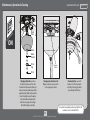
Metal
Plate
r
Tu
ON
Globe
Globe
Keeper
Finial
Cap
Reverse
Switch
Finial
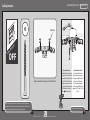
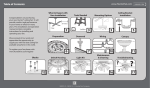
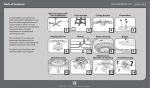
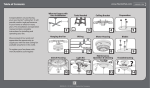
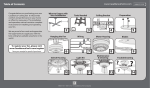
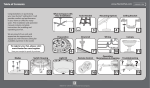
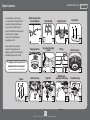
Changing the bulbs - unscrew
the finial and remove it from the
threaded rod. Remove the finial cap
and unscrew the globe keeper while
supporting the globe with your other
hand. Carefully remove the globe.
Unscrew bulbs and replace with
bulbs of same type and wattage.
Reinstall the globe assembly.
Changing the direction of air
flow - move the reverse switch
to the opposite position.
14
M0044-01 • 06/25/15 • © 2012–2015 Hunter Fan Company
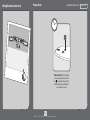
Cleaning the fan - use soft
brushes or cloths to prevent
scratching. Cleaning products
may damage the finishes.
For questions regarding removing a light kit, call
customer service 1-866-268-1936.