1
PRIVEX
®
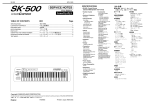
Digital Lever Lock
User Manual / Installation Guide
SK500 Series
SPECIFICATIONS
Dimensions (Panels with levers):
5 3/16” (H) x 5 1/2” (W) x 2 3/4” (D)
Total Weight: 3.31lbs
Door Thickness: 1 3/16” — 2”
Adjustable Stainless Steel Latch
Power Supply:
4AA Alkaline Batteries (included)
Digital Keypad
Temperature: -40°F — 185°F
Thank you for choosing the PRIVEX® SK500 Digital Lever Lock.
Please keep this manual for future reference.
The SK500 can be programmed to remain locked at all times, requiring a
Master Code each time access to the door is required. It can also be
programmed to remain unlocked at all times, allowing open access until the the
lock code is used. Please follow the instructions below.
EXTERIOR VIEW
SK500 INSTALLATION
A. If door is not bored, use the
attached template on the back of
this manual. Follow instructions
on the template. If door is
bored, skip Step A and proceed
to Step B.
A.
Keyhole Cover
TO UNLOCK WITH ONE-TIME ACCESS
• Enter Master Code or Sub-Code and press #.
Correct: One long beep. Motor of lock is engaged & latch is operable.
Incorrect: Three beeps. After 5 successional incorrect attempts, the
Keypad becomes inactive for 1 minute.
*Note: Auto-Lock Function engages after 2 seconds of latch retracting or 5
seconds of lock being idle.
TO UNLOCK WITH UNLIMITED ACCESS
B. Insert latch (a) into the door.
Use a phillips screwdriver to
tighten the screws (b), being
careful not to overtighten.
B.
Keyhole
INTERIOR VIEW
*
• Enter Master Code or Sub-Code and press
Correct: One long beep. Motor of lock is engaged & latch is operable.
Incorrect: Three beeps. After 5 successional incorrect attempts, the
Keypad becomes inactive for 1 minute.
• Press # to lock.
TO UNLOCK WITH KEY
• Remove Key Hole Cover.
• Insert key and turn 180° clockwise. As long as the key is in this position,
the lock will remain unlocked.
• Return key to original position and remove from lock.
• Replace Key Hole Cover.
*Note: Using the key will not reset the Keypad or the Auto-Lock function.
TO LOCK
• Press #.
TO PROGRAM MASTER CODE AND SUB-CODES
• Press Reset Button twice. (One long beep will follow.)
• Enter Master Code (111111) and #. (One long beep will follow.)
• Enter Sub-Code (see chart on right).
• Wait 2 seconds. Enter new code (4-6 digits) & press #. (One beep
indicates accepted code. Three beeps indicate Error.)
• Press # to exit Program Mode.
*Note: Two beeps indicate idleness longer than 5 seconds and lock has exited
Program Mode.
a
Battery Cover
b
b
C. Insert the square spindle (c)
through the door and latch (a).
Connect the wires (f x 2). Connect
the two plates and tighten screws
(g) into pipes (d). Remove battery
cover (h) and install 4 AA batteries. Place strike plate (k) on door
frame and tighten screws (b) with
screwdriver.
C.
Reset Button
PROGRAMABLE SUBCODES
d
f
Master Code = *00
(Pre-programmed Master Code = 111111)
Sub-Code 1
Sub-Code 2
Sub-Code 3
Sub-Code 4
Sub-Code 5
Sub-Code 6
Sub-Code 7
Sub-Code 8
Sub-Code 9
=
=
=
=
=
=
=
=
=
*01
*02
*03
*04
*05
*06
*07
*08
*09
Temp Code
= *10
(Provides one-time Temporary Access.
Code is erased after one-time use.)
Please fold along the dotted line and tear.
SK500 USER INSTRUCTIONS
d
c
f
h
k
g
g
b
b
See reverse for
template instructions.