1
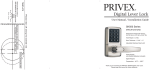
PRIVEX
®
Digital Lever Lock
User Manual / Installation Guide
SR500 Series
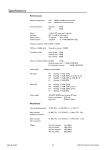
SPECIFICATIONS
Dimensions (Panels with levers):
5 3/16” (H) x 5 1/2” (W) x 2 3/4” (D)
Total Weight: 3.31lbs
Door Thickness: 1 3/16” — 2”
Adjustable Stainless Steel Latch
Power Supply:
4AA Alkaline Batteries (included)
Digital Keypad
Temperature: -40°F — 185°F
Thank you for choosing the PRIVEX® SR500 Digital Lever Lock.
Please keep this manual for future reference.
SR500 USER INSTRUCTIONS
The SR500 is programmed to remain locked at all times, requiring
card access. It can also be programmed to remain unlocked (passage mode)
at all times, allowing open access until the MASTER CARD is used. The door
locks automatically 1.5 seconds after the lever returns to the
. original horizontal
position. Please follow instructions below for programming.
Master Card Setup
Press the button at the back for 5 seconds (long beep) and place the card to
the sensor. The first card to be encoded is the master card.
Regular Card Added/Deleted
1.Press the button at the back for 3 seconds (long beep) to enter setup mode.
2.Place the master card to the sensor.
3.Place the "Regular Card" to the sensor one by one to add (long beep)/to delete
regular card repeat steps 1, 2 and 3 (short beep)/delete (short beep)
Passage Mode Setup (Blue light flashes during passage mode)
1.Place the master card to the sensor.
2.Press the button at the back one time to enter passage mode.
3.To return to locked mode, place the master card to the sensor twice.
Cancel all cards at one time by using Master Card
1.Press the button at the back until one short beep, then release the button.
2.Place the master card to the sensor.
3.Press the button at the back for 5 seconds until a long beep and a short beep
sounds.
Factory Default Settings if Master Card is Lost
1.Remove one battery.
2.Next, while continuously pressing the button on the back reinstall the battery.
– One beep during setup indicates successful reset.
– Three beeps and red light during reset indicates operation failure. Repeat
steps 1 & 2 above
Low Battery Alert
Normal operation accompanied with 5 beeps in a row. Please change batteries.
– Card memory function. No need to re-encode the cards after battery
replacement.
– Please use alkaline batteries only.
Care & Maintenance
– To preserve the appearance of the product, wipe down using a clean cloth.
Do not use alcohol or other chemical agents.
SR500 INSTALLATION
Product Overview
A. If door is not bored, use the
attached template on the back of
this manual. Follow instructions
on the template. If door is
bored, skip Step A and proceed
to Step B.
A.
Sensor/Indicator light
B. Insert latch (a) into the door.
Use a phillips screwdriver to
tighten the screws (b), being
careful not to overtighten.
Keyhole Cover
Battery Pack
B.
a
Button
b
b
Emergency override key
3 keys provided per lock
C. Insert the square spindle (c)
through the door and latch (a).
Connect the wires (e x 2). Connect
the two plates and tighten screws
(f) into pipes (d). Tighten screws (g)
and (h). Remove battery cover (i)
and install 4 AA alkaline batteries.
Place strike plate (k) on door frame
and tighten screws (b).
C.
d
e
c
*The picture is for reference only. Please check the actual model
for specifications.
i
Unlocking Methods
Keycards: simply place the card close to the sensor.
Key: the keyhole is in the lever of the front lever.
Types of Cards
Master card: First card to be encoded.
Regular cards: Remaining 99 cards.
Modes of Operation
Locked Mode: Requires card to access.
Passage Mode: No Card required.
d
f
k
g
f
e
b
h