1
CHAPTER
2
Hardware Installation and
Connection
This chapter shows you how to install and connect the Switch.
2.1 Freestanding Installation
1
Make sure the Switch is clean and dry.
2
Set the Switch on a smooth, level surface strong enough to support the weight of
the Switch and the connected cables. Make sure there is a power outlet nearby.
3
Make sure there is enough clearance around the Switch to allow air circulation and
the attachment of cables and the power cord.
4
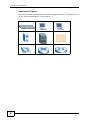
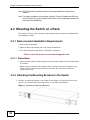
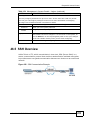
Remove the adhesive backing from the rubber feet.
5
Attach the rubber feet to each corner on the bottom of the Switch. These rubber
feet help protect the Switch from shock or vibration and ensure space between
devices when stacking.
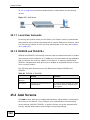
Figure 5 Attaching Rubber Feet
XGS-4526/4528F/4728F User’s Guide
33