1
English
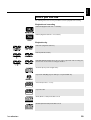
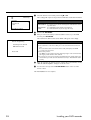
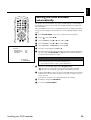
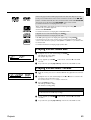
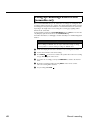
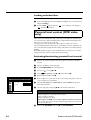
A menu may appear when a DVD is played back. If the titles and chapters are numbered, press a number button on the remote control.You can also use the t, u, v, w
buttons or number buttons 0..9 to select a menu item and confirm with ENTER/OK.
You can also access the menu using TOP-MENU on the remote control.
For further information see “Playing a DVD video disc”.
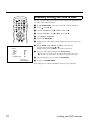
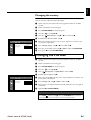
When a DVD+RW is played back the index overview appears. Using w, v, t, y
select the title you want to play back.
Confirm with ENTER/OK.
For further information see “Playing back a DVD+RW/+R Disc”.
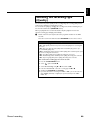
If playback does not start automatically, press PLAY
For further information see “Playing an audio CD”.
DIGITAL VIDEO
.
If the “A” symbol appears in the display, start playback by pressing PLAY .
If a menu appears on the screen, use the remote control buttons indicated on the
screen to select the menu option you want (PREV=t, NEXT=y) or with the number buttons 0..9.
For further information see “Playing a (Super) Video CD”.
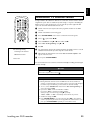
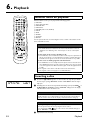
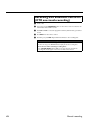
Playing a DVD video disc
1
If playback does not start automatically, press PLAY
This will appear on the display:
title, chapter, elapsed time.
2
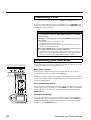
To stop playback, press STOP
recorder.
3
To eject the disc, press F (Open/Close) on the front of the DVD recorder.
.
on the remote control or A on the DVD
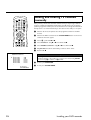
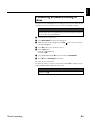
Playing a DVD+RW/ +R disc
1
If the disc is write-protected or a finalised DVD+R disc, playback starts automatically.
2
If playback does not start automatically, use the w or v button to select the title
you want to play on the index screen.
You can also use the t or y button on the front.
3
Press the PLAY
button.
This will appear on the display:
title number, recording quality.
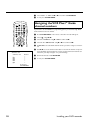
Problem
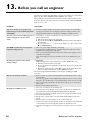
✘ I can see the message “EMPTYDISC”
✓ The disc does not contain any recordings.
Playback
4
To stop playback, press STOP
recorder.
5
To eject the disc, press F (Open/Close) on the front of the DVD recorder.
on the remote control or A on the DVD
32