1
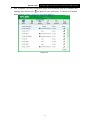
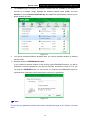
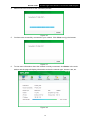
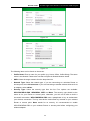
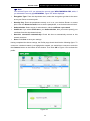
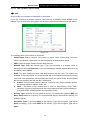
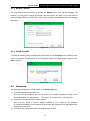
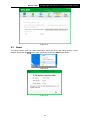
Archer T2UH AC600 High Gain Wireless Dual Band USB Adapter Note: You will see Figure 4-2 if you selected the security type WPA-PSK/WPA2-PSK; while, if you selected the security type WPA/WPA2, Figure 4-3 will be displayed. Encryption Type: From the drop-down menu, select the encryption type that is the same as on your Router or access point. Security Key: Enter the passphrase exactly as it is on your wireless Router or access point. Click the Show characters box to see the passphrase, or uncheck this box to hide it. Authentication: Select a type of authentication, either certificate or password. Certificate: If you select certificate as your Authentication, then you need to specify your certificate from the drop-down list here. Start this connection automatically: Check this box to automatically connect to this network next time. Save: Click Save to save your settings. Having completed the above settings, the Profile page should look like the following figure. To connect to a desired network, just highlight the network you would like to connect to and click the Connect button on the bottom of the window. Then click OK in Figure 4-5 to activate the profile. Figure 4-4 Figure 4-5 26