1
3.2
•
Windows Vista, XP and Windows 2000 users do not need to install a driver before
connecting the MP3 player to the USB port. Those operating systems have a plug and
play conveniency.
Connect one end of the enclosed USB cable to the mini USB port on your MP3 unit and
the other end of the USB cable to your computer’s USB port.
OP
E
N
CL
OS
E
•
MP3 installation
•
The player will be detected automatically and a removable disks will be displayed in your
system. Under Vista, the removable disk will be displayed as an audio player.
•
•
The disks will be assigned to the internal memory of the MP3 unit.
You can now copy music files (MP3/WMA) to the selected drive. Once the files are
copied, disconnect the MP3 unit from the USB port.
4
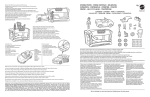
Description
1.
On / Off / Pause / Play
2.
Volume down
3.
Volume up
4.
Next song / Fast forward
4
1
3
2
5
ENGLISH
Topcom Toby