1
Programming Broil Function (Cont.)
Programming Defrost Function
See User Maintenance Instructions. Unplug when not in use.
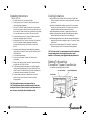
NOTE: To change the Broiling time during the broiling process, you must start
the programming sequence over. Press the Stop button. The default Broil
temperature will appear in the Display Window. Select desired time and press
the Start button to resume the broiling process.
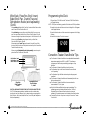
(Figure 6)
NOTE: Always use the Broil Insert and Bake/Broil Pan with the Broil function.
◆ Turn food halfway through the broil process.
DO NOT USE THIS METHOD FOR MEAT, POULTRY OR FISH.
1. Plug unit into a 120 V outlet. Close the Glass Door.
2. Press the Defrost button. The default defrosting time of 1:00 (1hour)
and DEF will appear in the Display Window.
3. Set the defrosting time by pressing the Up or Down arrow to move
to the desired time. To advance the numbers more quickly press the
Up or Down arrow continuously and the numbers will advance
in 5-minute intervals.
◆ Always use the Broil Insert and Bake/Broil Pan with the Broil
function.
Note: The Defrost function is designed to defrost foods in 1⁄3 of the time
recommended on package directions for defrosting at room temperature.
Hints For Broil
◆ The Convection Toaster Oven-Broiler will not broil unless a time is
selected. If no time is selected and the Start button is pressed, the
Convection Toaster Oven-Broiler will beep to indicate that no time
has been selected.
Programming Top Brown
To top brown foods, follow the toasting instructions above but place the
food on the Bake Pan on the Wire Rack.
Hints For Top Brown
◆ Watch food to avoid over-browning.
◆ You may brown the top of bagels (cut side up), English muffins or
melt cheese on sandwiches or casseroles.
4. The Temperature is preset and not adjustable. Open the Glass Door
and place the food on the Wire Rack in the Convection Toaster OvenBroiler.
5. Press the Start button. The Operation Light will come on and the
Timer will begin to count down,
6. The Convection Toaster Oven-Broiler will beep and the Operation
Light will flash continuously when the Defrost function is completed.
Open the Glass Door and press the Stop button.
7. Using oven mitts, carefully remove the food from the Convection
Toaster Oven-Broiler. Close the Glass door. Press Stop again to return
to the Clock function.
8. Serve or bake food according to directions.
9. Unplug oven and allow it to cool completely before cleaning.
See User Maintenance Instructions. Unplug when not in use.
Note: To change the time during the defrosting process, you must start the
programming sequence over. Press the Stop button. The default cooking
time will appear in the Display Window. Select the desired defrosting time
and press the Start button to resume the defrosting process.
14.
Convection Toaster Oven-Broiler Use and Care Guide
15.