1
ENGLISH
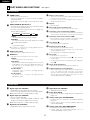
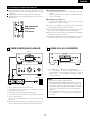
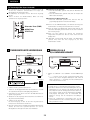
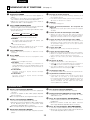
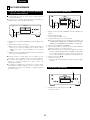
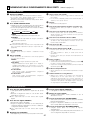
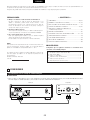
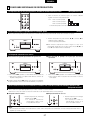
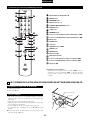
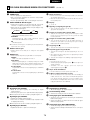
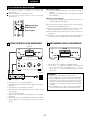
(5) Playing the tracks in the desired order (Remote control unit only)
2 Use this function to select the desired tracks on the disc and play
them in the desired order.
2 Up to 30 tracks can be programmed.
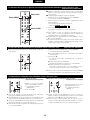
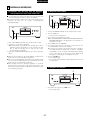
CALL button
DIRECT button
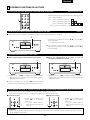
[Programmed Play]
1
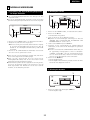
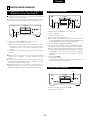
1. In the stop mode, press the PROGRAM button.
• The “PROGRAM” indicator lights.
2. Press the number and +10 buttons to select the track to be
programmed.
• For example, to program the 3rd track and the 12th track,
2
press PROGRAM , 3 , +10 and 2 .
3. Press the 1 button.
• The tracks are played in the programmed order.
CLEAR button
✽ To confirm the programmed playing order, press the CALL button
in the stop mode. The programmed playing order appears in the
display.
✽ To cancel the entire program, press the DIRECT button or the 5
button in the stop mode.
✽ If you program the wrong track, press the CLEAR button, and then
program the right track. (The last track in the program is erased
each time the CLEAR button is pressed.)
3
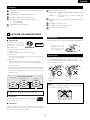
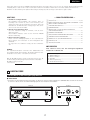
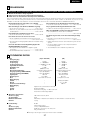
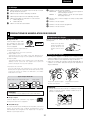
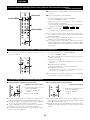
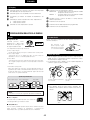
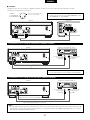
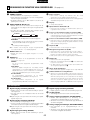
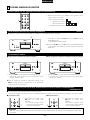
(6) Playing the tracks in random order (Remote control unit only)
[Random Play]
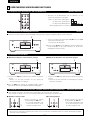
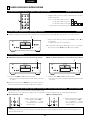
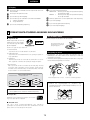
1. In the stop mode, press the RANDOM button.
• The “RANDOM” indicator lights.
2 Use this function to play all the tracks on the disc once in random
order.
✽ If pressed during playback, random play starts from that track.
2. Press the 1 button.
• A track is selected automatically and playback starts.
✽ During programmed playback:
The programmed tracks are played in random order.
✽ During repeat playback:
The tracks are played once in random order, then played again in
a different order, and this is repeated.
1
2
✽ To cancel random playback, press the RANDOM button in the stop
mode. Normal playback resumes.
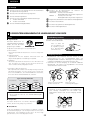
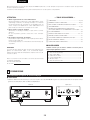
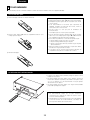
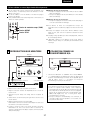
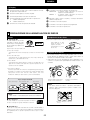
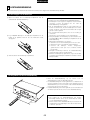
(7) Repeat Play (Remote control unit only)
q Playing all the tracks repeatedly
1
2
w Playing a single track repeatedly
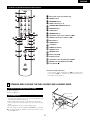
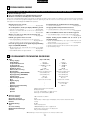
[All-track Repeat]
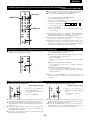
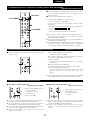
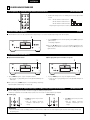
1. In the stop mode, press the
REPEAT button once.
• The “REPEAT ALL” indicator
lights.
1
2. Press the 1 button.
✽ The all-track repeat mode can also be set by pressing the REPEAT
button during playback.
✽ The one-track repeat mode is set if the REPEAT button is pressed
again during repeat playback.
✽ If the REPEAT button is pressed during programmed playback, the
programmed tracks are played repeatedly.
✽ To cancel the all-track repeat mode, press the REPEAT button
twice.
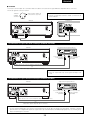
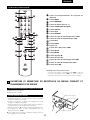
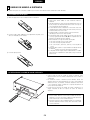
[One-track Repeat]
1. During playback, press the
REPEAT button twice.
• The “REPEAT 1” indicator
lights.
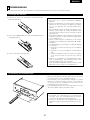
✽ When the REPEAT button is pressed twice while in the stop mode,
the set is readied for playback of the first track. Press the 1 button
to start playback.
✽ Press the REPEAT button once again to cancel the one-track
repeat mode. The display and playback return to normal.
14