1
1
Getting Started
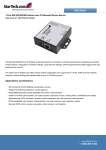
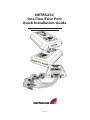
Congratulations on your purchase of a StarTech NETRS232. NETRS232s connect serial
devices to Ethernet networks. Any serial device—POS equipment, factory machinery,
monitoring hardware, or security devices, for example—can send its information to the
NETRS232.The NETRS232 places the serial data in a TCP/IP wrapper and sends it out its
Ethernet port. Data moving the other direction, from the Ethernet side of the
NETRS232 to the serial device, undergoes the same process in reverse. StarTech
NETRS232s use industry-standard hardware interfaces and are supported in Windows®
NT4, Windows®2000, Windows® XP, Windows® 2003, Linux, and QNX.
With a NETRS232, you can:
•
•
•
•
•
•
•
Network serial devices
Make devices available to multiple users
Manage multiple serial devices from a single PC
Eliminate long dedicated serial runs
Stop using costly PCs as dedicated serial port servers
Remotely access and control serial devices
Eliminate long-distance phone-modem charges
Included with your package, you should have the following:
•
•
•
•
•
StarTech NETRS232
Power supply
Quad DB-9 cable (NETRS232 Quad version only)
Installation diskette
Quick Installation Guide