1
VGN-CR100 Series personal computer
Voici votre ordinateur personnel de la Série VGN-CR100
Meet your
Before starting your computer for the first time, do not connect any other hardware that did not originally come with your computer. Make sure to start up
your computer with only the supplied accessories connected and set up your system. Upon completion, connect one device (for example, a printer, an
external hard disk drive, a scanner, and so on) at a time, following the manufacturers’ instructions.
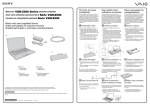
Main unit and supplied items
Unité principale et articles fournis
Avant de démarrer votre ordinateur pour la première fois, ne branchez aucun autre matériel qui n'a pas été originalement livré avec l'ordinateur.
Assurez-vous de ne démarrer votre ordinateur qu'avec les accessoires fournis, puis procédez à la configuration de votre système. Une fois cette
opération terminée, branchez un seul périphérique à la fois (par exemple, une imprimante, un disque dur externe, un scanneur, etc.) en respectant les
instructions du fabricant.
1
B
A
To turn on your computer
Pour mettre votre ordinateur en marche
Install Battery Pack
Installez la batterie
1
2
1
2
3
Slide the battery LOCK switch 1 inward.
Slide the battery pack into the battery compartment until
it clicks into place.
Slide the battery LOCK switch 1 to the LOCK position
to secure the battery pack on the computer.
3
Faites glisser le LOCK de batterie 1 vers l'intérieur.
Faites glisser la batterie dans le compartiment de la
batterie jusqu'à ce qu'un déclic se fasse entendre.
Faites glisser le LOCK de batterie 1 à la position
LOCK pour bien fixer la batterie dans l'ordinateur.
1
C
2
Connect AC Adapter
1
2
Branchez l'adaptateur
secteur
Plug one end of the power cord 1 into the AC adapter
2 and the other end into an AC outlet 3.
Plug the AC adapter cable into the DC IN port 4 on the
computer.
1
2
Branchez une extrémité du cordon d'alimentation 1
dans l'adaptateur c.a. 2, puis l'autre extrémité dans une
prise secteur 3.
Branchez le câble de l'adaptateur c.a. dans le port DC IN
4 de l'ordinateur.
D
4
1
2
3
A
C
Main unit
Unité principale
B
Power cord
Cordon d'alimentation
D
AC adapter
Adaptateur c.a.
Rechargeable battery pack
Batterie rechargeable
The illustrations in this document may appear different from your model, depending on the country or area of your residency.
Les illustrations du présent document peuvent différer de votre modèle, selon le pays ou la région où vous habitez.
3-211-035-11 (1) © 2007 Sony Corporation
Printed in USA
3
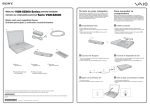
Open Lid and Power On
1
2
Lift the LCD screen lid.
Press the power button until the power indicator turns on.
Ouvrez le couvercle et
mettez l'ordinateur en
marche
1
2
Soulevez le couvercle avec écran ACL.
Appuyez sur le bouton de mise en marche jusqu'à ce
que le témoin de mise en marche s'allume.
To locate the User Guide
Pour repérer le Guide de l'utilisateur
To register your computer
Enregistrer votre ordinateur
1
2
3
You can register your computer online at the following URLs:
http://www.sony.com/vaioregistration for customers in USA
http://www.sonystyle.ca/registration for customers in Canada
http://vaio.sony-latin.com/ for customers in Spanish speaking
Latin American countries or areas
http://www.sony.com.br/ for customers in Brazil
Click Start
> Help and Support.
Click Manuals & Specifications.
Click VAIO User Guide.
1
2
3
Cliquez sur Démarrer
> Aide et support.
Cliquez sur Manuels & fiches techniques.
Cliquez sur VAIO Manuel D'Utilisateur.
Sony product registration is voluntary. Failure to register will
not diminish your limited warranty rights.
Troubleshooting
Dépannage
Vous pouvez enregistrer votre ordinateur en ligne en visitant les
adresses suivantes :
Pour les clients aux États-Unis - http://www.sony.com/vaioregistration
Pour les clients au Canada - http://www.sonystyle.ca/registration
Pour les clients hispanophones de l'Amérique latine ou d'ailleurs http://vaio.sony-latin.com/
Pour les clients au Brésil - http://www.sony.com.br/
L'enregistrement des produits de Sony n'est pas obligatoire. Votre
garantie limitée ne sera pas affectée si vous n'enregistrez pas votre
produit.
HDD recovery
Récupération du disque dur
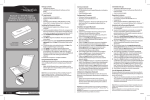
What should I do if my computer
does not start?
Que dois-je faire si mon ordinateur ne
démarre pas?
The power indicator on your computer is off when the computer
is not securely attached to a source of power. Make sure the
computer is plugged into the AC adapter and the adapter is
plugged into an outlet. If you are using battery power, make
sure the battery pack is installed properly and charged. You
may check the power source by disconnecting the AC adapter
and removing the battery pack. Wait three to five minutes
before reattaching the AC adapter and reinstalling the battery
pack.
Additional suggestions included:
■ If your computer is plugged into a power strip or an
uninterruptible power supply (UPS), make sure the power
strip or UPS is turned on and working.
■ If your computer is connected to an external display, such
as a multimedia monitor, make sure the display is plugged
into a power source and turned on. The brightness and
contrast controls may need to be adjusted. See the manual
that came with your display for more information.
■ If your computer is starting from a floppy disk, eject the disk
from the floppy disk drive (if applicable).
■ If you notice condensation on your computer, do not use the
computer for at least one hour. Condensation may cause
the computer to malfunction.
Le témoin sur l'ordinateur est éteint quand l'ordinateur est mal
raccordé à une alimentation électrique. Assurez-vous que
l'ordinateur est branché dans l'adaptateur secteur et que celui-ci
est bien branché dans une prise secteur. Si votre ordinateur est
alimenté par batterie, vérifiez si la batterie est correctement
installée et chargée. Vous pouvez vérifier l'alimentation
électrique en débranchant l'adaptateur secteur et en retirant la
batterie. Attendez de trois à cinq minutes avant de rebrancher
l'adaptateur c.a. et de réinstaller la batterie.
Autres suggestions :
■ Si votre ordinateur est branché à une barre d'alimentation ou
à une alimentation électrique sans coupure, assurez-vous que
la barre ou l'alimentation est sous tension.
■ Si votre ordinateur est branché à un écran externe, comme un
écran multimédia, assurez-vous que cet écran est branché à
une alimentation électrique et allumé. Il faudra peut-être
ajuster les commandes de luminosité et de contraste. Pour de
plus amples renseignements, veuillez consulter le manuel de
l'écran.
■ Si l'ordinateur démarre avec une disquette insérée, éjectez la
disquette de son lecteur (le cas échéant).
■ Si vous constatez de la condensation sur votre ordinateur, ne
l'utilisez pas pendant au moins une heure. La condensation
peut causer un dysfonctionnement de l'ordinateur.
Your computer is equipped with VAIO® Recovery Center, a
utility program that recovers your computer’s operating system
and preinstalled software to their original factory-installed
settings.
System and/or application recovery media are not delivered
with your computer.
Votre ordinateur est équipé de l'utilitaire VAIO® Recovery Center, un
programme qui récupère le système d'exploitation de votre ordinateur
et les logiciels préinstallés en fonction des réglages effectués en
usine.
Les supports de récupération du système d'exploitation ou des
applications ne sont pas fournis avec votre ordinateur.
For on-screen information about hard
disk recovery:
1 Click Start > Help and Support.
2 Click Manuals & Specifications.
3 Click VAIO Recovery Center User Guide.
Pour afficher plus de renseignements à
l'écran sur la récupération des fichiers
du disque dur :
1 Cliquez sur Démarrer > Aide et support.
2 Cliquez sur Manuels & fiches techniques.
3 Sélectionnez le VAIO Recovery Center Guide d'utilisation.
To access the VAIO Recovery Center
utility from the Windows Vista™
operating system:
1 Click Start > Help and Support.
2 Click Backup & Recovery.
3 Click VAIO Recovery Center.
Pour accéder à l'utilitaire VAIO Recovery
Center dans le système d'exploitation
Windows VistaMD :
1 Cliquez sur Démarrer > Aide et support.
2 Cliquez sur Sauvegarde & réinstallation.
3 Cliquez sur VAIO Recovery Center.