1
Additional Operations and Settings
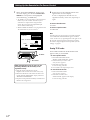
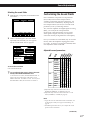
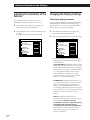
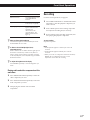
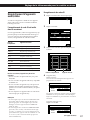
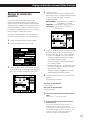
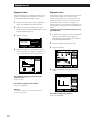
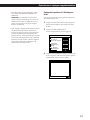
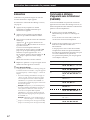
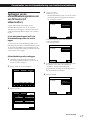
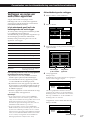
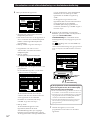
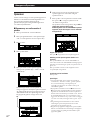
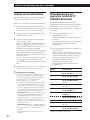
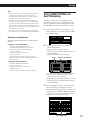
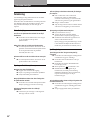
• To select the display type, click LANGUAGE
(ENGLISH, FRENCH or GERMAN).
LANGUAGE: This setting lets you specify the
language appearing in the on-screen display
and the display on the front of the amplifier.
You can choose between three languages:
English, French and German.
• To switch the IR OUTPUT setting, click IR
OUTPUT ON or OFF. When it is set to OFF, the
IR signals are output only from the IR OUT jack
on the rear panel. No IR signals will be output
from the IR emitter on the front panel. When
the IR OUTPUT is set to OFF, “IR OFF” appears
in the main menu. Normally, IR OUTPUT
should be set to ON.
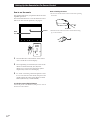
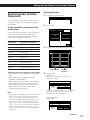
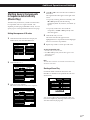
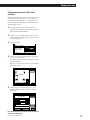
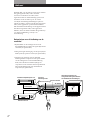
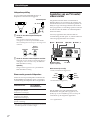
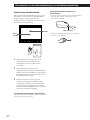
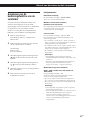
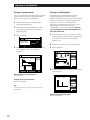
Adjusting the position of the on-screen
display
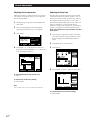
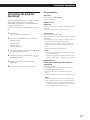
You can adjust the overall position of the on-screen
display control panel.
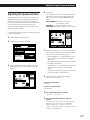
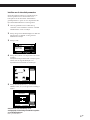
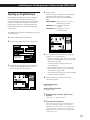
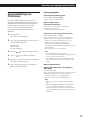
1
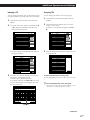
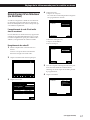
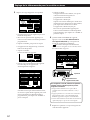
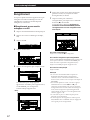
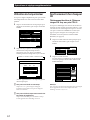
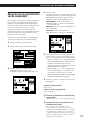
Click SETUP in the main menu to display the
SETUP menu, then click OSD SETUP.
2
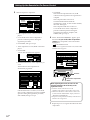
Click OSD POSITION SET.
The position adjustment screen appears.
OSD SETUP
AUTO PLAY
IR OUTPUT
AUTO OSD ERASE
ENGLISH
SET
START
12345
SET
EXIT
LANGUAGE
POINTER ONLY
DEMO
FEELING
OSD POSITION
RETURN
3
ON OFF
ON OFF
ON OFF
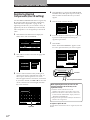
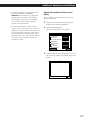
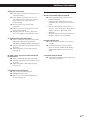
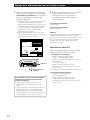
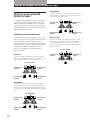
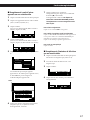
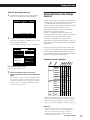
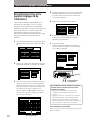
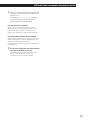
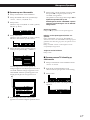
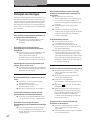
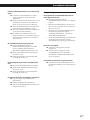
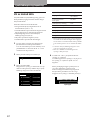
Click the borders to adjust the position so you can
just see the top, bottom, right and left edges of the
border.
V
B
b
v
EXIT
33GB