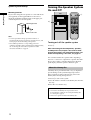
1
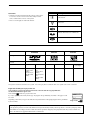
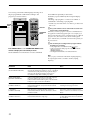
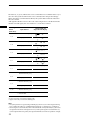
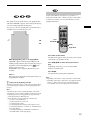
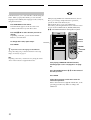
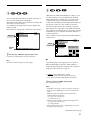
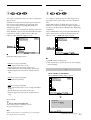
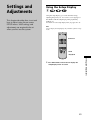
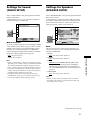
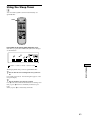
Using the Setup Display
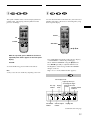
2
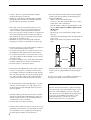
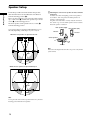
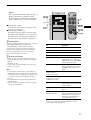
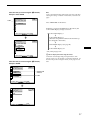
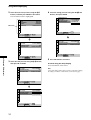
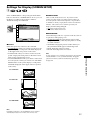
Select the main item you want using the M/m
buttons, and then press ENTER on the remote.
The selected main item is highlighted.
Main item
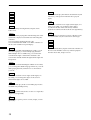
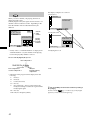
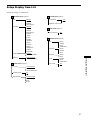
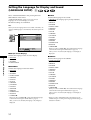
LANGUAGE SETUP
OSD:
DVD MENU:
AUDIO:
SUBTITLE:
To set, press
To quit, press
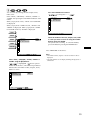
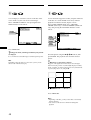
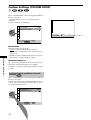
SCREEN SETUP
TV TYPE:
SCREEN SAVER:
BACKGROUND:
, then
.
To set, press
To quit, press
.
ENTER
Settings and Adjustments
, then
.
To set, press
To quit, press
.
ENTER
4:3 LETTERBOX
ON
JACKET PICTURE
, then
.
ENTER
.
SETUP
DVD SETUP
.
SCREEN SETUP
TV TYPE:
SCREEN SAVER:
BACKGROUND:
50
ENTER
.
16:9/4:3 WIDE MODE
ON
JACKET PICTURE
, then
.
ENTER
.
SETUP
DVD SETUP
.
SETUP
DVD SETUP
.
SCREEN SETUP
TV TYPE:
SCREEN SAVER:
BACKGROUND:
To set, press
To quit, press
, then
.
SETUP
DVD SETUP
.
SCREEN SETUP
TV TYPE:
SCREEN SAVER:
BACKGROUND:
4:3 LETTERBOX
ON
JACKET PICTURE
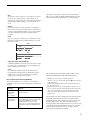
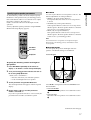
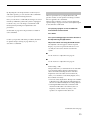
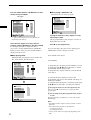
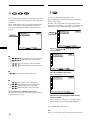
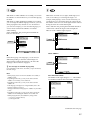
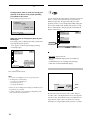
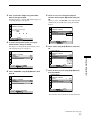
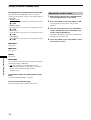
Select the item you want using the M/m buttons,
then press , or ENTER.
To set, press
To quit, press
4:3 LETTERBOX
4:3 LETTERBOX
4:3 PANSCAN
16:9/4:3 WIDE MODE
SETUP
DVD SETUP
.
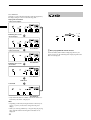
5
3
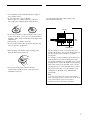
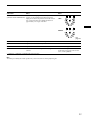
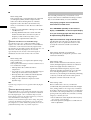
Select the setting you want using the </M/m/,
buttons, then press ENTER.
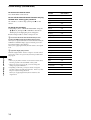
ENGLISH
ENGLISH
ORIGINAL
AUDIO FOLLOW
SCREEN SETUP
TV TYPE:
SCREEN SAVER:
BACKGROUND:
To set, press
To quit, press
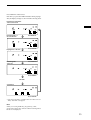
4
, then
.
SETUP
DVD SETUP
.
4:3 LETTERBOX
4:3 LETTERBOX
4:3 PANSCAN
16:9/4:3 WIDE MODE
ENTER
.
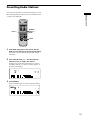
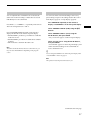
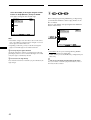
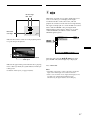
Press DVD SETUP to exit menu.
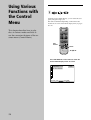
To cancel using the setup display
Press DVD SETUP on the remote.
Note
Some setup display items require operations other than selecting
the setting. For details on these items, see the relevant pages.