1
Use TYPE I (normal) tape only.
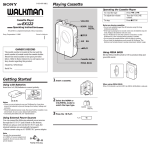
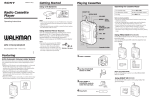
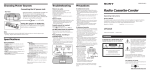
Location of controls
Listening to the radio
DC IN 6V
1
2(phones)
1
Recording
Set FUNCTION to TAPE/RADIO OFF.
1
TUNING
MEGA BASS
FUNCTION
OPR/BATT
MIC
Set FUNCTION to FM or AM.
Playing a tape
Use TYPE I (normal) tape only.
FM AM
FUNCTION
TAPE/RADIO OFF
To record from the radio
Tune to the station you want.
To record from the built-in microphone
Set FUNCTION to TAPE/RADIO OFF.
FUNCTION
VOL
,
,
,,,,
,,,,
,
,
,,,,
,,
2
Tune to the station you want.
2
2
Insert a recorded tape.
Insert a blank tape.
With the side you
want to record on
facing forward.
With the side you
want to play facing
forward.
TUNING
To turn off the radio
Set FUNCTION to TAPE/RADIO OFF.
3
Press 9PLAY.
3
Press rREC.
To improve broadcast reception
Reorient the antenna for FM. Reorient the player itself for AM.
FF
REW
PLAY
STOP
REC
FM
AM
CAUTION
When opening and closing the cassette compartment lid, be sure
to hold the player. Otherwise the player may fall over.
Tips
• To listen through the headphones, connect the headphones to
2(phones).
• For best results, move the player away from the TV.
PLAY
PLAY
REC
To
Press
To
Press
Stop playback
pSTOP
When the tape ends, the playback stops.
Stop recording
pSTOP
When the tape ends, the recording stops.
Fast-forward or
rewind the tape
0FF or )REW*
* When the tape is wound to the end, press pSTOP to release
0FF or )REW.
Emphasizing Bass
Set MEGA BASS to ON.
Tips
• For best results, use the AC power source.
• Adjusting the volume will not affect the recording level.
• If the AM programme makes a whistling sound, set ISS
(Interference Suppress Switch) (at the rear) to the position that most
decreases the noise. Normally set the switch to “2”.
Note
While recording from the built-in microphone, you cannot monitor
the sound through the headphones.