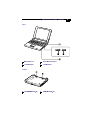
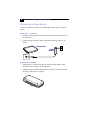
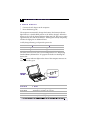
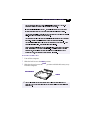
1
VAIO 505 SuperSlim Notebook User Guide ® PCG-505F/PCG-505FX ® Notice to Users © 1998 Sony Electronics Inc. All rights reserved. This manual and the software described herein, in whole or in part, may not be reproduced, translated, or reduced to any machine-readable form without prior written approval. SONY ELECTRONICS INC. PROVIDES NO WARRANTY WITH REGARD TO THIS MANUAL, THE SOFTWARE, OR OTHER INFORMATION CONTAINED HEREIN AND HEREBY EXPRESSLY DISCLAIMS ANY IMPLIED WARRANTIES OF MERCHANTABILITY OR FITNESS FOR ANY PARTICULAR PURPOSE WITH REGARD TO THIS MANUAL, THE SOFTWARE, OR SUCH OTHER INFORMATION. IN NO EVENT SHALL SONY ELECTRONICS INC. BE LIABLE FOR ANY INCIDENTAL, CONSEQUENTIAL, OR SPECIAL DAMAGES, WHETHER BASED ON TORT, CONTRACT, OR OTHERWISE, ARISING OUT OF OR IN CONNECTION WITH THIS MANUAL, THE SOFTWARE, OR OTHER INFORMATION CONTAINED HEREIN OR THE USE THEREOF. Sony Electronics Inc. reserves the right to make any modification to this manual or the information contained herein at any time without notice. The software described herein is governed by the terms of a separate user license agreement. Sony, DVgate, i.LINK, Mavica, PictureGear, VAIO and the VAIO logo are trademarks of Sony Corporation. ImageStation and Sony VAIO Direct are service marks of Sony Electronics Inc. Windows and the Windows 98 logo are registered trademarks of Microsoft Corporation. Intel, MMX, and Pentium are trademarks of Intel Corporation. All other trademarks are trademarks of their respective owners. Safety Information Owner’s Record The model number and serial number are located on the bottom of your Sony VAIO 505 SuperSlim Notebook. Record the serial number in the space provided here. Refer to the model and serial number when you call your Sony Service Center. Model Number: PCG-505F/PCG-505FX Serial Number:________________________ WARNING ❏ ❏ ❏ ❏ ❏ ❏ ❏ ❏ ❏ To prevent fire or shock hazard, do not expose your notebook computer to rain or moisture. To avoid electrical shock, do not open the cabinet. Refer servicing to qualified personnel only. Never install modem or telephone wiring during a lightning storm. Never install telephone jacks in wet locations unless the jack is specifically designed for wet locations Never touch uninsulated telephone wire or terminals unless the telephone line has been disconnected at the network interface. Use caution when installing or modifying telephone lines. Avoid using the modem during an electrical storm. Do not use the modem or a telephone to report a gas leak in the vicinity of the leak. A socket outlet should be as close as possible to the unit and easily accessible. AVERTISSEMENT ❏ ❏ ❏ Pour prévenir tout risque d’incendie ou d’électrocution, garder cet appareil à l’abri de la pluie et de l’humidité. Pour prévenir tout risque d’électrocution, ne pas ouvrir le boîtier. Confier l’entretien de cet appareil exclusivement à un personnel qualifié. L’appareil doit être le plus près possible d’une prise murale pour en faciliter l’accès. Regulatory Information Declaration of Conformity Trade Name: SONY Model No: PCG-505F/PCG-505FX This equipment has been tested and found to comply with the limits for a Class B digital device, pursuant to Part 15 of the FCC Rules. These limits are designed to provide reasonable protection against harmful interference in a residential installation. This equipment generates, uses, and can radiate radio frequency energy and, if not installed and used in accordance with the instructions, may cause harmful interference to radio communications. However, there is no guarantee that interference will not occur in a particular installation. If this equipment does cause harmful interference to radio or television reception, which can be determined by turning the equipment off and on, the user is encouraged to try to correct the interference by one or more of the following measures: Responsible Party: Sony Electronics Inc. ❏ Address: 1 Sony Drive Park Ridge, NJ 07656 ❏ ❏ Telephone No.: 201-930-6970 This device complies with Part 15 of the FCC rules. Operation is subject to the following two conditions: (1) This device may not cause harmful interference, and (2) this device must accept any interference that may cause undesired operation. ❏ Reorient or relocate the receiving antenna. Increase the separation between the equipment and the receiver. Connect the equipment into an outlet on a circuit different from that to which the receiver is connected. Consult the dealer or an experienced radio/TV technician for help. You are cautioned that any changes or modifications not expressly approved in this manual could void your authority to operate this equipment. Only peripherals (computer input/output devices, terminals, printers, etc.) that comply with FCC Class B limits may be attached to this computer product. Operation with non-compliant peripherals is likely to result in interference to radio and television reception. All cables used to connect peripherals must be shielded and grounded. Operation with cables, connected to peripherals, that are not shielded and grounded, may result in interference to radio and television reception. FCC Part 68 This equipment complies with Part 68 of the FCC rules. On the bottom of this equipment is a label that contains among other information, the FCC equivalence number (REN) for this equipment. If requested, this information must be provided to the telephone company. All applicable registration jack USCOs, any facility interface codes and service order codes associated with the services the equipment is to be connected. The REN is used to determine the quantity of devices which may be connected to the telephone line. Excessive RENs on the telephone line may result in the devices not ringing in response to an incoming call. In most, but not all areas, the sum of the RENs should not exceed five (5.0). To be certain of the number of devices that may be connected to the line, as determined by the total RENs, contact the telephone company to determine the maximum REN for the calling area. If the terminal equipment (Notebook Computer PCG-505F/PCG-505FX) causes harm to the telephone network, the telephone company will notify you in advance that temporary discontinuance of service may be required. But if advance notice isn’t practical, the telephone company will notify the customer as soon as possible. Also, you will be advised of your right to file a complaint with the FCC if you believe it is necessary. The telephone company may make changes in its facilities, equipment, operations or procedures that could affect the operations of the equipment. If this happens, the telephone company will provide advance notice in order for you to make the necessary modifications in order to maintain uninterrupted service. If trouble is experienced with this equipment (Notebook Computer PCG505F/PCG-505FX), please contact 1-888- 4SONYPC (1-888-476-6972), or write to the Sony Customer Information Center, One Sony Drive, Park Ridge, NJ 07656 for repair and (or) warranty information. If the trouble is causing harm to the telephone network, the telephone company may request you remove the equipment from the network until the problem is resolved. Repair of this equipment should be made only by a Sony Service Center or Sony authorized agent. For the Sony Service Center nearest you, call 1-888-4SONYPC (1-888-476-6972). This equipment cannot be used on public coin service provided by the telephone company. Connection to Party Line Service is subject to state and possible provincial tariffs. (Contact the state or provincial utility service commission, public service commission or corporation commission for information.) Telephone Consumer Protection Act of 1991 (United States) The Telephone Consumer Protection Act of 1991 makes it unlawful for any person to use a computer or other electronic device to send any message via a telephone facsimile machine unless such message clearly contains, in a margin at the top or bottom of each transmitted page or on the first page of the transmission, the date and time it is sent and an identification of the business, other entity, or individual sending the message, and the telephone number of the sending machine or such business, other entity, or individual. In order to program this information into your facsimile, see your fax software documentation. Telephone Consumer Guidelines (Canada) Please refer to your telephone directory under ‘Privacy Issues’ and/or ‘Terms of Service’. For more detailed information please contact. CRTC Terrasses de la Chaudiére, Tour centrale 1 promenade du Portage, 5 étage, Hull PQ K1A 0N2. ! Danger of explosion if battery is incorrectly replaced. Replace only with the same or equivalent type recommended by the manufacturer. Discard used batteries according to the manufacturer’s instructions. ! Une batterie non conforme présente un danger d’explosion. La remplacer seulement par une batterie identique ou de type équivalent recommandé par le fabricant. Évacuer les batteries usées selon les directives du fabricant. ! The battery pack used in this device may present a fire or chemical burn hazard if mistreated. Do not disassemble, heat above 212° (100°C) or incinerate. Dispose of used battery promptly. Keep away from children. La manutention incorrecte du module de batterie de cet appareil présente un risque d’incendie ou de brûlures chimiques. Ne pas démonter, incinérer ou exposer à une température de plus de 100°C. Évacuer promptement la batterie usée. Garder hors de portée des enfants. This Class B digital apparatus complies with Canadian ICES-003. Cet appareil numérique de la class B est conforme à la norme NMB-003 du Canada. DISPOSAL OF LITHIUM ION BATTERY You can return your unwanted lithium ion batteries to your nearest Sony Service Center or Factory Service Center. ✍ In some areas the disposal of lithium ion batteries in household or business trash may be prohibited. For the Sony Service Center nearest you call 1-888-476-6972 in the United States or 1-800-961-7669 in Canada. ! Do not handle damaged or leaking lithium ion batteries. ! Ne pas manipuler les batteries au lithium-ion qui fuient ou sont endommagées. ! INDUSTRY CANADA NOTICE NOTICE: The Industry Canada label identifies certified equipment. This certification means that the equipment meets certain telecommunications network protective, operational and safety requirements as prescribed in the appropriate Terminal Equipment Technical Requirements document(s). The Department does not guarantee the equipment will operate to the user’s satisfaction. Before installing this equipment, users should ensure that it is permissible to be connected to the facilities of the local telecommunications company. The equipment must also be installed using an acceptable method of connection. The customer should be aware that compliance with the above conditions may not prevent degradation of service in some situations. Repairs to certified equipment should be coordinated by a representative designated by the supplier. Any repairs or alterations made by the user to this equipment, or equipment malfunctions, may give the telecommunications company cause to request the user to disconnect the equipment. Users should ensure for their own protection that the electrical ground connections of the power utility, telephone lines and internal metallic water pipe system, if present, are connected together. This precaution may be particularly important in rural areas. Caution: Users should not attempt to make such connections themselves, but should contact the appropriate electric inspection authority, or electrician, as appropriate. NOTICE: The Ringer Equivalence Number (REN) assigned to each terminal device provides an indication of the maximum number of terminals allowed to be connected to a telephone interface. The termination on an interface may consist of any combination of devices subject only to the requirement that the sum of the Ringer Equivalence Number of all the devices does not exceed 5. AVIS DE L’INDUSTRIE CANADA AVIS: L’étiquette d’Industrie Canada identifie le matériel homologué. Cette étiquette certifie que le matériel est conforme aux normes de protection, d’exploitation et de sécurité des réseaux de télécommunications, comme le prescrivent les documents concernant les exigences techniques relatives au matériel terminal. Le Ministère n’assure toutefois pas que le matériel fonctionnera à la satisfaction de l’utilisateur. Avant d’installer ce matériel, l’utilisateur doit s’assurer qu’il est permis de le raccorder aux installations de l’entreprise locale de télécommunication. Le matériel doit également être installé en suivant une méthode acceptée de raccordement. L’abonné ne doit pas oublier qu’il est possible que la conformité aux conditions énoncées ci-dessus n’empêche pas la dégradation du service dans certaines situations. Les réparations de matériel homologué doivent être coordonnées par un représentant désigné par le fournisseur. L’entreprise de télécommunications peut demander à l’utilisateur de débrancher un appareil à la suite de réparations ou de modifications effectuées par l’utilisateur ou à cause de mauvais fonctionnement. Pour sa propre protection, l’utilisateur doit s’assurer que tous les fils de mise à la terre de la source d’énergie électrique, des lignes téléphoniques et des canalisations d’eau métalliques, s’il y en a, sont raccordés ensemble. Cette précaution est particulièrement importante dans les régions rurales. Avertissement: L’utilisateur ne doit pas tenter de faire ces raccordements lui-même; il doit avoir recours à un service d’inspection des installations électriques, ou à un électricien, selon le cas. AVIS: L’indice d’équivalence de la sonnerie (IES) assigné à chaque dispositif terminal indique le nombre maximal de terminaux qui peuvent être raccordés à une interface. La terminaison d’une interface téléphonique peut consister en une combination de quelques dispositifs, à la seule condition que la somme d’indices d’équivalence de la sonnerie de tous les dispositifs n‘excède pas 5. Contents Welcome Ergonomic Considerations ............................................................. 2 Using Your 505 SuperSlim Notebook Locating the Controls and Connectors ......................................... 5 Front.......................................................................................................5 Back ........................................................................................................6 Left .........................................................................................................6 Right ......................................................................................................7 Bottom....................................................................................................7 Connecting a Power Source ........................................................... 8 Using the AC Adapter.........................................................................8 Using Battery Power ...........................................................................9 Starting Your Computer ............................................................... 12 Shutting Down Your Computer .................................................. 13 Registering Windows® 98............................................................. 14 Registering Your Computer ......................................................... 15 Using the Keyboard....................................................................... 16 Combinations and Functions with the Windows 98 Key ............18 Indicators.............................................................................................19 Combinations and Functions with the Fn Key .............................20 Using the Touchpad ...................................................................... 21 Using the Plastic Pen ..................................................................... 22 Using ScribblePad ..............................................................................23 Using the Floppy Disk Drive ....................................................... 24 Using PC Cards .............................................................................. 26 Using Infrared Communication Devices.................................... 29 Using Power Saving Modes ......................................................... 31 Normal Mode .....................................................................................31 ix x VAIO 505 SuperSlim Notebook User Guide System Suspend Mode ......................................................................31 System Hibernation Mode................................................................32 Connecting Peripheral Devices Connecting a Phone Line ..............................................................34 Connecting the Port Replicator ....................................................35 Connecting a Printer..........................................................................37 Connecting an External Display .....................................................38 Connecting an External Mouse and Keyboard .............................40 Connecting a Desktop Computer or Serial Device ......................41 Connecting the CD-ROM Drive ...................................................43 Connecting External Speakers......................................................46 Connecting a Digital Video Camera Recorder...........................48 Connecting a Universal Serial Bus (USB) Device ......................49 Getting Started with VAIO Space Starting VAIO Space ......................................................................51 VAIO Space Centers.......................................................................52 Navigating through VAIO Space.................................................53 VAIO Space Controls.........................................................................54 Using the Software Center ............................................................55 Using the Audio-Video Center.....................................................56 Using the Video Player .....................................................................56 Using the Music/Movie Player........................................................57 Music/Movie Player Functions .......................................................58 Using the Online Center................................................................59 Using the Tool Center....................................................................60 Using Tool Center Tools ...................................................................60 Using Tool Center Options...............................................................61 Using the Help Center ...................................................................62 Exiting VAIO Space .......................................................................62 Customizing Your Notebook Computer Displaying the Sony Notebook Setup Screen.............................63 Notebook Setup Tabs .......................................................................64 Controlling Power Management..................................................65 xi Power Management Profiles ............................................................65 Power Management Commands .....................................................66 Displaying Battery Information................................................... 68 Activating BatteryScope....................................................................68 Battery Icon Descriptions..................................................................68 Displaying Detailed Battery Information .......................................69 Starting Your Favorite Software With Programmable Power Key (PPK) Setup............................................................................. 70 Using the Programmable Power Key With Other Keys...............71 Selecting the Display Mode.......................................................... 72 Getting Help Calling SOS ..................................................................................... 77 Troubleshooting ............................................................................. 79 Using the System and Application Recovery CDs.................... 85 Using the System Recovery CD .......................................................85 Using the Application Recovery CDs .............................................87 Notes on Use ..................................................................... 89 Limited Warranty Statement VAIO 505 SuperSlim Notebook Computer Warranty ..................95 GARANTIE RESTREINTE................................................................97 Battery Limited Warranty.................................................................99 GARANTIE RESTREINTE................................................................99 Index ................................................................................ 101 xii Welcome Congratulations on your purchase of the Sony VAIO® 505 SuperSlim Notebook. Sony has combined leading-edge technology in audio, video, computing, and communications to provide you with state-of-the-art personal computing. This manual offers a quick introduction and reference to your Sony computer. ❑ Using Your 505 SuperSlim Notebook shows you how to use the standard components of your system. ❑ Connecting Peripheral Devices explains how you can add functionality by connecting various peripherals. ❑ Getting Help explains the support options available to you, shows you how to use the Sony Online Support service, and offers basic troubleshooting tips. ❑ Notes on Use provides facts and advice about using your notebook computer. ❑ Limited Warranty Statement provides your product warranty statement and explains how to extend your warranty for an additional nine months. 1 2 VAIO 505 SuperSlim Notebook User Guide Ergonomic Considerations You will be using your notebook computer as a portable device in a variety of environments. Whenever possible, you should attempt to apply the following ergonomic considerations to both stationary and portable environments. Computer positioned directly in front of you Arms at desk level Wrists relaxed and flat ❑ Position of your computer – Place the computer directly in front of you as you work. Keep your forearms horizontal, with your wrists in a neutral, comfortable position while using the keyboard, touchpad, or external mouse. Let your upper arms hang naturally at your sides. Take breaks during sessions with your computer. Excessive use of the computer may strain muscles or tendons. Welcome 3 ❑ Furniture and posture – Sit in a chair with good back support and armrests. Adjust the level of the chair so your feet are flat on the floor. A footrest may make you more comfortable. Sit in a relaxed, upright posture and avoid slouching forward or leaning far backward. ❑ Viewing angle of the computer’s display – Use the display’s tilting feature to find the best position. You can reduce eye strain and muscle fatigue by adjusting the tilt of the display to the proper position. Adjust the brightness settings of the display also. ❑ Lighting – Choose a location where windows and lights do not create glare and reflection on the display. Use indirect lighting to avoid bright spots on the display. You can also purchase accessories for your display that help reduce glare. Proper lighting adds to your comfort and work effectiveness. ❑ Placement of an external display – When using an external display, set the display at a comfortable viewing distance. Make sure the display screen is at eye level or slightly lower when you are sitting in front of the monitor. 4 Using Your 505 SuperSlim Notebook This section describes how to start using your computer and how to use your computer’s internal and external devices, such as the touchpad and floppy disk drive. Locating the Controls and Connectors Front 1 LCD screen (pages 20, 89) 8 2 Microphone 9 Num Lock indicator (page 19) 3 Keyboard (page 16) 10 Caps Lock indicator (page 19) 4 Touchpad (page 21) 11 Scroll Lock indicator (page 19) 5 Left/right button (page 21) 12 Information indicator (page 19) 6 Speaker (page 46) 13 Battery indicator (pages 10, 19, 68) 7 Modem indicator (page 19) 14 Power indicator (pages 12, 19) Hard disk drive indicator (page 19) 5 6 VAIO 505 SuperSlim Notebook User Guide Back 1 Battery connector (page 9) Left 1 Plastic pen compartment (page 22) 6 DC In connector (page 8) 2 Phone line jack (page 34) 7 3 Port replicator connector (page 35) 8 USB connector (page 49) 4 Floppy disk drive connector (page 24) 9 Line In connector (page 45) 5 External speaker connectors (page 46) * Available on model PCG-505FX only. 10 200 i.LINK (IEEE1394) (page 48) Headphone connector (page 47) * Using Your 505 SuperSlim Notebook Right 1 Infrared port (page 29) 3 Programmable power key (page 70) 2 Power switch (page 12) 4 PC card slot (page 26) 2 Battery lock lever (pages 9, 11) Bottom 1 Battery release lever (pages 9, 11) 7 8 VAIO 505 SuperSlim Notebook User Guide Connecting a Power Source You can use either AC power or a rechargeable battery pack as a power source. Using the AC Adapter 1 2 Plug the cable attached to the AC adapter into the DC In connector on the computer. Pull the prong on the AC adapter upwards and plug it into an AC outlet. Notebook computer AC adapter (supplied) DC in To remove the AC adapter 1 2 Unplug the AC adapter from the AC outlet and the adapter cable from the DC In connector on the computer. Align the adapter cable with the groove on the AC adapter and wrap the cable around the AC adapter. Using Your 505 SuperSlim Notebook 9 Using Battery Power You can use a battery pack as a source of power. The PCGA-BP51 battery pack that comes with your computer is not fully charged at the time of purchase. Follow the steps below to insert and charge the battery pack. ✍ You can also purchase the high-capacity PCGA-BP52 battery pack as a separate option. See Using Power Saving Modes on page 31 for power management information. To insert the battery pack 1 Move the lock lever on the bottom of the computer to the UNLOCK position. Lock lever 2 Align the grooves and tabs on the battery with the tabs and notches on the back of the computer, and then slide the battery towards the computer until it clicks into place. Tabs Grooves 3 Slide the lock lever into the LOCK position to secure the battery on the computer. 10 VAIO 505 SuperSlim Notebook User Guide To charge the battery pack 1 2 Connect the AC adapter to the computer. Insert the battery pack. The computer automatically charges the battery (the battery indicator light flashes in a double blink pattern as the battery charges). When the battery is 85% full, the battery indicator light turns off. This process takes approximately one and one half hours. To charge the battery completely, continue charging for an additional hour. A fully charged battery pack provides power for: Model PCGA-BP51 PCGA-BP52 PCG-505FX Approx. 1.0 to 2.5 hours Approx. 2.5 to 5.5 hours PCG-505F Approx. 1.0 to 2.5 hours Approx. 3.0 to 6.0 hours The time varies based on your system configuration. See “Displaying Detailed Battery Information” on page 69 for details on checking the battery life. The battery indicator light on the front of the computer indicates the status of the battery pack. Battery pack (supplied) Battery indicator Battery Indicator Light Status Meaning On The computer is using battery power. Single blink The battery is running out of power. Double blink The battery is charging. Off The computer is using AC power. ✍ Both the battery and power indicators blink when the battery is running out of power. Using Your 505 SuperSlim Notebook 11 Keep the battery pack in the computer while it is directly connected to AC power. The battery pack continues to charge while you are using the computer. If your battery level falls to less than 10%, you should either attach the AC adapter to recharge the battery or shut down your computer and insert a fully charged battery. You can extend battery life by changing the power management modes in the PowerPanel utility. See Using Power Saving Modes on page 31. The battery pack supplied with your computer is a lithium ion battery and can be recharged at any time. Charging a partially discharged battery does not affect battery life. The battery indicator light is on while you use the battery pack as a power source. When battery life is nearly depleted, the battery indicator starts flashing. For some software applications and some peripheral devices, your computer may not enter system hibernation mode when the battery life is low. To avoid loss of data when using battery power, you should save your data frequently and manually activate a power management mode, such as system suspend or system hibernation. To remove the battery pack 1 2 3 Turn off the computer. Slide the lock lever to the UNLOCK position. Slide the release lever to the UNLOCK position and slide the battery away from the computer. Battery release lever Lock lever ✍ You may lose data if you remove the battery pack while the computer is on and not connected to the AC adapter or if you remove the battery while the computer is in System Suspend mode. 12 VAIO 505 SuperSlim Notebook User Guide Starting Your Computer 1 Slide the LCD lock lever in the direction of the arrow, and lift the cover. LCD lock lever 2 Slide the power switch on the right side toward the front of the computer until the green power indicator light turns on. Power indicator Power switch ✍ If you hold the power switch in the on position for more than four seconds, the computer turns off. 3 If necessary, adjust the brightness controls for the LCD display. To decrease the brightness, press Fn+F5 and then the down or left arrow key. To increase the brightness, press Fn+F5 and then the up or right arrow key. Using Your 505 SuperSlim Notebook 13 Shutting Down Your Computer ! 1 2 3 4 To avoid potential loss of data, follow these steps to shut down your computer. Click the Start button on the Windows 98 taskbar. Click Shut Down at the bottom of the Start menu to display the Shut Down Windows dialog box. Select Shut down. Click OK. ✍ Respond to any prompts warning you to save documents. 5 6 Wait for your computer to turn off automatically. The power indicator turns off. Turn off any peripherals connected to your computer. ✍ If you are unable to shut down your computer using the steps described above, press the Ctrl+Alt+Delete keys at the same time to restart the computer. If you are unable to restart the computer in this way, you can slide the power switch forward and hold for four seconds. This operation may result in data loss. During a period of inactivity, you can conserve battery life by using System Suspend mode. See Controlling Power Management on page 65. 14 VAIO 505 SuperSlim Notebook User Guide Registering Windows® 98 The first time you turn on your computer, you need to complete a few steps to register and configure the Windows 98 software that is already installed on your computer. ✍ You must register Windows 98 before you can use the computer. The on-screen instructions guide you through the registration and configuration process. The following is an overview of the process. 1 2 Gathering information: ❑ Enter your name. ❑ Read and accept the License Agreement. ❑ Enter your Certificate of Authenticity number located on the cover of the Microsoft Windows 98 Getting Started manual. Windows 98 setup: ❑ 3 Selecting your computer settings: ❑ 4 Click the Finish button on the Windows 98 Setup Wizard screen. If necessary, change the Time Zone, Date and Time on the Date/ Time Properties screen. Learning about Windows 98: ❑ If you want, take the tour of Windows 98. Using Your 505 SuperSlim Notebook 15 Registering Your Computer You can take advantage of Sony’s commitment to quality customer support and receive the following benefits by registering your computer with Sony: ❑ Sony Online Support – Talk to a Support Representative to troubleshoot problems you may be having with your computer. ❑ Extended Limited Warranty – Protect your investment. Extend your Warranty nine months for a total of 12 months from the original date of purchase when you register your computer. ❑ Express service – Provides convenient resolution of problems. ❑ Free Internet access – Use the Internet for up to 50 free hours when you sign up with GTE (no credit card necessary). Limit of two hours per day; free access expires 50 hours or 90 days after signing up, whichever occurs first. Follow these steps to use your notebook computer’s online registration service. ✍ You must connect your phone line before using any online services, including the online registration service. See Connecting a Phone Line on page 34. 1 2 3 4 Click the registration icon on the VAIO desktop. Enter the information requested on the first online registration form. Press the Tab key to move from box to box. Click the Next button to advance to the next form. Complete the remaining forms by clicking the Next button each time you complete a form. The computer automatically transfers your registration information using your built-in modem and a toll-free telephone number. 16 VAIO 505 SuperSlim Notebook User Guide Using the Keyboard Your keyboard is very similar to a typewriter’s, but the keyboard has additional keys that perform specific computer-related tasks. Escape Key Function keys Print Screen key Correction keys Fn key Shift key Ctrl key Fn key Applications key Alt key Windows 98 key Numeric keypad area Navigation keys Keys Descriptions Numeric keypad area Contains the keys found on a typical calculator. Use the numeric keypad area to type numbers or to perform mathematical calculations such as addition and subtraction. Note that you must press the Num Lock key to activate the numeric keypad. (When you do so, the Num Lock light will be on.) Navigation keys Several keys are devoted to moving the cursor on the screen (the four arrow keys which also function as the Home, End, Page Up, and Page Down keys). Correction keys The Insert, Back Space, and Delete keys enable you to make corrections in your documents. Function keys The twelve function keys along the top of the keyboard are used to perform designated tasks. For example, in many applications, F1 is the Help key. The task associated with each function key may vary from one application to the next. Using Your 505 SuperSlim Notebook Keys Descriptions Escape key The Esc (Escape) key is used to cancel commands Print Screen key The Print Screen key takes an electronic snapshot of the screen and places it in the Windows Clipboard. You can then paste the screen shot into a document and print it. Operator keys Several keys are always used with at least one other key: Ctrl, Alt, and Shift. When held down with another key, the Ctrl (Control) and Alt (Alternate) keys offer another way to give commands. For example, in many applications, instead of choosing the Save command from a menu, you can hold down Ctrl and press S (referred to as Ctrl+S). The Shift key operates the same way as on a typewriter; it’s used to produce capital letters or special symbols such as @ and $. Windows 98 key The key with the Windows logo displays the Windows 98 Start menu; it’s the equivalent of clicking the Start button on the task bar. See “Combinations and Functions with the Windows 98 Key” on page 18. Fn key The Fn key is used in combination with other keys to issue commands. The Fn keys at the left and right sides both work the same. See “Combinations and Functions with the Fn Key” on page 20. Applications key The Applications key displays a shortcut menu of context-sensitive choices; pressing this key is the equivalent of clicking the right mouse button. 17 18 VAIO 505 SuperSlim Notebook User Guide Combinations and Functions with the Windows 98 Key Combinations Functions + F1 Displays Windows Help. + Tab Switches the selected button on the taskbar. +E Displays Windows Explorer. +F Displays the Windows Find: All Files window to find a file or folder. This is the equivalent of selecting Find and then Files or Folders from the Start menu. + Ctrl + F Displays the Windows Find: Computer window where you can locate other computers. This is the equivalent of selecting Find and then Computer from the Start menu. +M Minimizes all displayed windows. Shift + +M +R Fn + Returns all minimized windows to their previous size. Displays the Run window. This is the equivalent of selecting Run from the Start menu. + Insert Displays the Properties window. This is the equivalent of double-clicking the System icon in the Control Panel. Using Your 505 SuperSlim Notebook Indicators Indicators Functions Information Turns on when the PPK Timer is set. Turns off when the PPK Timer is not set or the PPK Timer setting is inactive. (Such as when the computer’s power is off or in System Hibernation mode.) Battery Indicates the status of the battery attached at the rear of the computer. Power Lights when the power to the computer is turned on. Flashes in System Suspend mode. Turns off when the computer is in System Hibernation mode or powered off. Light On Off Modem Turns on when the modem is in use. Turns off when the modem is not in use. Hard disk Lights when data is being read from or written to the hard drive. Do not enter System Suspend mode or turn off the computer when this indicator light is on. Turns off when the hard drive is not being accessed. Num Lock Turns on when the number keys area in the numeric keypad are active. Turns off when the alphanumeric character keys in the keypad area are active. Caps Lock Turns on when the letters appear in uppercase as you type. The Shift key lowers the case of typed letters when Caps Lock is on. Turns off when letters appear in lower case as you type (unless you hold down the Shift key). Scroll Lock Turns on when the screen scrolls differently. (Exactly how it scrolls depends on the specific application. It has no effect in many applications.) Turns off when information moves across the display normally. 19 20 VAIO 505 SuperSlim Notebook User Guide Combinations and Functions with the Fn Key Combinations/ Functions Feature Fn+ (ESC) System Suspend Puts the system into System Suspend mode, a power management state. To return the system to the active state, press any key or press the power switch on your computer. Fn+ Displays the power status, as in the example below: (F2) Display power status Using AC power Toggles the built-in speaker off and on. Fn+ (F4) Speaker volume Adjusts the built-in speaker volume. To increase volume, press Fn+F4, then To decrease volume, press Fn+F4, then Fn+ (F5) Brightness control Adjusts the brightness of the LCD. To increase light intensity, press Fn+F5 and then or ➜. To decrease light intensity, press Fn+F5 and then or . or ➜. or . ➜ ➜ ➜ ➜ ➜ Fn+ LCD / VGA (F7) Switch to the external display ➜ Fn+ (F3) Speaker switch Toggles through the LCD, external display (connected to the Monitor connector on the port replicator) and both LCD and external display. Only LCD LCD and external display Only external display Fn+ (F12) System Hibernation Provides for the lowest level of power consumption. When you execute this command, the state of the system and state of the peripheral devices are written to the hard disk and the system power is turned off. To return the system to the original state, use the power switch to turn on power. Fn+D Video standby Turns off the LCD in order to save power. Fn+F Change the display size Zooms the display size in or out when the display is set to 640 x 480 display mode. Using Your 505 SuperSlim Notebook 21 Using the Touchpad The keyboard contains a cursor-pointing device called a touchpad. You can point to, select, drag, and scroll objects on the screen using the built-in touchpad. Pointer Touchpad Right button Left button Actions Descriptions Point Slide one finger on the touchpad to place the pointer on an item or object. Click Press the left button once. Double-click Press the left button twice. Right-click Press the right button once. In many applications, this action displays a shortcut menu of context-sensitive choices. Drag Slide one finger while pressing the left button. Scroll Move your finger along the right edge of the touchpad. ✍ The scroll function is available only with applications that support a touchpad scroll feature. 22 VAIO 505 SuperSlim Notebook User Guide Using the Plastic Pen The plastic pen, located in the vinyl bag with your User Guide, can be used on the touchpad for drawing or for signing your name with the ScribblePad software. You can store the pen in the pen compartment on the left side of the LCD screen. To use the pen compartment 1 Press the bottom of the pen compartment to open the compartment. Press here to open pen compartment 2 3 Slide the pen in or out of the compartment to store or remove it. When you are ready to close the pen compartment, press the top of the compartment until it clicks into place. ✍ The supplied plastic pen is designed to be used only on the touchpad. Do not use this pen on any surface other than the touchpad including the computer's LCD; it may damage the LCD. Store the pen in the pen compartment when you are not using it. Using Your 505 SuperSlim Notebook 23 Using ScribblePad ScribblePad is an application that lets you create memos by writing on the touchpad using the supplied plastic pen. To use ScribblePad 1 2 3 Click the Start button on the Windows 98 taskbar. Point to Software Center, point to Applications, and then click ScribblePad. Press the F10 key. ScribblePad enters tablet mode. In this mode the touchpad corresponds with the ScribblePad screen. This means that what you write on the touchpad appears on the screen in the corresponding location. For example, when you write letters on the left corner of the touchpad, the letters appear on the left corner of the screen. 4 To write, move the pen slowly on the touchpad. As you write, the letters you wrote on the touchpad appear on the screen. ✍ To learn more about ScribblePad, click Help on the ScribblePad screen to display the online help file. 24 VAIO 505 SuperSlim Notebook User Guide Using the Floppy Disk Drive You can connect the floppy disk drive to the FDD connector on your computer: To connect the floppy disk drive 1 2 3 Turn off the computer. Open the cover of the Floppy disk drive connector. Plug the floppy disk drive cable into the FDD connector. The VAIO logo on the disk drive should be facing up. FDD connector cover Floppy disk drive (supplied) Floppy disk drive cable To insert a diskette 1 2 Hold the diskette with the label side facing up. Gently push the diskette into the drive until it clicks into place. Diskette Floppy disk drive Using Your 505 SuperSlim Notebook 25 To remove a diskette ❑ When you finish using the diskette, wait until the LED indicator turns off and then press the Eject button to remove the diskette. Eject button LED indicator To remove the floppy disk drive 1 2 3 Turn off the computer. Press both sides of the floppy disk drive cable and unplug the cable from the computer. Fold the floppy disk drive cable into the compartment on the side of the floppy disk drive. 26 VAIO 505 SuperSlim Notebook User Guide Using PC Cards Your computer includes a PC card slot. PC cards allow you to connect portable external devices, such as a CD-ROM drive, or to connect to a network. ✍ The PC card slot can accommodate one Type II PC card. This slot is compatible with Card Bus and ZV (Zoomed Video) port. Some PC cards may require that you disable idle devices when using the PC card. You can use Sony Notebook Setup to disable devices. See Displaying the Sony Notebook Setup Screen on page 63 for details. Be sure to use the most recent software driver provided by the PC card manufacturer. If an ! mark appears on the Device Manager tab in the System Properties dialog, remove the software driver and then reinstall it. To insert a PC card ✍ You do not need to shut down the computer before inserting or removing a PC card. 1 Pull the PC card release button up away from the computer and push it in towards the computer. Using Your 505 SuperSlim Notebook 2 3 27 Remove the PC card slot protector. Insert the PC card into the PC card slot, front label facing up. Gently push the card into the slot until the card is fixed into the connector. The release button comes out. PC card ✍ Do not force a card into the slot. It may damage the connector pins. If you have difficulty inserting a card, check that you are inserting the card with the correct orientation. See the manual that came with your PC card for more information on its use. 28 VAIO 505 SuperSlim Notebook User Guide For some PC cards, if you alternate between normal power operation and the system suspend or system hibernation power management modes while the card is inserted, you may find that a device connected to your system is not recognized. Reboot your system to correct the problem. To remove a PC card 1 2 3 Close any applications that use the PC card. Otherwise data may be lost. Click the PC card icon in the taskbar and close the card. Pull the PC card release button up and press it in towards the computer. Release button 4 5 Gently grasp the card and pull it out. Insert the PC card slot protector into the empty slot. Using Your 505 SuperSlim Notebook 29 Using Infrared Communication Devices Your computer includes an infrared port, located on the right side of the computer. You can use this port to communicate with other infraredequipped devices with compatible protocols, such as a digital still camera or other computers. To use infrared communication with a digital still camera Align the infrared ports on the computer and the digital camera so that they are in a direct line. Infrared port To use infrared communication with another computer Align the infrared ports on the two computers so that they are in a direct line. ✍ Infrared communication capability can be turned on and off. By default, it is not enabled when your system is shipped. To enable infrared use, click the Infrared icon in the Windows Control Panel, and select the Enable infrared communication checkbox on the Options tab. You can disable infrared communication when you are not using it to conserve battery life. Use the Infrared icon in the Windows Control Panel to enable and disable infrared communication. Do not use the icon in the taskbar. 30 VAIO 505 SuperSlim Notebook User Guide When you transfer files directly from devices other than the internal hard disk drive, such as a CD-ROM drive or hard disk drive on a network, set the System Suspend and System Hibernation timers to off. Check the Status tag of the Infrared Monitor in the Windows Control Panel to determine if the infrared device is detected. If the two devices are too far apart or too close together, data transfer may be interrupted or there may be noise in the transmission. Do not cover the infrared ports with your hand or any other objects. Avoid direct sunlight, fluorescent light, or flashing incandescent light near the infrared ports. See the manual that came with your digital still camera or other infrared communication device for more information on installation and use. 3 The active area of infrared transmission extends about 39 / inches (1m) with a radius of 15 degrees. 39 3/ 8 in ches (1m) Infrared port 15 degrees 8 Using Your 505 SuperSlim Notebook 31 Using Power Saving Modes When you use a battery as the source of power for your computer, you can take advantage of power management settings to conserve battery life. In addition to the normal operating mode, which allows you to turn off specific devices, your computer has two distinct power saving modes: System Suspend and System Hibernation. When using battery power, you should be aware that the computer automatically enters System Hibernation mode when the remaining battery charge drops below 7%, regardless of the power management setting you select. ✍ If your battery level falls to less than 10%, you should either attach the AC adapter to recharge the battery or shut down your computer and insert a fully charged battery. Normal Mode This is the normal state of your computer when it is in use. The green power indicator light is on in this mode. To save power, you can turn off a specific device such as the LCD or the hard disk. ✍ For details, see Controlling Power Management on page 65. System Suspend Mode The computer saves the current state of the system in RAM and switches off power to the CPU. The amber power indicator light flashes in this mode. To activate System Suspend mode Press Fn+Esc, or you can slide the power switch forward and release the switch immediately. You can also use the PowerPanel utility to enter System Suspend mode. To return to normal mode Press any key. 32 VAIO 505 SuperSlim Notebook User Guide System Hibernation Mode The state of the system is saved on the hard drive and power is turned off. The power indicator light is off in this mode. To activate System Hibernation mode Press Fn+F12. You can also use the PowerPanel utility to enter System Hibernation mode. To return to normal mode Turn on the computer by sliding the power switch forward. The computer returns to its previous state. ✍ When returning from System Hibernation mode, the system status stored on the hard disk is erased and the computer starts normally if you slide the power switch forward and hold for more than four seconds. ❑ Time to return to normal mode: System Suspend requires less time than System Hibernation ❑ Power consumption: System Suspend uses more power than System Hibernation Connecting Peripheral Devices You can add functionality to your computer by connecting any of these peripherals: ❑ Phone line (page 34) ❑ Port replicator (page 35) ❑ Printer (page 37) ❑ External display (page 38) ❑ External mouse or keyboard (page 40) ❑ Desktop computer or serial device (page 41) ❑ CD-ROM drive (page 43) ❑ External speakers (page 46) ❑ Digital video camera recorder (page 48) ❑ Universal Serial Bus (USB) device (page 49) ✍ Before you connect peripherals, turn off the computer and all peripherals. Connect the AC adapter only after connecting all cables. Turn on the computer only after turning on all peripherals. 33 34 VAIO 505 SuperSlim Notebook User Guide Connecting a Phone Line You need to connect a phone line to take advantage of online services, the Internet, and Sony Online Support. ✍ In order to register your Sony VAIO 505 SuperSlim Notebook, register your software online, and use Sony Online Support, you must connect to a phone line. Also, you must register your computer to receive the extended warranty. 1 Open the phone line jack cover. The cover opens only to a 45 degree angle. Phone line jack cover 2 3 Plug one end of the phone cable into the jack on the inside of the phone line jack cover. Make sure you insert the phone cable from the rear of the computer and that the modular jack clicks into place. Plug the other end into the wall jack. Phone line jack Phone cable (supplied) ✍ Your computer does not work with party lines, cannot be connected to a coin-operated telephone, and may not work with multiple phone lines or a private branch exchange (PBX). Some of these connections might result in excess electrical current and could cause a malfunction in the internal modem. Connecting Peripheral Devices Connecting the Port Replicator You can use the PCGA-PR5 port replicator (supplied) to connect peripheral devices such as a printer or external display. 3 1 5 2 4 1 Printer (page 37) 4 2 Monitor (page 38) 5 3 Mouse (page 40) Keyboard (page 40) Serial (page 41) 35 36 VAIO 505 SuperSlim Notebook User Guide To attach the port replicator 1 2 Turn off the computer. Open the port replicator connector cover on the left side of the computer. Port replicator connector cover 3 Plug the port replicator cable into the port replicator connector on the computer. To remove the port replicator 1 2 Turn off the computer. Press both sides of the port replicator cable and unplug the cable from the computer. Connecting Peripheral Devices 3 37 Fold the port replicator cable into the compartment on the side of the port replicator. ✍ If you do not turn off the computer before removing the port replicator, you must turn off the computer before reattaching the port replicator. Connecting a Printer You can use the port replicator to connect a Windows 98-compatible printer or other parallel port device to your computer. To connect a printer ❑ Use the symbol to locate the Printer connector on the port replicator. Plug the printer cable (supplied with the printer) into this connector. to your computer Power cord Printer to Printer Printer cable (supplied with the printer) ✍ See the manual that came with your printer for more information on installation and use. Before using the printer, you may need to change the Printer setting in the Sony Notebook Setup software. See Displaying the Sony Notebook Setup Screen on page 63. 38 VAIO 505 SuperSlim Notebook User Guide Connecting an External Display You can use the port replicator to connect an external display to your notebook computer. For example, you can use the computer with any of the following: ❑ Computer display (monitor) (page 38) ❑ Projector (page 39) To connect a computer display ❑ Use the symbol on the port replicator to locate the Monitor connector. Plug the display cable into this connector. ❑ If necessary, plug one end of the display power cord into the display, and the other end into an AC outlet. to your computer Power cord to Monitor Computer display Display cable ✍ See the manual that came with your computer display for more information on installation and use. Connecting Peripheral Devices 39 To connect a projector You can use a projector as an external display, such as the Sony LCD Projector. 1 2 Use the symbol to locate the Monitor connector. Plug the RGB signal cable into this connector. Use the symbol to locate the Headphone connector. Plug the audio cable into this connector. Projector Power cord to Audio cable RGB signal cable to Monitor ✍ See the manual that came with your projector for more information on installation and use. To select a display When you connect an external display to the monitor connector, you can press Fn+F7 to toggle the output between the Liquid Crystal Display (LCD), the external monitor, or both devices. See “Selecting the Display Mode” on page 72 for more information. 40 VAIO 505 SuperSlim Notebook User Guide Connecting an External Mouse and Keyboard You can use the port replicator to connect an external mouse and keyboard to your computer. The Mouse and Keyboard connectors require a PS/2™-style plug or adapter. To connect an external mouse and keyboard Turn off the computer. Use the and symbols to locate the Mouse and Keyboard connectors. Plug the mouse cable and keyboard cable into these connectors with the mark facing up. ➠ 1 2 to your computer to Mouse to Keyboard Keyboard Mouse ✍ See Using the Keyboard on page 16 for more information on using the keyboard. See the manual that came with your mouse or keyboard for more information on installation and use. Before you connect or disconnect the mouse or keyboard, turn off the computer. Before connecting a mouse to the Serial port, make sure the mouse is compatible with a Serial port. You cannot use the built-in touchpad and an external mouse at the same time. Connecting Peripheral Devices 41 Connecting a Desktop Computer or Serial Device You can use the port replicator to connect your notebook computer to another computer, or to connect other peripherals, such as the Sony Digital Still Camera. To connect a desktop computer ❑ Use the symbol to locate the Serial connector. Plug the connecting cable into this port on the port replicator and into the serial port on the desktop computer. to your computer to I/O to lOlOl Serial Serial cable (not supplied) 42 VAIO 505 SuperSlim Notebook User Guide To connect a digital still camera ❑ Use the symbol to locate the Serial connector. Plug the connecting cable into this port on the port replicator and into the Digital I/O connector on the digital still camera. to your computer to lOlOl Serial to I/O Serial cable (not supplied) ✍ The Sony Digital Still Camera (DSC-F1) is pictured; you may need to connect your camera differently. See the manual that came with your digital camera or other serial device for more information on installation and use. You can connect the DSC-FI to your computer either through the Serial port or by using infrared communication. If you use a digital camera that has an infrared data communication system or other infrared communication device, see Using Infrared Communication Devices on page 29. Connecting Peripheral Devices 43 Connecting the CD-ROM Drive You can use the optional PCGA-CD5 CD-ROM drive with your notebook computer. To connect the CD-ROM drive 1 2 3 Turn off your computer. Remove the PC card slot protector from the PC card slot. See “Using PC Cards” on page 26 for details. Connect the CD-ROM drive cable to the PC card supplied with the CD-ROM drive. PC card (supplied with CD-ROM drive) CD-ROM drive cable 4 Insert the PC card into the PC card slot with the label side facing up. See “Using PC Cards” on page 26 for details. 44 5 VAIO 505 SuperSlim Notebook User Guide Connect the CD-ROM drive AC power adapter to the CD-ROM drive and plug the AC adapter into an AC outlet. to AC outlet AC adapter cable ✍ The pick-up cover is attached to the lens of the CD-ROM drive at the factory. Before using the CD-ROM drive, remove the pick-up cover. To insert a CD-ROM disc 1 2 Slide the power switch to the on position. Slide the Open button in the direction of the arrow to open the CD-ROM drive lid. Power switch Open button 3 Place the CD-ROM disc in the tray with the label side facing up. Push the disc onto the hub until the disc clicks into place. ,, ,, Press here to click disk in place ✍ Be sure to seat the CD-ROM disc firmly over the CD-ROM drive hub fingers. If you do not seat the disc firmly, you could damage your CD-ROM drive and you may not be able to open the CD-ROM drive lid. Connecting Peripheral Devices 4 45 Gently press on the CD-ROM drive lid until it clicks shut Power/Busy indicator Press here to close lid To play an audio CD in the CD-ROM drive In addition to connecting the CD-ROM drive to your computer, you must connect the drive to the computer with a male-to-male stereo mini plug (not supplied). 1 Connect one end of the stereo mini plug to the headphone jack on the CD-ROM drive and the other end to the Line In jack on the left side of your computer. to Line In to Headphone Audio cable 2 3 Right-click the speaker icon on the taskbar and select Open Volume Control from the shortcut menu. The Volume Control window opens. Drag the Line In slider to adjust the volume. To remove the CD-ROM drive ❑ Remove the PC card from the computer. See “Using PC Cards” on page 26 for details. 46 VAIO 505 SuperSlim Notebook User Guide Connecting External Speakers You can use the optional PCGA-SP5 stereo speakers with your computer or other speakers designed for computer use. ✍ Turn down the volume of the speakers before you connect them. To adjust the speaker volume, press Fn+F4. See Combinations and Functions with the Fn Key on page 20 for details. Do not place diskettes on the speakers; the speakers magnetic field may damage the data on the diskettes. The internal speaker does not work when the external speakers are connected. To connect the PCGA-SP5 stereo speakers ❑ Insert the speakers into the slots on the sides of the display. Stereo speakers (optional) Connecting Peripheral Devices 47 To connect other external speakers ❑ Use the symbol to locate the Headphone connector. Plug the speaker cable into this connector. Speakers Speaker cable (supplied with speakers) ✍ to Headphone See the manual that came with your speakers for more information on installation and use. 48 VAIO 505 SuperSlim Notebook User Guide Connecting a Digital Video Camera Recorder The PCG-505FX 505 SuperSlim Notebook includes an i.LINK (IEEE1394) connector, which you can use to connect to a digital video camera recorder. To connect a digital video camera recorder ❑ Plug one end of an i.LINK cable into the 200 connector on the left side of the computer and the other end into the DV In/Out connector on the digital video camera recorder. to DV In/Out to 200 Digital video camera recorder ✍ i.LINK cable (not supplied) The Sony digital video camera recorder (DCR-PC7) is pictured; your digital video camera recorder may need to be connected differently. On Sony digital video cameras, connectors labeled DV In/Out or i.LINK are i.LINKcompatible. See the manual that came with your digital video camera recorder for more information on installation and use. The i.LINK connector does not supply power to external devices. If the external device requires power from the i.LINK connector, you cannot use the device with your computer. The VAIO 505 SuperSlim Notebook supports transfer rates up to 200 Mbps; however, the actual transfer rate is the lowest transfer rate of the external device. The i.LINK features available may vary depending on the software applications you use. See the documentation that came with your software for more information. Connecting Peripheral Devices 49 Connecting a Universal Serial Bus (USB) Device You can connect a USB device to your computer. To connect a USB device ❑ Use the symbol to locate the USB connector on the left side of the computer. Plug one end of a USB cable into this port and the other end into the USB device. USB device USB connecting cable to (not supplied) USB ✍ See the manual that came with your USB device for more information on installation and use. When you enable the PowerPanel setting that allows the computer to enter System Suspend mode or System Hibernation mode, your computer may enter System Suspend mode or System Hibernation mode while you are using a USB device, such as a USB mouse or a USB keyboard. Therefore, when using a USB device, select the AC Profile or change the profile setting in PowerPanel so that the computer does not enter System Suspend mode or System Hibernation mode. The default AC Profile settings do not allow the computer to enter System Suspend mode or System Hibernation mode. For details, see the PowerPanel Help. 50 Getting Started with VAIO Space VAIO Space is Sony’s original utility that organizes the preinstalled applications on your VAIO Notebook Computer, making it easier for you to find and launch the applications on your computer, use the Sony audio and video players, connect to the Internet, and more. Starting VAIO Space To start VAIO Space ❑ Click the VAIO Space icon on the Windows desktop. The VAIO Launcher appears, which includes icons for the five VAIO Space centers: Software Center Audio-Video Center Online Center Tool Center Help Center 51 52 VAIO 505 SuperSlim Notebook User Guide VAIO Space Centers There are five centers within VAIO Space, as follows: Center Name and Icon Contains Description Software Center Applications Accessories Contains icons for all preinstalled applications and accessories. See “Using the Software Center” on page 55 for details. AudioVideo Center Video Audio Launches the video and audio applications included with your computer. See “Using the AudioVideo Center” on page 56 for details. Online Center Tool Center Easy Internet VAIO DirectSM Club VAIO ImageStationSM Internet Allows you to connect to the Internet. Tools Options Provides tools that help you analyze and fix systemrelated problems. See “Using the Online Center” on page 59 for details. See “Using the Tool Center” on page 60 for details. Help Center Help Center Contains links to various sources of help for your computer. See “Using the Help Center” on page 62 for details. Getting Started with VAIO Space Navigating through VAIO Space To go to a center within VAIO Space 1 Move the mouse pointer over an icon on the VAIO Launcher. Categories for each center appear. Moving the mouse over the icon displays the categories of programs for that icon 2 ✍ Click the category text (such as Applications) to open the VAIO screen. Your screen may appear different from the one shown here. 53 54 VAIO 505 SuperSlim Notebook User Guide VAIO Space Controls Button Function Goes to the previous screen or page in a sequence. Unavailable until you go to another screen. Goes to the next screen or page in a sequence. Unavailable on the last screen in a sequence. Stops loading the current page (used for web pages). Refreshes the current page (used for web pages). Displays the current website address (URL) or file name path. You can also type an address or path in this box. Minimizes, maximizes/restores, and closes VAIO Space. Shows/hides the VAIO Launcher. Provides the maximum area for viewing pages. Opens another VAIO Launcher. This is useful if you want to perform two simultaneous operations, such as launching an application while watching a video. Shows/hides the VAIO screen. Provides the maximum view of the desktop. Animates when a web page is loading. Getting Started with VAIO Space 55 Using the Software Center To launch the Software Center 1 Move the mouse pointer over the Software Center icon on the VAIO Launcher. 2 Click the text of the category (Applications or Accessories) to open the VAIO screen. 3 To start an application, click the icon. Other Software Center Functions Action Procedure Display information about a program. Move the mouse pointer over the program icon. Display questions and answers about the highlighted program. Click (grayed out when unavailable) Create and save notes about the highlighted program. Click Display a help or readme file about the highlighted program. Click (grayed out when unavailable) Add an application icon to the Software Center. Drag and drop an application icon from anywhere within Windows onto the VAIO screen. Remove an application icon from the Software Center. Drag and drop an application icon from the Software Center to the Windows Recycle Bin. 56 VAIO 505 SuperSlim Notebook User Guide Using the Audio-Video Center The Audio-Video Center includes the following programs: Program Description Video Plays MPEG (.mpg), MPEG2 (.mpg) and AVI (.avi) video files. Audio Music/Movie Player, which plays audio tracks from the optional CD-ROM drive and a variety of audio and video file formats including: WAV (.wav), MIDI (.mid), and RMI (.rmi) audio files and MPEG (.mpg), Quick Time (.mov), and AVI (.avi) video files. ✍ To listen to an audio CD, you must connect the CD-ROM drive to the computer using a stereo mini plug. See To play an audio CD in the CD-ROM drive on page 45 for details. Using the Video Player The Video Player plays MPEG (.mpg), MPEG2 (.vob) and AVI (.avi) video files. To play a video file 1 2 Move the mouse pointer over the Audio-Video Center icon on the VAIO Launcher. Click Video in the VAIO Launcher. The Video Player launches and begins playing. Getting Started with VAIO Space 57 To play a different video file 1 2 3 4 Click the Play List button. Select one or more video files from the AV PlayList dialog box. Click ADD. Click OK. The video file begins playing automatically. Other Video Player Functions Action Procedure Toggle the sound on and off Click the mute button. (Green light indicates sound is muted.) Stop play Click (Stop). Pause play Click (Pause). Go to the next video file in the playlist Click (Next). Go to the previous video file in the playlist Click (Previous). Play full screen Click (full screen). Create a playlist Click the Play List button. Adjust the volume Drag the volume slider up and down. Using the Music/Movie Player The Music/Movie Player allows you to play audio and video from a CD in the optional CD-ROM drive, or from audio or video files in various formats on your hard drive. ✍ To listen to an audio CD, you must connect the CD-ROM drive to the computer using a stereo mini plug. See To play an audio CD in the CD-ROM drive on page 45 for details. To start Music/Movie Player 1 2 Move the mouse pointer over the Audio-Video Center icon on the VAIO Launcher. Click Audio in the VAIO Launcher. The Control bar appears across the top of the screen, with buttons similar to the controls on a VCR or CD-player remote control. 58 VAIO 505 SuperSlim Notebook User Guide To expand the Control bar You can expand the Control bar to double-height to access more functions by clicking the Expand button (▼) at the far right. To return to single height, click the Restore button (▲). To change the Control bar to a floating window To change the Control bar into a floating window, drag the bar to the center of the screen. The bar opens into a window with File, Control, and Help menus. Music/Movie Player Functions You can use the Control bar to: ❑ Start and stop the playback of audio or video CDs or files. ❑ Navigate through selections on a CD. ❑ Pause and resume playback at the point where play left off. ❑ Set up automatic playback modes, including: ❑ Repeat all of the selections in order. ❑ Repeat a single selection. ❑ Play all of the selections in a random order. Video images display in a separate Movie window, which you can move and resize. You can also add a variety of visual effects to the images in the Movie window. If the CD supports PlayBack Control (for example, Video CD format), you can select specific scenes or still images by their assigned numbers. ✍ The Music/Movie Player features extensive and detailed online help. To access online help, right-click the Control bar and select Help from the shortcut menu. Getting Started with VAIO Space 59 Using the Online Center To launch the Online Center 1 Move the mouse pointer over the Online Center icon on the VAIO Launcher. 2 Click the text of the category as described below. Category Description Easy Internet VAIO Direct Sony offers an entire line of products specifically designed to work with your computer. Club VAIO Find out the latest developments in the world of VAIO; interact with other VAIO users. ImageStation A direct link to Sony’s online digital imaging service, where you can share your images in whole new ways on the Internet. Internet Shortcuts to all your Internet applications. 60 VAIO 505 SuperSlim Notebook User Guide Using the Tool Center Using Tool Center Tools 1 Move the mouse pointer over the Tool Center icon on the VAIO Launcher. 2 3 Click Tools to open the VAIO screen. To start a program or accessory application, click the icon. Other Tool Functions Action Procedure Display information about a program. Move the mouse pointer over the program icon. Display questions and answers about the highlighted program. Click (grayed out when unavailable) Create and save notes about the highlighted program. Click Display a help or readme file about the highlighted program. Click (grayed out when unavailable) Add an application icon to the Tool Center. Drag and drop an application icon from anywhere within Windows and onto the VAIO screen. Remove an application icon from the Tool Center. Drag and drop an application icon from the Tool Center to the Windows Recycle Bin. Getting Started with VAIO Space 61 Using Tool Center Options The Options screen lets you customize the way VAIO Space works. To set VAIO Space options 1 Move the mouse pointer over the Tool Center icon on the VAIO Launcher. 2 3 4 Click Options to open the VAIO screen. Set the options as follows: Option Check This To Launch VAIO Space II at Startup Launch VAIO Space automatically when you turn on your computer. Default is off (VAIO Space does not launch at startup). Disable Click Sounds Turn off the click sounds in VAIO Space. Default is off (sounds are turned on). Default Page Set which screen appears when VAIO Space is launched. Default is Applications page. Click Apply. 62 VAIO 505 SuperSlim Notebook User Guide Using the Help Center The Help Center steps you through a number of options including the electronic documentation included on your hard drive and finding answers on Sony’s Internet site. For a complete description of all the help options available, see “Getting Help” on page 75. To launch the Help Center: 1 2 3 Move the mouse pointer over the Help Center icon on the VAIO Launcher. Click Help Center to open the VAIO screen. Follow the on-screen instructions to find the appropriate source of help for the problem you are having. Exiting VAIO Space To exit VAIO Space ❑ Click the (Close) button. Customizing Your Notebook Computer You can customize the settings of your notebook computer. The following sections briefly describe how to change your computer’s default settings. You can also refer to the Sony Notebook Setup Help for more detailed information. Displaying the Sony Notebook Setup Screen To display the Sony Notebook Setup screen: 1 2 3 4 Click the Start button on the Windows 98 taskbar. Point to Tool Center and click Sony Notebook Setup. Select the tab for the item you want to change. See “Notebook Setup Tabs” on page 64. After you finish, click OK. 63 64 VAIO 505 SuperSlim Notebook User Guide Notebook Setup Tabs Tab Descriptions About This Computer Display system information, including memory capacity, serial number, and BIOS version. Infrared Change the infrared communication settings depending on the infrared equipment your computer is using to communicate. Printer Change printer port mode settings. Power On Device Sequence Select the order of drives and devices from which you want to load the operating system. Power On Password Set the password to secure your computer. Enable Ports Change the hardware resources such as I/O address, IRQ, or DMA depending on the optional hardware or software you use. Disabling ports releases resources to the system. To change the serial, audio, and modem settings, click Advanced on the Basic/Advanced tab. Basic/Advanced Toggle between Advanced mode (additional screens with advanced settings) and Basic mode of display. Advanced mode includes Serial, Audio, Built-in Modem, and View Resources tabs. Touchpad Allows you eo enable or disable the notebook touchpad and adjust its settings. ✍ For more information about each option, click Help on the Sony Notebook Setup screen to display the help file. Customizing Your Notebook Computer 65 Controlling Power Management The PowerPanel utility allows you to control the power management of your notebook computer and provides key information about system activity and battery life. The following sections briefly describe how to conserve your computer’s battery power. You can also refer to the PowerPanel Help for more detailed information. Power Management Profiles PowerPanel provides several predefined power management profiles. Each profile consists of a group of specific power management settings that are designed to meet specific power management goals—ranging from maximum power management to no power management. You can change the settings for any of the predefined profiles or you can create your own profile to suit your portable computing needs. The predefined profiles are: Icon Description Maximum Performance – Provides the best system performance while still conserving power. Maximum Battery Life – Provides power saving features to give you maximum battery life and good performance. It slows the computer and puts it into System Suspend mode after a specified period of inactivity. Power Management Off – Turns off all power management features such as System Suspend and System Hibernation modes. AC Profile – The power management state when AC power is in use. Similar to the Power Management Off setting. PowerPanel automatically loads the AC profile unless you disable this feature. Games – Disables the display and the Hard Disk Spindle Down timer. Presentation – Keeps the display on at all times while it conserves power. This option is ideal for slide show presentations. You can establish settings for LCD (Video) Standby, Hard Disk Sleep, and System Suspend to optimize power management for your system. 66 VAIO 505 SuperSlim Notebook User Guide Word Processing – Optimizes power management with longer timeouts on the hard disk and display screen. You can also establish settings for LCD (Video) Standby, Hard Disk Sleep, and System Suspend to optimize power management for your system. Communications – Extends battery life by initiating a quick display timeout. The Internal modem remains powered. You can also establish settings for LCD (Video) Standby, Hard Disk Sleep, and System Suspend to optimize power management for your system. Power Management Commands PowerPanel also provides power management commands that you can use to activate specific power management functions and to control power for a specific device. You might use these commands when you want to override a profile setting or initiate an immediate action, such as putting the system into Video Standby mode before the Video Standby timer expires. System Suspend – Puts the system into System Suspend mode, a power management state that saves the state of the system and peripheral devices in memory (RAM). Power consumption reduces to a minimum, and the system remains on. To return the system to the active state, press any key or the power switch on your computer. System Hibernation – Provides for the lowest level of power consumption. The system writes the state of the system and peripheral devices to the hard disk and turns off the system power. To return the system to the original state, use the power switch to turn on power. The system saves the data in the Save to Disk Partition on the hard drive. LCD (Video) Standby – Turns off the LCD to save power. If you turn off the Video Standby timer, the display remains active except when the system enters System Suspend mode. The video display system is one of the largest consumers of power in the system. Hard Disk Sleep – Turns off the hard disk spindle motor. Although you can manually turn off the power to the hard disk through this command, any system request to the hard disk turns on the power to the hard disk. Customizing Your Notebook Computer 67 Speed Controller - Controls the speed at which the CPU performs. Click this button to open the Speed Controller dialog box. When you select the Auto checkbox, the CPU performs at full speed while the system is active and at 25% of full speed during periods of inactivity. Auto is the recommended option. You can also choose to run the CPU at 100%, 75%, 50%, or 25% of full speed regardless of whether the system is active or inactive. Using this command can help conserve battery power. PC Card – Controls the PC card sockets. Click this button to open the PC Card (PCMCIA) Properties dialog box. You can view the properties for the PC cards. To activate PowerPanel 1 Double-click the (PowerPanel) icon on the taskbar. The Profiles toolbar appears. When you move the pointer over the atom icon on the taskbar, a tooltip with the name of the active power management profile appears. 2 Click the button you want to set. The power management settings associated with the profile you select become active. ✍ To display the Commands toolbar, right-click an empty portion of the toolbar and select Commands from the shortcut menu. Refer to the PowerPanel Help for information on customizing the PowerPanel toolbars. When you use the battery pack to power your computer, your system selects the Maximum Battery Life power management profile by default. If you select a different power management profile while using battery power, that profile is selected automatically the next time you use the battery pack to power your computer. 68 VAIO 505 SuperSlim Notebook User Guide Displaying Battery Information You can display detailed information for the battery in your computer. The following sections briefly describe how to display your computer’s general battery information. You can also refer to the BatteryScope Help for more detailed information. Activating BatteryScope To activate BatteryScope 1 2 Click the Start button on the Windows 98 taskbar. Point to Tool Center and click BatteryScope. When you move the pointer over the battery icon on the taskbar, a tooltip appears indicating the total capacity remaining in the battery and the estimated time until the battery fully discharges. You can also view battery gauges on the shared PowerPanel and BatteryScope toolbar. ❑ Percentage indicator Displays the percentage of the remaining capacity. ❑ Time indicator Displays estimated time (hours/minutes) remaining before the battery fully drains, also referred to as the time-to-empty. Battery Icon Descriptions Battery icon Battery status Discharging Charging No battery Customizing Your Notebook Computer 69 Displaying Detailed Battery Information You can obtain detailed information about the batteries. ❑ Double-click the battery icon on the toolbar to display the BatteryScope window. The screen appears displaying the Battery tab, which contains information such as the estimated time-to-empty and the charging time. To customize the BatteryScope toolbar and alarm system You can customize the BatteryScope toolbar to suit your portable computing needs, including modifications to the alarm settings. Refer to the BatteryScope Help for more information. 70 VAIO 505 SuperSlim Notebook User Guide Starting Your Favorite Software With Programmable Power Key (PPK) Setup The PPK Setup software enables you to start your favorite software by simply pressing the programmable power key. Programmable power key This section briefly describes how to use the programmable power key. You can also refer to the PPK Setup Help for more detailed information. To use the PPK Setup screen: 1 Double-click the PPK Setup icon on the taskbar. The PPK Setup screen appears. Customizing Your Notebook Computer 2 3 4 71 Select the software title you want PPK to launch automatically from the Registered Files list and right-click. The Setup options screen appears. Click Set as PPK launch file. The software title. appears next to the selected Click OK. ✍ The default settings for PPK do not allow you to start the selected software when the computers LCD is closed. To start the selected software while the LCD is closed, click the Enable/Disable tab and select Enable PPK even if LCD Panel is closed. Be aware, however that the software can now start accidentally if you press the programmable power key when you carry the computer. Using the Programmable Power Key With Other Keys You can also choose to start other applications by pressing the programmable power key in combination with the Alt, Ctrl, or Shift keys. To select the key combination, right-click the application you want to start and select an item from the menu. When you select Set as PPK launch file, you can turn on the power and start the selected application by just pressing the programmable power key. When you select Set as Alt+PPK launch file, Set as Ctrl+PPK launch file, or Set as Shift+PPK launch file, you need to turn on the computer to use these functions. Using the internal timer: You can use the internal timer to start software at a specific time. You can use this feature when the computer is on or in system suspend mode. ✍ If the computer's LCD is closed, you cannot use the internal timer to start software using the default settings. To start software while the LCD is closed, click the Enable/Disable tab and select the checkbox next to Enable Timer launch even if LCD Panel is closed. It may take some time to actually start the software. It is advised that you confirm the time your selected software takes to start. When selecting software that uses a phone line: The computer may not be able to disconnect the phone line due to communication and server conditions. Be sure to monitor the status of the software when running PPK Setup, and manually disconnect the phone line if you notice a malfunction. Furthermore, when using the timer to start the software, it is advised that you set the computer to enter system suspend or system hibernation mode after a certain time. This allows the computer to disconnect the phone line if the computer fails to disconnect the line normally. However, the computer cannot disconnect the phone line when it enters system suspend mode in case the internal modem ring resume is set to on. 72 VAIO 505 SuperSlim Notebook User Guide Selecting the Display Mode When you connect an external display, you can toggle the display mode between the LCD on your computer and an external display. 1 2 3 4 5 6 7 8 Click the Start button on the Windows 98 taskbar. Point to Settings and click Control Panel. Click Display. Click the Settings tab. Click the Advanced button. Click the NeoMagic® tab. Click Display Options. Select one of the options under Display Mode: Customizing Your Notebook Computer 73 . 9 Display modes Functions Monitor Displays only an external display connected to the Monitor connector on the port replicator. LCD Panel Displays only the Liquid Crystal Display (LCD) on your computer. Monitor/LCD Displays simultaneously both the LCD and an external display connected to the Monitor connector on the port replicator. Click OK. ✍ You can adjust the refresh rate when you select Monitor as the display mode. Some displays do not support using both the computers LCD and an external display simultaneously. To use the Monitor and Monitor/LCD display modes, an external display must be connected to the monitor connector on the port replicator. 74 Getting Help Sony provides several support options for your Sony computer. When you have questions about your computer and the preinstalled software, check these sources for answers, in the following sequence: 1 2 3 4 5 VAIO 505 SuperSlim Notebook Read Me First Contains a complete list of the items that ship with your computer, product specifications, software support information, and the most up-to-date information on using your computer. VAIO 505 SuperSlim Notebook User Guide Explains how to use your 505 SuperSlim Notebook and connect peripheral devices. Online User Guide This electronic document contains additional information on the preinstalled software titles. You can access this guide from the Help Center on the Windows Start menu. Manuals and online help files that may accompany your preinstalled software Most of the manuals for preinstalled software are located on your hard disk drive as online help files. You can access the online help files from the Help menu in the specific application. A printed manual is available for some applications. Knowledge Database Provides instant access to information on commonly encountered problems. Enter a description of your problem and the Knowledge Database searches for the corresponding solutions online. You can access the Sony Knowledge Database at: http://www.sony.com/pcsupport 75 76 6 7 8 VAIO 505 SuperSlim Notebook User Guide Sony Fax-on-Demand This service provides you with answers to commonly asked questions. You can use this automated service to request a list of available topics and then select the topics that you want to receive. To contact the Sony fax-on-demand service, call 1-888-4SONYPC (1-888-476-6972). (Requires a fax machine or your fax software.) Sony SOS software This preinstalled program connects you to a Customer Support Representative. SOS is available seven days a week for 90 days after the original date of purchase. Connect your modem before you call, so the representative can access your system if necessary. “Calling SOS” on page 77 describes how to use the SOS software. Calling SOS You can call and speak with a Sony Customer Support Representative without using your computer by calling 1-888-4SONYPC (1-888-476-6972). Software support is available 24 hours a day, seven days a week for 90 days at no charge after the original date of purchase. Getting Help 77 Calling SOS The SOS application enables you to exchange information with a Sony Customer Support Representative (CSR). Here’s how it works: ❑ Type your name and the problem description in the SOS window. ❑ Dial the SOS hotline with a single click of the mouse. ❑ Specify the access level for the CSR. ❑ The CSR resolves the problem. Before using SOS, make sure the computer is connected to a phone line as described in “Connecting a Phone Line” on page 34. If you do not have a phone line connected to your computer, you can place a voice call to SOS by dialing 1-888-4SONYPC (1-888-476-6972). SOS support is available at no charge for 90 days from the original date of purchase. To place a call to SOS 1 Click the Start button on the Windows 98 taskbar. 2 Point to Help Center, point to Step 4 Call SOS, and then click Sony Online Support (SOS). The SOS window appears. 78 3 4 5 6 7 8 9 VAIO 505 SuperSlim Notebook User Guide In the SOS window, type your name, phone number, and a description of the problem. This information cannot be seen by the customer support representative until you give the CSR access to your computer. Click the Call SOS button. The Confirmation screen appears. Click the OK button. The Phone screen appears. Click the Dial button. Your modem dials the call and connects you to the Sony support center. Speak into your computer's microphone to answer the voice prompts. You are asked whether you wish to test your system or talk to a support representative. You are then prompted to indicate the type of computer you are using. Discuss the problem with the CSR and follow the CSR's instructions to resolve the problem. Only if the CSR needs to access your computer are you prompted to select a security option, as described in the next step. Select an access level in the Remote Command Security dialog box by clicking one of these options: Options Descriptions Full access Allows the CSR to fully interact with your computer. The CSR can access all the files on your hard disk drive and can copy files to and from your computer to solve your problem. Limited access Lets the CSR view your system, but you must approve every action the CSR takes. If the CSR wants to copy a file, for example, the Remote Command Permission dialog box prompts you to approve this action. No access Prevents the CSR from accessing your system. You must perform all the operations as described to you by the CSR. ✍ 10 11 You can change the access level during your call to SOS. To end a call, click the Hang Up button. Click the Close box at the top right corner of the SOS window or select Exit from the File menu to close the SOS window. Getting Help 79 Troubleshooting This section describes how to solve common problems you may encounter when using your computer. Many problems have simple solutions, so try these suggestions before you call Sony Online Support. ✍ When you reconnect devices, be sure to turn off the computer as described in Shutting Down Your Computer on page 13. Turning off the computer using other methods may result in data loss. My computer wont start ❑ Check that the computer is plugged into a power source and that it is turned on. Check that the power indicator on the front panel of the computer indicates that the power is on. ❑ Check that the battery is inserted properly and that it is charged. ❑ Make sure there is no diskette in the floppy disk drive. ❑ Confirm that the AC adapter and all cables are connected firmly, as described in “Connecting Peripheral Devices” on page 33. ❑ If you plugged the computer into a power strip or UPS, make sure the power strip or UPS is turned on and working. ❑ If you are using an external display, check that it is plugged into a power source and turned on. Check that the brightness control is adjusted correctly. See the manual that came with your display for details. ❑ Moisture condensation may have occurred. Do not use the computer for at least one hour and then turn on the computer. When I turn on my computer, the message Operating system not found appears and Windows does not start ❑ Check the floppy disk drive to see if a non-bootable diskette is in the drive. ❑ If a non-bootable diskette is in the drive, turn off the computer, remove the diskette, and then turn on the computer again. Confirm that Windows starts properly. If Windows still does not start, follow the procedure below to initialize the BIOS. ❑ If the floppy disk drive is empty or contains a bootable diskette, use the following procedure to initialize the BIOS: 80 VAIO 505 SuperSlim Notebook User Guide 1 Remove the floppy disk drive, port replicator, PC card, and any other peripheral devices. from the computer. 2 Turn the computer off and then turn it on again. 3 Turn on the computer and press the F2 key when the Sony logo appears. The BIOS setup menu screen appears. 4 Press the arrow keys to select the Exit menu. 5 Press the arrow keys to select Get Default Values and then press the Enter key. The message “Load default configuration now?” appears. 6 Check that [Yes] is selected, then press the Enter key. 7 Press the arrow keys to select Exit (Save Changes) and then press the Enter key. The message “Save configuration changes and exit now?” appears. 8 Check that [Yes] is selected, then press the Enter key. The computer restarts. If your computer still displays the message “Operating system not found” and Windows does not start, contact Sony Online Support (SOS). My LCD does not display anything ❑ Check that the computer is plugged into a power source and that it is turned on. Check that the power indicator on the front panel of the computer is on. ❑ Check that the battery pack is inserted properly and that it is charged. ❑ The computer may be in LCD (Video) Standby mode. Press any key to activate the display. ❑ The video output may be directed to an external display attached to the port replicator. Press Fn+F7 until video output appears on the LCD. The screen image on my external display is not centered or sized properly Use the controls on your external display to adjust the image. See the manual supplied with your display for more information. Getting Help 81 My computer locks up ❑ Try restarting the computer. On the Windows taskbar, click the Start button, click Shut Down, and then click Restart the computer. ❑ If you cannot restart as described in the preceding step, you can restart the computer by pressing Ctrl+Alt+Delete. ❑ If the previous step does not work, slide the power switch toward the front and hold it for four seconds. This turns off the power. ❑ If your computer locks up while playing a CD-ROM, stop the CD-ROM, and restart the computer by pressing Ctrl+Alt+Delete. ✍ Pressing Ctrl+Alt+Delete or turning off the computer with the power switch may result in data loss in files that are currently open. My software program locks up or crashes Contact the software publisher or designated provider for technical support. I cannot print Use Sony Notebook Setup to change the printer setting. Movements of the displayed images are awkward (not smooth) In PowerPanel, select Change CPU Speed. Remove the check from Auto, and set Speed Control to 100%. I cannot play a CD-ROM disc ❑ Make sure the label of the CD-ROM is facing up. ❑ If the CD-ROM disc requires software, make sure the software is installed according to the program’s instructions. ❑ Moisture condensation may have occurred. Disconnect the CD-ROM drive and disconnect the power to the drive for at least one hour. ❑ Make sure the CD-ROM drive is properly connected. See “To connect the CD-ROM drive” on page 43. ❑ Clean the CD-ROM disc. ❑ Check the speaker volume. 82 VAIO 505 SuperSlim Notebook User Guide When I click an application icon a message appears, such as You must insert the application CD into your CD-ROM drive, and the software does not start ❑ Some titles require specific files that are located on the application’s CD-ROM disc. Insert the disc and try starting the program again. ❑ Make sure you place the disc in the tray with the label side facing up. My floppy disk drive cannot write to a diskette ❑ The diskette is write-protected. Disable the write-protect feature or use a diskette that is not write-protected. ❑ Check that the diskette is properly inserted into the floppy disk drive. My speaker has no sound The built-in speaker is turned off. Press Fn+F3 to turn on the speaker. ❑ The speaker volume is turned to the minimum. Press Fn+F4, and then press or ➜ to increase the volume. ❑ If your computer is powered by the battery, check that the battery is connected properly and that it is charged. ❑ If you are using an application that has its own volume control, check that the volume is turned up. ❑ Check the volume controls in Windows 98. ❑ If you connect external speakers, check that the speakers are properly connected and the volume is turned up. If the speakers have a mute button, make sure it is off. If the speakers are powered by batteries, check that the batteries are inserted properly and that they are charged. ❑ If you have connected a headphone or an audio cable to the Headphone connector, disconnect the cable. ➜ ❑ When I press Fn+F3, I see the message Sound Disabled Click the System icon in the Control Panel. Change the settings under Device Manager so that sound is enabled. My modem doesnt work ❑ Check that the phone line is plugged into the line jack. See “Connecting a Phone Line” on page 34 for details. ❑ Check that the phone line is working. You can check the line by plugging in an ordinary phone and listening for a dial tone. Getting Help ❑ Check that the phone number the program is dialing is correct. ❑ Check that the software you are using is compatible with the notebook computer modem. (All preinstalled programs are compatible.) Call the software publisher or Sony Online Support. 83 My modem connection is slow The computer’s modem uses K56flexTM technology/V.90. Many factors influence modem connection speed, including telephone line noise or compatibility with telephone equipment (such as fax machines or other modems). If you think your modem is not connecting properly to other PC-based modems, fax machines, or your Internet Service Provider, check the following: ❑ Have your phone company check that your phone line is free from any line noise. ❑ If your problem is fax-related, check that there are no problems with the fax machine you are calling and that it is compatible with fax modems. ❑ If you are having a problem connecting with your Internet Service Provider, check that the ISP is not experiencing technical problems. ❑ If you have a second phone line available, try connecting the modem to that line. My mouse doesnt work ❑ If you are using an external mouse, check that the mouse is plugged into the mouse connector. See “Connecting an External Mouse and Keyboard” on page 40 for details. ❑ If you have connected an external mouse while your computer is on, you should restart your computer. I cannot use DV devices and messages appear on the screen ❑ Check that the DV device is turned on and that the cables are properly connected. ❑ If you are using multiple i.LINK devices, the combination of the connected devices may cause unstable operation. In this case, turn off the power to all connected devices and disconnect unused devices. Check the connection, then turn on the power again. 84 VAIO 505 SuperSlim Notebook User Guide My computer does not shut down It is best to shut down your computer using the Shut Down command on the Windows 98 Start menu. Using other methods, including those listed here, may result in loss of unsaved data. If the Shut Down command does not work properly, follow these steps: ❑ Restart the computer by pressing Ctrl+Alt+Delete. If this does not work, slide the power switch forward and hold it for four seconds. ❑ Unplug the computer from the AC adapter and remove the battery pack from your computer. My PC card is not working ❑ Make sure the PC card is compatible with Windows 98. ❑ Use the Sony Notebook Setup utility to disable devices you are not currently using. Getting Help 85 Using the System and Application Recovery CDs The following sections describe how to use the System Recovery and Application Recovery utilities. You need to connect the optional PCGACD5 CD-ROM drive to use the System and Application Recovery CDs. Using the System Recovery CD You can reinstall software titles that shipped with your computer if they are corrupted or accidentally erased. You may not need to recover the entire contents of your hard drive. If you experience a problem with your computer, reinstalling an individual device driver or software title may correct the problem. Use the Application Recovery CDs to reinstall individual applications or device drivers. See “Using the Application Recovery CDs” on page 87. The System Recovery CD contains a backup copy of all the software originally installed on your hard disk drive. It can be used only to recover the hard disk of the notebook computer you purchased. The System Recovery utility gives you three options: ❑ Full Restore without Format restores all the software titles that originally came with your computer without formatting the hard disk. ❑ Full Restore with Format formats the hard disk drive and then restores all the original software. ❑ Operating System Only restores the Windows 98 operating system, the notebook computer utility programs, and the device drivers that shipped with your computer. ! If you choose the Full Restore with Format or Operating System Only option, your hard disk will be formatted, which removes all the information on the hard disk drive. You will lose any software you have installed and any other files you have created since you started to use your computer. This means you will have to reinstall any applications that were not included with the computer when you purchased it. If you choose the Full Restore without Format option, you may need to reinstall applications that were not included with the computer when you purchased it. If you have any questions on using the System Recovery CD, contact Sony Online Support (SOS). 86 VAIO 505 SuperSlim Notebook User Guide To use the System Recovery CD ✍ The optional PCGA-CD5 CD-ROM drive must be connected to the computer to use the System Recovery CD. You need to complete the Windows ® 98 registration process when you use the System Recovery CD. Make sure you have the product ID number located on the cover of your Microsoft Windows 98 Getting Started manual. You will need this number to complete the recovery process. 1 2 3 4 5 Insert the Sony System Recovery CD in the CD-ROM drive. Shut down your computer as described in “Shutting Down Your Computer” on page 13. Wait four seconds and turn on your computer. Click OK to signify you have read and accept the Microsoft End-User License Agreement. When the System Recovery menu appears, follow the on-screen instructions to complete the recovery process. ✍ The recovery process takes between 30 to 60 minutes to complete. If your computer does not start from the Recovery CD 1 2 3 4 5 6 7 Slide the power switch forward and hold it for more than four seconds to turn off the computer. Turn on the computer and press the F2 key when the Sony logo appears. The BIOS setup menu screen appears. Press the arrow keys to select the Exit menu. Press the arrow keys to select Get Default Values and then press the Enter key. The message “Load default configuration now?” appears. Check that [Yes] is selected, then press the Enter key. Press the arrow keys to select Exit (Save Changes) and then press the Enter key. The message “Save configuration changes and exit now?” appears. Check that [Yes] is selected, then press the Enter key. The computer restarts from the Recovery CD. Getting Help 87 Using the Application Recovery CDs The Application Recovery CDs allow you to reinstall individual applications and device drivers if they are corrupted or accidentally erased. Reinstalling an individual device driver or software title may correct a problem you are experiencing with your computer, and you may not need to recover the entire contents of your hard drive. If you do need to reinstall all the software titles that shipped with your computer, use the System Recovery CD. See “Using the System Recovery CD” on page 85. ✍ You must be in Windows to run the Application Recovery CDs. The application will not run from DOS. If you have any questions on using the Application Recovery CDs, contact Sony Online Support (SOS). Some applications on the Application Recovery CDs must be decompressed before the installation process begins. Your screen does not change while the files are decompressed. The time to decompress an application varies and may be as long as 30 minutes. To use the Application Recovery CDs 1 Turn on your computer. If your computer is already on, close all applications. 2 3 When the Windows desktop appears, insert the first Sony Application Recovery CD in the CD-ROM drive. The Application Recovery utility loads automatically. When the Application Recovery menu appears, follow the on-screen instructions to complete the recovery process. ✍ You may be prompted to insert the second CD, depending on the application you want to restore. 88 Notes on Use This section describes safety guidelines and precautions to help protect your computer from potential damage. On Handling the LCD Screen ❑ Do not leave the LCD facing the sun as it can damage the LCD. Be careful when using the computer near a window. ❑ Do not scratch the LCD or exert pressure on it. This could cause malfunction. ❑ Using the computer in low temperature conditions may produce a residual image on the screen. This is not a malfunction. When the computer returns to normal temperature, the screen returns to normal. ❑ A residual image may appear on the screen if the same image is displayed for a lengthy period of time. The residual image disappears in a while. You can use a screen saver to prevent residual images. ❑ The screen becomes warm during operation. This is normal and does not indicate a malfunction. ❑ The LCD is manufactured using high-precision technology. You may, however, see tiny black points and/or bright points (red, blue, or green) that continuously appear on the LCD. This is a normal result of the manufacturing process and does not indicate a malfunction. On the Power Source ❑ Your computer operates on 100V-240V AC 50/60 Hz. ❑ Do not share the AC outlet with other power-consuming equipment, such as a copying machine or shredder. ❑ You can purchase a power strip with a surge protector. This device prevents damage to your computer caused by sudden power surges such as those that may occur during an electrical storm. ❑ Do not place heavy objects on the AC adapter or its cord. 89 90 VAIO 505 SuperSlim Notebook User Guide ❑ To disconnect the cord, pull it out by the plug. Never pull the cord itself. ❑ Unplug your computer from the wall outlet if you will not be using the computer for a long time. ❑ When the AC adapter is not used, unplug it from the AC outlet. ❑ Use only the AC adapter supplied. Do not use any other AC adapter. On Handling ❑ Clean the cabinet with a soft, dry cloth or a soft cloth lightly moistened with a mild detergent solution. Do not use any type of abrasive pad, scouring powder, or solvent such as alcohol or benzine, as these may damage the finish of your computer. ❑ Should any solid object or liquid fall into the computer, shut down your computer and then unplug it. You may want to have the computer checked by qualified personnel before operating it any further. ❑ Do not drop the computer or place heavy objects on top of the computer. On Installation ❑ Do not place your computer in a location subject to: ❑ Heat sources, such as radiators or air ducts ❑ Direct sunlight ❑ Excessive dust ❑ Moisture or rain ❑ Mechanical vibration or shock ❑ Strong magnets or speakers that are not magnetically shielded ❑ Ambient temperature of more than 95º F (35º C) or less than 50º F (10º C) ❑ High humidity ❑ Do not place electronic equipment near your computer. The computer’s electromagnetic field may cause a malfunction. ❑ Provide adequate air circulation to prevent internal heat build-up. Do not place your computer on porous surfaces such as rugs or blankets, or near materials such as curtains or draperies that may block its ventilation slots. Leave a space of at least 8 inches behind the back panel of the computer. 91 ❑ The computer uses high-frequency radio signals and may cause interference to radio or TV reception. Should this occur, relocate the computer a suitable distance away from the set. ❑ Use only specified peripheral equipment and interface cables; otherwise, problems may result. ❑ Do not use cut or damaged connection cables. ❑ Your computer will not work with party lines, cannot be connected to a coin-operated telephone, and may not work with multiple phone lines or a private branch exchange (PBX). ❑ If the telephone company makes a service call to your home or office and determines that your computer is responsible for a problem, the telephone company may bill you for the service call. Also, if you do not disconnect your computer when it is adversely affecting the telephone line, the telephone company has the right to disconnect your service until you correct the problem. On Moisture Condensation If the computer is brought directly from a cold location to a warm one, moisture may condense inside your computer. In this case, allow at least an hour before turning on your computer. If any problems occur, unplug your computer, and contact your Sony Service Center. On Upgrading the System ❑ Memory upgrades must be installed by an authorized Sony Service Center. If you attempt to install a memory upgrade, this will void your warranty. On Handling Diskettes ❑ Do not open the shutter manually and touch the surface of the diskette. ❑ Keep diskettes away from magnets. ❑ Keep diskettes away from direct sunlight and other heat sources. On Handling CD-ROM Discs ❑ Do not touch the surface of the disc. ❑ Do not drop or bend the disc. 92 VAIO 505 SuperSlim Notebook User Guide On Cleaning CD-ROM Discs ❑ Fingerprints and dust on the surface of a disc may cause read errors. Proper care of the disc is essential to maintain its reliability. Do not use solvents such as benzine, thinner, commercially available cleaners or anti-static spray, as they may cause damage to the disc. ❑ For normal cleaning, hold the disc by its edge and use a soft cloth to wipe the surface from the center out. ❑ If the disc is badly soiled, moisten a soft cloth with water, wring it out well, and use it to wipe the surface of the disc from the center out. Wipe off any remaining moisture with a dry soft cloth. On Using Batteries ❑ Never leave the battery pack in temperatures above 140° F (60° C), such as in a car parked in the sun or under direct sunlight. ❑ Battery life is shorter in a cold environment. This is due to decreased battery efficiency at low temperatures. ❑ Charge the batteries at temperatures between 50° F and 80° F (10° C to 30° C). Lower temperatures require a longer charging time. ❑ While the battery is in use or being discharged, the battery pack heats up. This is normal and is not cause for concern. ❑ Keep the battery pack away from all sources of heat. ❑ Keep the battery pack dry. ❑ Do not open or try to disassemble the battery pack. ❑ Do not expose the battery pack to any mechanical shock. ❑ If you are not using the computer for an extended period of time, remove the battery pack from the computer to prevent damage to the battery. ❑ If, after fully charging the battery pack, the battery power is still low, the battery pack may be reaching the end of its life and should be replaced. ❑ You do not need to discharge the battery before recharging. ❑ If you have not used the battery pack for a considerable amount of time, recharge the battery. 93 On Maintenance ❑ Make sure to disconnect the AC adapter before cleaning the computer. ❑ Avoid rubbing the LCD screen as this can damage the screen. Use a soft, dry cloth to wipe the LCD screen. ❑ Clean the computer with a soft cloth lightly moistened with a mild detergent solution. Do not use any type of abrasive pad, scouring powder or solvent, such as alcohol or benzine. 94 Limited Warranty Statement VAIO 505 SuperSlim Notebook Computer Warranty The limited warranty on your Sony VAIO 505 SuperSlim Notebook covers parts and labor against defects in material or workmanship for a period of three months from the original date of purchase. You can extend the warranty period for an additional nine months by registering your computer. See “Registering Your Computer” on page 15. Once you register your computer, the limited warranty period is twelve months from the original date of purchase. There is a separate warranty for the battery included with your computer. See “Battery Limited Warranty” on page 99. For the purpose of this Limited Warranty “SONY” means SONY ELECTRONICS INC. for Products purchased in the United States of America and Sony of Canada Ltd. for Products purchased in Canada. SONY warrants this computer hardware product (“the Product”) against defects in material or workmanship as follows: 1. Labor: For a period of ninety (90) calendar days from the original date of purchase from SONY or a SONY authorized reseller, SONY will repair defects in material or workmanship in the Product at no charge, or pay the associated labor charges to a SONY authorized personal computer service facility. The ninety (90) day warranty period is extendible only to the original purchaser, for an additional period of nine (9) months, for a total of twelve (12) months from date of purchase when the Product is registered electronically prior to the expiry of ninety (90) days from the original date of purchase. After the applicable period you must pay for all labor charges. 2. Parts: For a period of ninety (90) calendar days from the original date of purchase from SONY or a SONY authorized reseller, SONY will supply, at no charge, new or rebuilt, at SONY’s option, replacement parts in exchange for defective parts. Any replacement parts will be warranted for the remainder of the original warranty period or ninety (90) calendar days from installation by SONY’s authorized personal computer service facility, whichever is longer. The ninety (90) day warranty period is extendible only to the original purchaser, for an additional period of nine (9) months, for a total of twelve (12) months from date of purchase when the Product is registered electronically prior to the expiry of ninety (90) days from the original date of purchase. All defective parts replaced under this Limited Warranty will become the property of SONY. This Limited Warranty covers only the hardware components packaged with the Product. It does not cover technical assistance for hardware or software usage and it does not cover any software products whether or not contained in the Product; SONY excludes all warranties express or implied in respect of any software provided with the product and any such software is provided “AS IS” unless expressly provided for in any enclosed software limited warranty. Please refer to the End User License Agreements included with the Product for your rights and obligations with respect to the software. 95 96 VAIO 505 SuperSlim Notebook User Guide This Limited Warranty is non-transferable. Proof of purchase in the form of a bill of sale (which is evidence that the Product is within the warranty period) must be presented to obtain warranty service. In addition, if replacement parts are required and you wish to receive the most expedient service available, you will be required to provide SONY with a credit card authorization to bill your credit card in the event you fail to return the original parts in the postage-paid envelope we provide. The credit card will only be charged for SONY’s list price for the part if the original part has not been returned within thirty (30) days. In respect of certain components you may be entitled to express warranty service during the warranty period, subject to certain restrictions. Please contact SONY as indicated below for further information. With respect to all service provided, it is your responsibility prior to Product service to backup the contents of your hard drive, including any data you have stored or software you have installed on the hard drive. It is likely that the contents of your hard drive will be lost or reformatted in the course of service and SONY will not be responsible for any damage to or loss of any programs, data or other information stored on any media or any part of any Product serviced hereunder or any consequential damages resulting therefrom. IF DURING THE REPAIR OF THE PRODUCT THE CONTENTS OF THE HARD DRIVE ARE ALTERED, DELETED, OR IN ANY WAY MODIFIED, SONY IS NOT RESPONSBILE WHATSOEVER. YOUR PRODUCT WILL BE RETURNED TO YOU CONFIGURED AS ORIGINALLY PURCHASED (SUBJECT TO AVAILABILITY OF SOFTWARE). Be sure to remove all third party hardware, software, features, parts, options, alterations, and attachments not warranted by SONY prior to sending the Product to SONY for service. SONY is not liable for any loss or damage to these items. This Limited Warranty does not cover any consumable items (such as batteries) supplied with this Product; cosmetic damages; damage or loss to any software programs, data, or removable storage media; or damage due to (1) acts of God, accident, misuse, abuse, negligence, commercial use or modifications of this Product; (2) improper operation or maintenance of this Product; (3) connection to improper voltage supply; or (4) attempted repair by any party other than a SONY authorized personal computer service facility. This Limited Warranty does not apply when the malfunction results from the use of this Product in conjunction with accessories, products or ancillary or peripheral equipment, or where it is determined by SONY that there is no fault with this Product itself. This Limited Warranty is valid only in the United States of America and Canada. This Limited Warranty is invalid if the factory applied serial number has been altered or removed from the Product. Repair or replacement of defective parts or hardware as provided under this Limited Warranty is the exclusive remedy of the consumer. SONY SHALL NOT BE LIABLE FOR ANY INCIDENTAL OR CONSEQUENTIAL DAMAGES OR OTHER DAMAGES INCLUDING BUT NOT LIMITED TO, LOSS OF PROFITS, LOSS OF REVENUE, LOSS OF DATA, LOSS OF USE OF THE PRODUCT OR ANY ASSOCIATED EQUIPMENT, DOWN TIME AND PURCHASER’S TIME. FOR BREACH OF ANY EXPRESS OR IMPLIED WARRANTY, BREACH OF CONTRACT, NEGLIGENCE, STRICT LIABILITY OR ANY OTHER LEGAL THEORY RELATED TO THIS PRODUCT. EXCEPT TO THE EXTENT PROHIBITED BY APPLICABLE LAW, ANY IMPLIED WARRANTY OF MERCHANTABILITY OR FITNESS FOR A PARTICULAR PURPOSE ON THIS PRODUCT IS LIMITED IN DURATION TO THE DURATION OF THIS WARRANTY. Some states or provinces do not allow the exclusion or limitation of incidental or consequential damages, or allow limitations on how long an implied warranty lasts, so the above limitations or exclusions may not apply to you. This Limited Warranty gives you specific legal rights, and you may have other rights which vary from state to state, or province to province. Technical Support: Although technical support is not provided free of charge under this Limited Warranty, SONY has established a telephone number for technical support. Charges may apply for technical support, unless and to the extent that free technical support for a limited period is provided in writing as a feature of your Product. Prior to placing your call, please have available the model and serial number for your Product, date of purchase, a list of all options installed in your Product and a detailed description of the problem. Limited Warranty Statement 97 For Product support, on-line knowledge base, frequently asked questions, and free updates via the Internet: http://www.sony.com/pcsupport/ For Product information, service assistance, resolution of a service problem, or technical assistance, call: 1-888-4SONYPC (476 – 6972) Save this for future reference. © 1998 Sony Electronics Inc. and Sony of Canada Ltd. Reproduction in whole or in part without written permission is prohibited. All rights reserved. SONY is a registered trademark of Sony. GARANTIE RESTREINTE SONY DU CANADA LTÉE (“SONY”) garantit comme suit ce Produit d’ordinateur (“le Produit”) contre tous vices de matières premières et de fabrication : 1. Main-d’oeuvre : Pendant une période de quatre-vingt-dix (90) jours à compter de la date d’achat originale chez SONY ou chez un de ses revendeurs autorisés, SONY réparera le Produit à ses frais ou en remboursera les frais de main-d’oeuvre au centre de réparation d’ordinateur personnel autorisé SONY. La période de garantie de quatre-vingt-dix (90) jours peut être prolongée au bénéfice de l’acheteur original pour une période additionnelle de neuf (9) mois, soit un total de douze (12) mois à compter de la date d’achat, lorsque le Produit est enregistré électroniquement. Après la période applicable, l’acheteur doit payer tous les frais de main-d’oeuvre. 2. Pièces : Pendant une période de quatre-vingt-dix (90) jours à compter de la date d’achat originale chez SONY ou chez un de ses revendeurs autorisés, SONY fournira à ses frais des pièces de rechange neuves ou reconstruites, à sa discrétion, en échange des pièces défectueuses. Ces pièces de remplacement seront garanties pour le reste de la période originale de garantie ou pour quatre-vingt-dix (90) jours à compter de leur installation par un centre de service d’ordinateur personnel autorisé SONY, au plus long des deux termes. La période de garantie de quatre-vingt-dix (90) jours peut être prolongée au bénéfice de l’acheteur original pour une période additionnelle de neuf (9) mois, soit un total de douze (12) mois à compter de la date d’achat, lorsque le Produit est enregistré électroniquement. Toutes les pièces défectueuses remplacées au titre de cette garantie restreinte deviennent la propriété de SONY. Cette garantie restreinte couvre uniquement les composants physiques emballés avec le Produit. Elle n’inclut pas l’assistance technique en rapport avec l’utilisation du matériel ou du logiciel et ne couvre aucun logiciel, qu’il soit ou non fourni avec le Produit. Les logiciels sont fournis “TELS QUELS” à moins d’être expressément couverts par une autre garantie restreinte spécifique. Veuillez vous reporter aux Contrats de licence d’utilisation accompagnant le Produit quant à vos obligations en rapport avec les logiciels. Cette garantie restreinte est incessible. Pour vous prévaloir du service au titre de la garantie, vous devrez présenter une preuve d’achat sous forme de facture de vente attestant que le Produit est couvert par la garantie en vigueur. Par ailleurs, si des pièces doivent être remplacées et que vous désirez obtenir le service le plus rapide possible, vous devrez fournir à SONY une autorisation lui permettant d’en porter le montant à votre carte de crédit advenant que vous négligiez de retourner les pièces originales dans l’enveloppe affranchie qui vous est fournie. Seul le prix courant de SONY pour cette pièce sera porté à votre carte de crédit si la pièce ne lui est pas retournée dans un délai de trente (30) jours. Vous pouvez avoir droit au service de garantie exprès durant la période de garantie, sous réserve de certaines restrictions. Pour tout renseignement, veuillez communiquer avec SONY de la façon indiquée ci-après. Vous avez l’entière responsabilité de faire une copie de sauvegarde du contenu du disque dur, incluant toute donnée en mémoire ou tout logiciel que vous y avez installé. Il est fort probable que le contenu du disque dur sera reformaté ou perdu en cours de service et SONY ne pourra être tenue responsable d’aucun dommage ni de la perte des programmes, des données ou de toute autre information gardée en mémoire sur tout support d’information ou sur toute partie de tout Produit en réparation. SI, DURANT LA RÉPARATION DU PRODUIT, LE CONTENU DU DISQUE DUR EST ALTÉRÉ, SUPPRIMÉ OU MODIFIÉ, SONY N’EN SERA AUCUNEMENT RESPONSABLE. LE PRODUIT VOUS SERA RETOURNÉ TEL QU’IL ÉTAIT CONFIGURÉ QUAND VOUS L’AVEZ ACHETÉ (SOUS RÉSERVE DE LA DISPONIBILITÉ DU LOGICIEL). 98 VAIO 505 SuperSlim Notebook User Guide Avant d’envoyer le Produit à SONY pour le faire réparer, assurez-vous d’en retirer tous produits de tierce partie, logiciels, caractéristiques, pièces, options, altérations et accessoires non garantis par SONY car SONY n’est pas responsable de la perte ou de l’endommagement de ces articles. Cette garantie restreinte exclut les articles consommables (comme les batteries) fournis avec le Produit ; les dommages cosmétiques ; l’endommagement ou la perte des logiciels, données et supports informatiques amovibles ; les dommages dus à 1) un cas fortuit, un accident, une mauvaise utilisation, un abus, une négligence, une utilisation commerciale ou une modification du Produit ; 2) l’utilisation ou l’entretien incorrect du Produit ; 3) le branchement à une source électrique non conforme ; ou 4) toute tentative de réparation par tout autre qu’un centre de service d’ordinateur personnel autorisé SONY. Cette garantie restreinte ne s’applique pas si la défectuosité est causée par l’utilisation du Produit en conjonction avec des accessoires, articles ou équipements périphériques ou connexes, ou si SONY détermine que le Produit lui-même ne comporte aucun défaut. Cette garantie restreinte n’est valide qu’au Canada. Cette garantie restreinte est nulle si le numéro de série appliqué en usine a été modifié ou enlevé du Produit. La réparation ou le remplacement du matériel ou des pièces défectueuses tel que prévu au titre de cette garantie est le seul recours de l’acheteur. SONY NE SERA AUCUNEMENT RESPONSABLE DE TOUT DOMMAGE INDIRECT OU CONSÉCUTIF POUR DÉROGATION À TOUTE GARANTIE EXPRESSE OU TACITE, RUPTURE DE CONTRAT, NÉGLIGENCE, RESPONSABILITÉ STRICTE OU TOUTE AUTRE THÉORIE JURIDIQUE EN RAPPORT AVEC CE PRODUIT. DE TELS DOMMAGES INCLUENT, ENTRE AUTRES, LE TEMPS DE L’ACHETEUR, LA PERTE DE PRODUCTIVITÉ, DE REVENUS ET DE PROFITS, ET LA PERTE DE DONNÉES OU D’UTILISATION DU PRODUIT OU DE TOUT ÉQUIPEMENT CONNEXE. SAUF DANS LA LIMITE OÙ LA LOI APPLICABLE L’INTERDIT, TOUTE GARANTIE TACITE DE VALEUR MARCHANDE OU DE CONVENANCE À UNE FIN PARTICULIÈRE DE CE PRODUIT EST RESTREINTE DANS SA DURÉE À LA DURÉE DE CETTE GARANTIE. Certaines provinces ne permettent pas l’exclusion ou la restriction des dommages accidentels ou indirects et n’admettent pas de limites quant à la durée d’une garantie tacite, de sorte que les exclusions/ restrictions exprimées ci-dessus peuvent ne pas s’appliquer. Cette garantie vous donne des droits spécifiques et vous pouvez en avoir d’autres qui varient selon la province. Soutien technique : Bien que le soutien technique ne soit pas offert gratuitement au titre de cette garantie restreinte, SONY a prévu une ligne téléphonique à cet effet. Des frais peuvent être exigés à moins que le soutien technique gratuit et temporaire ne soit expressément indiqué par écrit comme caractéristique de votre Produit. Avant de placer l’appel, assurez-vous d’avoir les numéros de modèle et de série du Produit, la date d’achat, la liste des options qui y sont installées et une description détaillée du problème. Vous trouverez sur l’Internet un appui direct, une base de renseignements, une foire aux questions et des mises à jour gratuites sous http://www.sony.com/pcsupport/ Pour de l’information sur les produits, de l’aide avec le service, la résolution de problèmes de service ou pour une aide technique, veuillez composer le 1-888-4SONYPC (476-6972). À conserver pour référence future. ©1998 Sony du Canada Ltée. Reproduction partielle ou complète interdite sans autorisation écrite préalable. Tous droits réservés. SONY est une marque déposée de Sony. Limited Warranty Statement 99 Battery Limited Warranty The limited warranty on the battery included with your Sony VAIO Notebook Computer covers defects in material or workmanship for a period of 30 days from the original date of purchase. This warranty is not extendible. For the purposes of this Limited Warranty, “SONY” means Sony Electronics Inc. for Products purchased in the United States of America and Sony of Canada Ltd. for Products purchased in Canada. Sony warrants this Product against defects in material or workmanship for thirty (30) days from your purchase date. If this Product is determined to be defective, SONY will replace the Product at no charge to you. This Limited Warranty contains your exclusive remedy. SONY shall not be liable for any incidental or consequential damages for breach of any express or implied warranty on this product. Some states and provinces do not allow the exclusion or limitation of incidental or consequential damages, so the above limitation or exclusion may not apply to you. This warranty gives you specific legal rights which vary from state to state or province to province. For information on obtaining warranty service, please call SONY at 1-888-4SONYPC (1-888-476-6972). GARANTIE RESTREINTE Au titre de cette garantie restreinte, “SONY” signifie Sony du Canada Ltée pour les produits achetés au Canada et Sony Electronics Inc. pour les produits achetés aux États-Unis. SONY garantit ce produit contre tous vices de matières premières et de fabrication pour trente (30) jours à compter de la date d’achat. Si ce produit est reconnu défectueux, SONY le remplacera à ses frais. Cette garantie restreinte est votre seul recours. SONY ne sera aucunement responsable de tout dommage indirect ou consécutif pour dérogation à toute garantie tacite ou expresse sur ce produit. Certaines provinces ne permettent pas l’exclusion ou la restriction des dommages accidentels ou indirects, de sorte que les exclusions/restrictions exprimées cidessus peuvent ne pas s’appliquer. Cette garantie vous donne des droits spécifiques et vous pouvez en avoir d’autres qui varient selon la province. Pour de l’information sur le service au titre de la garantie, veuillez appeler Sony au 1-888-4SONYPC (1-888-476-6972). 100 Index A About This Computer tab 64 AC adapter 8 AC power 8 AC Profile power setting 65 accessing online support 15 adding hardware 33 peripherals 33 printers 37 adjusting brightness 20 air circulation 90 Alt key 17 Application Recovery CDs 87 Applications key 17 attaching port replicator 36 audio CDs 57 Audio-Video Center, using 56 B Basic/Advanced tab 64 battery pack 9, 92 charge status icons 68 charging 10 connector 6 indicator light status 10 indicator lights 5, 10, 19 inserting 9 loading 9 power status 10 rechargeable 8 removing 11 battery power 10 BatteryScope utility 68 brightness adjusting 12, 20 built-in speaker 5, 20 volume 20 buttons Call SOS 78 Expand 58 Finish 14 left 5 Open 44 Restore 58 right 5 Start (Windows 98) 13, 63 C Call SOS button 78 camera 41 cameras digital video recorder 48 Sony Digital Still 41 canceling commands 17 Caps Lock 5 indicator light 19 CD-ROM discs cleaning 92 handling 91, 92 inserting 44 playing audio 45 troubleshooting 81 CD-ROM drive closing lid 45 connecting 26, 43 Music/Movie Player 57 opening lid 44 troubleshooting 81 101 102 VAIO 505 SuperSlim Notebook User Guide using 43 charge status indicator light 10 charging battery pack 10 choosing power source 9 cleaning computer 90 coin-operated telephones 34 computer cleaning 90 condensation 91 customizing 63 lithium ion battery v setting up 5 setup screen 63 starting 12 troubleshooting 7984 connecting CD-ROM drive 26, 43 coin-operated telephones 34 digital still camera 41 digital video recorder 48 external keyboard 40 external mouse 40 external speakers 46, 47 floppy disk drive 24 keyboard 40 monitor 38 multiple phone lines 34 network 26 parallel devices 37 party phone lines 34 PBX 34 phone line 34 port replicator 35, 36 power source 8 printer 37 projector 39 serial device 41 USB device 49 connectors battery 6 DC In 6, 8 external speakers 6 FDD 6, 24 headphone 6 i.LINK 6 infrared 7, 29 keyboard 35 Line In 6 monitor 35 mouse 35 parallel 37 parallel port 35 phone line 6 port replicator 6 printer 35, 37 Serial port 35 USB 6 Control bar 57 correction keys 16, 17 Ctrl key 17 cursor-movement keys 16 customer assistance support options 75 customizing your computer 63 D DC In 6, 8 digital still camera 29 connecting 41 digital video camera 48 diskettes ejecting 25 handling 91 inserting into drive 24 troubleshooting 82 display connector 35 mode 72 options 39 selecting 39 disposal of lithium ion battery v drives 43 CD-ROM 43 floppy disk 6, 24 DV In/Out 6, 48 E Eject button 25 ejecting diskettes 25 electronic 103 documentation 75 Enable Ports tab 64 ergonomic considerations 23 Escape key 17 Expand button 58 Express Service technical support 15 external devices display 3, 39 See also monitor keyboard 40 mouse 40 speakers 46, 47 F faxes laws governing iv FDD connector 6, 24 Finish button 14 floppy disk drive connecting 24 connector 6 disconnecting 25 troubleshooting 82 Fn key 17 combination commands 20 function keys 16, 17 G glare 3 H handling audio CDs 92 CD-ROM discs 91, 92 diskettes 91 Hard Disk Sleep power setting 66 hard drive indicator light 5, 19 headphone connector 6, 39 Help Music/Movie Player 58 help 75 Help Center, using 62 help, getting 62 I i.LINK 6, 48 IEEE1394 6, 48 indicator lights 19 battery 5, 10, 19 Caps Lock 5, 19 charge status 10 hard drive 5, 19 Information 5, 19 modem 5 Num Lock 5, 19 power 5 Scroll Lock 5, 19 infrared communication devices 29 other computers 29 infrared port 7, 29 Infrared tab 64 infrared transmission active distance 30 troubleshooting 30 input devices iii Insert key 16, 17 inserting battery pack 9 diskettes into drive 24 installing hardware 33 peripherals 33 interference iii, 91 internal speaker See speakers Internet 59 K keyboard 5, 1618, 20 connecting 40 connector 40 external connector 35 L LCD 73, 89 lock lever 12 reducing glare 3 selecting to display output 39 troubleshooting 80 104 VAIO 505 SuperSlim Notebook User Guide left button 5 lever LCD 12 lighting 3 Limited Warranty 15, 95 Line In 6 Liquid Crystal Display screen See LCD lithium ion battery disposal v safety precautions v loading battery pack 9 location for computer 3 M maintenance 90, 93 Maximum Battery Life power setting 65 Maximum Performance power setting 65 microphone 5 modem connector 6 indicator 5 laws governing iv troubleshooting 82 moisture condensation 91 monitor 35, 73 connecting 38 connector 39 selecting 39 switching among 20 mouse connecting 40 connector 35 troubleshooting 83 multiple phone lines 34 Music/Movie Player Control bar 57 help 58 PlayBack Control 58 N navigation keys 16 network connecting 26 Notebook Setup tabs 64 Num Lock 5 indicator light 19 numeric keypad area 16 O online help 75 support options 75 Online Center, using 59 online support 15 Open button 44 opening CD-ROM drive lid 44 operator keys 17 output devices iii adding 37 P parallel port 35, 37 party phone lines 34 PBX 34 PC card inserting 26 release button 26 removing 28 slot protector 27 slots 7, 26 troubleshooting 84 Type II 26 phone connecting line 34 jack 6, 34 laws governing iv plastic pen 6 PlayBack Control 58 playing audio CDs 57 CD-ROM discs 57 video CDs 57 port replicator 6 connecting 35, 36 power 19 indicator light 5 105 programmable key 7 switch 7, 12 Power Management toolbar 67 power management settings 65 Power Management Off power setting 65 Power On Device Sequence tab 64 Password tab 64 power saving modes 31 System Hibernation 20, 32 System Suspend 20, 31 Video Standby 20 power setting AC Profile 65 LCD (Video) Standby 66 Maximum Battery Life 65 Maximum Performance 65 Power Management Off 65 System Hibernation 66 System Suspend 66 power sources 9, 89 connecting 8 power standby Hard Disk Sleep 66 PowerPanel activating 67 customizing toolbar 65, 66 PPK 7 precautions 90 Print Screen key 17 printer connecting 37 connector 35, 37 port 37 problems, analyzing and fixing 60 programmable power key 7 projector 39 R radio interference iii, 91 rechargeable battery pack 8, 9 recharging battery pack 10 Recovery CDs 87 registering Windows 98 14 your computer 15 regulatory information iii removing battery pack 11 diskettes 25 floppy disk drive 25 Restore button 58 restoring data 87 right button 5 S screen See LCD ScribblePad 23 plastic pen 6 Scroll Lock 5 indicator light 19 selecting display 39 LCD 39 monitor 39 power source 9 Serial connector 35, 41 serial devices connecting 41 digital still 42 setting up Windows 98 14 setup screen About This Computer tab 64 Basic/Advanced tab 64 displaying 63 Enable Ports tab 64 Infrared tab 64 Power On Device Sequence tab 64 Power On Password tab 64 setup tabs 64 Shift key 17 Shut Down Windows dialog box 13 Software Center, using 55 software support 15 Sony Fax-on-Demand service 76 Sony Notebook Setup screen 63 Sony Online Support 15 106 VAIO 505 SuperSlim Notebook User Guide call instructions 77 Call SOS button 78 options 75 SOS screen 77 SOS See Sony Online Support speakers built-in 5 connectors 6 external 46, 47 troubleshooting 82 Start button 13, 63 starting computer 12 startup problems 13 stylus 6 switching display 20 monitor 20 System Hibernation mode 20, 32, 66 system problems, fixing 60 System Suspend mode 20, 31, 66 T technical support 15 support options 75 Tool Center, using 60 touchpad 5, 21 troubleshooting 7984 startup 13, 79 turning on computer 12 TV interference iii, 91 U USB connecting 49 connector 6, 49 V VAIO Space Audio-Video Center 56 exiting 62 Help Center 62 Online Center 59 Software Center 55 starting 51 Tool Center 60 using 5162 using the Launcher 51, 53 Video Player 56 ventilation 90 video camera 48 Video Player, using 56 Video Standby mode 20 W warranty 15, 95 Windows 98 Certificate of Authenticity 14 Control Panel 30 Explorer 18 Find window 18 Finish button 14 help 18 key 17 key combinations 18 License Agreement 14 registering 14 setup 14 Setup Wizard screen 14 Start button 13 taskbar 13, 81