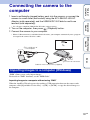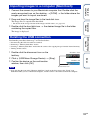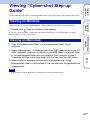
1
Notes
Operation
Search
You can print still images using the following methods.
• Printing directly using a PictBridge-compliant printer
• Printing directly using a “Memory Stick” media-compliant printer
For details, see the operating instructions supplied with the printer.
• Printing using a computer
You can import images to a computer using the supplied “PMB” software and print the
images.
You can insert the date on the image and print it. For details, see the “PMB Guide”.
• Printing at a shop (page 126)
Table of
contents
Printing still images
• When you print images shot in 16:9 mode, both edges may be cut off.
• You cannot print panoramic images depending on the printer.
Even if you do not have a computer, you can print images shot using the camera by connecting
the camera directly to a PictBridge-compliant printer.
MENU/Settings
Search
Printing images directly using a PictBridgecompliant printer
“PictBridge” is based on the CIPA standard. (CIPA: Camera & Imaging
Products Association)
Index
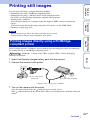
1 Insert a sufficiently charged battery pack into the camera.
2 Connect the camera to the printer.
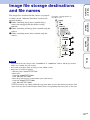
1 To a USB jack of
the printer
2 To the multi connector
Cable for multi-use terminal (supplied)
3 Turn on the camera and the printer.
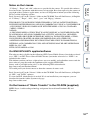
After the connection is made, the
indicator appears on the screen.
If the indicator flashes on the screen of the camera (error notification), check the connected
printer.
124GB
Continued r