1
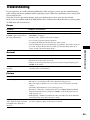
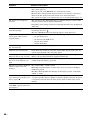
Symptom
Problems and solutions
The Control for HDMI function • Set [Control for HDMI] in [HDMI Settings] of [System Settings] to [On]
does not work.
(page 60).
• Make sure that the connected component is compatible with the [Control for
HDMI] function.
• Check the connected component’s setting for the Control for HDMI function.
Refer to the operating instructions supplied with the component.
• If you change the HDMI connection, connect and disconnect the AC power
cord (mains lead), or have a power failure, set [Control for HDMI] in [HDMI
Settings] of [System Settings] to [Off], then set [Control for HDMI] to [On]
(page 60).
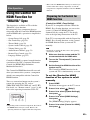
• For details, see “Using the Control for HDMI Function for “BRAVIA” Sync”
(page 49).
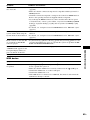
No sound is output from the
• Make sure that the connected TV is compatible with the System Audio Control
system and TV while using the
function.
System Audio Control function. • For details, see “Using the Control for HDMI Function for “BRAVIA” Sync”
(page 49).
Bonus contents or other data that • Try the following: 1 Remove the disc. 2 Turn the system off. 3 Remove and
are contained in a BD-ROM
reconnect the USB device (page 33). 4 Turn the system on. 5 Insert the BDcannot be played.
ROM with BONUSVIEW/BD-LIVE.
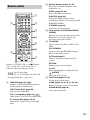
The system menu does not work. • Press HOME on the remote.
USB device
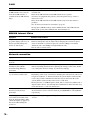
Symptom
Problems and solutions
The USB device is not
recognized.
• Try the following: 1 Turn the system off. 2 Remove and reconnect the USB
device. 3 Turn the system on.
• Make sure that the USB device is securely connected to the
(USB) port.
• Check if the USB device or a cable is damaged.
• Check if the USB device is on.
• If the USB device is connected via a USB hub, disconnect it and connect the
USB device directly to the unit.
Additional Information
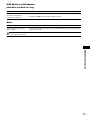
The unit does not work and
• Set the child lock function to off (page 54).
“CHILD LOCK” appears in the
front panel display when you
press any button on the unit.
69US