1
[For Automatic Document Feeder]
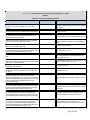
(10) Allow users to understand the location for setting
the document.
(11) Allow users to adjust the document guides for
Letter Size paper by click without sight.
(12) Allow wheelchair users to open it by one hand
because of free stop.
[For Appearance]
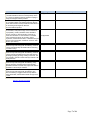
(13) Operation area for door etc. can be recognized by
touch.
[For System Operation]
(14) When user presses unauthorized key, a beeping
sound should go off to prevent unintentional operation.
[For Main Power Switch]
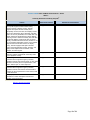
(15) Power On/Off status can be recognized by touch.
(16) Power Switch can be recognized by touch.
(17) Locate it away from other key so as not to be
pressed mistakenly.
[For Fax]
(18) Provide users alternative measures other than
vision to know such as sound when fax receives
messages.
[For Touch Panel]
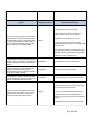
(19) Adjusting the time for key reception is possible.
[For System Operation Function]
(20) Recovering from Auto Power shutoff mode can be
done smoothly without relying on vision.
Page 14 of 16