1
VERSATILE DEVICE ACCESS
Streamline your document workflow and enhance productivity.
Flexible Networking for Today’s Modern Office Environments
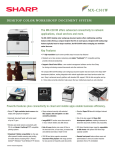
The MX-C301W desktop color workgroup document system offers
several secure methods to connect to your network environment. You
can choose a traditional wired Ethernet connection or you can use the
built-in wireless NIC to connect to a wireless network. For environments
that use a wired connection but would like to also provide scanning and
printing to mobile users, the Sharp wireless NIC can be configured in a
Point-to-Point mode.
SHARPDESK® MOBILE
Sharpdesk Mobile is a free powerful, mobile scanning and printing app that
connects Sharp MFPs via wireless to mobile devices such as iPad, iPhone,
Android, Windows 8 and Windows RT devices.
SHARPDESK®
Sharpdesk software is an easy-to-use personal
document management application that lets users
browse, edit, search, compose, process and
forward scanned and native electronic documents.
Simplified Scanning
Scan hard-copy documents to PDF for easy access by simply scanning from
a Sharp MFP to your device. Your smartphone or tablet profile can be stored
as a “scan-to” location on the MFP for one-touch operation.
Manage Document Workflow
Sharpdesk simplifies the creation and distribution of proposals, reports
and more. Simply drag and drop your files onto Sharpdesk software’s work
area and you’ll be able to browse through them in a single window. Each
file type can be displayed as a thumbnail for quick visual location and
identification of a document. Over 200 types of files, such as Excel, Word,
PowerPoint, TIFF, JPEG and BMP, are supported.
Hassle-free Printing
Connect to a wireless network, select a document, preview and print directly
to a supported Sharp MFP from a smartphone or tablet.
Seamless Collaboration with Other Applications
Sharpdesk Mobile allows seamless file sharing with other applications.
Users can attach scanned files to E-mail, share documents with other
applications or print files from other apps.
Sharpdesk Mobile:
•Receive, preview and store scanned images
•Print data from mobile devices
•Send data on mobile devices as an attachment of E-mail
•Share data on mobile devices with other applications
DEVICE MANAGEMENT
Enhance efficiency and maximize your time through Sharp’s versatile device management.
Sharp Remote Device Manager (SRDM)*
SRDM is a device management application, developed by Sharp, which
allows the operator to browse and operate an MFP via a web browser.
This advanced access allows for easy setup and configuration of the
MFP, enabling users to get the most of the advanced features the
MX-C301W has to offer!
Sharp Remote Device Manager.
* Not available at time of launch.
Key Features
•Graphical device management screen by list/icon display
•Status indicators of toner and paper tray
•Notification of MFP status by E-mail alert
•Easy access to MFP features via embedded Web page
•Device discovery based on a specific IP address, an IP search range
on a designated subnet