1
7
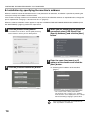
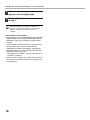
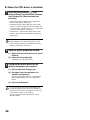
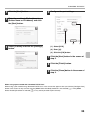
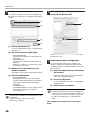
Select the IP address of the machine
from the "Address" menu and click the
[OK] button.
• Be sure to ask your system administrator (network
administrator) for the IP address of the machine.
• The name (host name) or IP address of the machine
can be directly entered in "Address".
• If the port number used by the scanner function of the
machine has been changed, enter a colon ":" following
the IP address and then enter the port number.
(Normally the port number does not need to be
entered.)
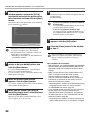
8
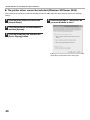
Click the [OK] button.
This completes the configuration of the scanner
driver.
29