1
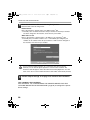
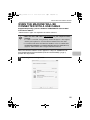
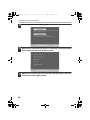
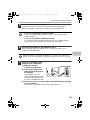
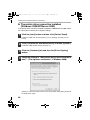
!mxc400P_us_ins.book
1 ページ
2009年10月5日 月曜日 午後2時27分
MODEL: MX-C400P
MX-C400P
Software Setup Guide
D IN CHINA
M
KS1
E4634FCZZ
DIGITAL FULL COLOR PRINTER
Software Setup Guide
BEFORE INSTALLING
THE SOFTWARE
SETUP IN A WINDOWS
ENVIRONMENT
SETUP IN A MACINTOSH
ENVIRONMENT
TROUBLESHOOTING
Keep this manual close at hand for reference
whenever needed.
00-1(Cover12)_Setup.fm
2 ページ
2009年10月13日 火曜日 午後2時35分
Thank you for purchasing this product. This manual explains how to install and
configure the software that allows the machine to print.
If the software is not installed correctly or you need to remove the software, see
"4. TROUBLESHOOTING" (page 56).
Please note
• The explanations in this manual assume that you have a working knowledge of your Windows
or Macintosh computer.
• For information on your operating system, please refer to your operating system manual or
the online Help function.
• The explanations of screens and procedures in this manual are primarily for Windows Vista® in
Windows® environments, and Mac OS X v10.4 in Macintosh environments. The screens may
vary depending on the version of the operating system.
• Wherever "MX-xxxx" appears in this manual, please substitute your model name for "xxxx".
• Considerable care has been taken in preparing this manual. If you have any comments or
concerns about the manual, please contact your dealer or nearest SHARP Service
Department.
• This product has undergone strict quality control and inspection procedures. In the unlikely
event that a defect or other problem is discovered, please contact your dealer or nearest
SHARP Service Department.
• Aside from instances provided for by law, SHARP is not responsible for failures occurring
during the use of the product or its options, or failures due to incorrect operation of the product
and its options, or other failures, or for any damage that occurs due to use of the product.
Warning
• Reproduction, adaptation or translation of the contents of the manual without prior written
permission is prohibited, except as allowed under copyright laws.
• All information in this manual is subject to change without notice.
Illustrations and the operation panel shown in this manual
The peripheral devices are generally optional, however, some models include certain peripheral
devices as standard equipment.
The explanations in this manual assume that 500-sheet paper feed units (total of four trays) are
installed on the machine.
For some functions and procedures, the explanations assume that devices other than the above
are installed.
The display screens, messages, and key names shown in the manual may differ
from those on the actual machine due to product improvements and modifications.
SOFTWARE LICENSE
The SOFTWARE LICENSE will appear when you install the software from the CD-ROM.
By using all or any portion of the software on the CD-ROM or in the machine, you are
agreeing to be bound by the terms of the SOFTWARE LICENSE.
For users of Windows 98/Me/NT 4.0
The CD-ROM does not include software for Windows 98/Me/NT 4.0.
Contact your dealer or nearest SHARP Service Department if you want software for Windows
98/Me/NT 4.0.
!mxc400P_us_ins.book
1 ページ
2009年10月5日 月曜日 午後2時27分
TABLE OF CONTENTS
1
BEFORE INSTALLING THE SOFTWARE
CD-ROMS AND SOFTWARE . . . . . . . . . . . . . . . . . . . . . . . . . . . . . . . . . . . . . . . . . . . . . 2
• SOFTWARE CD-ROM . . . . . . . . . . . . . . . . . . . . . . . . . . . . . . . . . . . . . . . . . . . . . . . 2
VERIFYING SYSTEM REQUIREMENTS . . . . . . . . . . . . . . . . . . . . . . . . . . . . . . . . . . . . 4
• SYSTEM REQUIREMENTS. . . . . . . . . . . . . . . . . . . . . . . . . . . . . . . . . . . . . . . . . . . 4
• SOFTWARE REQUIREMENTS . . . . . . . . . . . . . . . . . . . . . . . . . . . . . . . . . . . . . . . . 5
CONNECTING THE MACHINE. . . . . . . . . . . . . . . . . . . . . . . . . . . . . . . . . . . . . . . . . . . . 6
• CONNECTING TO A NETWORK. . . . . . . . . . . . . . . . . . . . . . . . . . . . . . . . . . . . . . . 6
• CONNECTING THE MACHINE WITH A USB CABLE (Windows). . . . . . . . . . . . . . 6
2
SETUP IN A WINDOWS ENVIRONMENT
OPENING THE SOFTWARE SELECTION SCREEN (FOR ALL SOFTWARE) . . . . . . 7
INSTALLING THE PRINTER DRIVER . . . . . . . . . . . . . . . . . . . . . . . . . . . . . . . . . . . . . . 9
• WHEN THE MACHINE IS CONNECTED TO A NETWORK . . . . . . . . . . . . . . . . . . 9
• WHEN THE MACHINE WILL BE CONNECTED WITH A USB CABLE . . . . . . . . . 21
• USING THE MACHINE AS A SHARED PRINTER . . . . . . . . . . . . . . . . . . . . . . . . 29
• USING THE STANDARD WINDOWS PS PRINTER DRIVER (Windows
98/Me/NT 4.0). . . . . . . . . . . . . . . . . . . . . . . . . . . . . . . . . . . . . . . . . . . . . . . . . . . . . 32
• CONFIGURING THE PRINTER DRIVER FOR THE OPTIONS INSTALLED
ON THE MACHINE . . . . . . . . . . . . . . . . . . . . . . . . . . . . . . . . . . . . . . . . . . . . . . . . 34
INSTALLING THE PRINTER STATUS MONITOR . . . . . . . . . . . . . . . . . . . . . . . . . . . . 38
CHANGING THE PORT . . . . . . . . . . . . . . . . . . . . . . . . . . . . . . . . . . . . . . . . . . . . . . . . 40
3
SETUP IN A MACINTOSH ENVIRONMENT
MAC OS X . . . . . . . . . . . . . . . . . . . . . . . . . . . . . . . . . . . . . . . . . . . . . . . . . . . . . . . . . . . 43
MAC OS 9.0 - 9.2.2 . . . . . . . . . . . . . . . . . . . . . . . . . . . . . . . . . . . . . . . . . . . . . . . . . . . . 52
4
TROUBLESHOOTING
WHEN INSTALLATION WAS NOT SUCCESSFUL . . . . . . . . . . . . . . . . . . . . . . . . . . . 56
REMOVING THE SOFTWARE . . . . . . . . . . . . . . . . . . . . . . . . . . . . . . . . . . . . . . . . . . . 61
1
!mxc400P_us_ins.book
1
2 ページ
2009年10月5日 月曜日 午後2時27分
BEFORE INSTALLING THE
SOFTWARE
This chapter describes the software programs that allow you to use the printer
function of the machine, the CD-ROMs that contain the software, and the pages
where the installation procedures can be found.
CD-ROMS AND SOFTWARE
The software that can be used with the machine is on the CD-ROMs that
accompany the machine.
Before installing the software, make sure that your computer and the machine
meet the system requirements described in "VERIFYING SYSTEM
REQUIREMENTS" (page 4).
SOFTWARE CD-ROM
The "Software CD-ROM" that accompanies the machine contains the printer
driver and other software. The "Software CD-ROM" consists of 2 discs.
For users of Windows 98/Me/NT 4.0
The CD-ROM does not include software for Windows 98/Me/NT 4.0.
Contact your dealer or nearest SHARP Service Department if you want software
for Windows 98/Me/NT 4.0.
Disc 1
Software for Windows
• Printer driver
These allow the machine to be used as a printer.
- PCL6 and PCL5c printer driver
The machine supports the Hewlett-Packard PCL6 and PCL5c printer
control languages. It is recommended that you use the PCL6 printer driver.
If you have a problem printing from older software using the PCL6 printer
driver, use the PCL5c printer driver.
- PS printer driver
The PS printer driver supports the PostScript 3 page description language
developed by Adobe Systems Incorporated.
2
!mxc400P_us_ins.book
3 ページ
2009年10月5日 月曜日 午後2時27分
CD-ROMS AND SOFTWARE
- PPD driver
The PPD driver enables the machine to use the standard Windows PS
printer driver.
☞ WHEN THE MACHINE IS CONNECTED TO A NETWORK (page 9)
☞ WHEN THE MACHINE WILL BE CONNECTED WITH A USB CABLE
(page 21)
• Printer Status Monitor (can only be used when the machine is
connected to a network)
This allows you to monitor the status of the machine on your computer screen.
☞ INSTALLING THE PRINTER STATUS MONITOR (page 38)
Disc 2
Software for Windows
• Printer Administration Utility (can only be used when the machine is
connected to a network)
This allows the administrator to monitor the machine and configure machine
settings from a computer. To install and use the Printer Administration Utility,
see the Readme file and the manual in PDF format on the "Software
CD-ROM" (Disc 2). The Readme file and manual are in the following folder on
the CD-ROM. (Substitute the letter of your CD-ROM drive for "R" in the
following path.)
R:\Sadmin\Documents\EnglishA
Software for Macintosh
• PPD file
This is the printer description file which enables the machine to be used as a
PostScript 3 compatible printer.
☞ MAC OS X (page 43)
☞ MAC OS 9.0 - 9.2.2 (page 52)
To use the machine as a printer in a Macintosh environment, the machine
must be connected to a network. A USB connection cannot be used.
3
01_Setup.fm
4 ページ
2009年10月9日 金曜日 午後3時32分
VERIFYING SYSTEM REQUIREMENTS
SYSTEM REQUIREMENTS
Before installing the software described in this manual, make sure that your
computer satisfies the following requirements.
Windows
Macintosh*5
Operating
system*1
Windows 98, Windows Me,
Windows NT Workstation 4.0 (Service Pack 5
or later)*2, Windows 2000 Professional,
Windows XP Professional, Windows XP Home
Edition, Windows 2000 Server,
Windows Server 2003, Windows Vista,
Windows Server 2008, Windows 7
Mac OS 9.0 to 9.2.2,
Mac OS X v10.2.8,
Mac OS X v10.3.9,
Mac OS X v10.4.11,
Mac OS X v10.5 to
10.5.8,
Mac OS X v10.6
Computer type
IBM PC/AT compatible computer
Equipped with a
10Base-T/100Base-TX/1000Base-T LAN
board or equipped standard with a USB
2.0*3/1.1*4 port.
Display
1024 x 768 dots resolution and 16-bit
color or higher is recommended.
An environment in
which any of the
operating systems listed
above can fully operate
(including Macintosh
computers with an Intel
processor).
Other hardware
requirements
An environment that allows any of the above
operating systems to fully operate.
*1 Printing is not possible in MS-DOS mode.
*2 USB is not supported.
*3 The machine's USB 2.0 port will transfer data at the speed specified by the USB 2.0
(Hi-Speed) standard only if the Microsoft USB 2.0 driver is preinstalled in the
computer, or if the USB 2.0 driver for Windows 2000 Professional/XP/Vista/7 that
Microsoft provides through "Windows Update" is installed.
*4 Compatible with models preinstalled with Windows 98, Windows Me, Windows 2000
Professional, Windows XP Professional, Windows XP Home Edition, Windows 2000
Server, Windows Server 2003, Windows Vista, Windows Server 2008, or Windows 7
and which are equipped standard with a USB interface.
*5 Cannot be used when the machine is connected with a USB cable.
• For users of Windows 98/Me/NT 4.0
The CD-ROM does not include software for Windows 98/Me/NT 4.0.
Contact your dealer or nearest SHARP Service Department if you want software for
Windows 98/Me/NT 4.0.
• For users of Windows NT 4.0/2000/XP/Server 2003/Vista/Server 2008/7
To perform the procedures described in this manual such as installing the software
and configuring settings after installation, administrator authority is required.
4
!mxc400P_us_ins.book
5 ページ
2009年10月5日 月曜日 午後2時27分
VERIFYING SYSTEM REQUIREMENTS
SOFTWARE REQUIREMENTS
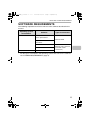
The following requirements must be met to use the software described in this
manual.
Operating system
environment*
Windows
Software
Type of connection*
PCL6 printer driver,
PCL5c printer driver
Network/ USB
PS printer driver,
PPD driver
Printer Status Monitor
Printer Administration Utility
Macintosh
Macintosh PPD file
Network only (cannot be
used with a USB
connection)
* For the types of computers and operating systems that can run the software,
see "SYSTEM REQUIREMENTS" (page 4).
5
!mxc400P_us_ins.book
6 ページ
2009年10月5日 月曜日 午後2時27分
CONNECTING THE MACHINE
CONNECTING TO A NETWORK
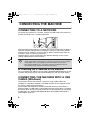
To connect the machine to a network, connect the LAN cable to the machine's
network connector. Use a shielded LAN cable.
After connecting the machine to a network, be sure to configure the IP address
and other network settings before installing the software. (The factory default
setting for the IP address is to receive the IP address automatically when the
machine is used in a DHCP environment.)
Network settings can be configured using "Network Settings" in the system
settings (administrator) on the machine.
• If the machine is used in a DHCP environment, the IP address of the machine may
change. If this happens, printing will not be possible. This problem can be avoided by
using a WINS server or by assigning a permanent IP address to the machine.
• This manual explains how to set up the software in a Windows network
environment and in a Macintosh network environment.
X Checking the IP address of the machine
You can check the IP address by pressing the [SYSTEM SETTINGS] key on the
machine and printing out the "All Custom Setting List" from [List Print (User)].
CONNECTING THE MACHINE WITH A USB
CABLE (Windows)
The machine can be connected to a computer using a USB cable if the
computer is a Windows computer. (The USB interface on the machine cannot
be used in a Macintosh environment.)
The machine and computer should be connected while the printer driver is
being installed. If a USB cable is connected before the printer driver is installed,
the printer driver will not be installed correctly. For the procedure for connecting
a USB cable, see "WHEN THE MACHINE WILL BE CONNECTED WITH A
USB CABLE" (page 21).
6
!mxc400P_us_ins.book
2
7 ページ
2009年10月5日 月曜日 午後2時27分
SETUP IN A WINDOWS ENVIRONMENT
This section explains how to install the software and configure settings so that
the printer function of the machine can be used with a Windows computer.
For users of Windows 98/Me/NT 4.0
The CD-ROM does not include software for Windows 98/Me/NT 4.0.
Contact your dealer or nearest SHARP Service Department if you want software
for Windows 98/Me/NT 4.0.
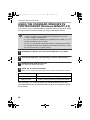
OPENING THE SOFTWARE SELECTION
SCREEN (FOR ALL SOFTWARE)
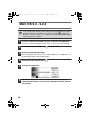
1
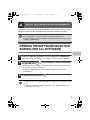
Insert the "Software CD-ROM" into your computer's CD-ROM drive.
2
Click the [Start] button (
the [CD-ROM] icon ( ).
Insert the "Software CD-ROM" that shows "Disc 1" on the front of the CD-ROM.
), click [Computer], and then double-click
• In Windows XP/Server 2003, click the [start] button, click [My Computer], and
then double-click the [CD-ROM] icon.
• In Windows 2000, double-click [My Computer] and then double-click the
[CD-ROM] icon.
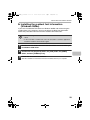
3
Double-click the [Setup] icon (
).
• In Windows 7, if a message screen appears asking you for confirmation, click
[Yes].
• In Windows Vista/Server 2008, if a message screen appears asking you for
confirmation, click [Allow].
7
!mxc400P_us_ins.book
8 ページ
2009年10月5日 月曜日 午後2時27分
OPENING THE SOFTWARE SELECTION SCREEN (FOR ALL SOFTWARE)
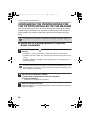
4
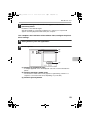
The "SOFTWARE LICENSE" window will appear. Make sure that you
understand the contents of the license agreement and then click the
[Yes] button.
You can show the "SOFTWARE LICENSE" in a different language by selecting
the desired language from the language menu. To install the software in the
selected language, continue the installation with that language selected.
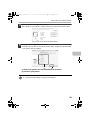
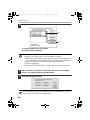
5
Read the message in the "Welcome" window and then click the [Next]
button.
6
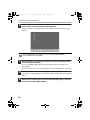
The software selection screen appears.
Before installing the software, be sure to click the [Display Readme] button and
view the detailed information on the software.
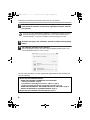
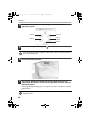
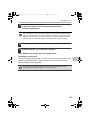
For the steps that follow, see the appropriate page below for the software that
you are installing.
INSTALLING THE PRINTER DRIVER
• WHEN THE MACHINE IS CONNECTED TO A NETWORK
- Standard installation: page 10
- Installation by specifying the machine's address: page 14
- Printing using the IPP function and the SSL function: page 18
• WHEN THE MACHINE WILL BE CONNECTED WITH A USB CABLE: page 21
• USING THE MACHINE AS A SHARED PRINTER: page 29
INSTALLING THE PRINTER STATUS MONITOR: page 38
8
!mxc400P_us_ins.book
9 ページ
2009年10月5日 月曜日 午後2時27分
INSTALLING THE PRINTER
DRIVER
To install the printer driver, follow the appropriate procedure in this section
depending on whether the machine is connected to a network or connected by
USB cable.
☞ WHEN THE MACHINE WILL BE CONNECTED WITH A USB CABLE (page 21)
WHEN THE MACHINE IS CONNECTED TO A
NETWORK
This section explains how to install the printer driver when the machine is
connected to a Windows network (TCP/IP network).
Supported operating systems: Windows 98/Me/NT 4.0*/2000*/XP*/
Server 2003*/Vista*/Server 2008*/7*
* Administrator's rights are required to install the software.
• To install the PPD driver when Windows 98/Me/NT 4.0 is used, see "USING
THE STANDARD WINDOWS PS PRINTER DRIVER (Windows 98/Me/NT 4.0)"
(page 32) and install the driver using the Add Printer Wizard.
• To use the machine as a network printer in Windows NT 4.0, "TCP/IP
Protocol" must be installed on your computer. If this is not installed, see
Windows NT 4.0 Help to install "TCP/IP Protocol".
• To print to the machine over the Internet using the IPP function when
the machine is installed in a remote location, or to print using the SSL
(encrypted communication) function, see "Printing using the IPP
function and the SSL function" (page 18) and install the printer driver.
• If the machine is connected to an IPv6-only network, the software
cannot be installed by detecting or specifying the machine's address
from the installer.
9
!mxc400P_us_ins.book
10 ページ
2009年10月5日 月曜日 午後2時27分
INSTALLING THE PRINTER DRIVER
X Standard installation
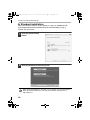
When the software selection screen appears in step 6 of "OPENING THE
SOFTWARE SELECTION SCREEN (FOR ALL SOFTWARE)" (page 7),
perform the steps below.
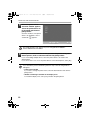
1
Click the [Printer Driver]
button.
2
Click the [Standard installation] button.
When [Custom installation] is selected, you can change any of the items below.
When [Standard installation] is selected, the installation will take place as
indicated below.
10
!mxc400P_us_ins.book
11 ページ
2009年10月5日 月曜日 午後2時27分
INSTALLING THE PRINTER DRIVER
• Machine connection method: LPR Direct Print (Auto Search)
• Set as default printer: Yes
• Printer driver name: Cannot be changed
• Display fonts: Installed
If you selected [Custom installation], select [LPR Direct Print (Auto Search)] and
click the [Next] button.
If you selected other than [LPR Direct Print (Auto Search)], see the following
pages:
• LPR Direct Print (Specify Address): page 14
• IPP: page 18
• Shared printer: page 29
• Connected to this computer: page 21
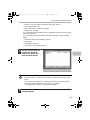
3
Printers connected to the
network are detected.
Select the machine and
click the [Next] button.
• If the machine is not found, make sure that the machine is powered on and
that the machine is connected to the network, and then click the [Re-search]
button.
• You can also click the [Specify condition] button and search for the machine
by entering the machine's name (host name) or IP address.
☞ Checking the IP address of the machine (page 6)
4
A confirmation window appears. Check the contents and then click
the [Next] button.
11
02_Setup.fm
12 ページ
2009年10月14日 水曜日 午後3時39分
INSTALLING THE PRINTER DRIVER
5
When the printer driver
selection window appears,
select the printer driver to
be installed and click the
[Next] button.
Click the checkbox of the printer
driver to be installed so that a
checkmark (
) appears.
The [PPD] checkbox only appears if you are using Windows 2000/XP/
Server 2003/Vista/Server 2008/7.
6
When you are asked whether or not you want the printer to be your
default printer, make a selection and click the [Next] button.
If you are installing multiple drivers, select the printer driver to be used as the
default printer.
If you do not wish to set one of the printer drivers as the default printer, select [No].
If you clicked the [Custom installation] button in step 2, the following windows
will appear.
• Printer name window
If you wish to change the printer name, enter the desired name and click the
[Next] button.
• Window confirming installation of the display fonts
To install the display fonts, select [Yes] and click the [Next] button.
12
!mxc400P_us_ins.book
13 ページ
2009年10月5日 月曜日 午後2時27分
INSTALLING THE PRINTER DRIVER
7
Follow the on-screen instructions.
Read the message in the window that appears and click the [Next] button.
Installation begins.
• If you are using Windows Vista/Server 2008/7
If a security warning window appears, be sure to click [Install this driver
software anyway].
• If you are using Windows 2000/XP/Server 2003
If a warning message regarding the Windows logo test or digital signature
appears, be sure to click the [Continue Anyway] or [Yes] button.
8
When the installation completed screen appears, click the [OK]
button.
9
Click the [Close] button in the window of step 1.
After the installation, a message prompting you to restart your computer may
appear. If this message appears, click the [Yes] button to restart your computer.
This completes the installation.
• After installation, see "CONFIGURING THE PRINTER DRIVER FOR THE
OPTIONS INSTALLED ON THE MACHINE" (page 34) to configure the printer
driver settings.
• If you are using the machine as a shared printer, see "USING THE MACHINE
AS A SHARED PRINTER" (page 29) to install the printer driver on each of the
client computers.
13
!mxc400P_us_ins.book
14 ページ
2009年10月5日 月曜日 午後2時27分
INSTALLING THE PRINTER DRIVER
X Installation by specifying the machine's address
When the machine cannot be found because it is not powered on or otherwise,
installation is possible by entering the name (host name) or IP address of the machine.
When the software selection screen appears in step 6 of "OPENING THE
SOFTWARE SELECTION SCREEN (FOR ALL SOFTWARE)" (page 7),
perform the steps below.
1
Click the [Printer Driver] button.
2
Click the [Custom installation] button.
14
!mxc400P_us_ins.book
15 ページ
2009年10月5日 月曜日 午後2時27分
INSTALLING THE PRINTER DRIVER
3
When you are asked how the printer is connected, select [LPR Direct
Print (Specify Address)] and click the [Next] button.
4
Enter the name (host name) or IP address of the machine and click
the [Next] button.
☞ Checking the IP address of the machine (page 6)
5
When the model selection window appears, select the model name of
your machine and click the [Next] button.
15
02_Setup.fm
16 ページ
2009年10月14日 水曜日 午後3時40分
INSTALLING THE PRINTER DRIVER
6
When the printer driver selection window appears, select the printer
driver to be installed and click the [Next] button.
Click the checkbox of the printer driver to be installed so that a checkmark (
appears.
)
The [PPD] checkbox only appears if you are using Windows 2000/XP/
Server 2003/Vista/Server 2008/7.
7
Select whether or not you wish the printer to be your default printer
and click the [Next] button.
If you are installing multiple drivers, select the printer driver to be used as the
default printer.
If you do not wish to set one of the printer drivers as the default printer, select [No].
8
When the printer name window appears, click the [Next] button.
9
When you are asked if you wish to install the display fonts, select an
answer and click the [Next] button.
16
If you wish to change the printer name, enter the desired name and click the [Next]
button.
!mxc400P_us_ins.book
17 ページ
2009年10月5日 月曜日 午後2時27分
INSTALLING THE PRINTER DRIVER
10
Follow the on-screen instructions.
Read the message in the window that appears and click the [Next] button.
Installation begins.
• If you are using Windows Vista/Server 2008/7
If a security warning window appears, be sure to click [Install this driver
software anyway].
• If you are using Windows 2000/XP/Server 2003
If a warning message regarding the Windows logo test or digital signature
appears, be sure to click the [Continue Anyway] or [Yes] button.
11
When the installation completed screen appears, click the [OK]
button.
12
Click the [Close] button in the window of step 1.
After the installation, a message prompting you to restart your computer may
appear. If this message appears, click the [Yes] button to restart your computer.
This completes the installation.
After installation, see "CONFIGURING THE PRINTER DRIVER FOR THE
OPTIONS INSTALLED ON THE MACHINE" (page 34) to configure the printer
driver settings.
17
!mxc400P_us_ins.book
18 ページ
2009年10月5日 月曜日 午後2時27分
INSTALLING THE PRINTER DRIVER
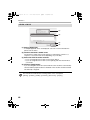
X Printing using the IPP function and the SSL
function
The IPP function can be used to print to the machine over a network using
HTTP protocol.
The IPP function can also be used in combination with the SSL (encrypted
communication) function to encrypt the print data. This enables secure printing
with no concern that the data will be leaked to others.
To use the SSL function, configure the "SSL Settings" in the system settings
(administrator) of the machine. To configure the settings, see the "SYSTEM
SETTINGS" chapter in the Operation Guide.
When the software selection screen appears in step 6 of "OPENING THE
SOFTWARE SELECTION SCREEN (FOR ALL SOFTWARE)" (page 7),
perform the steps below.
1
18
Click the [Printer Driver] button.
!mxc400P_us_ins.book
19 ページ
2009年10月5日 月曜日 午後2時27分
INSTALLING THE PRINTER DRIVER
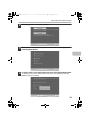
2
Click the [Custom installation] button.
3
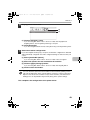
When you are asked how the printer is connected, select [IPP] and
click the [Next] button.
4
If a proxy server is used, specify the proxy server and click the [Next] button.
To specify a proxy server, select [Print via the proxy server] and then enter the
[Address] and [Port number].
19
!mxc400P_us_ins.book
20 ページ
2009年10月5日 月曜日 午後2時27分
INSTALLING THE PRINTER DRIVER
5
Enter the machine's URL and click the [Next] button.
Enter the URL in the following format:
Normal format:
http://<the machine's domain name or IP address>:631*1/ipp
*1 Normally "631" should be entered for the port number. If the IPP port number
has been changed on the machine, enter the new port number.
When SSL is used:
https://< the machine's domain name or IP address>:<port number*2>/ipp
*2 Normally the port number and the colon ":" immediately preceding the port
number can be omitted. If the IPP port number for SSL has been changed on
the machine, enter the new port number.
If your computer and the machine are connected to the same local area
network, you can click the [Search] button to search for the machine. The
machine's URL will appear. Select the URL and click the [OK] button. You will
return to the above screen and the machine's URL will be automatically entered.
6
Perform steps 5 through 12 on page 15 to continue the installation.
This completes the installation.
After installation, see "CONFIGURING THE PRINTER DRIVER FOR THE
OPTIONS INSTALLED ON THE MACHINE" (page 34) to configure the printer
driver settings.
20
!mxc400P_us_ins.book
21 ページ
2009年10月5日 月曜日 午後2時27分
INSTALLING THE PRINTER DRIVER
WHEN THE MACHINE WILL BE
CONNECTED WITH A USB CABLE
Supported operating systems: Windows 98/Me/2000*/XP*/Server 2003*/
Vista*/Server 2008*/7*
* Administrator's rights are required to install the software.
• Make sure that a USB cable is not connected to your computer and the
machine.
If a cable is connected, a Plug and Play window will appear. If this happens,
click the [Cancel] button to close the window and disconnect the cable.
• To install the PPD driver when Windows 98/Me is used, see "USING THE
STANDARD WINDOWS PS PRINTER DRIVER (Windows 98/Me/NT 4.0)"
(page 32) and install the driver using the Add Printer Wizard.
When the software selection screen appears in step 6 of "OPENING THE
SOFTWARE SELECTION SCREEN (FOR ALL SOFTWARE)" (page 7),
perform the steps below.
1
Click the [Printer Driver] button.
21
!mxc400P_us_ins.book
22 ページ
2009年10月5日 月曜日 午後2時27分
INSTALLING THE PRINTER DRIVER
2
Click the [Custom installation] button.
3
When you are asked how the printer is connected, select [Connected
to this computer] and click the [Next] button.
4
When you are asked if you wish to install the display fonts, select an
answer and click the [Next] button.
22
!mxc400P_us_ins.book
23 ページ
2009年10月5日 月曜日 午後2時27分
INSTALLING THE PRINTER DRIVER
5
Follow the on-screen instructions.
Read the message in the window that appears and click the [Next] button.
When the installation completed screen appears, click the [OK] button.
• If you are using Windows Vista/Server 2008/7
If a security warning window appears, be sure to click [Install this driver
software anyway].
• If you are using Windows 2000/XP/Server 2003
If a warning message regarding the Windows logo test or digital signature
appears, be sure to click the [Continue Anyway] or [Yes] button.
6
Click the [Close] button in the window of step 1.
When a message appears prompting you to connect the machine to your
computer, click the [OK] button.
After the installation, a message prompting you to restart your computer may
appear. If this message appears, click the [Yes] button to restart your computer.
7
Connect the machine to your
computer with a USB cable.
(1) Make sure that the
machine is powered on.
(2) Connect the cable to the
USB connector (B type) on
the machine.
The USB interface on the
machine complies with the USB
2.0 (Hi-Speed) standard. Please
purchase a shielded USB cable.
(3) Connect the other end of the cable to the USB connector (A type)
on your computer.
The machine is found and a Plug and Play window appears.
23
!mxc400P_us_ins.book
24 ページ
2009年10月5日 月曜日 午後2時27分
INSTALLING THE PRINTER DRIVER
8
Installation of the PCL6 printer driver begins.
When the "Found New Hardware Wizard" appears, select [Install the software
automatically (Recommended)], click the [Next] button, and follow the on-screen
instructions.
• If you are using Windows Vista/Server 2008/7
If a security warning window appears, be sure to click [Install this driver
software anyway].
• If you are using Windows 2000/XP/Server 2003
If a warning message regarding the Windows logo test or digital signature
appears, be sure to click the [Continue Anyway] or [Yes] button.
This completes the installation.
• After installing the printer driver, see "CONFIGURING THE PRINTER
DRIVER FOR THE OPTIONS INSTALLED ON THE MACHINE" (page 34) to
configure the printer driver settings.
• If you are using the machine as a shared printer, see "USING THE MACHINE
AS A SHARED PRINTER" (page 29) to install the printer driver on each of the
client computers.
24
!mxc400P_us_ins.book
25 ページ
2009年10月5日 月曜日 午後2時27分
INSTALLING THE PRINTER DRIVER
When installing the PCL5c printer driver, PS printer driver, or PPD driver
Installation is possible even after the USB cable has been connected. When the
software selection screen appears in step 6 of "OPENING THE SOFTWARE
SELECTION SCREEN (FOR ALL SOFTWARE)" (page 7), perform the steps
below.
1
Click the [Printer Driver] button.
2
Click the [Custom installation] button.
25
02_Setup.fm
26 ページ
2009年10月14日 水曜日 午後3時40分
INSTALLING THE PRINTER DRIVER
3
When you are asked how the printer is connected, select [Connected
to this computer] and click the [Next] button.
4
When the port selection window appears, select the port that the
PCL6 printer driver is using (USB001, etc.) and click the [Next]
button.
5
When the printer driver selection window appears, remove the [PCL6]
checkmark and select the printer driver to be installed, and then click
the [Next] button.
Click the checkbox of the printer driver to be installed so that a checkmark (
appears.
The [PPD] checkbox only appears if you are using Windows 2000/XP/
Server 2003/Vista/Server 2008/7.
26
)
!mxc400P_us_ins.book
27 ページ
2009年10月5日 月曜日 午後2時27分
INSTALLING THE PRINTER DRIVER
6
Select whether or not you wish the printer to be your default printer
and click the [Next] button.
If you are installing multiple drivers, select the printer driver to be used as the
default printer.
If you do not wish to set one of the printer drivers as the default printer, select [No].
7
When the printer name window appears, click the [Next] button.
8
When you are asked if you wish to install the display fonts, select
[No] and click the [Next] button.
9
Follow the on-screen instructions.
If you wish to change the printer name, enter the desired name and click the [Next]
button.
Read the message in the window that appears and click the [Next] button.
Installation begins.
• If you are using Windows Vista/Server 2008/7
If a security warning window appears, be sure to click [Install this driver
software anyway].
• If you are using Windows 2000/XP/Server 2003
If a warning message regarding the Windows logo test or digital signature
appears, be sure to click the [Continue Anyway] or [Yes] button.
10
When the installation completed screen appears, click the [OK]
button.
11
Click the [Close] button in the window of step 1.
After the installation, a message prompting you to restart your computer may
appear. If this message appears, click the [Yes] button to restart your computer.
27
!mxc400P_us_ins.book
28 ページ
2009年10月5日 月曜日 午後2時27分
INSTALLING THE PRINTER DRIVER
This completes the installation.
• After installation, see "CONFIGURING THE PRINTER DRIVER FOR THE
OPTIONS INSTALLED ON THE MACHINE" (page 34) to configure the printer
driver settings.
• Make sure that the port of the installed driver is the same as the port used by
the PCL6 printer driver.
The port used by the printer driver of the machine is indicated by a checkmark
on the [Ports] tab of the printer driver properties window. (In Windows 98/Me,
this is the port selected in [Print to the following port] on the [Details] tab.)
☞ CHANGING THE PORT (page 40)
28
!mxc400P_us_ins.book
29 ページ
2009年10月5日 月曜日 午後2時27分
INSTALLING THE PRINTER DRIVER
USING THE MACHINE AS A SHARED PRINTER
If you are going to use the machine as a shared printer on a Windows network with
the printer driver installed on a print server, follow the steps below to install the
printer driver on the client computers.
• Ask your network administrator for the server name and printer name of the
machine on the network.
• For the procedure for configuring settings on the print server, see the
operation manual or the Help file of the operating system. The "print server"
explained here is a computer that is connected directly to the machine, and
"clients" are other computers connected to the same network as the print
server.
• Install the same printer driver on client computers as the printer driver that is
installed on the print server.
• If the PPD driver is installed on the print server and the client computers are
running Windows 98/Me/NT 4.0, see "USING THE STANDARD WINDOWS
PS PRINTER DRIVER (Windows 98/Me/NT 4.0)" (page 32) to install the
printer driver using the Add Printer Wizard.
When the software selection screen appears in step 6 of "OPENING THE
SOFTWARE SELECTION SCREEN (FOR ALL SOFTWARE)" (page 7),
perform the steps below.
29
!mxc400P_us_ins.book
30 ページ
2009年10月5日 月曜日 午後2時27分
INSTALLING THE PRINTER DRIVER
1
Click the [Printer Driver] button.
2
Click the [Custom installation] button.
3
Select [Shared Printer] and click the [Next] button.
30
!mxc400P_us_ins.book
31 ページ
2009年10月5日 月曜日 午後2時27分
INSTALLING THE PRINTER DRIVER
4
Select the printer name (configured as a shared printer).
(1)
(2)
(1) Select the printer name (configured as a shared printer on a print
server) from the list.
If you are using Windows 98/Me/NT 4.0/2000/XP/Server 2003, you can also
click the [Add Network Port] button displayed below the list and select the
printer to be shared by browsing the network in the window that appears.
(2) Click the [Next] button.
If the shared printer does not appear in the list, check the settings on the print
server.
5
Perform steps 5 through 12 on page 15 to continue the installation.
In the printer driver selection screen, be sure to select the same type of printer
driver as the printer driver installed on the print server.
This completes the installation.
31
!mxc400P_us_ins.book
32 ページ
2009年10月5日 月曜日 午後2時27分
INSTALLING THE PRINTER DRIVER
USING THE STANDARD WINDOWS PS
PRINTER DRIVER (Windows 98/Me/NT 4.0)
If you wish to use the standard Windows 98/Me/NT 4.0 PS printer driver, follow
the steps below to install the PPD driver using the Add Printer Wizard.
• The CD-ROM does not include software for Windows 98/Me/NT 4.0.
Contact your dealer or nearest SHARP Service Department if you want
software for Windows 98/Me/NT 4.0.
• If you are using Windows 2000/XP/Server 2003/Vista/Server 2008/7, you can
install the PPD driver from the installer.
• Be sure to view the Readme file (Readme.txt) before installing the PPD driver.
The Readme file will be in the [EnglishA] folder inside the folder that contains
the extracted files after you get the software.
1
Download the software and save the extracted files in any folder.
2
Click the [Start] button, select [Settings] and then click [Printers].
3
Double-click the [Add printer] icon.
4
Follow the on-screen instructions.
The "Add Printer Wizard" will appear.
When you are asked to specify the path of the PPD file, enter the path as follows.
Operating system
PPD file path
Windows 98/Me
(Folder containing extracted files)\EnglishA\PPD\9XME
Windows NT 4.0
(Folder containing extracted files)\EnglishA\PPD\NT40
After installation, see "CONFIGURING THE PRINTER DRIVER FOR THE
OPTIONS INSTALLED ON THE MACHINE" (page 34) to configure the printer
driver settings.
32
!mxc400P_us_ins.book
33 ページ
2009年10月5日 月曜日 午後2時27分
INSTALLING THE PRINTER DRIVER
X Installing the resident font information
(Windows 98/Me)
If you have installed the PPD driver on Windows 98/Me and will be using the
resident fonts in the machine, you must install the resident font information.
Follow the procedure below to install the resident font information.
• Before installing the resident font information, be sure to install the PPD
driver.
• In the event that a resident font cannot be selected in a software application,
install the resident font information again.
1
Double-click the folder where the extracted files are saved when you
installed the PPD driver.
2
Double-click the [EnglishA] folder, the [PPD] folder, the [9XME]
folder, and then [PFMSetup.exe].
3
Follow the on-screen instructions.
After the resident font information has been installed, restart your computer.
33
!mxc400P_us_ins.book
34 ページ
2009年10月5日 月曜日 午後2時27分
INSTALLING THE PRINTER DRIVER
CONFIGURING THE PRINTER DRIVER FOR
THE OPTIONS INSTALLED ON THE MACHINE
After installing the printer driver, you must configure the printer driver settings
appropriately for the options that have been installed and the size and type of
paper loaded in the machine. Follow the steps below to configure the printer
driver.
If the PPD driver is installed, see "When the PPD driver is installed" (page 37).
X When the PCL printer driver or PS printer
driver is installed
1
Click the [Start] button (
[Printer].
), click [Control Panel], and then click
• In Windows 7, click the [Start] button and then click [Devices and Printers].
• In Windows XP/Server 2003, click the [start] button and then click [Printers and
Faxes].
• In Windows 98/Me/NT 4.0/2000, click the [Start] button, select [Settings], and
then click [Printers].
If [Printers and Faxes] does not appear in the [start] menu in Windows XP, click
the [start] button, click [Control Panel], click [Printers and Other Hardware], and
then click [Printers and Faxes].
2
Open the printer properties window.
(1) Right-click the printer driver icon of the machine.
(2) Select [Properties].
In Windows 7, select [Printer Properties].
3
34
Click the [Configuration] tab.
In Windows 98/Me, click the [Setup] tab and then click the [Configuration] tab in the
window that appears.
!mxc400P_us_ins.book
35 ページ
2009年10月5日 月曜日 午後2時27分
INSTALLING THE PRINTER DRIVER
4
Click the [Auto Configuration] button.
The settings are automatically configured based on the detected machine status.
*The screen shows the PCL6 printer driver.
5
Configure the image of the machine.
An image of the machine is formed in the printer driver configuration window based
on the options that are installed.
(1)
(2)
(1) Select the options that are installed on the machine.
(2) Click the [OK] button.
To cancel the image settings, click the [Cancel] button.
35
!mxc400P_us_ins.book
36 ページ
2009年10月5日 月曜日 午後2時27分
INSTALLING THE PRINTER DRIVER
6
Click the [OK] button in the printer properties window.
If automatic configuration fails, configure the settings manually.
• You can check the options that are installed and the tray settings by printing
out the "All Custom Setting List" in the system settings of the machine.
(However, note that "Input Tray Options" must be set to the number of trays
on the machine.) The "All Custom Settings List" can be printed from [List Print
(User)] in the system settings.
• Click the [Set Tray Status] button and the [Paper Type Name] button to check
the settings of each.
Set Tray Status:
The "Tray Settings" in "Paper Tray Settings" in system
settings of the machine are reflected in the settings
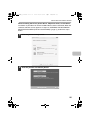
shown here. Specify the size and type of paper loaded in
each tray.
Paper Type Name: The "Paper Type Registration" settings in "Paper Tray
Settings" in the system settings of the machine are
reflected in the settings shown here. If a user type name
(1 to 7) was changed, enter the changed name.
36
!mxc400P_us_ins.book
37 ページ
2009年10月5日 月曜日 午後2時27分
INSTALLING THE PRINTER DRIVER
X When the PPD driver is installed
1
Click the [Start] button (
[Printer].
), click [Control Panel], and then click
• In Windows 7, click the [Start] button and then click [Devices and Printers].
• In Windows XP/Server 2003, click the [start] button and then click [Printers and
Faxes].
• In Windows 98/Me/NT 4.0/2000, click the [Start] button, select [Settings], and
then click [Printers].
If [Printers and Faxes] does not appear in the [start] menu in Windows XP, click
the [start] button, click [Control Panel], click [Printers and Other Hardware], and
then click [Printers and Faxes].
2
Open the printer properties window.
(1) Right-click the printer driver icon of the machine.
(2) Select [Properties].
In Windows 7, select [Printer Properties].
3
Configure the printer driver for the options installed on the machine.
(1) Click the [Device Settings] tab.
In Windows 98/Me, click the [Device Options] tab.
(2) Configure each item based on the machine configuration.
The items and the procedures for configuring the items vary depending on the
operating system version.
(3) Click the [OK] button.
You can check the options that are installed on the machine by printing out the
"All Custom Setting List" in the system settings. (However, note that "Input Tray
Options" must be set to the number of trays on the machine.) The "All Custom
Settings List" can be printed from [List Print (User)] in the system settings.
37
!mxc400P_us_ins.book
38 ページ
2009年10月5日 月曜日 午後2時27分
INSTALLING THE PRINTER
STATUS MONITOR
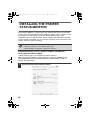
Printer Status Monitor is a printer utility that allows general users to check the
current status of the machine on their computer screen, such as whether or not
the machine is ready to print. The Printer Status Monitor shows error
information such as paper misfeeds, printer configuration information (whether
or not a finisher is installed, etc.) as an image, the paper sizes that can be used,
and the amount of paper remaining.
The Printer Status Monitor cannot be used in the following situations:
• When the machine is connected by a USB cable.
• When printing to the machine using the IPP function.
Supported operating systems: Windows 98/Me/NT 4.0*/2000*/XP*/
Server 2003*/Vista*/Server 2008*/7*
* Administrator's rights are required to install the software.
When the software selection screen appears in step 6 of "OPENING THE
SOFTWARE SELECTION SCREEN (FOR ALL SOFTWARE)" (page 7),
perform the steps below.
1
38
Click the [Printer Status Monitor] button.
!mxc400P_us_ins.book
39 ページ
2009年10月5日 月曜日 午後2時27分
INSTALLING THE PRINTER STATUS MONITOR
2
Follow the on-screen instructions.
3
When the installation completed screen appears, click the [Finish]
button.
To have the Printer Status Monitor start automatically when your computer is
started, select the [Add this program to your Startup folder] checkbox
and click
the [Finish] button.
4
Click the [Close] button in the window of step 1.
After the installation, a message prompting you to restart your computer may
appear. If this message appears, click the [Yes] button to restart your computer.
This completes the installation.
For the procedures for using the Printer Status Monitor, see the Help file. Follow
these steps to view the Help file:
Click the Windows [start] button, select [All Programs] ([Programs] in Windows
98/Me/NT 4.0/2000), select [SHARP Printer Status Monitor] and then select
[Help].
39
!mxc400P_us_ins.book
40 ページ
2009年10月5日 月曜日 午後2時27分
CHANGING THE PORT
When using the machine in a Windows environment, follow the steps below to
change the port when you have changed the IP address of the machine when
the machine is connected with a USB cable.
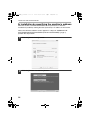
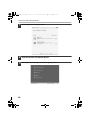
1
Click the [Start] button (
[Printer].
), click [Control Panel], and then click
• In Windows 7, click the [Start] button and then click [Devices and Printers].
• In Windows XP/Server 2003, click the [start] button and then click [Printers and
Faxes].
• In Windows 98/Me/NT 4.0/2000, click the [Start] button, select [Settings], and
then click [Printers].
If [Printers and Faxes] does not appear in the [start] menu in Windows XP, click
the [start] button, click [Control Panel], click [Printers and Other Hardware], and
then click [Printers and Faxes].
2
Open the printer properties window.
(1) Right-click the printer driver icon of the machine.
(2) Select [Properties].
In Windows 7, select [Printer Properties].
40
!mxc400P_us_ins.book
41 ページ
2009年10月5日 月曜日 午後2時27分
CHANGING THE PORT
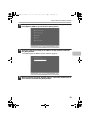
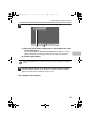
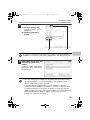
3
Adding or changing a port.
(1) Click the [Ports] tab.
In Windows 98/Me, click the
[Details] tab.
(2) Click the [Add Port]
button.
(2)
(1)
To change to a previously created port such as USB port, select the desired port
(USB001, etc.) from the list and click the [Apply] button. This changes the port.
4
Select [SC2 TCP/IP Port] and
then click the [New Port]
button.
In Windows 98/Me, select [Other],
[SC2 TCP/IP Port], and then click
the [OK] button.
• The "SC2 TCP/IP Port" is added when the printer driver is installed using a
"Standard installation", or a "Custom installation" with "LPR Direct Print
(Specify Address/Auto Search)" selected.
• If the printer driver is installed using a "Custom installation" with "IPP"
selected, the [SC-Print2005 Port] is added. If you need to change the printer
port when the machine is connected to an intranet or a wide area network
(WAN) using the IPP function, select [SC-Print2005 Port], click the [New Port]
button (the [OK] button in Windows 98/Me), and follow the on-screen
instructions to create the port again.
41
!mxc400P_us_ins.book
42 ページ
2009年10月5日 月曜日 午後2時27分
CHANGING THE PORT
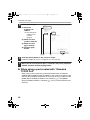
5
Create the new port.
(1) Enter the
machine's IP
address.
☞ Checking the IP
address of the
machine
(page 6)
(2) Make sure that
[LPR] is selected.
(3) Make sure that
[lp] is entered.
(4) Click the [OK]
button.
(1) (2)
(3)
(4)
6
Click the [Close] button in the screen of step 4.
7
Make sure the created printer port is selected in the printer properties
window and then click the [Apply] button.
In Windows 98/Me, this step is not required. Go to the next step.
X When using a port created with "Standard
TCP/IP Port"
When using a port created using "Standard TCP/IP Port" in Windows
2000/XP/Server 2003/Vista/Server 2008/7, in the screen that appears after
you click the [Configure Port] button in the screen of step 3, make sure the
[SNMP Status Enabled] checkbox is not selected ( ). If the [SNMP
Status Enabled] checkbox is selected ( ), it may not be possible to print
correctly.
42
!mxc400P_us_ins.book
3
43 ページ
2009年10月5日 月曜日 午後2時27分
SETUP IN A MACINTOSH
ENVIRONMENT
This chapter explains how to install the PPD file to enable printing from a
Macintosh and how to configure the printer driver settings.
☞ MAC OS X: this page
(v10.2.8, v10.3.9, v10.4.11, v10.5 - 10.5.8, v10.6)
☞ MAC OS 9.0 - 9.2.2: page 52
To use the machine in a Macintosh environment, the machine must be
connected to a network. A USB connection cannot be used.
MAC OS X
The explanations of screens and procedures are primarily for Mac OS X v10.4.
The screens may vary in other versions of the operating system.
1
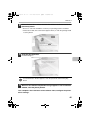
Insert the "Software CD-ROM" into your computer's CD-ROM drive.
2
Double-click the [CD-ROM] icon (
3
Double-click the [MacOSX] folder.
Insert the "Software CD-ROM" that shows "Disc 2" on the front of the CD-ROM.
) on the desktop.
Before installing the software, be sure to read "ReadMe First". "ReadMe First" is in
the [US-English] folder in the [Readme] folder.
43
03_Setup.fm
44 ページ
2009年10月9日 金曜日 午後5時25分
MAC OS X
4
Double-click the folder corresponding to the versions of the
operating system.
v10.2.8
v10.3.9
v10.4.11
v10.5 10.5.8
v10.6
5
Double-click the [MX-PBX1] icon (
).
If the "Authenticate" window appears in Mac OS X v10.2.8, enter the password
and click the [OK] button.
6
Click the [Continue] button.
7
The License Agreement window will appear. Make sure that you
understand the contents of the license agreement and then click the
[Continue] button.
A message will appear asking you if you agree to the terms of the license. Click the
[Agree] button.
If the license appears in the different language, change the language in the
language menu.
44
03_Setup.fm
45 ページ
2009年10月9日 金曜日 午後5時25分
MAC OS X
8
Select the hard drive where the PPD file will be installed and click the
[Continue] button.
• Be sure to select the hard drive on which your operating system is installed.
• In Mac OS X v10.6, the screen below appears when you click the [Change Install
Location] button.
9
Click the [Install] button.
Installation begins.
If an authentication window appears, enter the password and click the [OK]
button.
10
When the installation completed message appears in the installation
window, click the [Close] button.
This completes the installation of the software. Next, configure the printer
driver settings.
45
03_Setup.fm
46 ページ
2009年10月9日 金曜日 午後5時25分
MAC OS X
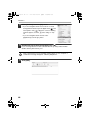
11
Select [Utilities] from the [Go] menu.
• If you are using Mac OS X v10.5 to 10.5.8 or v10.6,
click [System Preferences] in the Apple menu ( ) and
select [Print & Fax] ( ). When the screen for adding
a printer appears, click the
button and go to step
14.
• If you are using Mac OS X v10.2.8, select
[Applications] from the [Go] menu.
12
Double-click the [Printer Setup Utility] icon (
).
If you are using Mac OS X v10.2.8, double-click the [Utilities] folder and then
double-click the [Print Center] icon.
If this is the first time you are installing a printer driver on your computer, a
confirmation message will appear. Click the [Add] button.
13
46
Click [Add].
03_Setup.fm
47 ページ
2009年10月9日 金曜日 午後7時19分
MAC OS X
14
Configure the printer driver.
• The procedure for configuring the printer driver varies depending on the
operating system version. The procedure for versions 10.4.11, 10.5 - 10.5.8 and
10.6 and the procedure for other versions are explained separately below.
• The machine can print using the IPP function. If you wish to use the IPP function,
see "Printing using the IPP function" (page 50) to configure the printer driver
settings.
v10.4.11, v10.5 - 10.5.8, v10.6
(1)
(2)
(3)
(4)
(1) Click the [Default Browser] icon.
If you are using Mac OS X v10.5 to 10.5.8 or v10.6, click the [Default] icon.
(2) Click the machine's model name.
• Using with AppleTalk:
The machine's model name usually appears as [SCxxxxxx]*.
• Using with Bonjour:
The machine's model name usually appears as [RDVxxxxxx]*.
* "xxxxxx" is a sequence of characters that varies depending on your model.
(3) Make sure that the PPD file of your model is selected.
The PPD file of the machine is automatically selected.
(4) Click the [Add] button.
• Using with AppleTalk:
The PPD file of the machine is automatically selected and the peripheral
devices installed on the machine are detected and automatically configured.
• Using with Bonjour:
The "Installable Options" screen appears. Select the machine configuration
and click the [Continue] button.
47
03_Setup.fm
48 ページ
2009年10月9日 金曜日 午後5時25分
MAC OS X
v10.2.8, v10.3.9
(1)
(2)
(3)
(4)
(1) Select [AppleTalk].
If multiple AppleTalk zones are displayed, select the zone that includes the
printer from the menu.
(2) Click the machine's model name.
The machine's model name usually appears as [SCxxxxxx]. ("xxxxxx" is a
sequence of characters that varies depending on your model.)
(3) Select the PPD file of the machine.
• If you are using Mac OS X v10.3.9, select [Auto Select].
• If you are using Mac OS X v10.2.8, select [Sharp] and click the PPD file of
your model.
(4) Click the [Add] button.
If you are using Mac OS X v10.3.9, the PPD file of the machine is automatically
selected and the peripheral devices installed on the machine are detected and
automatically configured.
The PPD file is installed in the following folders on the startup disk.
[Library] - [Printers] - [PPDs] - [Contents] - [Resources] - [en.lproj]
48
03_Setup.fm
49 ページ
2009年10月9日 金曜日 午後5時25分
MAC OS X
15
Display printer information.
(2)
(1)
(1) Click the machine's name.
If you are using Mac OS X v10.5 to 10.5.8 or v10.6, click the [Options &
Supplies] button, click the [Driver] tab and go to step 16.
(2) Click [Show Info].
If you are using Mac OS X v10.2.8, select [Show Info] from the [Printers] menu.
16
Select the machine configuration.
If you selected [Auto Select] in (3) of step 14, the machine configuration is detected
and automatically configured. Check the configured settings to make sure they are
correct.
(1) Select [Installable Options].
If you are using Mac OS X v10.5 to 10.5.8 or v10.6, it does not appear.
(2) Select the options that are installed on the machine.
(3) Click the [Apply Changes] button.
If you are using Mac OS X v10.5 to 10.5.8 or v10.6, click the [OK] button.
(4) Click to close the window.
You can check the options that are installed on the machine by printing out the
"All Custom Setting List" in the system settings. (However, note that "Input Tray
Options" must be set to the number of trays on the machine.) The "All Custom
Settings List" can be printed from [List Print (User)] in the system settings.
This completes the configuration of the printer driver.
49
03_Setup.fm
50 ページ
2009年10月9日 金曜日 午後5時25分
MAC OS X
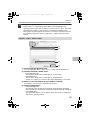
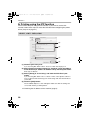
X Printing using the IPP function
The machine can print using the IPP function. If you wish to use the IPP
function, follow these steps to select the PPD file when configuring the printer
driver (step 14 on page 47).
v10.4.11, v10.5 - 10.5.8, v10.6
(1)
(2)
(3)
(4)
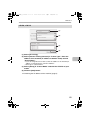
(1) Click the [IP Printer] icon.
If you are using Mac OS X v10.5 to 10.5.8 or v10.6, click the [IP] icon.
(2) Select [Internet Printing Protocol] in "Protocol". Enter the address
of the machine (IP address or domain name) and the queue name.
Enter "ipp" in "Queue".
(3) Select [Sharp] in "Print Using" and click the PPD file of your
model.
If you are using Mac OS X v 10.5 to 10.5.8 or v10.6, select [Select a driver to
use] (or [Select Printer Software]) from "Print Using" and click the PPD file for
your model.
(4) Click the [Add] button.
The "Installable Options" screen will appear. Make sure that the settings are
correct and click the [Continue] button.
☞ Checking the IP address of the machine (page 6)
50
!mxc400P_us_ins.book
51 ページ
2009年10月5日 月曜日 午後2時27分
MAC OS X
v10.2.8, v10.3.9
(1)
(2)
(3)
(4)
(1) Select [IP Printing].
(2) Select [Internet Printing Protocol] in "Printer Type". Enter the
address of the machine (IP address or domain name) and the
"Queue Name".
• If you are using Mac OS X v10.2.8, enter the address of the machine (IP
address or domain name) in "Printer's Address".
• Enter "ipp" in "Queue Name".
(3) Select [Sharp] in "Printer Model" and click the PPD file of your
model.
(4) Click the [Add] button.
☞ Checking the IP address of the machine (page 6)
51
!mxc400P_us_ins.book
52 ページ
2009年10月5日 月曜日 午後2時27分
MAC OS 9.0 - 9.2.2
If you are using Mac OS 9.0 to 9.2.2, make sure that "LaserWriter 8" has been
installed and that the "LaserWriter 8" checkbox is selected
in "Extensions
Manager" in "Control Panels". If not, install it from the system CD-ROM supplied
with your Macintosh computer.
1
Insert the "Software CD-ROM" into your computer's CD-ROM drive.
2
Double-click the [CD-ROM] icon (
3
Double-click the [MacOS] folder.
4
Double-click the [Installer] icon (
5
Click the [Install] button.
6
The License Agreement window will appear. Make sure that you
understand the contents of the license agreement and then click the
[Yes] button.
52
Insert the "Software CD-ROM" that shows "Disc 2" on the front of the CD-ROM.
) on the desktop.
Before installing the software, be sure to read "ReadMe First". "ReadMe First" is in
the [US-English] folder in the [Readme] folder.
).
!mxc400P_us_ins.book
53 ページ
2009年10月5日 月曜日 午後2時27分
MAC OS 9.0 - 9.2.2
7
Read the message in the window that appears and click the
[Continue] button.
Installation of the PPD file begins.
After the installation, a message prompting you to restart your computer will
appear. Click the [OK] button and restart your computer.
This completes the installation of the software. Next, configure the printer
driver settings.
8
Select [Chooser] from the Apple Menu.
9
Create a printer.
(1)
(2)
(3)
(1) Click the [LaserWriter 8] icon.
If multiple AppleTalk zones are displayed, select the zone that includes the
printer.
(2) Click the machine's model name.
The machine's model name usually appears as [SCxxxxxx]. ("xxxxxx" is a
sequence of characters that varies depending on your model.)
(3) Click the [Create] button.
53
!mxc400P_us_ins.book
54 ページ
2009年10月5日 月曜日 午後2時27分
MAC OS 9.0 - 9.2.2
10
Select the PPD file.
(1)
(2)
(1) Click the PPD file for your model.
(2) Click the [Select] button.
• If the above dialog box does not appear and you return to the "Chooser"
dialog box, follow these steps to select the PPD file manually.
(1) Make sure that the machine is selected in the "Select a PostScript Printer"
list, and then click the [Setup] button followed by the [Select PPD] button.
(2) Select the PPD file for your model and click the [Open] button.
(3) Click the [OK] button.
• The PPD file is installed in the [Printer Descriptions] folder in the [Extensions] folder.
11
Make sure that the machine is selected in the "Select a PostScript
Printer" list and then click the [Setup] button.
12
Click the [Configure] button.
To automatically configure the settings based on the installed machine options
that are detected, click the [Auto Setup] button.
54
!mxc400P_us_ins.book
55 ページ
2009年10月5日 月曜日 午後2時27分
MAC OS 9.0 - 9.2.2
13
Select the machine configuration.
(1) Select the options that are installed on the machine.
(2) Click the [OK] button.
You can check the options that are installed on the machine by printing out the
"All Custom Setting List" in the system settings. (However, note that "Input Tray
Options" must be set to the number of trays on the machine.) The "All Custom
Settings List" can be printed from [List Print (User)] in the system settings.
14
Click the [OK] button in the window of step 12 to close the window.
15
Click the close box (
) to close the "Chooser".
This completes the configuration of the printer driver.
Installing the screen fonts
The screen fonts for Mac OS 9.0 - 9.2.2 are contained in the [Font] folder of the
"Software CD-ROM" (Disc 2). Copy the fonts that you wish to install to the
[System Folder] of the startup disk.
If you experience problems that may be due to the installed screen fonts,
immediately delete the installed fonts from the system.
55
!mxc400P_us_ins.book
4
56 ページ
2009年10月5日 月曜日 午後2時27分
TROUBLESHOOTING
WHEN INSTALLATION WAS NOT
SUCCESSFUL
This section provides solutions to possible installation problems. See the following
table of contents to locate the appropriate page for your question or problem.
• The software cannot be installed. . . . . . . . . . . . . . . . . . . . . . . . . . 56
• The machine is not detected (when connected to a network).. . . . 57
• The plug and play screen does not appear (USB connection in
Windows). . . . . . . . . . . . . . . . . . . . . . . . . . . . . . . . . . . . . . . . . . . . 58
• The printer driver is not installed correctly by plug and play (USB
connection in Windows). . . . . . . . . . . . . . . . . . . . . . . . . . . . . . . . . 59
• The printer driver cannot be installed (Windows 2000/XP/Server
2003) . . . . . . . . . . . . . . . . . . . . . . . . . . . . . . . . . . . . . . . . . . . . . . . 60
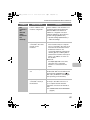
Problem
The
software
cannot be
installed.
56
Point to check
Solution
Is there sufficient free
space on your hard
drive?
Delete any unneeded files and
applications to increase free space on
your hard drive.
Are you using an
operating system that is
not supported?
Make sure that the software can run
on your operating system.
For detailed information on installation
requirements for each software
program in Windows, click the [Display
Readme] button in the installer.
In a Macintosh environment, this can
be checked in "ReadMe First" in the
[US-English] folder in the [Readme]
folder of the "Software CD-ROM".
!mxc400P_us_ins.book
57 ページ
2009年10月5日 月曜日 午後2時27分
WHEN INSTALLATION WAS NOT SUCCESSFUL
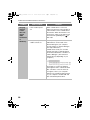
Problem
The
machine is
not
detected
(when
connected
to a
network).
Point to check
Solution
Is the IP address of the
machine configured?
If the IP address of the machine is not
configured, the machine will not be
detected. Make sure that the IP
address is configured correctly in
"Network Settings" in the machine's
system settings (administrator).
➞ System Settings (Administrator) >
"Network Settings"
Is your computer
connected to the same
network as the
machine?
Windows:
If the machine and your computer
are not connected to the same local
area network, the machine will not
be detected. If the two are
connected to different sub-networks,
click the [Specify condition] button
and enter the machine's name (host
name) or IP address to search for
the machine.
Macintosh:
If multiple AppleTalk zones exist,
select the zone to which the
machine is connected from the
menu.
Is the machine power
on?
If the machine is powered off, it will not
be detected. Switch on the main power
switch and the [POWER] key ( ) in
that order. (In Windows, search again
after powering on the machine.)
Is your computer
connected correctly to
the machine?
Make sure that the cable is connected
securely to the LAN connectors on
your computer and the machine.
Check the connections at the hub as
well.
☞ CONNECTING TO A NETWORK
(page 6)
57
!mxc400P_us_ins.book
58 ページ
2009年10月5日 月曜日 午後2時27分
WHEN INSTALLATION WAS NOT SUCCESSFUL
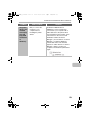
Problem
Point to check
Solution
The plug
and play
screen
does not
appear
(USB
connection
in
Windows).
Is the machine power
on?
When a USB cable is connected,
make sure the power of the machine is
"ON" and then connect a USB cable to
the machine. When the machine is not
powered on, switch on the main power
switch and the [POWER] key ( ) in
that order.
Can your computer use
a USB connection?
Check your computer whether or not a
USB interface can be used on the
Device Manager in your computer.
(For information on "Device Manager",
see Help in Windows.)
If USB can be used, your controller
chipset type and root hub will appear
in "Universal Serial Bus controllers" in
"Device Manager". (The items that
appear will vary depending on your
computer.)
If these two items appear, USB should
be useable. If a yellow exclamation
point appears next to "Universal Serial
Bus controllers" or the two items do
not appear, refer to your computer
manual or check with the manufacturer
of your computer to enable USB and
then reinstall the printer driver.
58
!mxc400P_us_ins.book
59 ページ
2009年10月5日 月曜日 午後2時27分
WHEN INSTALLATION WAS NOT SUCCESSFUL
Problem
The printer
driver is not
installed
correctly by
plug and
play (USB
connection
in
Windows).
Point to check
Did you connect the
machine to your
computer before
installing the printer
driver?
Solution
In Windows 2000/XP/Server
2003/Vista/7, if the machine was
connected to your computer with a
USB cable before the printer driver
was installed from the installer, check
if information on the unsuccessful
installation remains in "Device
Manager". (For information on "Device
Manager", see Help in Windows.)
If the model name of the machine
appears in "Other devices" in "Device
Manager", delete it, restart your
computer, and install the printer driver
again.
59
!mxc400P_us_ins.book
60 ページ
2009年10月5日 月曜日 午後2時27分
WHEN INSTALLATION WAS NOT SUCCESSFUL
X The printer driver cannot be installed
(Windows 2000/XP/Server 2003)
If the printer driver cannot be installed on Windows 2000/XP/Server 2003, follow
the steps below to check your computer settings.
1
Click the [start] button and then click [Control Panel].
In Windows 2000, click the [Start] button, point to [Settings], and click [Control
Panel].
2
Click [Performance and Maintenance] and then [System].
In Windows 2000, double-click the [System] icon.
3
Click the [Hardware] tab and then the [Driver Signing]
button.
4
Check the settings in "What action do you want Windows to
take?" ("File signature verification" in Windows 2000).
If [Block] is selected, the printer driver cannot be installed. Select [Warn] and install
the printer driver again.
60
!mxc400P_us_ins.book
61 ページ
2009年10月5日 月曜日 午後2時27分
REMOVING THE SOFTWARE
To remove the printer driver or software installed using the installer, follow the
steps below.
X Windows
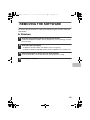
1
Click the [start] button and then click [Control Panel].
2
Click [Uninstall a program].
In Windows 98/Me/NT 4.0/2000, click the [Start] button, point to [Settings], and click
[Control Panel].
• In Windows XP/Server 2003, click [Add or Remove Programs].
• In Windows 98/Me/NT 4.0/2000, double-click the [Add/Remove Programs] icon.
3
Select the program or driver that you wish to delete.
4
Restart your computer.
For more information, see the manual for the operating system or Help.
61
!mxc400P_us_ins.book
62 ページ
2009年10月5日 月曜日 午後2時27分
REMOVING THE SOFTWARE
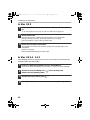
X Mac OS X
1
Delete the printer that uses the machine's PPD file from the printer
list.
To show the printer list, see step 11 and 12 of "MAC OS X" (page 43).
2
3
Delete the PPD file.
The PPD file has been copied to the following folder on the startup disk.
[Library] - [Printers] - [PPDs] - [Contents] - [Resources] - [en.lproj]
Delete the PPD file of the machine from this folder.
Delete the installation information.
The installation information file has been copied to the following folder on the
startup disk.
[Library] - [Receipts]
Delete the [MX-PBX1.pkg] file from this folder.
X Mac OS 9.0 - 9.2.2
After deleting the icon of the printer that uses the machine's PPD file from the
desktop, follow the steps below.
1
Insert the "Software CD-ROM" into your CD-ROM drive.
2
Double-click the [CD-ROM] icon (
double-click the [MacOS] folder.
) on the desktop and
3
Double-click the [Installer] icon (
).
4
Select [Remove] in the Install menu and click the [Remove] button.
62
Insert the "Software CD-ROM" that shows "Disc 2" on the front of the CD-ROM.
!mxc400P_us_ins.book
63 ページ
2009年10月5日 月曜日 午後2時27分
!mxc400P_us_ins.book
64 ページ
2009年10月5日 月曜日 午後2時27分
04_Setup.fm
64 ページ
2009年10月13日 火曜日 午後2時37分
!mxc400P_us_ins.book
70 ページ
2009年10月5日 月曜日 午後2時27分
MX-C400P
DIGITAL
Software Setup Guide
Sof
SHARP ELECTRONICS CORPORATION
1 Sharp Plaza, Mahwah, New Jersey 07495-1163.
www.sharpusa.com
SHARP ELECTRONICS OF CANADA LTD.
335 Britannia Road East, Mississauga, Ontario, L4Z 1W9
This manual has been printed using a vegetable-based
soy oil ink to help protect the environment.
PRINTED IN CHINA
2009M
KS1
TINSE4634FCZZ
Keep this m
whenever n