1
Safety Instructions
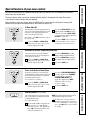
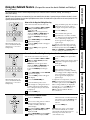
Using the surface units.
Throughout this manual, features and appearance may vary from your model.
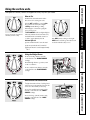
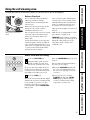
How to Set
Push the knob in and turn in either
direction to the setting you want.
Be sure you turn the control knob to
OFF when you finish cooking.
A HOT COOKTOP indicator light will glow
when any radiant element is turned on,
and will remain on until the surface is
cooled to approximately 150°F.
Indicator light will:
■ come on when the unit is hot to the touch.
Operating Instructions
At both OFF and HI the control clicks
into position. You may hear slight
clicking sounds during cooking,
indicating the control is keeping the
power level you set.
The WM (warm) setting on the right
REAR surface unit keeps already heated
food warm until ready to serve.
■ stay on even after the unit is turned off.
■ glow until the unit is cooled to approximately
150° F.
Care and Cleaning
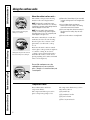
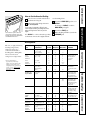
Using the Bridge Burner
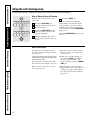
To use the bridge burner, turn the
control knob to the BRIDGE BURNER
settings.
5
For full bridge burner operation, turn
on the rear burner.
To use only the front burner, turn the
control knob to the FRONT BURNER
settings.
Troubleshooting Tips
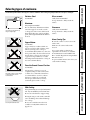
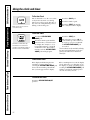
Dual Surface Unit Control Knob
The right front surface unit has 2 cooking sizes to
select from so you can match the size of the unit
to the size of the cookware you are using.
To use the small (6 inch) surface unit,
turn the control knob to the SMALL
BURNER settings.
9" 6"
Customer Service
To use the large (9 inch) surface unit,
turn the control knob to the LARGE
BURNER settings.
7