1
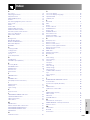
Index
A
AC socket .........................................................................
Adjusting the Picture ........................................................
Adjustment Feet ...............................................................
ADJUSTMENT switch .......................................................
Air filter .............................................................................
Anti-aliasing digital keystone correction ..........................
Aspect ratio ......................................................................
Audio ................................................................................
Audio cable ......................................................................
AUDIO INPUT terminals ...................................................
AUDIO OUTPUT terminals ...............................................
Automatic power shutoff function ....................................
Auto sync adjustment ......................................................
AUTO SYNC button ..........................................................
O
14
43
20
12
73
29
34
50
18
11
11
55
49
49
On-screen display ............................................................
On-screen display Language ..........................................
Optional Board .................................................................
OUTPUT port ...................................................................
54
37
32
17
34
R
B
Background .....................................................................
BACKLIGHT button ..........................................................
BLACK SCREEN button ...................................................
BNC-RCA adaptors ..........................................................
BORDER ..........................................................................
C
Carrying handle ...............................................................
Ceiling-mount ...................................................................
Ceiling+Rear ....................................................................
Clock ................................................................................
Color Temperature ...........................................................
4
30
56
46
44
D
DOT BY DOT .................................................................... 34
DVI INPUT port (INPUT 3) ................................................ 16
E
Economy Mode ................................................................
ENLARGE button .............................................................
ENTER button ...................................................................
Exhaust vent .....................................................................
Extra air filter ....................................................................
55
33
10
3
13
F
FREEZE button ................................................................. 32
G
GAMMA button ................................................................ 35
GUI (Graphical User Interface) ........................................ 40
I
INPUT buttons .................................................................. 31
INPUT port ....................................................................... 11
Input Setting ..................................................................... 59
K
Keylock Levels ................................................................. 59
L
LAMP REPLACEMENT indicators ....................................
LASER POINTER button ...................................................
LEFT-CLICK button ..........................................................
LENS button .....................................................................
69
39
37
29
MENU button ....................................................................
Monitor Out/RS-232C Off Function ..................................
MOUSE/ADJUSTMENT buttons .......................................
MOUSE/ADJUSTMENT switch .........................................
MUTE button ....................................................................
40
55
12
36
31
N
P
Password .........................................................................
PDF ..................................................................................
Phase ...............................................................................
Picture in Picture ..............................................................
POWER buttons ...............................................................
Power cord .......................................................................
POWER indicator .............................................................
Presentation tools .............................................................
Progressive Mode ............................................................
PS/2 mouse control cable ................................................
Rear projection .................................................................
Remote control .................................................................
Remote control sensor .....................................................
Remote control signal transmitter ....................................
Remote mouse receiver ...................................................
RESIZE button ..................................................................
RGB cable ........................................................................
RIGHT-CLICK button ........................................................
RS-232C port ...................................................................
61
9
46
51
19
14
19
64
45
38
30
12
36
12
38
34
14
37
11
S
Save Setting .....................................................................
Select Setting ...................................................................
Set ID No. .........................................................................
Set Inputs .........................................................................
Speakers ..........................................................................
Stack Setting ....................................................................
Startup image ..................................................................
Status function .................................................................
S-VIDEO INPUT terminal ..................................................
Sync .................................................................................
Sync on green ..................................................................
SXGA ................................................................................
47
47
63
59
11
63
54
58
11
49
79
5
T
TEMPERATURE WARNING indicator ............................... 69
TOOLS button .................................................................. 64
Transmission Speed (RS-232C) ....................................... 60
U
UNDO button ................................................................... 40
USB mouse control cable ................................................ 38
V
VIDEO INPUT terminal .....................................................
Video System ...................................................................
Videowall ..........................................................................
VOLUME buttons .............................................................
11
53
68
31
W
Wired remote control input ............................................... 39
WIRED REMOTE control input terminal ........................... 39
Wireless mouse ................................................................ 37
Appendix
M
53
57
62
11
No.
1.2.3 button ...................................................................... 31
3D DNR ............................................................................ 52
4.5.6 button ...................................................................... 31
Network Function ............................................................. 65
E-88