1
IG02401E
272mm (10-11/16" (10.6875")
14mm (9/16" (.5625")
129mm (5-1/16" (5.0625")
129mm (5-1/16" (5.0625")
MADE IN EUROPE
183mm (7-3/16" (7.1875")
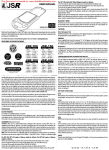
DJ ‘Professor K’ is your mentor, winning street territory, your mission. Cops want
you nailed, rival gangs want you dead, you’re the rollerblade tagger with a price
on your head. Your face is all over town, your name on every flyover and hitmans’
bullet. Keep those skates pumping and your head screwed on. Wheels are your
only way out, your spray can is your only weapon.
• Grind your way through the city streets and master those big air tricks
• Tag the city streets to take over your rivals territory
• A vast and breathtaking cityscape to explore
• Compete with rival gangs and avoid the cops
• DJ Professor K mix's the cool tunes as you play
• Multiplayer mode for up to 4 players
Players 1-4
IMPORTANT! Read Instruction Manual for important safety and health information.
For use only with Xbox video game consoles with "PAL" designation. Unauthorized copying, reverse
engineering, transmission, public performance, rental, pay for play, or circumvention of copy
protection is strictly prohibited.
Distributed by Infogrames. 1, place Verrazzano - 69252 LYON Cedex 09 - FRANCE.
© 2002 Infogrames, Inc. All rights reserved. Original Game © SEGA © Smilebit Corporation/SEGA Corporation, 2002
Microsoft, Xbox, the Xbox logos are either registered trademarks or trademarks of Microsoft Corporation in the United
States and/or other countries.© 2002 Microsoft Corporation. All rights reserved.
JSFR Manual Xbox GB (115/180)
15/02/02
17:18
Page 1
IG0240IE
Front Cover
JSFR Manual Xbox GB (115/180)
15/02/02
17:18
Page 2
SAFETY INFORMATION
Table of contents
ABOUT PHOTOSENSITIVE SEIZURES
A very small percentage of people may experience a seizure when exposed
to certain visual images, including flashing lights or patterns that may appear
in video games. Even people who have no history of seizures or epilepsy
may have an undiagnosed condition that can cause these “photosensitive
epileptic seizures” while watching video games.
These seizures may have a variety of symptoms, including lightheadedness,
altered vision, eye or face twitching, jerking or shaking of arms or legs,
disorientation, confusion, or momentary loss of awareness. Seizures may
also cause loss of consciousness or convulsions that can lead to injury from
falling down or striking nearby objects.
Immediately stop playing and consult a doctor if you experience any of
these symptoms. Parents should watch for or ask their children about the
above symptoms—children and teenagers are more likely than adults to
experience these seizures.
The risk of photosensitive epileptic seizures may be reduced by sitting
farther from the television screen, using a smaller television screen, playing
in a well-lit room, and not playing when you are drowsy or fatigued.
If you or any of your relatives have a history of seizures or epilepsy, consult
a doctor before playing.
Other Important Health and Safety Information.
The Xbox Instruction Manual contains important health and safety
information that you should read and understand before using this software.
Using the Xbox™ Video Game System •••••••••••••••••• 2
Using the Xbox™ Controller •••••••••••••••••••••••••••••••••••••••••••• 3
Prologue •••••••••••••••••••••••••••••••••••••••••••••••••••••••••••••••••••••••••••••••••••••••••••••••••••• 4
Characters •••••••••••••••••••••••••••••••••••••••••••••••••••••••••••••••••••••••••••••••••••••••••••• 6
Controls •••••••••••••••••••••••••••••••••••••••••••••••••••••••••••••••••••••••••••••••••••••••••••••••••••• 8
Starting the Game •••••••••••••••••••••••••••••••••••••••••••••••••••••••••••••••••••••• 12
Credits •••••••••••••••••••••••••••••••••••••••••••••••••••••••••••••••••••••••••••••••••••••••••••••••••••• 38
Song Credits •••••••••••••••••••••••••••••••••••••••••••••••••••••••••••••••••••••••••••••••••••• 39
Warranty •••••••••••••••••••••••••••••••••••••••••••••••••••••••••••••••••••••••••••••••••••••••••••••• 40
Infogrames Service Numbers •••••••••••••••••••••••••••••••••••••• 41
AVOID DAMAGE TO YOUR TELEVISION
Do not use with certain televisions. Some televisions, especially front- or rearprojection types, can be damaged if any video games, including Xbox games,
are played on them. Static images presented during the normal course of game
play may “burn in” to the screen, causing a permanent shadow of the static
image to appear at all times, even when video games are not being played.
Similar damage may occur from static images created when placing a video
game on hold or pause. Consult your television owner’s manual to determine
if video games can be safely played safely on your set. If you are unable to find
this information in the owner’s manual, contact your television dealer or the
manufacturer to determine if video games can be played safely on your set.
Unauthorized copying, reverse engineering, transmission, public performance,
rental, pay for play, or circumvention of copy protection is strictly prohibited.
Thank you for purchasing Jet Set Radio Future. Please note that this software
is designed only for use with Xbox. Be sure to read this instruction manual
thoroughly before you start playing.
Graffiti is art. However, graffiti as an act of vandalism is a crime.
Every state/province has vandalism laws that apply to graffiti, and
local entities such as cities and counties have anti-graffiti ordinances.
Violation of these laws can result in a fine, probation, or a jail sentence.
SEGA does not condone the real life act of vandalism in any form.
About Backup
The backup files of this game can only be saved on Xbox’s internal hard disk.
For the amount of space needed for the backup, please see the chart below.
Never turn off the Xbox console while saving the file.
Note also that this game does not support the memory unit (sold separately).
System
File
Graffiti
File (SS)
Graffiti
File (S)
Graffiti
File (M)
Graffiti
File (L)
Graffiti
File (XL)
9 blocks
11 blocks
11 blocks
60 blocks
60 blocks
116 blocks
1
JSFR Manual Xbox GB (115/180)
15/02/02
17:18
Page 2
USING THE XBOX™ VIDEO GAME SYSTEM
USING THE XBOX™ CONTROLLER
1. .Set up your Xbox™ video game system by following the instructions in the
Xbox Instruction Manual.
2. Press the power button and the status indicator light will light up.
3. Press the eject button and the disc tray will open.
4. Place the JSRF-Jet Set Radio FutureTM disc on the disc tray with the label
facing up and close the disc tray.
5. Follow the on-screen instructions and refer to this manual for more
information about playing JSRF-Jet Set Radio Future.
Avoiding Damage to Discs or the Disc Drive
To avoid damage to discs or the disc drive:
•Insert only Xbox-compatible discs into the disc drive.
•Never use oddly shaped discs, such as star-shaped or heart-shaped discs.
•Do not leave a disc in the Xbox console for extended periods when not in use.
•Do not move the Xbox console while the power is on and a disc is inserted.
•Do not apply labels, stickers, or other foreign objects to discs.
2
1. Connect the Xbox Controller to any controller port on the front of the Xbox
console. For multiple players, connect additional controllers to available
controller ports.
2. Insert any expansion devices (for example, Xbox Memory Units) into
controller expansion slots as appropriate.
3. Follow the on-screen instructions and refer to this manual for more
information about using the Xbox Controller to play JSRF-Jet Set Radio
Future.
3
JSFR Manual Xbox GB (115/180)
15/02/02
17:18
Page 4
PROLOGUE
Yeah!! This is DJ Professor K,
baby, the master of mayhem, you know
what I'm sayin'— bringing you another Tokyo
underground pirate radio broadcast from — Jet Set Radio!
I'm going to bust into your head through your cute little ears and blow
your minds with my sexy voice and out-of-sight sounds! Those of you prone to
nosebleeds should keep those tissues handy, suckas!
Tokyo is bein' oppressed by the Rokkaku Group, a mega-enterprise headed by
Rokkaku Gouji. Rokkaku is using his money and influence to mess with everything:
industry, society, and even our culture. And he's even got his eyes set on City Hall.
Lately, Rokkaku's been shaking down the government, passin' that "Rokkaku
Law" crap, and even buying off the police department. This law isn’t anything
but garbage. It's just some selfish little punk's way of trying to show he's a
big man. Rokkaku and his gang are tryin' to stomp out our culture left and
right. They don't give a rip about our rights; all they care about is profit.
And some spineless fools have already become flunkies in their diabolical
scheme. You'd better believe they're listening in on this
broadcast.
4
But even in all this heat,
there's a group of young kids who've
been tearin' up the streets — I'm talking about the
Rudies. These kids have set out to bury Tokyo in graffiti.
And now they're all wrapped up in their own little territorial tug-of-wars.
Lately, Tokyo's been on one baaad trip. The attack on the record store in Chuo
Street, prowlers in Dogenzaka Hill, low-lifes spreading vicious rumors,
the mysterious blackout on 99th Street. And who should be following them
around but the Rokkaku Group's watchdog, the Rokkaku Police!
With the Rokkaku Expo just around the corner, the crackdowns are only
getting tighter.
My heart hasn’t pounded like this since my first date and I was so nervous,
I forgot to wear my underwear, baby!
This isn’t the time to be sitting around sipping afternoon tea! The game's
going to start soon and y'all are going to be the ones making the plays!
5
JSFR Manual Xbox GB (115/180)
15/02/02
17:18
Page 6
CHARACTERS
I am the navigator of the underground
pirate radio station Jet Set Radio,
DJ Professor K. With my sound and
talks, I’m going to turn the entire city
of Tokyo into a dance hall, baby!
The leader and
founder of team GG.
A self-styled genius
with a spirited mind.
A newcomer to GG.
He loves to tell a lie
more than anything else. A junk robot that was
picked up from garbage
Distrustful guy, eh...?
by Corn. He is a foulmouthed and cocky
machine, but he can tell
you how to operate and
give you practice drills.
6
A private police force of Rokkaku
Group. You’ll be targeted if you’re
in the way of Rokkaku Group’s
activity, man.
Member of GG. She’s a
perverse lady with the
tendency to abandon a
guy in 10 minutes after
winning his heart.
Here’s the mysterious
kid that appeared in the
streets of Tokyo.
The reason for his
appearance in Tokyo,
maybe there’s reason,
maybe not...
A psycho inspector of Rokkaku
Police Division 0. Nothing good
happens when you get involved
with him.
He’s the big man of
mega-enterprise Rokkaku
Group, ruling on industry, society, and culture of
Tokyo. Lately he’s tryin’ to start Rokkaku Expo.
That’s terrible, man.
7
JSFR Manual Xbox GB (115/180)
15/02/02
17:18
Page 8
CONTROLS
● VARIOUS ACTIONS
Basic Moves
JSRF-Jet Set Radio Future is a 1-player game for the main game, and up to 4
players for the VS MODE. Connect the same number of Controllers as the
number of players to play to the Xbox console. When turning the console power
on, please do not move the Left and Right thumbsticks as well as the Left and
Right triggers. The calibration of the position cannot be performed properly as
it may cause malfunction.
● XBOX™ CONTROLLER
Walk/Run
Press the Left thumbstick lightly to
walk towards the direction pressed.
Press all the way to run.
Jump
Tap on the A button lightly to hop;
press to jump. Longer you hold the
button, the higher the player jumps.
Turn
Press the Y button once to turn
your body 180 degree and run
backwards. Press again to bring
back to normal.
Talk to People
Approach a character. When a
balloon icon appears, pull the Right
trigger to talk to him/her..
● BASIC CONTROLS
BUTTONS
DURING THE GAME
MENU CONTROLS
LEFT TRIGGER
CORRECT CAMERA ANGLE
N/A
RIGHT TRIGGER
SPRAY GRAFFITI/TALK
N/A
LEFT THUMBSTICK
WALK/RUN
SELECT MENU ITEMS
RIGHT THUMBSTICK
ROTATE MAP (PAUSE SCREEN)/
LOOK AROUND (STANDING STILL)
N/A
DIRECTIONAL PAD
N/A
SELECT MENU ITEMS
A BUTTON
JUMP/ENTER SELECTION
ENTER SELECTION
B BUTTON
BOOST DASH/USE ITEM*
CANCEL SELECTION
X BUTTON
COMBO TRICK/HAND PLANT
N/A
Y BUTTON
COMBO TRICK/TURN
N/A
START BUTTON
OPEN PAUSE MENU
ENTER SELECTION
BACK BUTTON
CANCEL SELECTION
CANCEL SELECTION
* Using an item is for VS MODE only.
■ The Black and White buttons are not used with this game.
8
Boost Dash
In exchange for 10 spray cans,
press the B button to boost your
speed for a limited time.
Camera Reset
Pull the Left trigger to correct
the camera angle to the
direction you are facing.
Keep your eyes on your rivals and
enemies!
During the battle with your rivals and enemies,
pull the Left trigger to view towards them.
Pull the Left trigger to change the marker from yellow to
red. At this point press the B button to boost your speed
towards him. Remember, though, you need 10 spray cans
to boost yourself.
9
JSFR Manual Xbox GB (115/180)
15/02/02
17:18
Page 10
Trick Moves
Grind
Jump onto guardrails, handrails,
power lines or the edge of half pipes
to perform grinds.
Spraying Graffiti
At the circular mark of the Graffiti
Point, pull the Right trigger to spray
graffiti. One spray can is spent for
every Graffiti Point. If there are
multiple Graffiti Points, hold the
Right trigger continuously to spray
graffiti.
Air
Build your speed and jump.
You can soar high in the air
and perform an aerial trick.
Wallride
Some of the billboards on the wall
you can jump and touch momentarily.
Use this trick to jump higher or go
over the high wall.
Handplant
As you approach the edge of the
half-pipe, press the X button.
Momentarily you will stand upside
down on one hand. Your speed will
be accelerated as well.
Continuous Graffiti
In front of multiple Graffiti Points, pull and hold the Right trigger while either
running or grinding. You can spray graffiti continuously.
!
There’re different kinds of graffiti
Combo Moves
Grind Combo
While grinding, press either the X or Y button to make various grinding tricks.
When you make combos, a score is displayed.
There are 5 kinds of graffiti: SS, S, M, L and XL.
The SS and S graffiti have 1 mark each, M graffiti has 3,
L graffiti has 6, and XL graffiti has 10.
Spray on all marks to complete the graffiti!
Air Combo
While making aerials, press either the X or Y button to make various aerial tricks.
■ There are other moves you can perform. Roboy will teach you how in Practice
on the Garage Menu (p.15).
10
11
JSFR Manual Xbox GB (115/180)
15/02/02
17:18
Page 12
STARTING THE GAME
Game Display
Main Game Screen
During the Demo, press the START button to display the
Main Menu. Use either the Left thumbstick or the
Directional pad to select the menu item, and press either
the START or the A button to enter selection.
4
1
This is the basic screen you will see throughout the game.
2
3
NEW GAME . . . . . . . . . . Start the game from the beginning. For one player only.
LOAD GAME . . . . . . . . . Load the game from a previously saved location.
This cannot be selected if no save file exists.
VS MODE . . . . . . . . . . . . Play a multiplayer versus game with up to four players.
5
● NEW GAME
Start the one-player main game from the beginning.
Your primary objective is to cover the entire city of Tokyo with GG’s graffiti,
avoiding various obstacles and distractions.
STREETS
The streets of Tokyo are where the actions occur.
Representing different districts of the city, each has
specific quota to meet: spraying specific number of
graffiti, battle against the rivals and enemies, etc.
Listen to the advice from your buddies in the Garage
or to the information from Professor K, the DJ of the
pirate radio station “Jet Set Radio” to clear the game.
1 Stamina Gauge
Decreases as you take damage.
The game is over when this gauge is depleted.
2 Spray Cans Left
You can spray the same amount of graffiti.
Collect 10 or more cans, and the Boost Dash
icon will be displayed.
3 Number of Graffiti
Displays the number of graffiti sprayed/the quota
in the current street.
4 Graffiti Point
Pull the Right trigger in front of this mark
to spray graffiti.
5 Speedometer
Displays the current speed of the player..
Earn points with successive com
bos!
Make a trick, and the score’s going to be displayed at the
top left of your screen. Make combos in a row, and the
combo points are going to get bigger. Be careful, man,
your combo count is going to start over if you make a
mistake or even when you jump while you’re grinding.
Some elements exist that do not directly relate to
the story. See what you can find.
Battle Screen
1
GARAGE
This is the base of the gang GG. The game starts
from where you’re about to join GG. Here you can
run around freely and talk to other members of the
GG for various, precious information. With Roboy’s
Garage Menu (p.15), you can change game settings,
save the game, and create new graffiti. Come back
here once in awhile to gain some hints or practice
your skill.
12
2
There are different types of battles in the game. The elements
displayed on the screen may differ according to the type of battle.
1 Elapsed Time
Displayed during the Racing Mode.
2 Marker
Displayed during the battle against your enemies and
rivals upon approaching them.
At this point, pull the Left trigger, and the marker
becomes red, keeping your enemies and rivals in view.
13
JSFR Manual Xbox GB (115/180)
Pause Screen
5
The small orange dots on
the area map indicate the
locations of the Graffiti
Spots, large orange spots
indicate the locations of the
Graffiti Souls, light green
indicate your rivals, purple
indicate your enemies, and
yellow arrow indicates the
player. Use the Left
thumbstick to select the
icon, and the Right
thumbstick to rotate the
map (only with maps which
are able).
Displays what you need to do in order to
advance in the game.
2 Current Street
Displays the name of area you are currently at.
3 Number of Graffiti Souls/Graffiti
Top: The number of Graffiti Souls (p.12) you
obtained in current street.
Bottom: The number of Graffiti you sprayed in
current street.
4 Total Graffiti Souls
The total amount of Graffiti Souls you obtained
in the game.
5 Direction of the Player
Displays which direction the player is currently
facing.
6 Pause Menu Icons
•Change Character: available only at Graffiti
Stop (p.11)
•Save: available only at Graffiti Stop (p.11).
•GG-notebook: displays what you need to do in
the stage, as well as the contents of Mystery
Tape (p.12).
•Return to the Game.
•You can select Start Over to play the
During the Battle
current battle from the beginning.
Use the GG-notebook
On the GG-notebook you’ll find graffiti for each stage, as
well as hints to make the Graffiti Soul to appear. A word
“CLEARED” is displayed on the elements that’s been done.
Also, if you find the “Mystery Tape,” the contents of the
“Street Mission” becomes clear!
14
Roboy’s Garage Menu
At the Garage, talk to Roboy. The Garage Menu will be
displayed. Use either the Left thumbstick or the
Directional pad to select the menu item, and press
either the Start button or the A button to enter.
1 Instruction
6
3
Page 14
•Pull the Left/Right trigger to switch the map.
•Select GG-notebook to verify missions.
4
2
17:18
During the game, press the START button to pause the
game and display the Pause Screen. There are two kinds
of Pause Screens: one for free skating mode and the
other for the battle mode.
Free Skating
1
15/02/02
System
Has the following sub-menu items.
Save Game Data
You can save up to 3 system files.
Change Settings
You can enable/disable the vibration
feature, and adjust the volume level of the
background musics and sound effects.
Change Character
You can change the character to use. Use the parameters
of each character as reference in selecting the character.
Use the Left thumbstick or the Directional pad to select
the character, and press either the Start button or the
A button to enter.
STAMINA
Length of Stamina Gauge
G-STAMINA
Length of Gauge when the character is sprayed with graffiti
SPRAY
Total amount of spray cans the character can hold
GRAFFITI
How easily the character can spray graffiti
ACCELERATION
How quickly the character can accelerate
CORNERING
How easily the character can turn corners
GRIND
How easily the character can perform grinds
Practice
You can practice the basic actions and learn new actions.
Use either the Left thumbstick or the Directional pad to
select the menu item, and press either the Start button
or the A button to enter.
15
JSFR Manual Xbox GB (115/180)
15/02/02
17:18
Graffiti
Page 16
Creating and Editing Graffiti
Following commands are available for creating and editing the graffiti.
You can select the graffiti illustrations to be used in the
game, as well as creating one yourself. For the amount of
disk spaces needed to save graffiti, please refer to p.1.
Pick graffiti to use
Here you can select the graffiti to be used. At first you can
only select from four graffiti in each size. As you collect
Graffiti Souls, the number of selections increases.
Make the selection for each size (SS~XL), and that
illustration will be drawn. To register the graffiti illustration
you created, select the icon at the right end. If you delete
the registered graffiti, it will return to the original one.
Create your own graffiti
Here you can create a brand new graffiti.
Use the Directional pad to select the size, and press
either the START button or the A button to enter.
Spray
Spray color on the wall. Use the Directional
pad to select the color, the Left trigger to
adjust the size from 5 sizes, and the Left
thumbstick to move the Spray Can. Pull the Right
trigger to spray. The thickness of color can be
adjusted by the amount you pull the Right trigger.
Eraser
Erase what you have painted with spray or
stamp. Use the Left thumbstick to select the
area to be erased, pull the Left trigger to
adjust the size of area to be erased, and pull the Right
trigger to erase. If you wish to erase the wide area,
move the Left thumbstick while pulling the Right trigger.
Zoom In
Graffiti Edit
Here you can edit the graffiti you have created.
Use the Directional pad to select the graffiti to edit.
Zoom in/out the graffiti display. Use the
Directional pad to select from 3 sizes,
and press either the START button or the
A button to enter.
■ For the direction on how to create/edit graffiti, please
see the next page.
Sound
Stamp
Use the Directional pad to select the stamp.
Use the Left thumbstick to select the area
to stamp, and pull the Right trigger to
stamp. The color selected for the Spray is also
reflected on the stamp. To change the color of stamp,
change the color of spray.
You can change the background music played in the
Garage. The title of music and the artist is displayed.
Use either the Left thumbstick or Directional pad to
select, and press the A button to enter.
Press the B button to return to the previous screen.
Test Run
You will be able to select this when a certain criteria
in the Streets are met. You can try for scores and times.
16
17
JSFR Manual Xbox GB (115/180)
15/02/02
17:19
Page 18
Lettering
Change View
You can enter a word on your graffiti, up to
15 letters long. Use the Directional pad to
select the menu item, and press the A button
to enter. The following submenu items appear.
Use the Left thumbpad qm to change the view of the
letters.
Change Design
Lettering
Use the Directional pad to select the letter (or select
SELECT ALL for all letters), and the Left thumbstick to
change the design.
Enter a letter on your graffiti artwork. Use the Directional
pad to select a letter from the displayed soft keyboard, the
Left thumbstick to select the location to print the letter,
and press the A button to type in.
JPN
ENG
ICON
k/o
ERASE
SPACE
ENTER
Delete
Select from Japanese letters.
Select from Roman alphabets.
Select from icons.
Move the cursor left/right.
Erase the letter on current location.
Enter a blank space on current location.
End lettering.
Use the Directional pad to select the letter to delete
(or select SELECT ALL for all letters), and press
the A button. Please note that once deleted, you cannot
restore the deleted letter(s).
Erase All
Fonts
You can change the font used for the lettering. Select
the letter to change the font with the Directional pad
(select ALL E for all alphabets or ALL J for all Japanese
letters), and change the font with Left thumbstick qm.
Move Letter
Use the Directional pad to select the letter to move
(or select SELECT ALL for all letters), and the Left
thumbstick to move. You can also pull the Left/Right
trigger to enlarge/shrink the size.
Select this to erase what you have drawn,
and start over from the beginning. Please
note that once erased, you cannot restore
the design.
Save
Select this to save your artwork. You will be
asked to select the location to save your
artwork. Press the A button to save.
You may save as many graffiti files as your internal
hard disk space allows.
Letter Size
Use the Directional pad to select the letter to change
size (or select SELECT ALL for all letters). Pull the Right
thumbstick to give the letter a three-dimensional feel,
or the Left thumbstick to flatten the letter.
Turn Letters
Use the Directional pad to select the letter to turn
(or select SELECT ALL for all letters), and the Left
thumbstick and Left/Right trigger to turn.
18
19
JSFR Manual Xbox GB (115/180)
15/02/02
17:19
Page 20
Spray Graffiti
The ultimate goal of this game is to spray the entire city of Tokyo with GG’s graffiti.
Naturally, how to spray graffiti is the most important element in this game.
What Else You Need to Know
Flow of Spraying Graffiti
Here are explanations to elements that need to be remembered in order to play
JSRF-Jet Set Radio Future. These are very essential to progress smoothly
through the game, so pay attention and learn them all.
Collect Spray Cans
To spray graffiti, you need to find and collect cans
of spray paint.
Hone your skills in Practice
As the game progresses, you will learn new moves.
You can practice them here. The menu item increases as
you learn one. To clear the game, let’s master them all.
Find Graffiti Points
You can spray graffiti only at Graffiti Points,
so find them.
Go to the Streets
After you become a member of GG, it’s time to go out to
the streets. Although there are several “Exits” in the
Garage, you may not be allowed to advance depending on
conditions. Don’t fret. Just go to the area you’re allowed
to go.
Spray Graffiti
In front of the Graffiti Point, pull the Right trigger
to spray graffiti.
Obtain Information
There are several obstacles that stand in your way.
But you have trusty friends. Talk to them while you’re at
Garage. Sometimes they cheer you up, other times they
may give you precious advice.
The Wrist Radio you’re wearing isn’t just an ordinary
radio. When it catches radio signals broadcast by
Professor K or the Rokkaku Police, a monitor screen will
be displayed. These messages can provide important
information such as hints and tactics, so don’t miss them.
When you approach the Graffiti Point, a small balloon will be displayed.
Use it as a guide and pull the Right trigger.
Collect Spray Cans!
Everything starts by collecting the Spray Cans! When you
see one on the streets, get it. The amount of Spray Cans
collected is displayed at the top right corner of the screen.
Remember, though. You can’t get any more if you’re full.
There are also cans that can recover your stamina.
Yellow can
Blue can
stands for one
gives you 5
can. Spraying
cans.
on one mark
spends one.
20
Red can
recovers your
stamina.
21
JSFR Manual Xbox GB (115/180)
15/02/02
17:19
Here comes your rival!
On the streets, there are several characters other than
the members of GG. At times they can be obstacles in the
game, other times they may have important hints.
Don’t be afraid to face them.
Battles!
In the course of the game, you will battle with your rivals
and enemies (such as Rokkaku Police). There are various
kinds of battles such as City Rush and Tagger’s Tag.
When you win the battle, either your rival joins you or you
will be able to advance to a different area.
Should you lose the battle, the game will be over.
Utilize the Graffiti Stop!
Page 22
● VS MODE
You can play a multi-player battle with up to four players. Apart from multi-player
battle modes, you can also play against the CPU to practice.
During the main menu, select VS MODE. If a system file
exists, the Load Screen will be displayed. Select the file to
load, and you will be able to play with members that have
joined GG up to that point.
Setting Screen
Here you can change settings for the Battle/Practice. Change settings in the
order below. Press the A button to enter, and B button to return to the previous
step. On Practice Mode, all missions except for Ball Hog are for one-player only,
so after the Stage Select, the Character Select Screen will be displayed.
Apart from the rest of graffiti, the Graffiti Points for it is
located on the ground. Spray graffiti, and press the
START button. You will be able to change the character
and save the game, both of which you cannot select under
the normal Pause Menu.
1
2
4
Find the Mystery Tape!
On all Streets, there exists one cassette tape, recorded
by a mysterious person. Find it, and select GG-notebook in
the Pause Menu while you’re at the same street you
found it. You will be able to view the contents: hints to
making Graffiti Souls to appear.
Make the Graffiti Souls appear!
When you collect the Graffiti Soul, you gain new selection
of graffiti. You can select the new graffiti illustration from
Graffiti of the Garage Menu (p.16).
22
5
3
1 Mode
Select either the Battle Mode or Practice Mode.
2 Mission
Select from 5 missions. Refer to p.12
for detailed descriptions of each.
3 Stage
Select the stage to be played in. There are
box-yard types and oval types, and the available
selections vary according to the selected
mission. Note also that the special stages are
for two-player battle only.
4 Entry
Displays the number of players entering the battle.
Press the A button to enter the battle.
5 Team
Here you select either the individual battle or
the team battle. 1P, 2P, etc. indicate the
Controller port number of the console.
Refer to p.25 for the list of possible
combinations of the teams.
23
JSFR Manual Xbox GB (115/180)
15/02/02
17:19
Page 24
Missions
There are five different missions available in the VS MODE.
Read the rules of each to grasp its feature.
City Rush!
Make three laps around the selected course.
First to reach the goal wins the battle.
Ball Hog
Grasp the ball from your rival and run the course.
Make a lap from the point you grab the ball without
dropping it or being taken away to win.
With Team Battle, press the B button while the
cursor is showing to pass the ball to your teammate.
Team Combinations
On Multiplay Mode, you can only select the individual
battle with two players. If there are three or more
players, you can select either the individual or the
team battle.
The game of Ball Hog requires cooperative play,
so two players can participate in Practice Mode.
With one player, you battle alone against the CPU.
With two players, both players cooperate in a team
to battle against the CPU team.
Flag
Find and grab the flags that appear one after another.
The player with the most flags wins.
There are 5 flags in all.
Graffiti Wars
Spray as many graffiti on the Graffiti Point
in the stage within the time limit.
You can overwrite over your opponent’s graffiti.
Individual
Battle
The screen
will be divided
into the same
number of
player
participating.
Team Battle
The team of
1P and 2P
plays against
the team of
3P and 4P.
Team Battle
The team of
1P and 3P
plays against
the team of
2P and 4P.
Team Battle
The team of
1P and 4P
plays against
the team of
2P and 3P.
Character Select
Tagger’s Tag
Draw graffiti on your opponents’ back.
You lose the battle when your Graffiti Meter depletes.
The player that survives to the end wins.
When all the settings are completed, you will now select
the character to be used. Please note that the same
character may not be selected by more than one player.
When all players select a character, the verification
screen will be displayed.
Change Graffiti
During the verification screen, select GRAFFITI to change
the graffiti to be used for that player. Except for Graffiti
Wars, only the graffiti with size SS can be selected.
“EDIT-” represents the user-created graffiti.
24
25
JSFR Manual Xbox GB (115/180)
17:19
Page 26
Game Display
Item Chart
The information shown on the VS MODE varies according to the mode you are
playing.
Here is the list of items and their effects.
Know each feature and utilize them well to play to your advantage.
1
2
3
City Rush!/Ball Hog
4
1
2
4
5
1
2
3
3
1 Stamina Gauge
ITEMS
It decreases as you take damage.
The game is over when it is reduced to zero.
2 Number of Spray Cans
You need them to spray graffiti or perform
a boost dash.
3 Item
The currently owned item is displayed.
Press the B button to use it.
4 Position Indicator
The current location on each player is displayed
on the bar. The left end is the Start position,
and the right end is the Goal. With Ball Hog,
the location of the goal changes.
You can throw a grenade that explodes upon contact
GRENADE (X1) with either the ground or a character.
Be careful not to hit your teammate or, even, yourself.
Graffiti Wars/Flag
1 Stamina Gauge
It decreases as you take damage.
The game is over when it is reduced to zero.
2 Number of Spray Cans
You need them to spray graffiti or perform boost
dash.
3 Item
The currently owned item is displayed.
Press the B button to use it.
4 Time Remaining (Graffiti Wars only)
The game is played until this time reaches zero.
5 Progress Indicator
The number of graffiti (flags) for the player
is displayed.
Tagger’s Tag
EFFECTS
You can throw up to three grenades.
GRENADE (X3) When used, the icon display will start the countdown.
PLACE BOMB
Press the B button to place a bomb.
It explodes upon contact with things and obstacles.
You can even place it in the air.
CAN OF
You become temporarily invincible.
INVINCIBILITY Your acceleration and the top speed also increase.
INVISIBLE
DRINK
Your appearance will not be displayed temporarily
on your opponents’ screen. Note that you can still
hit the grenades and obstacles.
SPRAY CAN
(X1)
You pick up a spray can.
SPRAY CAN
(X20)
You pick up 20 spray cans.
Use the Items!
1 Stamina Gauge
4
26
15/02/02
It decreases as you take damage.
The game is over when it is reduced to zero.
2 Number of Spray Cans
You need them to spray graffiti or perform boost
dash.
3 Item
The currently owned item is displayed.
Press the B button to use it.
4 G-Stamina
Displayed when your opponent is about to be
sprayed, and decreases when he/she is being
sprayed. The player whose G-Stamina depletes
to zero loses the game.
To win the VS MODE, what’s the better way than to use
the items!? When you pick up the item box on the course,
the item display spins like a one-arm bandit, making the
selection randomly. The selected item can be used by
pressing the B button. But remember, you can’t use the
Boost Dash while you got the item, and you can’t get
other items either. Don’t be cheap. Use it!
27
JSFR Manual Xbox GB (115/180)
15/02/02
17:19
Page 28
SNABBSTART
SÄKERHETSINFORMATION
OM ANFALL ORSAKADE AV LJUSKÄNSLIGHET
En mycket liten andel av befolkningen kan drabbas av epilepsi-liknande anfall,
som kan utlösas av vissa visuella bilder, inklusive blinkande ljus eller mönster
som kan finnas i videospel. Även människor som aldrig tidigare har drabbats
av liknande anfall eller epilepsi kan lida av en icke diagnostiserad åkomma,
som kan utlösa dessa “ljuskänslighetsanfall” medan de tittar på ett videospel.
Dessa anfall kan uppvisa olika symptom, inklusive yrsel, synstörningar,
ryckningar i ögon eller ansikte, krampryckningar eller -skakningar i armar
eller ben, förvirring, oklarhet, eller tillfällig medvetandeförlust. Anfallen kan
även orsaka medvetslöshet eller krampanfall, som kan leda till personskador
vid fall eller hopstötning med föremål i närheten.
Sluta omedelbart att spela videospel och konsultera läkare
om du upplever något av ovan nämnda symptom. Föräldrar ska hålla uppsikt
över eller fråga sina barn om de upplevt något av ovan nämnda symptom—det
är vanligare att barn och ungdomar drabbas av dessa anfall än vuxna.
Risken att drabbas av epileptiska anfall som orsakas av ljuskänslighet kan
minskas genom att sitta längre från TV-skärmen, använda en mindre TV-skärm,
spela i ett väl upplyst rum och att aldrig spela om du är sömnig eller trött.
Rådgör med läkare innan du börjar spela, om du eller någon släkting tidigare
haft anfall eller lider av epilepsi
Övrig viktig hälso- och säkerhetsinformation
I Xbox instruktionsboken finns viktig hälso- och säkerhetsinformation, som
du bör läsa igenom och förstå innan du använder denna programvara.
UNDVIKA SKADOR PÅ TV-APPARATEN
Använd inte spelet tillsammans med vissa TV-apparater. Vissa TV-apparater,
särskilt sådana med främre eller bakre projection, kan skadas om videospel,
inklusive Xbox-spel, spelas på dem. Statiska bilder, som visas under ett normalt
spel, kan “bränna in” i skärmen och ge upphov till en permanent skugga av den
statiska bilden som syns hela tiden, även när inget videospel spelas. Liknande
skador kan uppstå från statiska bilder som skapas när du gör ett uppehåll eller
en paus i spelet. För att avgöra om TV-apparaten utan risk kan användas för
videospel hänvisas till TV-apparatens bruksanvisning. Om denna information
saknas i bruksanvisningen, bör du kontakta TV-handlaren eller tillverkaren av
apparaten för besked.
Obehörig kopiering, ändring av konstruktion, överföring, offentlig visning,
uthyrning eller annan användning i kommersiellt syfte, eller att kringgå
kopieringsskyddet, är strängt förbjudet.
28
Användning av Xbox™ TV-Spel
Skivfack
Handkontrollsport 1
Handkontrollsport 2
Utmatningknapp
av/på-knapp
Handkontrollsport 4
Handkontrollsport 3
1. Installera ditt Xbox™ TV-spel enligt anvisningarna i Xbox instruktionsbok.
2. Tryck på av/på-knappen och statusindikatorn tänds.
3. Tryck på utmatningsknappen och skivfacket öppnas.
4. Placera Jet Set Radio Future skivan i skivfacket med etiketten uppåt och
stäng skivfacket.
5. Följ anvisningarna som visas på skärmen. I instruktionsboken finns mer
information om hur du spelar Jet Set Radio Future.
Undvika skador på Skivorna eller CD-spelaren
För att undvika skada på skivorna eller CD-spelaren:
- Sätt endast in Xbox-kompatibla skivor i CD-spelaren.
- Använd aldrig skivor med underlig form, som exempelvis stjärn- eller hjärtformade skivor.
- Låt inte en skiva sitta kvar i Xbox-konsolen under längre tid när den inte används.
- Flytta inte Xbox-konsolen medan strömmen är påkopplad och en skiva sitter i.
- Fäst inte etiketter, klistermärken, eller andra främmande föremål på skivorna.
Använda Xbox™ handkontroll
1. Anslut Xbox handkontroll i någon av handkontrollsportarna på Xbox-konsolens
framsida. För spel med flera spelare, koppla in extra handkontroller i
tillgängliga handkontrollsportar.
2. Koppla in eventuell expansionsutrustning (till exempel, Xbox minneskort) i
expansionsplatserna enligt anvisningarna.
3. Följ instruktionerna som visas på skärmen. I instruktionsboken finns mer information
om hur du använder Xbox handkontroll för att spela Jet Set Radio Future.
Vit knapp
Svart knapp
Expansionsplats A
Expansionsplats B
-knapp
-knapp
-knapp
-knapp
Vänster styrspak
Styrknapp
Höger avtryckare
Höger styrspak
Vänster avtryckare
BACK START
-knapp -knapp
29
JSFR Manual Xbox GB (115/180)
15/02/02
17:19
Page 30
SPELKONTROLL
Jet Set Radio Futures huvudspel är avsett för 1 spelare, och upp till 4 spelare i
VS MODE (spelvariant med flera spelare). Anslut samma antal handkontroller
som det finns spelare till Xbox-konsolen. När du slår på strömmen till konsolen,
rör varken Vänster eller Höger styrspak och inte heller Vänster eller Höger
avtryckare. Kalibrering av positionen kan annars inte utföras på rätt sätt vilket
kan orsaka funktionssvårigheter.
● GRUNDLÄGGANDE KONTROLL
KNAPPAR
UNDER SPELET
MENYKONTROLL
VÄNSTER AVTRYCKARE
JUSTERA KAMERAVINKEL
ANVÄNDS EJ
HÖGER AVTRYCKARE
SPRAYA GRAFFITI/PRATA
ANVÄNDS EJ
VÄNSTER STYRSPAK
GÅ/SPRING
VÄLJ FRÅN MENYN
HÖGER STYRSPAK
VRID KARTA (TA EN PAUS )/ SE DIG
OMKRING (NÄR DU STÅR STILL)
ANVÄNDS EJ
STYRKNAPP
ANVÄNDS EJ
VÄLJ FRÅN MENYN
A KNAPP
HOPPA/GÖR ETT VAL
GÖR ETT VAL
B KNAPP
BOOST DASH (superspray)/
ANVÄND FÖREMÅL*
AVBRYT VAL
X KNAPP
KOMBINATIONSTRICK/ HAND
PLANT (sätt i handen för att svänga)
ANVÄNDS EJ
Y KNAPP
KOMBINATIONSTRICK/VÄND
ANVÄNDS EJ
START KNAPP
ÖPPNA PAUSMENY
GÖR ETT VAL
BACK KNAPP
AVBRYT VAL
AVBRYT VAL
GRUNDLÄGGANDE RÖRELSER
Gå/Springa
Tryck lätt på Vänster avtryckare för
att gå i den riktning du trycker. Tryck
ned knappen helt för att springa.
Hoppa
Tryck snabbt och lätt på A knappen
för att skutta; tryck hårdare för att
hoppa. Ju längre du håller kvar
knappen desto högre hoppar spelaren.
Vänd
Tryck på Y knappen en gång för att
vrida kroppen 180 grader och
springa tillbaka. Tryck igen för att
återgå till normal position.
Prata med folk
Närma dig en person. När en
pratbubbla visas, tryck på
Höger avtryckare för att prata
med honom/henne..
Boost Dash
I utbyte mot 10 sprayburkar, tryck
på B knappen för att öka din
snabbhet och sprayförmåga en
begränsad tid.
Ändra kameran
Tryck på Vänster avtryckare för att
justera kameravinkeln i din rikting.
* Använd föremål gäller endast VS MODE (spelvariant med flera spelare).
■ De Svarta och Vita knapparna används inte till detta spel.
!
Håll ögonen på rivaler och fiender
Om Backup
Spelets backup-filer kan endast sparas på Xbox interna hårddisk. För att veta
hur stort utrymme som krävs för backup, se tabellen nedan. Stäng aldrig av
Xbox-konsolen medan du sparar en fil. Notera också att det här spelet inte
stöder minneskortet (som säljs separat).
30
Systemfil
Graffiti fil
(SS)
Graffiti fil
(S)
Graffiti fil
(M)
Graffiti fil
(L)
Graffiti fil
(XL)
9 minnesblock
11 minnesblock
11 minnesblock
60 minnesblock
60 minnesblock
116 minnesblock
Medan du kämpar mot dina rivaler och fiender, tryck på
Vänster avtryckare för att titta åt deras håll. Tryck på
Vänster avtryckare för att ändra markören från gult till
rött. Tryck sedan på B knappen för att öka din
sprayförmåga i förhållande till de andra. Men kom ihåg
att du behöver 10 sprayburkar för att kunna få extra
snabbhet och styrka.
31
JSFR Manual Xbox GB (115/180)
15/02/02
17:19
Page 32
PIKAOHJE
TIETOJA TURVALLISUUDESTA
TIETOJA VALOYLIHERKKYYDEN AIHEUTTAMISTA EPILEPTISISTÄ
KOHTAUKSISTATIETOJA VALOYLIHERKKYYDEN AIHEUTTAMISTA
EPILEPTISISTÄ KOHTAUKSISTA
Hyvin harvat ihmiset voivat saada epileptisen kohtauksen tietyntyyppisistä
visuaalisista kokemuksista. Tällaisia kokemuksia voivat olla esimerkiksi vilkkuvat
valot tai videopeleissä esiintyvät kuviot. Jopa henkilöillä, joilla ei aiemmin ole
ollut kouristuskohtauksia tai epileptisiä kohtauksia, saattaa olla taipumus
"valoyliherkkyyden aiheuttamiin kouristuskohtauksiin" videopelejä pelatessaan.
Kohtauksilla voi olla useita eri oireita, kuten huimaus, näkökentän muuttuminen,
silmien tai kasvojen nykiminen, käsien tai jalkojen nykiminen tai vapina,
keskittymiskyvyn puute, sekavuus tai hetkellinen tajunnan menetys. Kohtaukset
saattavat aiheuttaa tajunnan menetyksen tai kouristuksia, jotka voivat johtaa
loukkaantumiseen esimerkiksi kaatumisen tai esineisiin törmäämisen seurauksena.
Lopeta pelaaminen heti ja hakeudu lääkärin hoitoon, jos sinulla on
joitakin näistä oireista. Vanhempien on tarkkailtava lapsiaan näiden oireiden
varalta ja kysyttävä lapsilta oireiden ilmaantumisesta. Lapsilla ja teini-ikäisillä on
aikuisia suurempi todennäköisyys saada epileptinen kohtaus.
Valoyliherkkyyden aiheuttaman epileptisen kohtauksen riskiä voi pienentää
istumalla kauempana televisiosta, käyttämällä pienempää televisiota, pelaamalla
hyvin valaistussa huoneessa ja välttämällä pelaamista unisena tai väsyneenä.
Jos sinulla tai sukulaisillasi on ollut aiemmin tällaisia kohtauksia tai epilepsiaa,
neuvottele lääkärin kanssa ennen pelaamista.
Muita tärkeitä terveyteen ja turvallisuuteen liittyviä tietoja
Xboxin käyttöohjeessa on tärkeitä tietoja terveydestä ja turvallisuudesta. Lue nämä
tiedot ja varmista, että olet ymmärtänyt ne, ennen kuin käytät tätä ohjelmistoa.
32
TELEVISION VAHINGOITTUMISEN VÄLTTÄMINEN
Älä käytä tietyntyyppisten televisioiden yhteydessä. Tietyntyyppiset televisiot,
etenkin edusta- tai taustaprojektiotelevisiot, voivat vaurioitua, jos niitä käytetään
videopelien, esimerkiksi Xbox-pelien, pelaamiseen. Pelien yhteydessä esiintyvät
kauan paikallaan pysyvät kuvat voivat "palaa" ruutuun kiinni. Jos näin käy, kuvasta jää
pysyvä varjo televisiokuvaan, joka näkyy, vaikkei videopeliä pelata. Videopelin
asettaminen taukotilaan aiheuttaa myös pysäytyskuvan, joka voi aiheuttaa tällaisen
vaurion. Tarkista television käyttöohjeesta, voidaanko televisiolla pelata videopelejä
turvallisesti. Jos tätä tietoa ei ole annettu television käyttöohjeessa, ota yhteyttä
television myyjään tai valmistajaan ja tiedustele, voidaanko televisiota käyttää
turvallisesti videopelien yhteydessä.
Ohjelmistomateriaalin valtuuttamaton kopioiminen, purkaminen lähdekoodiksi,
julkinen esittäminen, vuokraaminen, maksun kerääminen pelaamisesta tai
kopiointisuojauksen ohittaminen kielletään jyrkästi.
Xbox™ -pelikonsolin käyttö
Levykelkka
Ohjainportti 1
Ohjainportti 2
Poistopainike
Ohjainportti 4
Ohjainportti 3
Virtapainike
1. Laita Xbox™ -pelikonsolisi käyttökuntoon Xboxin käyttöohjetta seuraten.
2. Painaessasi virtapainiketta tilan merkkivalo syttyy.
3. Paina poistopainiketta avataksesi levykelkan.
4. Aseta Jet Set Radio Future -levy levykelkkaan etiketti ylöspäin ja sulje levykelkka.
5. Seuraa näytöllä esiintyviä ohjeita. Lisätietoja Jet Set Radio Future -pelin
pelaamisesta löydät tästä käyttöohjeesta.
Levyjen tai levyaseman vahinkojen välttäminen
Jotta levyt tai levyasema eivät vahingoittuisi:
- Aseta vain Xboxiin yhteensopivia levyjä levyasemaan.
- Älä koskaan käytä oudonmuotoisia levyjä, kuten tähden- tai sydämenmuotoisia levyjä.
- Älä jätä levyä Xbox-konsoliin pitkäksi aikaa, kun se ei ole käytössä.
- Älä liikuta Xbox-konsolia kun virta on kytkettynä ja levy on sisällä.
- Älä kiinnitä nimilappuja, tarroja tai muita ulkopuolisia esineitä levyihin.
Xbox™ -ohjaimen käyttö
1. Liitä Xbox-ohjain johonkin Xbox-konsolin etupuolella olevista ohjainporteista.
Jos pelaajia on useampia, liitä lisäohjaimet vapaana oleviin ohjainportteihin.
2. Liitä mahdolliset laajennuslaitteet (esimerkiksi Xbox-muistikortit)
asianmukaisesti ohjaimen laajennuspaikkoihin.
3. Seuraa näytöllä esiintyviä ohjeita. Lisätietoja Xbox-ohjaimen käytöstä Jet Set
Radio Future -pelin pelaamiseen löydät tästä käyttöohjeesta.
Valkoinen näppäin
Musta näppäin
A-laajennuspaikka
B-laajennuspaikka
-näppäin
-näppäin
-näppäin
-näppäin
Vasen peukalosauva
Suunta-alusta
Oikea liipaisin
Oikea peukalosauva
Vasen liipaisin
BACK--näppäin
START--näppäin
33
JSFR Manual Xbox GB (115/180)
15/02/02
17:19
Page 34
PERUSLIIKKEET
KOMENNOT
Jet Set Radio Future on yhden pelaajan peli mitä pääpeliin tulee ja jopa neljän
pelaajan peli VS MODE (versus mode, monen pelaajan peli) -toimintamuodossa.
Liitä Xbox-konsoliin sama määrä ohjaimia kuin on pelaajia. Kun kytket konsoliin
virran, älä liikuta vasenta tai oikeaa peukalosauvaa eikä vasenta tai oikeaa
liipaisinta. Se voi aiheuttaa toimintahäiriön, jolloin asennon kalibrointi ei tapahdu
asianmukaisesti.
● PERUSKOMENNOT
NÄPPÄIMET
PELIN AIKANA
VALIKKOKOMENNOT
VASEN LIIPAISIN
KORJAA KAMERAKULMAA
EI KÄYTÖSSÄ
OIKEA LIIPAISIN
SUIHKUTA GRAFFITI/PUHU
EI KÄYTÖSSÄ
VASEN
PEUKALOSAUVA
KÄVELE/JUOKSE
VALITSE
VALIKKOVAIHTOEHDOT
OIKEA
PEUKALOSAUVA
PYÖRITÄ KARTTAA
(TAUKONÄYTTÖ)/KATSO
YMPÄRILLESI (SEISOEN PAIKALLASI)
EI KÄYTÖSSÄ
SUUNTA-ALUSTA
EI KÄYTÖSSÄ
VALITSE
VALIKKOVAIHTOEHDOT
A-NÄPPÄIN
HYPPÄÄ/SYÖTÄ VALINTA
SYÖTÄ VALINTA
B-NÄPPÄIN
BOOST DASH (TEHOSTA
SYÖKSYÄ)/KÄYTÄ ESINETTÄ*
PERUUTA VALINTA
X-NÄPPÄIN
COMBO TRICK
(YHDISTELMÄTEMPPU)/
HAND PLANT
EI KÄYTÖSSÄ
Y-NÄPPÄIN
COMBO TRICK
(YHDISTELMÄTEMPPU)/KÄÄNNY
EI KÄYTÖSSÄ
START-NÄPPÄIN
AVAA TAUKOVALIKKO
SYÖTÄ VALINTA
BACK-NÄPPÄIN
PERUUTA VALINTA
PERUUTA VALINTA
Kävele/juokse
Paina vasenta peukalosauvaa
kevyesti kävelläksesi painamaasi
suuntaan. Paina alas asti juostaksesi.
Hyppää
Napauta A-näppäintä kevyesti
hypähtääksesi; paina hypätäksesi
korkeammalle. Mitä kauemmin pidät
näppäintä alaspainettuna, sitä
korkeammalle pelaaja hyppää.
Käänny
Paina Y-näppäintä kerran kääntyäksesi ympäri (180 astetta) ja juostaksesi takaperin. Paina uudestaan
palataksesi normaaliasentoon.
Puhu muille
Lähesty hahmoa.
Kun puhekuplakuvake tulee
näkyviin, paina oikeaa
liipaisinta puhuaksesi hänelle.
Boost Dash (tehosta syöksyä)
Kymmentä suihkepulloa vastaan
voit painaa B-näppäintä saadaksesi
enemmän vauhtia rajoitetuksi ajaksi.
Kameran uudelleenasetus
Paina vasenta liipaisinta korjataksesi
kamerakulmaa siihen suuntaan,
johon katsot.
* Esineen käyttö on vain VS MODE -toimintoa varten.
■ Mustaa ja valkoista näppäintä ei käytetä tässä pelissä.
llisiasi!
Pidä silmällä kilpailijoitasi ja viho
Varmuuskopiointi
Tämän pelin varmistustiedostot voidaan tallentaa vain Xboxin sisäiselle
kiintolevylle. Varmistuksen vaatiman tilan näet alla olevasta taulukosta.
Älä koskaan katkaise virtaa Xbox-konsolista tiedoston tallentamisen aikana.
Ota myös huomioon, että tämä peli ei tue muistikorttia (myydään erikseen).
34
Järjestelmä
-tiedosto
Graffititiedosto(SS)
Graffititiedosto(S)
Graffititiedosto(M)
Graffititiedosto(L)
Graffititiedosto(XL)
9 lohkoa
11 lohkoa
11 lohkoa
60 lohkoa
60 lohkoa
116 lohkoa
Taistellessasi kilpailijoitasi ja vihollisiasi vastaan paina
vasenta liipaisinta katsoaksesi heihin päin.
Paina vasenta liipaisinta muuttaaksesi ilmaisimen
keltaisesta punaiseen. Paina tässä vaiheessa
B-näppäintä nopeuttaaksesi liikettäsi hahmoa kohti,
mutta muista, että tarvitset kymmenen suihkepulloa
vauhtia lisätäksesi.
35
JSFR Manual Xbox GB (115/180)
15/02/02
17:19
NOTES
36
Page 36
NOTES
37
JSFR Manual Xbox GB (115/180)
15/02/02
17:19
CREDITS
Page 38
SONGS CREDITS
“Latch Brother Bounce”
Written, Produced and Poomified by The Latch
Brothers
Published by Kanna Music / Universal-Polygram
International Publishing, Inc. (ASCAP), Count
Tickula (ASCAP) and Blah, Blah, Blah Ginger
Music (BMI)
0 2001 Grand Royal Records, LLC
“Ill Victory Beat”
Written, Produced and Poomified by The Latch
Brothers
Published by Kanna Music / Universal-Polygram
International Publishing, Inc. (ASCAP), Count
Tickula (ASCAP) and Blah, Blah, Blah Ginger
Music (BMI)
0 2001 Grand Royal Records, LLC
“Koto Stomp”
Written, Produced and Poomified by The Latch
Brothers
Published by Kanna Music / Universal-Polygram
International Publishing, Inc. (ASCAP), Count
Tickula (ASCAP) and Blah, Blah, Blah Ginger
Music (BMI)
0 2001 Grand Royal Records, LLC
“Me Likey The Poom Poom”
Written, Produced and Poomified by The Latch
Brothers
Published by Kanna Music / Universal-Polygram
International Publishing, Inc. (ASCAP), Count
Tickula (ASCAP) and Blah, Blah, Blah Ginger
Music (BMI)
0 2001 Grand Royal Records, LLC
“Count Latchula”
Written, Produced and Poomified by The Latch
Brothers
Published by Kanna Music / Universal-Polygram
International Publishing, Inc. (ASCAP), Count
Tickula (ASCAP) and Blah, Blah, Blah Ginger
Music (BMI)
0 2001 Grand Royal Records, LLC
“Rockin’ The Mic” remixed by The Latch
Brothers
Performed by The Prunes
Written by The Prunes — Peder Pederson,
Simon Bonde, Christian Buksti
Published by Copyright Control (KODA)
Courtesy of Grand Royal Records, LLC
0 2001 Grand Royal Records, LLC
“The Scrappy” remixed by The Latch Brothers
Performed by BS 2000
Words and Music by Adam Horovitz and Amery
Smith
0 2000 Universal - Polygram International
Publishing, Inc.
38
On behalf of itself and 41 Small Stars (ASCAP)
and Amesound Music (BMI)
Courtesy of Grand Royal Records, LLC
0 2000 Grand Royal Records, LLC
“The Answer” remixed by The Latch Brothers
Performed by Bran Van 3000
Written by James Di Salvio and David Di Salvio
Published by Editorial Avenue (SOCAN) o/b/o
Les Editions Kaligram
Courtesy of Grand Royal Records, LLC
0 2001 Grand Royal Records, LLC
The Latch Brothers are: - Mike D a.k.a.
“The Latchin’ Duke”, Kenny Salcido a.k.a.
“Count Tickula” and Chris Wagner a.k.a.
“Sir Poom A Lot”
“AISLE 10”
Performed by Scapegoat Wax
(Marty James Garton, Jr.)
N 2001 WARNER-TAMERLANE PUBLISHING
CORP. (BMI)
& WATCH THE SASQUATCH MUSIC (BMI)
ALL RIGHTS ON BEHALF OF WATCH THE
SASQUATCH MUSIC (BMI)
ADMINISTERED BY WARNER-TAMERLANE PUBLISHING CORP. (BMI)
ALL RIGHTS RESERVED. USED BY PERMISSION.
Courtesy of Grand Royal Records, LLC
0 2001 Grand Royal Records, LLC
“I’m Not A Model”
Performed by Russell Simins
Written by Russell Simins, Jamey Staub and
Rick Lee
Published by Russell Simins (BMI)
Courtesy of Grand Royal Records, LLC
0 2000 Grand Royal Records, LLC
“Statement of Intent”
Performed by BIS
Words and Music by Amanda Mackinnon,
Steven Clark & John Clark
N 1997 Universal - Polygram Music Publishing
Ltd.
Administered by Universal - Polygram
International Publishing, Inc. (ASCAP)
Courtesy of Grand Royal Records, LLC
0 1998 Grand Royal Records
“Birthday Cake”
Performed by Cibo Matto
Composed by Cibo Matto “Miho Hatori & Yuka
Honda, BMI”
Produced Under License from Warner Bros.
Records Inc.
By Arrangement With Warner Special Products
39
JSFR Manual Xbox GB (115/180)
15/02/02
17:36
Page 40
Infogrames Games Customer Service Numbers
Country
VIDEO GAME WARRANTY
This video game carries a warranty conforming to the laws of the country in
which it was purchased, and valid for a duration of not less that 90 (ninety)
days following the date of purchase - (proof of purchase required).
The warranty is not valid in the following cases:
1/ the video game was purchased for commercial or professional use
(all such uses are strictly forbidden)
2/ the video game is damaged due to incorrect handling, accident,
or improper use by the consumer.
For further information concerning this warranty, the consumer is invited to
contact the retailer that sold the game, or the hotline at the video game
publisher in the country the game was purchased.
VIDEOSPELETS GARANTI
Detta videospel har en garanti i enlighet med de lagar som gäller i det land
där det är inköpt. Garantin har en giltighetstid på 90 (nittio) dagar från och
med inköpsdagen - (köpebevis krävs).
Garantin gäller ej i följande fall
1/ videospelet har inskaffats för kommersiellt eller professionellt bruk (allt
sådant bruk är strängt förbjudet)
2/ videospelet är åsamkat skada till följd av inkorrekt behandling, olycka,
eller vårdslöshet hos konsumenten.
För ytterligare information gällande denna garanti, ombedes konsumenten
att kontakta återförsäljaren som sålt spelet, eller kundtjänst hos
videospelsförlaget i de land där spelet inköpts.
VIDEOPELIN TAKUU
Tällä videopelillä on takuu, joka määräytyy sen maan lakien mukaan jossa se
on ostettu ja joka on voimassa vähintään 90 (yhdeksänkymmentä) päivää
ostopäivämäärästä lukien (ostotosite on pakollinen).
Takuu ei ole voimassa seuraavissa tapauksissa:
1/ videopeli on ostettu kaupalliseen tai ammatilliseen käyttöön (kaikki
sellaiset käyttötarkoitukset ovat täysin kiellettyjä)
2/ videopeli on vahingoittunut sopimattoman käsittelyn, vahingon tai
väärinkäytön seurauksena.
Lisätietoja takuusta kuluttaja saa ottamalla yhteyttä jälleenmyyjään jolta peli
on ostettu tai videopelin kustantajan puhelinpalveluun siinä maassa, jossa peli
on ostettu.
• Österreich
Fax
-
-
Email
http://www.de.infogrames.com
PC: +32 (0)2 72 18 633
• Belgie
+31 (0)40 24 466 36
• Danmark
• Suomi
http://www.playstationcommunity.be
+44 (0)161 8278060/1
+44 (0)161 827 8060/1
• Greece
• Italia
68 30 20
(0,34 €/mn) (24h/24)
3615 Infogrames (0,34 € /mn)
Technique: 0825 15 80 80
Technische: 0190 771 882
Infogrames France / Euro Interactive
Service Consommateur
1, place Verrazzano
69252 Lyon Cedex 09
Spielerische: 0190 771 883
(€ 1,24 pro Minute) Täglich 14.00 bis 21.00 Uhr
(mit Ausnahme von Feiertagen)
301 601 88 01
-
• Portugal
• Israel
• España
• Sverige
• Schweiz / Suisse
[email protected]
http://www.fr.infogrames.com
http://www.de.infogrames.com
[email protected]
http://www.infogrames.it
+31 (0)40 24 466 36
[email protected]
(PC only)
GameCube: 0909 0490444
http://www.playstationcommunity.nl
Open Maandag t/m Vrijdag 9.00 tot 17.30
• Norge
[email protected]
[email protected]
--
PC: +31 (0)40 23 93 580
• Nederland
-
09:30 to 17:00 Monday to Friday (except Bank Holidays)
(0,15€/mn Du lundi au samedi de 10h-20h non stop)
• Deutschland
[email protected]
09:30 to 17:00 Monday to Friday (except Bank Holidays)
Soluces: 0892
• France
[email protected]
(PC only)
Gamecube: 0900 10800
Open Maandag t/m Vrijdag 9.00 tot 17.30
+44 (0)161 827 8060/1
-
[email protected]
09:30 to 17:00 Monday to Friday (except Bank Holidays)
351 21 460 85 83/89 50
351 21 460 85 88
[email protected]
de 2ª a 6ª, entre as 10:00 e as 17:00
+ 972-9-9712611
[email protected]
16:00 to 20:00 Sunday - Thursday
+34 91 747 03 15
+34 91 329 21 00
lunes a viernes de 9,00 -14,00 / 15,30-18,30 h
08-6053611
-
13:00 till 15:00 helgfri måndag till fredag
Technische: 0900 105 172
Spielerische: 0900 105 173
(2,50 CHF/Min) Täglich 14.00 bis 21.00 Uhr
[email protected]
[email protected]
http://www.de.infogrames.com
(mit Ausnahme von Feiertagen)
• UK
40
Telephone
Hints & Cheats:
09067 53 50 10*
*24 hours a day / 75p/min
Technical Support:
0161 827 8060/1 [email protected]
09:30 to 17:00 Monday to Friday
(except Bank Holidays)
JSFR Manual Xbox GB (115/180)
15/02/02
17:19
Page 42
Outside Cover
IG0240IE
3546430025895
© 2002 Infogrames, Inc. All rights reserved.
Original Game © SEGA © Smilebit Corporation/SEGA Corporation, 2002.
All other trademarks are property of their respective owners. Microsoft, Xbox, and
the Xbox logos are either registered trademarks or trademarks of Microsoft
Corporation in the U.S. and/or other countries.
Microsoft, Xbox and the Xbox Logos are either registered trademarks or trademarks
of Microsoft Corporation in the U.S. and/or in other countries and are used under
license from Microsoft.
GB
oriz
ed c
o p y in
g , re v e r s e
ion,
smiss
engineering, tran
00
1
yf
or
Do
a
l, p
ta
en
lby
La
b
r
e,
nc
ma
ora
tor
ies
.
A ll r
or
erf
lic p
pub
ight
s
© 2002 Infogrames, Inc. All rights reserved.
Original Game © SEGA
© Smilebit Corporation/SEGA Corporation, 2002
The ratings icon is a trademark of the Interactive Digital
Software Association. All other trademarks are property
of their respective owners. Microsoft, Xbox, and the Xbox
logos are either registered trademarks or trademarks of
Microsoft Corporation in the U.S. and/or other countries.
ve d. D ol
n au
th
Do not make illegal
copies of this disc.
re s e r
U
es.
tori
bora
by La
l
o
D
f
by is a trademark o
IG0240IE
pla
y,
or
cir
cu
mv
en t
ion
of c
opy p
r o t e c ti
i
ubl
unp
tial
iden
f
n
o
C
on is strictly prohibited.
99
©1
rk.
o
dw
she
2
9-
noir 100%
Pantone 348
TOTAL WHITE UNDERLAY
34 mm
116 mm