1
Maintenance and Cleaning
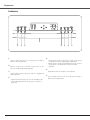
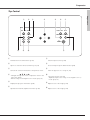
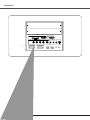
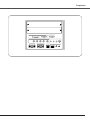
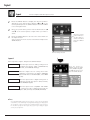
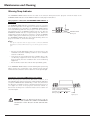
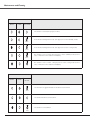
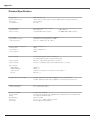
Lamp Replace Indicators
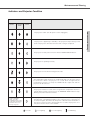
Indicators
READY
LAMP
Green
Red
LAMP 1/2
REPLACE
Projector Condition
Orange
Maintenance & Cleaning
The lamp cannot light up. (The projector is preparing for stand-by or the
projection lamp is being cooled down. The projector cannot be turned on
until cooling is completed.)
Slow
The lamp cannot light up. (The lamp has been cooled down enough and the
projector is in stand-by mode and ready to be turned on with the POWER
ON-OFF button.)
Slow
The lamp is not installed in the projector.
Fast
The lamp of which indicator is lighting has been used overtime. Replace the
lamp and then reset the Lamp time. The indicator will turn off.
Both
Either lamp cover is not replaced or fit in.
Both of the indicators keeps blinking three times at regular intervals and the
projector cannot be turned on.
Slow
✽
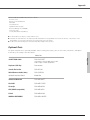
When the LAMP 1 REPLACE indicator and the LAMP 2 REPLACE indicator light orange, replace the projection lamps with new ones
promptly. And then reset the Lamp time after replacement of the lamps. See pages 57, 62, and 63.
67