1
Connectivity
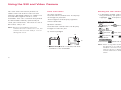
Timeout setting does not affect the
duration of a Bluetooth connection
after it is established.
Turning off Bluetooth Password
authentication
Bluetooth Password authentication
requires you to enter a 1 to 8 digit
number of your own creation upon
each connection with another
Bluetooth compatible device, insuring
your phone and the other device are
authenticated each time upon
connection. However, if you wish to
skip this authentication step, you can
turn the setting off.
1 Select Bluetooth Password From
the Bluetooth Settings display and
press O.
2 Select OFF and press O.
Note: Even when this setting is Off, your
phone may be prompted to enter the
Bluetooth Password corresponding
178
Connectivity
to the other device. However this
may be different depending on the
device and device settings.
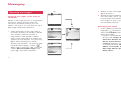
Editing your own Device Name
1 Select Own Device Name from the
Bluetooth Settings display and
press O.
2 Edit the current name and press
O.
Changing the Authentication Password
1 Select Authentication Password
on the Bluetooth Settings display
and press O.
2 Select Change and press O.
3 Enter the handset’s security code.
4 Enter a new authentication
password.
5 Press O.
Note: This authentication password is
different from the Bluetooth
Password.
Confirming the detailed information in
the Bluetooth settings
• Select Check Setting on the
Bluetooth Settings display and press
O. The following information is
displayed: The name of your mobile
phone, the device address and the
current setting status in Authentication and supported services.
Infrared transmission
Infrared is a wireless infrared transmission system to transfer data on your
phone with another device with a built
in infrared port. Infrared technology
enables your phone to send and
receive contacts, your phone’s
information (Owner Information),
calendar events, To Do tasks, pictures
and videos, etc.
Cautions: • SD Card data cannot be
transmitted.
• No incoming calls or
messages can be received
during Infrared transmission.
Infrared transmission is possible when:
• The two devices are turned on and
set to transmittable.
• Infrared ports are both facing each
other and are within a distance of at
least approx. half a metre or closer.
• There are no line of sight obstructions between the devices.
Sending Media Album folders
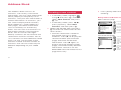
1 Activate receiving mode on the
receiving device.
• When using an S750i as the
other device:
On the other S750i, press [Menu]
→
→ Connectivity →
Infrared → Receiving Mode →
[Yes]
2 Open the list of Media Album
folders on your S750i.
179