1
washing a load of laundry
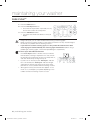
STEP 3
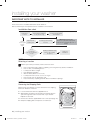
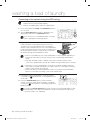
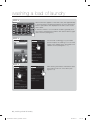
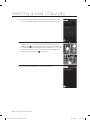
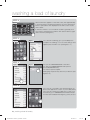
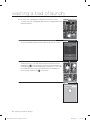
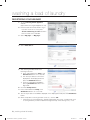
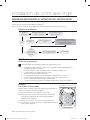
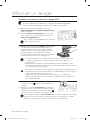
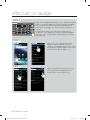
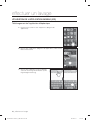
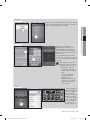
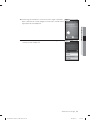
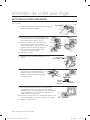
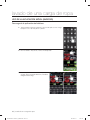
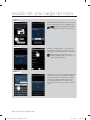
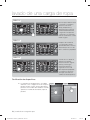
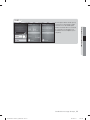
After the AP menu appears on the LED screen, wait approximately
1 minute and press the Start/Pause button. Once the Start/Pause
button is pressed the “AP” displayed on the LED screen should
start to blink.
It will take a minute or so for the Wi-Fi module to get ready. So if
the you press the Start/Pause and the “AP” doesn’t blink try again
after a moment. (See figure 5)
Figure 5
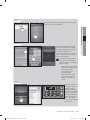
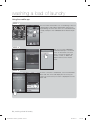
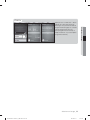
STEP 4
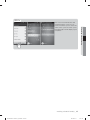
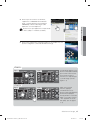
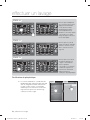
Figure 6
Figure 7
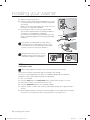
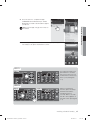
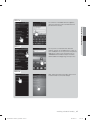
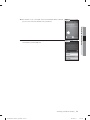
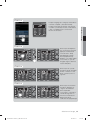
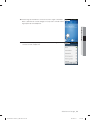
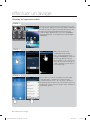
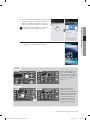
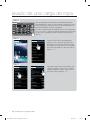
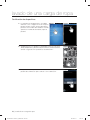
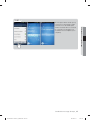
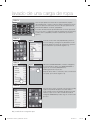
Once the “AP” is blinking go to your mobile
phone and press the “Settings” icon. Once the
settings menu appears press the wireless and
network section. (See figures 5 ~ 7)
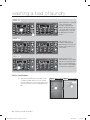
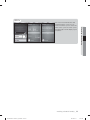
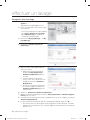
STEP 5
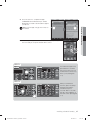
Figure 8
Figure 9
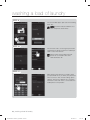
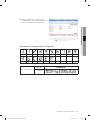
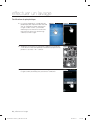
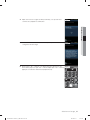
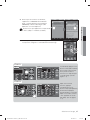
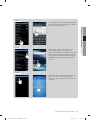
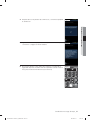
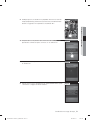
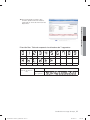
After selecting the wireless and network select
Wi-Fi setting. Then turn on the Wi-Fi. (See
figures 8~ 9)
36_ washing a load of laundry
WF455AG-03159A-03_EN.indd Sec5:36
2012-08-31
12:31:55