1
Printing on a Network Environment
Setting Up Client PC
1 Right-click Start, and select Explorer.
2 Open your network folder in the left column.
3 Right-click the shared name, and select Capture Printer
Port.
4 Select the port you want, check the Reconnect at log
on box, then click OK.
5 From the Start menu, select Settings, then Printers.
6 Double-click your printer icon.
7 From the Printers menu, select Properties.
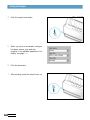
8 Press the Details tab, select the printer port, then click
OK.
5.14 P RINTING TASKS