1
AT-20S.e.book 83 ページ 2003年11月10日 月曜日 午後2時37分
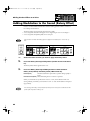
Edit Menu (Editing Song Files)
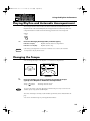
Song files that you record can be edited using five different
functions.
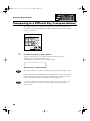
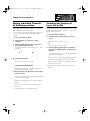
5. Press the [Rec] button.
6. Press the [Bwd]/[Fwd] buttons to specify
“from” (the delete start measure).
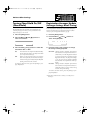
The following editing functions are provided.
fig.10-04
Delete measure
Deleting a Specific Measure (p. 83).
Delete Track
Delete the Recording from a Track (p. 84).
Erase Event
Erase Recording (p. 85).
Copy
Copying Measures (p. 86).
Quantize
Correct Timing Inaccuracies (p. 87).
7. Press the [Rec] button.
* Once you edit data, it cannot be restored to its original
condition. As a precaution against accidents, we recommend
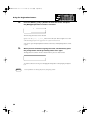
8. Press the [Bwd]/[Fwd] buttons to specify “for”
(number of measures from the delete start measure).
fig.10-05
that you save your song to a floppy disk before you edit it.
Delete a Specific Measure
(Delete Measure)
This function lets you delete specified measures (bars) of the
song from all tracks. When any part of the song file is
deleted, subsequent recording will be moved forward to fill
If you wish to delete from a certain measure (bar) to the
last measure (bar), set for “ALL”.
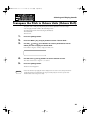
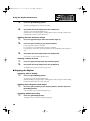
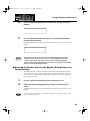
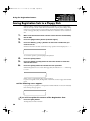
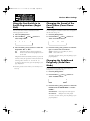
9. To execute the delete operation, press the [Rec]
button once again.
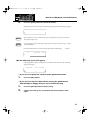
The following screen appears.
fig.10-06
the gap.
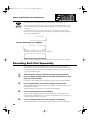
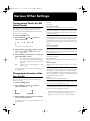
Example: To delete measures (bars) 5–8
fig.10-01
1
2
3
4
5
6
7
8
9
10
To cancel the operation, press the [Reset] button.
1
2
3
4
5
6
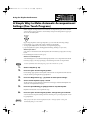
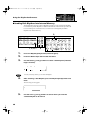
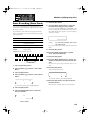
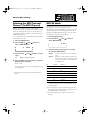
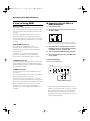
1. Press the [Function] button.
2. Press the Select [-] [+] buttons to select “Edit
Menu.”
10.Press the [Rec] button to start deleting the measure.
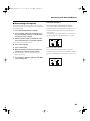
When the recording has been deleted, the basic screen reappears.
fig.10-02
3. Press the [Rec] button.
4. Press the Select [-] [+] buttons to select “Delete
Measure.”
fig.10-03
To cancel the operation, press the [Reset] button.
83