1
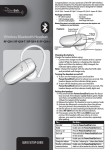
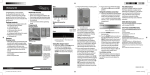
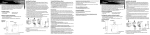
To pair the headset with the Playstation 3:
1 Make sure that the Bluetooth headset is turned on.
2 On the Playstation 3, open the Main menu, then go to Settings, Accessory
Settings, Manage Bluetooth Device, then locate the Bluetooth device
settings.
3 Press and hold the multifunction button on the Bluetooth headset until the
headset beeps and the headset’s indicator flashes red and blue.
4 On the Playstation 3, select Yes to confirm, then select Start Scanning.
5 When you’re asked to verify the Bluetooth headset model, select SX-919i
from the Bluetooth devices list.
6 Select Enter to confirm, enter the pass key (0000), select Start, then select OK
to confirm the connection.
If the pairing is unsuccessful, repeat the previous steps until successful.
7 From the Playstation 3’s Main menu, select Settings, then select Accessory
Settings.
8 Select Audio Device Setting, then select SX-919i from the Input device list.
9 Select SX-919i from the Output device list, then select OK to confirm the
setting.
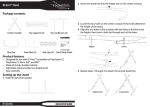
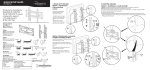
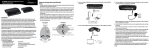
Using the console stand
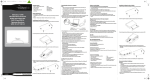
1 Place the console stand on a smooth, flat surface.
2 Insert the Playstation 3 console vertically onto the
console stand.
NOTE: This stand is designed to only work with 2nd generation
PS3 “slim” consoles
Legal notices
FCC Part 15
This device complies with Part 15 of the FCC Rules. Operation of this product is subject to
the following two conditions: (1) this device may not cause harmful interference, and (2)
this device must accept any interference received, including interference that may cause
undesired operation.
Canada ICES-003 statement
This Class B digital apparatus complies with Canadian ICES-003.
90-day limited warranty
Visit www.rocketfishproducts.com.
Contact Rocketfish:
For customer service please call 1-800-620-2790
www.rocketfishproducts.com
Distributed by Best Buy Purchasing, LLC
7601 Penn Avenue South, Richfi eld, Minnesota, U.S.A. 55423-3645
© 2010 BBY Solutions, Inc.
All rights reserved. ROCKETFISH is a trademark of BBY Solutions, Inc. Registered in some
countries. All other products and brand names are trademarks of their respective owners.
ENGLISH 09-1170