1
HDMI splitter basics
Two-way HDMI Splitter
This Rocketfish two-way HDMI splitter will send the HDMI audio and video signals
from a single source, such as a Blu-ray/DVD player or cable/satellite box, to two
destinations, such as a TV and A/V receiver. It is ideal for sending the audio signals
from a 3D Blu-ray player to an A/V receiver that does not support 3D video passthru.
Setting up your HDMI splitter
Package contents
Features
• HDMI splitter
• AC power adapter
• Quick Setup Guide
• Sends HDMI A/V signals from a single source,
such as a Blu-ray/DVD player, set-top box, to
two destinations, such as a TV and A/V receiver.
• Supports full 1080p video resolution
• Supports 3D video
• Compatible with most TV and PC monitor
video resolutions
You will need:
• High-speed HDMI cables
Front
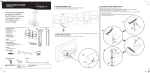
1 Connect one end of a high-speed HDMI cable (not included) to your video
source and the other end to the IN port on the HDMI splitter.
2 Connect another high-speed HDMI cable to your HDMI splitter’s OUT 1 port to
an HDTV.
3 Connect another high-speed HDMI cable to your HDMI splitter’s OUT 2 port to
an A/V receiver.
4 Connect the included AC adapter from the DC jack on the HDMI splitter to a
standard 110/120V AC outlet. Power on all connected devices and operate per
the manufacturer’s instructions.
Connecting a TV and A/V receiver to a single HDMI source
HDMI video source
HDMI
IN
Power LED
HDMI splitter
HDMI
OUT2
HDMI OUT1
Back
A/V receiver
HDMI IN port
RF-G1182
HDMI
OUT 1 port
HDMI
OUT 2 port
DC power 5V/1A connector
QUICK SETUP GUIDE
HDTV
Troubleshooting
Specifications
Symptom
Possible solution
HDMI version
1.4A
LED is not ON
or lit
1 Make sure that the HDMI splitter’s power adapter is plugged in.
2 Make sure that the video device or TV’s power cord is plugged in.
Video amplifier bandwidth
225 MHz / 6.75 Gbps
Single link range
480i to 1080p from source device
No video and/or 1 Make sure that your DVD movie is original. HDMI includes HDCP
copy protection, which prevents playback of illegally copied
audio
movies.
2 Make sure that the HDMI cable is not broken and is securely
connected.
3 Make sure that the audio and video formats of the content being
used (i.e., Blu-ray disc) are supported by all connected devices.
4 Make sure that your destination components (i.e., TV and A/V
receiver are set to the HDMI inputs with which the splitter’s
HDMI outputs are connected.
5 Make sure that you are using high-speed HDMI cables for
all connections. We recommend high-quality Rocketfish HDMI
cables, available at your local Best Buy or Future Shop stores in
lengths from 4 to 24 feet.
6 Unplug the HDMI splitter’s AC power adapter, then plug it back
in again.
NOTE: If using with two TVs or monitors, connect the TV with
the lowest resolution to the OUT 1 port to make sure video is
displayed on both TVs. The splitter uses the resolution, timing
information, and audio formats of the TV with the lowest
resolution for both TVs
Video has some
noise
1 Make sure that you are using high-speed HDMI cables for
all connections. We recommend high-quality Rocketfish HDMI
cables, available at your local Best Buy or Future Shop stores in
lengths from 4 to 24 feet.
2 Make sure that the TV’s video resolution supports the video
source’s output resolution.
Vertical frequency range
25 Hz to 60 Hz
HDMI input connector
HDMI Type A (1)
HDMI output connector
HDMI Type A (2)
HDMI HDCP compliant
Pass HDCP data between source and monitor
Power consumption
5 Watts (maximum)
Power supply
5VDC/1000 mA
Dimensions
5.19 × 3.39 × 0.98 in. (130 × 86 × 25 mm)
Shipping weight
.82 lb (.372 kg)
One-year limited warranty
Visit www.rocketfishproducts.com for details.
Contact Rocketfish:
For customer service call 1-800-620-2790
www.rocketfishproducts.com
Distributed by Best Buy Purchasing, LLC
7601 Penn Avenue South, Richfield, MN 55423-3645 USA
© 2010 BBY Solutions, Inc., All Rights Reserved. ROCKETFISH is a trademark of BBY Solutions, Inc.
All other products and brand names are trademarks of their respective owners.
ENGLISH 10-0882