1
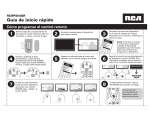
Quick Start Guide Universal Remote Control Guía de inicio rápido Control remoto universal RCRPS02GR Programming the Remote / Cómo programar el control remoto 1 Remove the battery compartment cover, insert 2 AAA batteries (not included), and replace the cover. 2 Manually turn on the device you want to control. Encienda manualmente el dispositivo que desea manejar. Retire la tapa del compartimiento de las baterías, instale 2 baterías AAA (no incluidas), y vuelva a colocar la tapa. 3 Brand Cod Liste e Lists Lista des cod / es de C ódig / os Co Brand de Search Codes List metho are use d out d for pro Liste lined gra in the mming Les coddes cod User’s usin à l’aid es de es de Guide. g the Brand Guide e de la marques marqu Cod de l’ut recherch sont e e ilisateu e du utilisés Lista pou code r. de ma r la pro Los de Có gra cód rque dig utilizan igos de os de décritemmatio las ma Marca do el dans n resa ltado mé rcas s le en la todo de son util guía bús del usu queda izados par Cod de cód a pro ario. e/ Código gra igos de ma mar rcas TV , 01 RCA PRO , GE, SCA N 02 Insig nia Insig JVC LG 07 08 09 10 11 Mits ubis LG Mag nav Philipsox, Mem orex Panason ic ic sung Press and hold the device key. Then press the POWER key at the same time. Wait until the POWER key illuminates, then release both keys. Oprima y sostenga la tecla de dispositivo. Luego oprima simultáneamente la tecla POWER. Espere hasta que la tecla POWER se ilumine, y luego suelte ambas teclas. Encuentre la marca del dispositivo en la Lista de códigos de marcas. Márquela con un círculo y mantenga la lista a la mano. TIVO Sanyo Tosh iba Sony Note: If your brand isn’t in this list, see the Owner’s Manual for other ways to program. Sylv ania Tosh 4 Sony sung Sharp Tosh iba Vizio hi Panason Sam Sharp eer Sam Sony Sylv ania Eme , rson 13 /PVR Mag nav Philipsox, Pion Sharp 14 VCR RCA PRO , GE, SCA N JVC nia JVC Mag nav Philipsox, Mits ubis hi Panason ic Sam sung Sanyo 12 15 DVD RCA PRO , GE, SCA N Ape x Hita chi 03 04 05 06 Find the device’s brand in the Brand Code List. Circle it and keep the list handy. iba Aviso: Si la lista no incluye la marca de su dispositivo, consulte el Manual del propietario para informarse sobre otras maneras de programar su dispositivo. 5 Enter the numbers for your brand from the Brand Code List. Cod Liste e Lists Lista des cod / es de C ódig / os Brand Brand Code Search Codes List metho are use d out d for pro Liste lined gra in the mming Les coddes cod User’s usin à l’aid es de es de Guide. g the Brand Guide e de la marques marqu Cod de l’ut recherch sont e e ilisateu e du utilisés Lista pou code r. de de ma r la pro Los gra cód Códig rque utilizan igos de os de décritemmatio Ma las do dans n resa ltado el métod marcas rcas le son en la o guía de bús utilizad del usu queda os Cod de códpara pro ario. e/ Código gra igos de ma mar rcas TV , 01 RCA PRO , GE, SCA N 02 Hita 03 Insig 04 13 Mag nav Philipsox, Sharp Sam sung Sanyo Sylv ania Eme , rson Sharp hi Ingrese los números para su marca que aparecen en la Lista de códigos de marcas. ic eer sung Sony TIVO Tosh iba Sony iba Sylv ania Tosh iba Point the remote directly at your component and press GUIDE. If your device turns off, go to the next step. If not, repeat this one. Apunte el control remoto directamente al dispositivo y oprima GUIDE. Si el dispositivo se apaga, vaya al próximo paso. De lo contrario, repita este paso. Mits ubis Panason Sam Sharp Pion Sony Tosh /PVR LG Mag nav Philipsox, Mem orex Panason ic sung Sanyo Vizio VCR RCA PRO , GE, SCA N JVC nia JVC Mag nav Philipsox, Mits ubis hi Panason ic Sam 12 14 Insig LG 06 07 08 09 10 11 15 DVD RCA PRO , GE, SCA N Ape x chi nia JVC 05 6 OFF APAGADO . 2s .. 2s 1x 7 8 Test the POWER, VOL+, CHAN+, and 0 keys. Pruebe las teclas POWER, VOL+, CHAN+ y 0. CH+ 0– 1x NEXT STEP PRÓXIMO PASO If these keys work, press "U /,ÊÌÊÃÌÀiÊÌ iÊV`i° Si estas teclas funcionan, oprima "U /,Ê«>À>Ê}Õ>À`>ÀÊiÊV`}° RCRPS02GR QSG 01 VOLUME To program the other device key, follow these instructions again. Para programar la otra tecla de dispositivo, repita estas instrucciones. Preset Channel Programming on back... Cómo programar canales preestablecidos al dorso... Programming Your Preset Channels / Cómo programar sus canales preestablecidos 1 You can program up to 10 of your favorite channels on both of your components for instant access using the Channel Preset keys. First, put info for your favorite channels in the following tables. Usted puede programar hasta 10 canales favoritos en ambos dispositivos para lograr acceso instantáneo utilizando las teclas de Canales preestablecidos. Primero, en las siguientes tablas incluya información sobre sus canales favoritos. Preset Channels TV -/U U STREAM Canales preestablecidos Key / Tecla Channel / Canal Name / Nombre Number / Número Key / Tecla P1 P1 P2 P2 P3 P3 P4 P4 P5 P5 P6 P6 P7 P7 P8 P8 P9 P9 P0 P0 4 2 Press and hold the P key. The POWER key illuminates. Keep holding the P key down until the POWER key blinks once and stays on. Then release it. Preset Channels Canales preestablecidos Oprima y sostenga la tecla P. La tecla POWER se ilumina. Continúe oprimiendo la tecla P hasta que la tecla POWER parpadee una vez y permanezca encendida. Luego suéltela. Channel / Canal Name / Nombre Number / Número Press the device key for this preset channels list. 3 Press the key to program your first preset channel. Oprima la tecla para programar su primer canal preestablecido. 5 Enter the channel number for your first preset channel from the table you filled out in step 1. Oprima la tecla de dispositivo para esta lista de canales preestablecidos. 6 When you’ve finished entering the channel number, press the P key to save it. Cuando termine de ingresar el número de canal, oprima la tecla P para guardarlo. Ingrese el número de canal para su primer canal preestablecido de la tabla que completó en el paso 1. To program more presets: Repeat steps 2–6 for the next channel in your list. Para programar más teclas preestablecidas: Repita los pasos 2-6 para el próximo canal en la lista. To start using your presets: See Accessing Your Preset Channels below. Para comenzar a utilizar sus teclas preestablecidas: Consulte Cómo accesar sus canales preestablecidos a continuación. Accessing Your Preset Channels / Cómo accesar sus canales preestablecidos 1 Press the device key (TV or -/U U-/,®Ê for the preset channel. Oprima la tecla de dispositivo (TV o -/U U-/,Ê«>À>Ê el canal preestablecido. 2 Press the P key. The POWER key lights up and stays lit. Oprima la tecla P. La tecla POWER se ilumina y permanece encendida. 3 Press the number for the preset you want to access. Oprima el número del canal preestablecido que desea accesar. While POWER is lit, just press the number to go to a preset. / Mientras la tecla POWER esté encendida, simplemente oprima el número para ir a un canal preestablecido. See the Owner’s Manual for more info and troubleshooting. For additional support, call 1-800-420-7968 or visit RCAAudioVideo.com Consulte el Manual del propietario para obtener detalles adicionales e información sobre resolución de problemas. Si tiene preguntas adicionales, llame al 1-800-420-7968 o visite RCAAudioVideo.com