1
DBS_D940_IB.QXD
11/5/01
10:27 AM
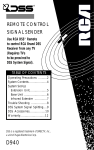
REMOTE CONTROL
SIGNAL SENDER
Use RCA DBS Remote
to control RCA Brand DBS
Receiver from any TV
(Requires TVs
to be prewired to
DBS System Signal).
TABLE OF CONTENTS
Operating Precautions ..........2
System Contents ....................4
System Set-Up
Extension Unit ....................5
Base Unit ..........................6
Infrared Extender ..............7
Trouble Shooting ..................8
DBS System Signal Splitting....9
DBS Accessories ..................10
Warranty............................12
D940
Page 1
DBS_D940_IB.QXD
11/5/01
10:27 AM
Page 2
Operating Precautions
CAUTION
RISK OF ELECTRIC SHOCK
DO NOT OPEN
CAUTION: TO REDUCE THE RISK OF ELECTRIC SHOCK DO NOT REMOVE COVER OR BACK
NO USER SERVICEABLE PARTS INSIDE REFER SERVICING TO QUALIFIED SERVICE PERSONNEL.
When using your Remote Control Signal Sender as with any other electrical device, basic safety precautions should always be followed to reduce the
risk of fire, electric shock and injury to persons, including the following:
1. Read and understand all instructions.
2. Follow all warnings and instructions marked on the product.
3. Unplug this product from the wall outlet before cleaning. Do not use
liquid cleaners or aerosol cleaners. Use a damp cloth for cleaning.
4. Do not use this product near water, for example: near a bath tub,
washbowl, kitchen sink, or laundry tub, in a wet basement, or in or
near a swimming pool.
5. Do not place this product on an unstable cart, stand, or table.
The product may fall, causing serious damage to the product.
6. This product should be operated only from the type of power source
indicated on the marking label. If you are not sure of the type of
power supply to your home or building, consult your dealer or local
power company.
7. To reduce the risk of electric shock, do not disassemble this product,
but take it to a qualified serviceperson when some service or repair
work is required. Opening or removing covers may expose you to dangerous voltages or other risks and voids warranty. Incorrect reassembly
can cause electric shock when the product is subsequently used.
2
DBS_D940_IB.QXD
11/5/01
10:27 AM
Page 3
Operating Precautions
8. Unplug this product from the wall outlet and refer servicing to qualified
service personnel under the following conditions:
A. When the plug is damaged.
B. If liquid has been spilled into the product.
C. The product has been exposed to rain or water.
D. If the product does not operate normally by following
the operating instructions.
E. If the product has been dropped or the cabinet has been damaged.
F. If the product exhibits a distinct change in performance.
•
No repairs to the unit(s) should be attempted by the customer.
•
This device complies with Part 15 of the FCC Rules. Operation of
this device is subject to the following two conditions: (1) This device
may not cause harmful interference, and (2) this device must accept
any interference received, including interference that may cause
undesirable operation.
•
NOTE: This equipment has been tested and found to comply with the
limits for remote control security devices in accordance with the specifications in sub parts C and E of part 15 of FCC rules. These limits are
designed to provide reasonable protection against harmful interference
in a residential installation. This equipment generates, uses and can
radiate radio frequency energy and, if not installed and used in accordance with the instructions, may cause harmful interference to radio
communications. However, there is no guarantee that Radio Frequency
Energy does cause harmful interference to radio or television reception,
which can be determined by turning the equipment off and on, the user
is encouraged to try to correct the interference by one or more of the
following measures:
•
Reorient or relocate the receiving antenna.
•
Increase the separation between the equipment and Base Unit.
•
Connect the equipment into an outlet on a circuit different from that to
which the Base Unit is connected.
•
Consult the dealer or an experienced Radio/TV technician for help.
3
DBS_D940_IB.QXD
11/5/01
10:27 AM
Page 4
System Contents
Your D940 Remote Control Signal Sender consists of an
Extension Unit, a Base Unit and an infrared extender.
Extension Unit
The Extension Unit senses the Infrared signals
from your remote control. An LED lights to
indicate that signals are being detected. The
Extension Unit converts the remote control signals into Radio Frequency (RF) transmissions
for communication with the Base Unit.
Base Unit
The Base Unit has an antenna, power cord,
and a jack for the Infrared Extender. The Base
Unit receives (RF) transmissions from the
Extension Unit. A light indicates that a signal
is being received. The Base Unit then converts
the RF transmissions back into Infrared signals used to control your DBS Receiver. The
Base Unit will operate up to 100 ft. away
from the Extension Unit.
Infrared Extender
This device consists of an Infrared Diode
connected to a 4 ft. extension wire and plug.
It plugs into the Base Unit for situations
where placement in front of the DBS Receiver
is difficult.
Compatible Components
•
•
•
•
Television
VCRs
Stereo Receivers
Tape Decks
4
• CD Players
• Cable Converter
• DBS Receiver
DBS_D940_IB.QXD
11/5/01
10:27 AM
Page 5
Extension Unit Set-Up
Where to Use
Use in the room where you want to use your
remote control (example: use in the additional
room wired to receive DBS System signal).
How to Install
1. Plug the Extension Unit into a standard
electrical outlet.
2. Place the logo side of the Extension Unit facing
you. It can be placed up to 18 ft. from where
you will be using the remote control.
Extension Unit
Maximum 18 ft.
Remote Control
5
DBS_D940_IB.QXD
11/5/01
10:27 AM
Page 6
Base Unit Set-Up
Where to Use.
Use in the room where the DBS
Receiver is located.
How to Set-Up
1. Plug the Base Unit power cord into standard
electrical outlet.
2. Point the front of the Unit (logo side) facing
the DBS Receiver. Extend the antenna
for best performance.
3. Check the following distances
• Base Unit is within 20 ft. of DBS Receiver.
• Base Unit is within 100 ft. of Extension Unit.
DBS
DISH
ANTENNA
Ma
xim
um
Base Unit
20
FT.
DBS Receiver
After setting up your Extension and Base Units, operate the Signal
Sender by aiming your remote at the RCA logo on the front of the
Extension Unit.
6
DBS_D940_IB.QXD
11/5/01
10:27 AM
Page 7
Infrared Extender Set-Up
Where to Use
• Use when Base Unit cannot be easily
placed in front of the DBS Receiver.
(Example: when DBS Receiver and Base
Unit are located in a closed cabinet).
• Use when you would prefer to conceal the
Base Unit in a cabinet or behind furniture.
How To Use
1. Plug the Infrared Extender into back of
Base Unit.
2. Place the Infrared Diode (located on the
opposite end of the extension cord) in
clear view of DBS Receiver to enable
signal transmission.
Base Unit
DBS Receiver
Signal Extender
Diode
Example of Application: TV & DBS Receiver in Cabinet
7
DBS_D940_IB.QXD
11/5/01
10:27 AM
Page 8
Troubleshooting
1. Make sure both units are plugged into a standard electrical outlet.
2. If the red light inside the Extension Unit does not light when the
Remote Control is operated:
• Make sure you are pointing at the front of the Extension Unit
(the RCA logo is on the front).
• Make sure you are within 18 ft. of the front of the
Extension Unit.
• Make sure nothing is blocking the path between the remote and
the Extension Unit.
3. If your DBS Receiver does not respond but the red light inside the
Base Unit lights when a remote control is used:
• Make sure the Base Unit is within 20 ft. of your
DBS Receiver.
• Make sure the Base Unit front is pointing at the front of your
DBS Receiver.
• Make sure nothing is blocking the Base Unit and the
DBS Receiver.
4. If the red light on the Extension Unit lights when you operate the
remote but does not light in the Base Unit:
• Extend the antenna all the way up or move the antenna to a
different position for better reception.
• Make sure the Extension Unit is no more than 100 ft. from
the Base Unit.
5. Move the Unit that appears not to be working to another location
and try it again.
6. Attach the infrared extender to the Base Unit for situations where
there is an obstruction (TV Cabinet, etc.).
8
DBS_D940_IB.QXD
11/5/01
10:27 AM
Page 9
DBS Signal Splitting
REMOTE CONTROL SIGNAL
SENDER EXTENSION
REMOTE CONTROL
DBS RECEIVER
REMOTE CONTROL SIGNAL
SENDER BASE UNIT
COAXIAL CABLE
1. Hook up the DBS Receiver as outlined in the Receiver Owners Manual.
2. Using a 2 Way Signal Splitter (RCA Model D800)/4 Way Signal Splitter
(RCA Model D810) connect the splitter “Input” to the DBS Receiver
“Out to TV”. This will require a small length of coaxial cable.
3. Connect one output of the splitter to the original TV and connect the
other output to the second TV via coaxial cable.
9
DBS_D940_IB.QXD
11/5/01
10:27 AM
Page 10
DBS Accessories
To purchase these accessories, contact your local dealer. If no dealer is
available, call the toll free number listed on next page and order by
phone (please allow 2–4 weeks for delivery).
RCU800 Universal Remote
Controls Multiple Brands of TVs
VCRs, Cable Boxes, DVD
Players, and the RCA DBS
Receiver.
D935 DBS Signal Sender Extension Unit
Use with your Base Unit to
control your DBS system receiver
from additional locations.
D800 2 Way Signal Splitter
D810 4 Way Signal Splitter
2 Way or 4 Way signal splitter to
run your DBS System“Out To
TV” cable to additional locations.
VH74 Deluxe 2 Way A/B Switch
Use to switch between your DBS
system and antenna.
CABLE
A
10
TO
TV
CABLE
B
DBS_D940_IB.QXD
11/5/01
10:27 AM
Page 11
DBS Accessories
Description
Model #
Price
DBS Universal Remote RCU800
$39.95
Signal Sender
Extension Unit
D935
$34.95
Deluxe 2 Way A/B
Switch
VH74
$9.95
2 Way Splitter
D800
$18.95
4 Way Splitter
D810
$27.95
Sales Tax
Qty.
Total
We are required by law to collect the
appropriate sales tax for each individual
sale, county, and locality to which the
merchandise is being sent.
Total Merchandise Order
Shipping and Handling
$5.00
Total Amount Due
Prices are subject to change without notice.
ORDERING BY PHONE:
Have your Visa, Discover or MasterCard ready and call the toll-free number
listed below. This number should only be used to place orders for the above
accessories.
1-800-338-0376
ORDERING BY MAIL:
Provide your name, address, phone number and a check or money order for
the total amount due and mail to:
RCA Accessories
PO Box 8419
Ronks, PA 17573
Include this completed form with your order.
11
DBS_D940_IB.QXD
11/5/01
10:27 AM
Page 12
Warranty
1 Year Limited Warranty
Thomson Consumer Electronics, Inc. warrants that for 1 year from date
of purchase, it will replace this product if found to be defective in materials or workmanship. Return it postage prepaid to the Product
Exchange Center address for prompt, no charge replacement with a current equivalent. This replacement is Thomson Consumer Electronics,
Inc.’s sole obligation under this warranty. Thomson Consumer
Electronics, Inc. will not be responsible for any incidental or consequential damages, or for any loss arising in connection with the use or inability to use this product. Some states do not allow the exclusion or limitation of incidental or consequential damages, so the above limitation or
exclusion may not apply to you. This warranty excludes defects or damage due to misuse, abuse, or neglect. This warranty gives you specific
legal rights, and you may also have other rights, which vary from state to
state.
© 2000 Thomson Consumer Electronics, Inc.
Product Exchange Center
11721 Alameda Ave.
Socorro, TX 79927
PD940I/B Rev0900
Trademark(s) ® Registered
Marca(s) Registrada(s)
Made In China
1D9773
12