1
LABELING
TH E CHANNELS
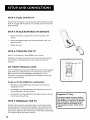
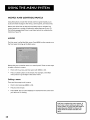
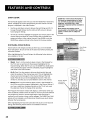
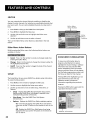
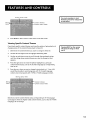
This last step in the interactive Setup lets you edit your channel list and
label your channels. (For more, see List and Labels in the Using the Menu
System section.)
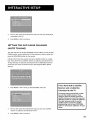
1.
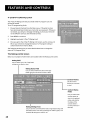
Press MENU or OK to bring up the List and Labels control
2_
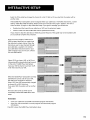
Use the left and right arrows to point to the three different
the control panel (called "fields").
3.
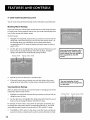
Use the up and down arrows to scroll through the numbers and
letters and select Yes or No in the Normal List field. You may wish to
refer to the call letters listed in your newspaper's TV section for ideas
on labeling the channels.
4_
Repeat this process for each of your channels. Then press MENU or
OK to continue. The TV can store up to 27 labels in memory.
PROGRAMMING
panel.
areas of
TH E REMOTE
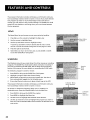
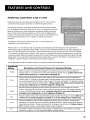
Since you've gone this far, you can take a few minutes to program the
remote to control your VCR, satellite receiver, or other components.
find out how to program the remote, go to the next section.
2O
To
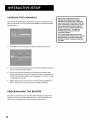
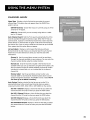
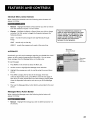
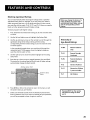
Use the CH ^ (channel up) or CH v
(channel down) buttons to change
channels in the Chan # field. This works
even if you're not in the Chan # field. Or,
enter the channel number directly using
the number buttons on the universal
remote. To enter a number greater than
99, press and hold "1" to enter the
hundreds digit, then press the two
remaining numbers.
The list and labels feature can also be
accessed from the Channel menu. Because
this procedure can be time consuming,
feel free to skip this step and come back
to it later.