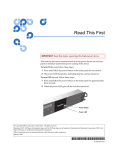
1
SDLT 220 and SDLT 320 Product Manual Copyright Copyright © 2004 by Quantum Corporation. All rights reserved. Document Origination: Boulder, Colorado, USA. Trademarks Quantum, the Quantum logo, and the DLTtape logo are trademarks of Quantum Corporation registered in the U.S.A. and other countries. DLTtape, DLTSage, Value DLTtape, and Super DLTtape are trademarks of Quantum Corporation. Other company and product names used in this document are trademarks, registered trademarks, or service marks of their respective owners. Legal Disclaimers The information contained in this document is the exclusive property of Quantum Corporation. Quantum retains its copyright on the information contained herein in all cases and situations of usage, including derivative works. The possessor agrees to safeguard this information and to maintain it in confidence and not re-publish it in whole or in part without Quantum’s prior written consent. Quantum reserves the right to make changes and improvements to its products, without incurring any obligation to incorporate such changes or improvements in units previously sold or shipped. It is the responsibility of the user to carefully read and understand the User Manual statements for Class A Equipment and Class B Equipment that appear on page iv and page v, respectively. Contact Information You can request Quantum publications from your Quantum Sales Representative or order them directly from Quantum. Telephone numbers and street addresses change frequently; for the latest, up-to-date contact information, visit: www.quantum.com Telephone numbers, street addresses, time zones, and other pertinent facts are listed in the Support section of the web site. ii March 2004 81-85002-01 SDLT 220 and SDLT 320 Product Manual Revision History Revisions made to this document are listed below in chronological order. Document Release Date Summary of Changes A March 14, 2002 Create document. A01 April 29, 2002 Initial release. Note: This manual supersedes Quantum document 81-80000-01. A02 April 30, 2002 Minor changes. A03 October 30, 2002 Scheduled update. A04 March 12, 2004 Maintenance update. Added information about tape density selection. Updated Appendices A and B. 81-85002-01 March 2004 iii SDLT 220 and SDLT 320 Product Manual User Manual Statements for Class A Equipment (Internal Tape System) This equipment generates, uses, and may emit radio frequency energy. The equipment has been tested and found to comply with the limits for a Class A digital device, pursuant to Part 15 of the FCC rules. These limits are designed to provide reasonable protection against radio frequency interference in a commercial installation. Operation of this equipment in a residential area may cause interference, in which case the user at his own expense will be required to take whatever measures may be required to correct the interference. Any modifications to this device—unless expressly approved by the manufacturer—can void the user’s authority to operate this equipment under Part 15 of the FCC rules. Note: Additional information on the need to interconnect the device with shielded (data) cables or the need for special devices, such as ferrite beads on cables, is required if such means of interference suppression was used in the qualification test for the device. This information will vary from device to device and needs to be obtained from the EMC (Electromagnetic Compatibility) group or product manager. Warning! This is a Class A product. In a domestic environment this product may cause radio interference in which case the user may be required to take adequate measures. Achtung! Dieses ist ein Gerät der Funkstörgrenzwertklasse A. In Wohnbereichen können bei Betrieb dieses Gerätes Rundfunkstörungen auftreten, in welchen Fällen der Benutzer für entsprechende Gegenmaßnahmen verantwortlich ist. Warning! This Class A digital apparatus complies with Canadian ICES-003. Cet appareil numérique de la classe A est conforme à la norme NMB-003 du Canada. Attention! Ceci est un produit de Classe A. Dans un environnement domestique, ce produit risque de créer des interférences radioélectriques, il appartiendra alors à l'utilisateur de prendre les mesures spécifiques appropriées. iv March 2004 81-85002-01 SDLT 220 and SDLT 320 Product Manual User Manual Statements for Class B Equipment (Tabletop Tape System) This equipment has been tested and found to comply with the limits for a Class B digital device, pursuant to Part 15 of the FCC rules. These limits are designed to provide reasonable protection against harmful interference in a residential installation. Operation is subject to the following two conditions: (1) This device may not cause harmful interference, and (2) this device must accept any interference that may cause undesirable operation. Any modifications to this device—unless expressly approved by the manufacturer—can void the user’s authority to operate this equipment under Part 15 of the FCC rules. This equipment generates, uses, and can radiate radio frequency energy and, if not installed and used in accordance with the instructions, may cause harmful interference to radio communications. However, there is no guarantee that interference will not occur in a particular installation. If this equipment does cause harmful interference to radio or television reception, which can be determined by turning the equipment off and on, the user is encouraged to try to correct the interference by one or more of the following measures: • Reorient or relocate the receiving antenna. • Increase the separation between the equipment and receiver. • Connect the equipment into an outlet on a circuit different from that to which the receiver is connected. • Consult the dealer or an experienced radio or TV technician for help. Note: Additional information on the need to interconnect the device with shielded (data) cables or the need for special devices, such as ferrite beads on cables, is required if such means of interference suppression was used in the qualification test for the device. This information will vary 81-85002-01 March 2004 v SDLT 220 and SDLT 320 Product Manual from device to device and needs to be obtained from the EMC (Electromagnetic Compatibility) group or product manager. This Class B digital apparatus complies with Canadian ICES-003. Cet appareil numérique de la classe B est conforme à la norme NMB-003 du Canada. vi March 2004 81-85002-01 Table of Contents CHAPTER 1 Introduction. . . . . . . . . . . . . . . . . . . . . . . . . . . . . . 1-1 Purpose and Scope. . . . . . . . . . . . . . . . . . . . . . . . . . . . . . . . . . . . . . . . . . Referenced Documents . . . . . . . . . . . . . . . . . . . . . . . . . . . . . . . . . . . . . . Related Documents . . . . . . . . . . . . . . . . . . . . . . . . . . . . . . . . . . . . . . . . . Structure of this Manual . . . . . . . . . . . . . . . . . . . . . . . . . . . . . . . . . . . . . Conventions. . . . . . . . . . . . . . . . . . . . . . . . . . . . . . . . . . . . . . . . . . . . . . . For More Information . . . . . . . . . . . . . . . . . . . . . . . . . . . . . . . . . . . . . . . Reader Comments . . . . . . . . . . . . . . . . . . . . . . . . . . . . . . . . . . . . . . . . . . CHAPTER 2 1-1 1-1 1-2 1-2 1-3 1-3 1-4 SDLT 220/320 Product Information . . . . . . . . . . . 2-1 Overview . . . . . . . . . . . . . . . . . . . . . . . . . . . . . . . . . . . . . . . . . . . . . . . . . 2-1 SDLT 220/320 Product Features . . . . . . . . . . . . . . . . . . . . . . . . . . . . . . . 2-2 SDLT 220/320 Technology . . . . . . . . . . . . . . . . . . . . . . . . . . . . . . . . . . . 2-3 Laser Guided Magnetic Recording . . . . . . . . . . . . . . . . . . . . . . . . . . 2-3 Pivoting Optical Servo . . . . . . . . . . . . . . . . . . . . . . . . . . . . . . . . . . . . 2-4 Magneto Resistive Cluster Heads . . . . . . . . . . . . . . . . . . . . . . . . . . . 2-4 Advanced Partial Response Maximum Likelihood . . . . . . . . . . . . . . 2-5 Advanced Metal Powder Media. . . . . . . . . . . . . . . . . . . . . . . . . . . . . 2-5 Positive Engagement . . . . . . . . . . . . . . . . . . . . . . . . . . . . . . . . . . . . . 2-5 SDLT 220/320 Modular Design . . . . . . . . . . . . . . . . . . . . . . . . . . . . . . . 2-6 Data Control Module . . . . . . . . . . . . . . . . . . . . . . . . . . . . . . . . . . . . . 2-7 Tape Control Module . . . . . . . . . . . . . . . . . . . . . . . . . . . . . . . . . . . . . 2-8 TCM PCBA . . . . . . . . . . . . . . . . . . . . . . . . . . . . . . . . . . . . . . . . . 2-8 Base Plate . . . . . . . . . . . . . . . . . . . . . . . . . . . . . . . . . . . . . . . . . . . 2-8 Cartridge Receiver . . . . . . . . . . . . . . . . . . . . . . . . . . . . . . . . . . . . 2-8 Positive Engagement Tape Leader Buckling Mechanism . . . . . . 2-9 Front Panel Module . . . . . . . . . . . . . . . . . . . . . . . . . . . . . . . . . . . . . . 2-9 Electronic Interface Module. . . . . . . . . . . . . . . . . . . . . . . . . . . . . . . 2-10 81-85002-01 March 2004 vii Table of Contents SDLT 220 and SDLT 320 Product Manual Super DLTtape I Data Cartridge Module . . . . . . . . . . . . . . . . . . . . . Key Differences Between the SDLT 220 and the SDLT 320 . . . . . . . . Quantum Diagnostics Tools . . . . . . . . . . . . . . . . . . . . . . . . . . . . . . . . . TapeAlert . . . . . . . . . . . . . . . . . . . . . . . . . . . . . . . . . . . . . . . . . . . . . . . . CHAPTER 3 2-10 2-11 2-12 2-13 Drive Specifications . . . . . . . . . . . . . . . . . . . . . . . 3-1 Product Specifications . . . . . . . . . . . . . . . . . . . . . . . . . . . . . . . . . . . . . . . 3-1 Interface Type . . . . . . . . . . . . . . . . . . . . . . . . . . . . . . . . . . . . . . . . . . 3-2 Physical Dimensions . . . . . . . . . . . . . . . . . . . . . . . . . . . . . . . . . . . . . 3-2 Storage Capacity . . . . . . . . . . . . . . . . . . . . . . . . . . . . . . . . . . . . . . . . 3-3 Compression. . . . . . . . . . . . . . . . . . . . . . . . . . . . . . . . . . . . . . . . . . . . 3-3 Data Integrity . . . . . . . . . . . . . . . . . . . . . . . . . . . . . . . . . . . . . . . . . . . 3-3 Maximum Data Transfer Rate . . . . . . . . . . . . . . . . . . . . . . . . . . . . . . 3-4 Head Life and MTBF . . . . . . . . . . . . . . . . . . . . . . . . . . . . . . . . . . . . . 3-4 Media Durability . . . . . . . . . . . . . . . . . . . . . . . . . . . . . . . . . . . . . . . . 3-5 Cartridge Life Expectancy . . . . . . . . . . . . . . . . . . . . . . . . . . . . . . . . . 3-5 Positive Engagement Tape Leader Buckling Mechanism . . . . . . . . . 3-6 Functional Specifications . . . . . . . . . . . . . . . . . . . . . . . . . . . . . . . . . . . . 3-6 SDLT 220/320 Performance Data . . . . . . . . . . . . . . . . . . . . . . . . . . . 3-7 Shock and Vibration Specifications . . . . . . . . . . . . . . . . . . . . . . . . . . 3-8 Current and Power Requirements . . . . . . . . . . . . . . . . . . . . . . . . . . 3-10 Tape System Recording Method . . . . . . . . . . . . . . . . . . . . . . . . . . . 3-12 Environmental Specifications . . . . . . . . . . . . . . . . . . . . . . . . . . . . . . . . 3-13 Air Flow Requirements . . . . . . . . . . . . . . . . . . . . . . . . . . . . . . . . . . 3-13 Temperature and Humidity . . . . . . . . . . . . . . . . . . . . . . . . . . . . . . . 3-14 Storage and Shipment. . . . . . . . . . . . . . . . . . . . . . . . . . . . . . . . . . . . 3-14 Altitude. . . . . . . . . . . . . . . . . . . . . . . . . . . . . . . . . . . . . . . . . . . . . . . 3-15 Particulate Contamination Limits . . . . . . . . . . . . . . . . . . . . . . . . . . 3-15 Recording Media Specifications . . . . . . . . . . . . . . . . . . . . . . . . . . . . . . 3-15 Backward-Read Compatibility Transfer Rates . . . . . . . . . . . . . . . . 3-17 viii March 2004 81-85002-01 SDLT 220 and SDLT 320 Product Manual CHAPTER 4 Table of Contents Installing Your Tape Drive . . . . . . . . . . . . . . . . . . . 4-1 Safety, Handling, and ESD Protection . . . . . . . . . . . . . . . . . . . . . . . . . . 4-2 Safety Precautions . . . . . . . . . . . . . . . . . . . . . . . . . . . . . . . . . . . . . . . 4-2 Handling . . . . . . . . . . . . . . . . . . . . . . . . . . . . . . . . . . . . . . . . . . . . . . . 4-3 Electrostatic Discharge Protection . . . . . . . . . . . . . . . . . . . . . . . . . . . 4-4 Pre-Installation Guidelines . . . . . . . . . . . . . . . . . . . . . . . . . . . . . . . . . . . 4-5 Configuring and Installing an Internal Tape Drive . . . . . . . . . . . . . . . . . 4-6 Setting the Internal Drive SCSI ID . . . . . . . . . . . . . . . . . . . . . . . . . . 4-7 Configuring the Internal Drive for TERMPWR . . . . . . . . . . . . . . . 4-11 Configuring the Internal Drive for Narrow SCSI . . . . . . . . . . . . . . 4-11 Installing the Internal Tape Drive. . . . . . . . . . . . . . . . . . . . . . . . . . . 4-11 Securing the Internal Tape Drive . . . . . . . . . . . . . . . . . . . . . . . . 4-12 Connecting the Internal Drive Cables. . . . . . . . . . . . . . . . . . . . . 4-13 Configuring and Installing a Tabletop Drive. . . . . . . . . . . . . . . . . . . . . 4-21 Configuring the Drive . . . . . . . . . . . . . . . . . . . . . . . . . . . . . . . . . . . 4-21 Installing the Tabletop Drive . . . . . . . . . . . . . . . . . . . . . . . . . . . . . . 4-22 SCSI Cables . . . . . . . . . . . . . . . . . . . . . . . . . . . . . . . . . . . . . . . . 4-22 AC Power Cable . . . . . . . . . . . . . . . . . . . . . . . . . . . . . . . . . . . . . 4-23 Confirming the Installation . . . . . . . . . . . . . . . . . . . . . . . . . . . . . . . . . . 4-24 CHAPTER 5 Using Your Tape Drive . . . . . . . . . . . . . . . . . . . . . 5-1 Power On Self Test . . . . . . . . . . . . . . . . . . . . . . . . . . . . . . . . . . . . . . . . . 5-2 Performing a Trial Back-up . . . . . . . . . . . . . . . . . . . . . . . . . . . . . . . . . . . 5-3 Updating the Firmware . . . . . . . . . . . . . . . . . . . . . . . . . . . . . . . . . . . . . . 5-4 Update the Firmware Using the SCSI Bus. . . . . . . . . . . . . . . . . . . . . 5-4 Making a FUP/CUP Tape . . . . . . . . . . . . . . . . . . . . . . . . . . . . . . . . . 5-5 Using a CUP/FUP Tape . . . . . . . . . . . . . . . . . . . . . . . . . . . . . . . . . . . 5-5 Troubleshooting the Firmware (Code) Update . . . . . . . . . . . . . . . . . 5-6 Cleaning the Tape Mechanism . . . . . . . . . . . . . . . . . . . . . . . . . . . . . . . . 5-7 Occasional Cleaning of Tape Head . . . . . . . . . . . . . . . . . . . . . . . . . . 5-7 When to Use the Cleaning Tape. . . . . . . . . . . . . . . . . . . . . . . . . . . . . 5-8 Life Expectancy of the Cleaning Tape . . . . . . . . . . . . . . . . . . . . . . . . 5-8 Compatibility of the Cleaning Tape . . . . . . . . . . . . . . . . . . . . . . . . . . 5-8 Loading the Cleaning Tape Into a Tabletop Drive . . . . . . . . . . . . . . . 5-9 Front Panel Controls and LEDs. . . . . . . . . . . . . . . . . . . . . . . . . . . . . . . 5-10 Density Selection. . . . . . . . . . . . . . . . . . . . . . . . . . . . . . . . . . . . . . . . . . 5-13 Selecting Tape Density. . . . . . . . . . . . . . . . . . . . . . . . . . . . . . . . . . . 5-13 Selecting Density via the Host over the SCSI Bus . . . . . . . . . . . 5-13 SDLT 220 and SDLT 320 Compatibility Issues. . . . . . . . . . . . . 5-14 81-85002-01 March 2004 ix Table of Contents SDLT 220 and SDLT 320 Product Manual Forcing Tape Density with MODE SELECT Parameters . . . . . Tape Density and the Drive Density Indicator. . . . . . . . . . . . . . . . . Troubleshooting. . . . . . . . . . . . . . . . . . . . . . . . . . . . . . . . . . . . . . . . . . . POST Troubleshooting. . . . . . . . . . . . . . . . . . . . . . . . . . . . . . . . . . . Over Temperature Condition . . . . . . . . . . . . . . . . . . . . . . . . . . . . . . CHAPTER 6 5-14 5-15 5-17 5-17 5-19 SCSI Description . . . . . . . . . . . . . . . . . . . . . . . . . 6-1 SCSI Overview . . . . . . . . . . . . . . . . . . . . . . . . . . . . . . . . . . . . . . . . . . . . 6-1 SCSI-2 Commands . . . . . . . . . . . . . . . . . . . . . . . . . . . . . . . . . . . . . . . . . 6-3 SCSI-3 Commands . . . . . . . . . . . . . . . . . . . . . . . . . . . . . . . . . . . . . . . . . 6-5 Parity . . . . . . . . . . . . . . . . . . . . . . . . . . . . . . . . . . . . . . . . . . . . . . . . . . . . 6-6 Signal States . . . . . . . . . . . . . . . . . . . . . . . . . . . . . . . . . . . . . . . . . . . . . . 6-6 Signal Values . . . . . . . . . . . . . . . . . . . . . . . . . . . . . . . . . . . . . . . . . . . 6-6 SCSI IDs. . . . . . . . . . . . . . . . . . . . . . . . . . . . . . . . . . . . . . . . . . . . . . . 6-8 SCSI Signals . . . . . . . . . . . . . . . . . . . . . . . . . . . . . . . . . . . . . . . . . . . . . . 6-8 SCSI Signal Definitions . . . . . . . . . . . . . . . . . . . . . . . . . . . . . . . . . . . 6-9 Signal Bus Timing . . . . . . . . . . . . . . . . . . . . . . . . . . . . . . . . . . . . . . 6-10 CHAPTER 7 Regulatory Compliance . . . . . . . . . . . . . . . . . . . . 7-1 Safety Regulations. . . . . . . . . . . . . . . . . . . . . . . . . . . . . . . . . . . . . . . . . . Safety Certifications. . . . . . . . . . . . . . . . . . . . . . . . . . . . . . . . . . . . . . Safety Requirements . . . . . . . . . . . . . . . . . . . . . . . . . . . . . . . . . . . . . Electromagnetic Field Specifications . . . . . . . . . . . . . . . . . . . . . . . . . . . Electromagnetic Emissions . . . . . . . . . . . . . . . . . . . . . . . . . . . . . . . . Electromagnetic Interference Susceptibility . . . . . . . . . . . . . . . . . . . Conducted Emissions . . . . . . . . . . . . . . . . . . . . . . . . . . . . . . . . . . . . . Radiated Emissions . . . . . . . . . . . . . . . . . . . . . . . . . . . . . . . . . . . . . . Susceptibility and ESD Limits . . . . . . . . . . . . . . . . . . . . . . . . . . . . . . Acoustic Noise Emissions . . . . . . . . . . . . . . . . . . . . . . . . . . . . . . . . . . . . x March 2004 7-1 7-1 7-2 7-2 7-2 7-3 7-3 7-4 7-5 7-6 81-85002-01 SDLT 220 and SDLT 320 Product Manual APPENDIX A Table of Contents Super DLTtape I Data Cartridge . . . . . . . . . . . . . . A-1 Recognizing Quantum-authorized Super DLTtape Data Cartridges . . . . A-2 Data Cartridge Handling Guidelines . . . . . . . . . . . . . . . . . . . . . . . . . . . . A-3 Data Cartridge Inspection Procedure . . . . . . . . . . . . . . . . . . . . . . . . . . . A-4 Data Cartridge Write-protect Switch . . . . . . . . . . . . . . . . . . . . . . . . . . . . A-7 Loading a Data Cartridge . . . . . . . . . . . . . . . . . . . . . . . . . . . . . . . . . . . A-10 Unloading a Data Cartridge. . . . . . . . . . . . . . . . . . . . . . . . . . . . . . . . . . A-11 Overwriting 320-Formatted Super DLTtape I Data Cartridges. . . . . . . A-11 APPENDIX B DLTtape IV Data Cartridge . . . . . . . . . . . . . . . . . . B-1 Data Cartridge Handling Guidelines . . . . . . . . . . . . . . . . . . . . . . . . . . . . B-2 Data Cartridge Inspection Procedure . . . . . . . . . . . . . . . . . . . . . . . . . . . B-3 Data Cartridge Write-protect Switch . . . . . . . . . . . . . . . . . . . . . . . . . . . . B-7 Loading a Data Cartridge . . . . . . . . . . . . . . . . . . . . . . . . . . . . . . . . . . . . B-8 Unloading a Data Cartridge. . . . . . . . . . . . . . . . . . . . . . . . . . . . . . . . . . . B-9 Glossary 81-85002-01 G-1 March 2004 xi Table of Contents xii SDLT 220 and SDLT 320 Product Manual March 2004 81-85002-01 List of Tables CHAPTER 1 Introduction. . . . . . . . . . . . . . . . . . . . . . . . . . . . . . 1-1 Table 1-1. Typographical Conventions . . . . . . . . . . . . . . . . . . . . . . . . . . . . . . . . . . . . . . . . . . . . . . . . . 1-3 CHAPTER 2 SDLT 220/320 Product Information . . . . . . . . . . . 2-1 Table 2-1. A Comparison of SDLT 220 and SDLT 320 Features . . . . . . . . . . . . . . . . . . . . . . . . . . . . 2-11 CHAPTER 3 Drive Specifications . . . . . . . . . . . . . . . . . . . . . . . 3-1 Table 3-1. SDLT 220/320 Physical Dimensions and Shipping Weight . . . . . . . . . . . . . . . . . . . . . . . . . 3-2 Table 3-2. SDLT 220/320 Storage Capacity . . . . . . . . . . . . . . . . . . . . . . . . . . . . . . . . . . . . . . . . . . . . . 3-3 Table 3-3. Data Transfer Error Rates. . . . . . . . . . . . . . . . . . . . . . . . . . . . . . . . . . . . . . . . . . . . . . . . . . . 3-3 Table 3-4. Maximum Data Transfer Rates. . . . . . . . . . . . . . . . . . . . . . . . . . . . . . . . . . . . . . . . . . . . . . . 3-4 Table 3-5. Loading and Unloading the Media Cartridge (Maximum). . . . . . . . . . . . . . . . . . . . . . . . . . 3-5 Table 3-6. SDLT 220/320 Performance Data . . . . . . . . . . . . . . . . . . . . . . . . . . . . . . . . . . . . . . . . . . . . 3-7 Table 3-7. Non-Operating Shock Specifications (Unpackaged) . . . . . . . . . . . . . . . . . . . . . . . . . . . . . . 3-8 Table 3-8. Non-Operating Shock Specifications (Packaged, Drop) . . . . . . . . . . . . . . . . . . . . . . . . . . . 3-8 Table 3-9. Non-Operating Vibration Specifications . . . . . . . . . . . . . . . . . . . . . . . . . . . . . . . . . . . . . . . 3-9 Table 3-10. Operating Shock and Vibration Specifications. . . . . . . . . . . . . . . . . . . . . . . . . . . . . . . . . 3-10 Table 3-11. Current and Power Specifications . . . . . . . . . . . . . . . . . . . . . . . . . . . . . . . . . . . . . . . . . . 3-11 Table 3-12. Temperature and Humidity Specification. . . . . . . . . . . . . . . . . . . . . . . . . . . . . . . . . . . . . 3-14 Table 3-13. Drive Storage and Shipment Specifications . . . . . . . . . . . . . . . . . . . . . . . . . . . . . . . . . . . 3-14 Table 3-14. Particulate Contamination Limits. . . . . . . . . . . . . . . . . . . . . . . . . . . . . . . . . . . . . . . . . . . 3-15 Table 3-15. Super DLTtape I Media Specifications . . . . . . . . . . . . . . . . . . . . . . . . . . . . . . . . . . . . . . 3-16 Table 3-16. DLTtape Media Operating and Storage Limits . . . . . . . . . . . . . . . . . . . . . . . . . . . . . . . . 3-16 Table 3-17. Backward-Read Compatibility (BRC) Transfer Rates . . . . . . . . . . . . . . . . . . . . . . . . . . . 3-17 81-85002-01 March 2004 xiii SDLT 220 and SDLT 320 Product Manual CHAPTER 4 Installing Your Tape Drive . . . . . . . . . . . . . . . . . . 4-1 Table 4-1. SCSI ID Address Selections (Graphical Format) . . . . . . . . . . . . . . . . . . . . . . . . . . . . . . . . . 4-8 Table 4-2. SCSI ID Address Selections. . . . . . . . . . . . . . . . . . . . . . . . . . . . . . . . . . . . . . . . . . . . . . . . 4-10 Table 4-3. MSE and SE Mode SCSI Connector Pin Assignments . . . . . . . . . . . . . . . . . . . . . . . . . . . 4-15 Table 4-4. MSE LVD Mode SCSI Connector Pin Assignments . . . . . . . . . . . . . . . . . . . . . . . . . . . . . 4-17 Table 4-5. HVD Mode SCSI Connector Pin Assignments . . . . . . . . . . . . . . . . . . . . . . . . . . . . . . . . . 4-18 Table 4-6. 4-Pin Power Connector Pin Assignments. . . . . . . . . . . . . . . . . . . . . . . . . . . . . . . . . . . . . . 4-20 Table 4-7. 8-Pin Loader Connector Pin Assignments . . . . . . . . . . . . . . . . . . . . . . . . . . . . . . . . . . . . . 4-20 CHAPTER 5 Using Your Tape Drive . . . . . . . . . . . . . . . . . . . . . 5-1 Table 5-1. Indicator Pattern During POST . . . . . . . . . . . . . . . . . . . . . . . . . . . . . . . . . . . . . . . . . . . . . . 5-2 Table 5-2. Behavior of the Amber LED When a Tape Cartridge is Loaded . . . . . . . . . . . . . . . . . . . . 5-10 Table 5-3. Front Panel LED/Control Functionality . . . . . . . . . . . . . . . . . . . . . . . . . . . . . . . . . . . . . . . 5-12 Table 5-4. Behavior of the Amber (Drive Density) LED in Various Scenarios . . . . . . . . . . . . . . . . . 5-16 Table 5-5. Troubleshooting Chart . . . . . . . . . . . . . . . . . . . . . . . . . . . . . . . . . . . . . . . . . . . . . . . . . . . . 5-17 CHAPTER 6 SCSI Description . . . . . . . . . . . . . . . . . . . . . . . . . 6-1 Table 6-1. Implemented ANSI SCSI-2 Commands. . . . . . . . . . . . . . . . . . . . . . . . . . . . . . . . . . . . . . . . 6-3 Table 6-2. Implemented ANSI SCSI-3 Commands. . . . . . . . . . . . . . . . . . . . . . . . . . . . . . . . . . . . . . . . 6-5 Table 6-3. ANSI Signal Sources . . . . . . . . . . . . . . . . . . . . . . . . . . . . . . . . . . . . . . . . . . . . . . . . . . . . . . 6-7 Table 6-4. SCSI-2 Bus Signal Definitions. . . . . . . . . . . . . . . . . . . . . . . . . . . . . . . . . . . . . . . . . . . . . . . 6-9 Table 6-5. SCSI Bus Timing Values . . . . . . . . . . . . . . . . . . . . . . . . . . . . . . . . . . . . . . . . . . . . . . . . . . 6-10 CHAPTER 7 Regulatory Compliance . . . . . . . . . . . . . . . . . . . . 7-1 Table 7-1. EMI Regulations and Certifications . . . . . . . . . . . . . . . . . . . . . . . . . . . . . . . . . . . . . . . . . . . 7-3 Table 7-2. Conducted Emissions . . . . . . . . . . . . . . . . . . . . . . . . . . . . . . . . . . . . . . . . . . . . . . . . . . . . . . 7-3 Table 7-3. Radiated Emissions . . . . . . . . . . . . . . . . . . . . . . . . . . . . . . . . . . . . . . . . . . . . . . . . . . . . . . . 7-4 Table 7-4. Radiated, Magnetic Radiated, and Conducted Susceptibility . . . . . . . . . . . . . . . . . . . . . . . 7-5 Table 7-5. Electrostatic Discharge (ESD) Failure Level Limits . . . . . . . . . . . . . . . . . . . . . . . . . . . . . . 7-5 Table 7-6. Acoustic Noise Emissions, Nominal . . . . . . . . . . . . . . . . . . . . . . . . . . . . . . . . . . . . . . . . . . 7-6 APPENDIX A Super DLTtape I Data Cartridge. . . . . . . . . . . . . . A-1 Table A-1. Write-Protect Switch Positions . . . . . . . . . . . . . . . . . . . . . . . . . . . . . . . . . . . . . . . . . . . . . A-8 APPENDIX B xiv DLTtape IV Data Cartridge. . . . . . . . . . . . . . . . . . B-1 March 2004 81-85002-01 List of Figures CHAPTER 2 SDLT 220/320 Product Information . . . . . . . . . . . 2-1 Figure 2-1. SDLT 220/320 Drive System (Photographs) . . . . . . . . . . . . . . . . . . . . . . . . . . . . . . . . . . . 2-3 Figure 2-2. SDLT 220/320 Drive System (CAD Diagram in Perspective) . . . . . . . . . . . . . . . . . . . . . 2-4 Figure 2-3. SDLT 220/320 Modular Design. . . . . . . . . . . . . . . . . . . . . . . . . . . . . . . . . . . . . . . . . . . . . 2-6 CHAPTER 4 Figure 4-1. Figure 4-2. Figure 4-3. Figure 4-4. Figure 4-5. Figure 4-6. Figure 4-7. Figure 4-8. Installing Your Tape Drive . . . . . . . . . . . . . . . . . . 4-1 Detail of the Empty SCSI ID Jumper Block . . . . . . . . . . . . . . . . . . . . . . . . . . . . . . . . . . . 4-7 Connectors on the Back Panel . . . . . . . . . . . . . . . . . . . . . . . . . . . . . . . . . . . . . . . . . . . . . . 4-9 Back Panel Connector Locations (Drawn to Scale). . . . . . . . . . . . . . . . . . . . . . . . . . . . . . 4-9 SDLT 220/320 — Two Views (Front + Side + Top and Back + Side + Top) . . . . . . . . . 4-12 Internal Drive Mounting Locations – Side and Bottom Views . . . . . . . . . . . . . . . . . . . . 4-13 Connectors on the Back Panel (Drawn to Scale) . . . . . . . . . . . . . . . . . . . . . . . . . . . . . . . 4-15 Back Panel of the Tabletop Model. . . . . . . . . . . . . . . . . . . . . . . . . . . . . . . . . . . . . . . . . . 4-21 AC Power Cord Connector Types . . . . . . . . . . . . . . . . . . . . . . . . . . . . . . . . . . . . . . . . . . 4-24 CHAPTER 5 Using Your Tape Drive . . . . . . . . . . . . . . . . . . . . . 5-1 Figure 5-1. SDLT 220 and SDLT 320 Front Panels (A Comparison) . . . . . . . . . . . . . . . . . . . . . . . . 5-11 APPENDIX A Figure A-1. Figure A-2. Figure A-3. Figure A-4. Figure A-5. Figure A-6. Figure A-7. 81-85002-01 Super DLTtape I Data Cartridge. . . . . . . . . . . . . . A-1 Super DLTtape I Data Cartridge . . . . . . . . . . . . . . . . . . . . . . . . . . . . . . . . . . . . . . . . . . . A-2 End View of Super DLTtape I Data Cartridge . . . . . . . . . . . . . . . . . . . . . . . . . . . . . . . . A-5 Bottom View of Super DLTtape I Data Cartridge . . . . . . . . . . . . . . . . . . . . . . . . . . . . . A-5 Problems to Look for Inside the Data Cartridge Door . . . . . . . . . . . . . . . . . . . . . . . . . . A-6 CAD Diagram Showing Limit of Buckling Clip Toe-in. . . . . . . . . . . . . . . . . . . . . . . . . A-6 Write-protect Switch on Data Cartridge . . . . . . . . . . . . . . . . . . . . . . . . . . . . . . . . . . . . . A-7 Loading a Data Cartridge . . . . . . . . . . . . . . . . . . . . . . . . . . . . . . . . . . . . . . . . . . . . . . . A-10 March 2004 xv SDLT 220 and SDLT 320 Product Manual APPENDIX B Figure B-1. Figure B-2. Figure B-3. Figure B-4. Figure B-5. Figure B-6. Figure B-7. xvi DLTtape IV Data Cartridge. . . . . . . . . . . . . . . . . . B-1 End View of DLT Data Cartridge . . . . . . . . . . . . . . . . . . . . . . . . . . . . . . . . . . . . . . . . . . Bottom View of DLT Data Cartridge . . . . . . . . . . . . . . . . . . . . . . . . . . . . . . . . . . . . . . . DLT Tape Leader Loop in its Correct Position (Top View) . . . . . . . . . . . . . . . . . . . . . . DLT Tape Leader Loop in its Correct Position (Side View) . . . . . . . . . . . . . . . . . . . . . . Data Cartridges with Damage Visible During Visual Inspection . . . . . . . . . . . . . . . . . . Write-protect Switch on Data Cartridge . . . . . . . . . . . . . . . . . . . . . . . . . . . . . . . . . . . . . Loading a Data Cartridge . . . . . . . . . . . . . . . . . . . . . . . . . . . . . . . . . . . . . . . . . . . . . . . . March 2004 B-4 B-4 B-5 B-5 B-6 B-7 B-8 81-85002-01 CHAPTER 1 Introduction 1.1 Purpose and Scope This product manual is a comprehensive source of information about the SDLT 220 and SDLT 320 cartridge tape drive systems; it describes both the internal and tabletop versions of the Super DLTtape™ tape system. This manual is also intended to serve as an easy-to-use comprehensive information source and product catalog to familiarize both the Quantum customer base and systems professional with the SDLT 220 and SDLT 320 cartridge tape systems, subsequently referred to in this document as SDLT 220/320. The SDLT 220 and SDLT 320 models have many characteristics in common, enabling both sets of information to be presented in a single document. NOTE: Except where clearly noted, the information in this document applies to both models of the tape drive. 1.2 Referenced Documents • SDLT 220 and SDLT 320 SCSI Interface Guide 81-85001-01 • SDLT 220 and SDLT 320 Design and Integration Guide 81-81148-01 • Super DLTtape™ Interactive Library Interface Specification 6464162-01 81-85002-01 March 2004 1-1 CHAPTER 1: Introduction SDLT 220 and SDLT 320 Product Manual 1.3 Related Documents • SDLT 1.5 (320) Engineering Specification 81-81149-01 1.4 Structure of this Manual 1-2 • Chapter 1, Introduction, is the chapter you are currently reading. • Chapter 2, SDLT 220/320 Product Information, describes various features of the SDLT technology and the modular design used to build this exciting product. • Chapter 3, Drive Specifications, lists various specifications for the tape system: product, functional, environmental, and recording media. • Chapter 4, Installing Your Tape Drive, contains handling and preinstallation guidelines, configuration advice, plus mounting and installation information for your SDLT tape drive. • Chapter 5, Using Your Tape Drive, contains information on running the selftest, descriptions of the front panel controls and LEDs, updating the firmware (microcode), and various pointers for caring for your SDLT tape drive. • Chapter 6, SCSI Description, provides a high-level description of the logical interface to the tape system. • Chapter 7, Regulatory Compliance, describes various regulations that apply to the SDLT tape drive. • Appendix A, Super DLTtape I Data Cartridge, provides media data cartridge information for the Super DLTtape I data cartridge including handling and inspection procedures, information on the write-protect switch, and how to load and unload a tape cartridge. • Appendix B, DLT IV Cartridge, includes the cartridge insertion and ejection guidelines. • Glossary provides definitions for technical terms and acronyms that are used throughout the document. March 2004 81-85002-01 SDLT 220 and SDLT 320 Product Manual CHAPTER 1: Introduction 1.5 Conventions This manual uses the following conventions to designate specific elements: Table 1-1. Typographical Conventions Element Convention Example Commands Uppercase (unless casesensitive) FORMAT UNIT Messages Uppercase INVALID PRODUCT NUMBER Hexadecimal Notation Number followed by lowercase h 25h Binary Notation Number followed by lowercase b 101b Decimal Notation Number without suffix 512 Acronyms Uppercase POST Abbreviations Lowercase, except where standard usage requires uppercase Mb (megabits) MB (megabytes) 1.6 For More Information The web site http://www.dlttape.com includes much valuable information about Super DLTtape systems; or to locate very specific product-related information, visit http://www.quantum.com/SDLT. For personalized information about Quantum’s reliable data protection products, call 1-800-624-5545 in the U.S.A. and Canada. 81-85002-01 March 2004 1-3 CHAPTER 1: Introduction SDLT 220 and SDLT 320 Product Manual 1.7 Reader Comments Quantum is committed to providing the best products and service. We encourage your comments, suggestions, and corrections for this manual. Please send all comments to: Quantum Technical Publications 4001 Discovery Dr. Suite 1100 Boulder, Colorado USA 80303 1-4 March 2004 81-85002-01 CHAPTER 2 SDLT 220/320 Product Information This chapter describes the features of the Quantum Super DLTtape system. This chapter covers the following topics: • “Overview” describes basic features of the system. • “SDLT 220/320 Product Features” lists key features of the SDLT family of tape drives. • “SDLT 220/320 Technology” includes photographs of the tape drive, and introduces important basic features. • “SDLT 220/320 Modular Design” introduces tape drive components such as the tape heads, media, cartridge, and host interface. • “Key Differences Between the SDLT 220 and the SDLT 320” compares important features in the SDLT 220 and 320 products. • “Quantum Diagnostics Tools” describes tools and utilities that provide the ability to run diagnostics and test for drive functionality. • “TapeAlert” describes a built-in tape device status monitoring and messaging utility. 2.1 Overview The Quantum Super DLTtape™ (SDLT) System is a highly scalable tape drive designed for multiple product generations. It is a follow-on to the DLT product family, which remains the industry standard for mid-range UNIX and NT system backup and archive applications. The SDLT system comprises both the drive and the tape cartridge; the system is available in either a built-in (internal) model or a tabletop model. The model SDLT 220 system provides 110 GB of storage capacity with a transfer speed of 11MB/second (native); the model SDLT 320 system 81-85002-01 March 2004 2-1 CHAPTER 2: SDLT 220/320 Product Information SDLT 220 and SDLT 320 Product Manual provides 160 GB of storage capacity with a transfer speed of 16MB/second (native). To view a succinct comparison of the two models, refer to “Key Differences Between the SDLT 220 and the SDLT 320” on page 2-11. For detailed engineering specifications (for both the SDLT 220 and 320), refer to CHAPTER 3, “Drive Specifications.” 2.2 SDLT 220/320 Product Features SDLT tape drives offer the following product features: • A streaming tape drive that uses half-inch wide Digital Linear Tape (DLT) media. • Standard 5.25-inch full-height form factor to simplify integration into system and tape library solutions. • The SDLT architecture builds on the DLT legacy by offering backward compatibility: data backed up today using the DLT 8000, DLT 7000, DLT 4000, and DLT 1 (Benchmark) systems will be retrievable in the future using SDLT-based systems with DLTtape IV type media. • Global Storage Link (GS Link) — An infrared (wireless) interface that provides a wireless remote testing base allowing customers and integrators to access system diagnostic information from the front of the tape system. • When needed, the SDLT 320 can be operated in a mode that is completely compatible with that of the SDLT 220. • Handle-free load and unload feature to increase ease of use. To see pictures of this product, refer to Figure 2-1 on page 2-3. For a complete SDLT 220/320 feature comparison, refer to Table 2-1 on page 2-11. 2-2 March 2004 81-85002-01 SDLT 220 and SDLT 320 Product Manual CHAPTER 2: SDLT 220/320 Product Information 2.3 SDLT 220/320 Technology SDLT incorporates various new state-of-the-art technologies that contribute to the SDLT architecture. Some of these ideas are trademarked, others are patented. The following subsections introduce the important technologies that together, comprise the SDLT tape drive system. 2.3.1 Laser Guided Magnetic Recording The SDLT system (Figure 2-1 and Figure 2-2) is based on Quantum’s Laser Guided Magnetic Recording (LGMR) technology. LGMR provides a unique combination of the best optical and magnetic technologies, which results in dramatically higher capacities by substantially increasing the number of recording tracks on the data-bearing surface of the media. By recording data magnetically on the data-bearing side of the media and servoing optically on the backside, LGMR optimizes highly proven technologies to deliver the most efficient, reliable and scalable data backup solution to the mid-range market. Internal model Tabletop model Figure 2-1. SDLT 220/320 Drive System (Photographs) 81-85002-01 March 2004 2-3 CHAPTER 2: SDLT 220/320 Product Information SDLT 220 and SDLT 320 Product Manual Figure 2-2. SDLT 220/320 Drive System (CAD Diagram in Perspective) 2.3.2 Pivoting Optical Servo Pivoting Optical Servo (POS) is a Quantum-invented, optically-encoded servo system, which combines high-density magnetic read/write data recording with laser servo guiding. The POS is designed for high-duty-cycle applications, which decreases cost and increases user convenience. The POS enables the head to track dynamic variations in tape motion which allows Quantum to provide a track count with an order of magnitude increase over current DLT products. 2.3.3 Magneto Resistive Cluster Heads Magneto Resistive Cluster (MRC) heads are a densely packed array of small, costeffective Magneto Resistive (MR) tape heads precisely positioned using advanced thin-film processing technology. SDLT MRC heads provide high wafer usage efficiency resulting in low head costs, are less susceptible to temperature and humidity, yield higher track density and capacity, and provide a multi-channel architecture for increased transfer rate and performance. 2-4 March 2004 81-85002-01 SDLT 220 and SDLT 320 Product Manual CHAPTER 2: SDLT 220/320 Product Information 2.3.4 Advanced Partial Response Maximum Likelihood Improving on Partial Response Maximum Likelihood (PRML) technology traditionally used in disk drives and communication systems, Quantum’s advanced PRML channel technology was co-developed with Lucent Technologies to bring new levels of performance and capacity to high-performance linear tape products. This provides high-encoding efficiency recording densities for greater capacity and performance that enables SDLT to substantially increase transfer rates and capacity. 2.3.5 Advanced Metal Powder Media Advanced Metal Powder (AMP) media is a state-of-the-art media using durable metal powder technology for recording very high densities of data. The back side of the AMP media receives a specially formulated coating to accept the optical servo tracks. Because the servo information is on the back side of the media, the entire data-bearing side of the media is available for recording data and eliminate the need for pre-formatting. In addition, AMP media has been designed to meet the needs of multiple generations of the SDLT technology. 2.3.6 Positive Engagement Positive engagement is a highly robust tape leader-buckling mechanism that increases cartridge life and supports the heavy duty-cycle environments found in high-end and automation environments. This mechanism engages the tape leaders upon cartridge load and disengages them upon cartridge unload. It uses a solid metal pin that is attached to the drive leader to link with molded clips that are permanently attached to the tape leader inside the cartridge. The Positive Leader Link design makes the buckling of Super DLTtape I media a totally reliable mechanical process. In addition to supporting Super DLTtape I data cartridges, the buckling mechanism also supports existing DLTtape IV data cartridges to ensure complete backwardread compatibility. 81-85002-01 March 2004 2-5 CHAPTER 2: SDLT 220/320 Product Information SDLT 220 and SDLT 320 Product Manual 2.4 SDLT 220/320 Modular Design SDLT is designed as a total system. The system includes a complex interaction of a number of important components including such items as the tape path, tape heads, media, cartridge, and host interface. SDLT is organized into five distinct modules (Figure 2-3) as follows: • Data Control Module (DCM) • Tape Control Module (TCM) • Front Panel Module (FPM) • Electronic Interface Module (EIM) • Super DLTtape I Data Cartridge The modular concept makes the SDLT system easy to manufacture and configure. Each module is optimized to perform a specific set of functions and designed to interface with the other modules in a well-defined and flexible manner. The following subsections provide a brief overview of each module. DCM TCM FPM Data Cartridge EIM ICM EIM HIM Figure 2-3. SDLT 220/320 Modular Design NOTE: Despite the deliberate modularity of each module, with the exception of the data cartridge and the FPM, individual users should not “swap” modules. The data cartridge and 2-6 March 2004 81-85002-01 SDLT 220 and SDLT 320 Product Manual CHAPTER 2: SDLT 220/320 Product Information the FPM are the only two modules that are field replaceable. Customer adjustments to the TCM, DCM, or EIM are not allowed, and will void the drive’s warranty. 2.4.1 Data Control Module The Data Control Module (DCM) contains several of the functions and features of Quantum’s LGMR technology, which is at the heart of the SDLT technology. Of the five technologies that constitute the LGMR technology, two are found in the DCM. These are the POS and the MRC heads. The main functions of the DCM are to provide the path and guides for all the tape motion inside the drive and to write data to and read data from the tape. In addition to the POS and MRC heads described in Section 2.3.2, “Pivoting Optical Servo” on page 2-4 and Section 2.3.3, “Magneto Resistive Cluster Heads” on page 2-4, the DCM contains a number of components that interact to perform these functions. These components include the advanced head guide assembly, take-up reel, drive motor, the optical servo system, and the tape heads. The SDLT system tape path, from the first tape guide through the take up reel and motor, has been simplified and improved from the previous DLT systems. The addition of servo technology in the POS system has allowed Quantum engineers to reduce the number of tape guides from six to four. This provides a simpler tape path in the SDLT tape drive, improving performance and reliability. In addition to its mechanical components, the DCM also contains printed circuit boards that control the functions of the DCM and the tape heads. 81-85002-01 March 2004 2-7 CHAPTER 2: SDLT 220/320 Product Information SDLT 220 and SDLT 320 Product Manual 2.4.2 Tape Control Module The Tape Control Module (TCM) implements the functions required to buckle and unbuckle the tape and control the tape motion. The TCM consists of a variety of components: • TCM PCBA (Printed Circuit Board Assembly) • Base Plate • Cartridge Receiver • Positive Engagement Tape Leader Buckling Mechanism. Other components include the tape supply motor assembly and the floor plate assembly. TCM PCBA The TCM has its own Printed Circuit Board Assembly (PCBA) that controls the functions of the TCM and interfaces with the main controller board in the EIM. By designing the TCM as a distinct module, it allows the TCM to be manufactured and tested as a stand-alone module, simplifying the design, manufacturing and troubleshooting processes. Base Plate The SDLT base plate is an aluminum die casting with precisely machined surfaces that acts as the support platform for the other modules and for the drive enclosure. The base plate also includes the precision mounting holes used to install SDLT tape drives into a server or tape library. The SDLT base plate, and therefore the entire SDLT drive, conforms to the 5.25 inch, full-height form factor. This means that SDLT tape drives are a little shorter, at the standard 8 inches, than the previous generation DLT products. Cartridge Receiver On tape insertion, the cartridge receiver assembly guides the tape into its operating position, opens the cartridge door, unlocks the cartridge brakes, engages the cartridge drive motor, and secures the tape for operation. On tape ejection, the 2-8 March 2004 81-85002-01 SDLT 220 and SDLT 320 Product Manual CHAPTER 2: SDLT 220/320 Product Information cartridge receiver assembly reverses the process and automatically ejects the tape a fixed distance from the front of the drive. There is no longer a manual lock and release handle to operate when loading and unloading the cartridge. This “soft load” capability makes SDLT easier for customers to use in both stand-alone applications and automated tape libraries. Positive Engagement Tape Leader Buckling Mechanism This design for SDLT uses a solid metal pin attached to the drive leader which positively links with molded clips that are permanently attached to the tape leader inside the cartridge. The buckling mechanism is responsible for engaging the tape leaders upon cartridge load and disengaging them on cartridge unload. The SDLT buckling mechanism has been designed to work with the new leaders of the Super DLTtape design as well as the leaders of the previous DLTtape design, allowing backward-read compatibility (BRC) of DLTtape IV cartridges in the SDLT system. 2.4.3 Front Panel Module The Front Panel Module (FPM) of the system (sometimes referred to as the bezel) performs a number of functions. The functions of the SDLT FPM include: • Protecting the front of the TCM from physical damage • Channeling airflow through the system • Aligning the cartridge when it is inserted into the system • Providing system status and information through LEDs • Enabling cartridge ejection • Delivering the overall cosmetic look of the system. The FPM is a single module with lenses for the system’s LEDs and a button to activate the drive eject switch. Unlike previous generations of DLT, the SDLT front panel contains no electronics. 81-85002-01 March 2004 2-9 CHAPTER 2: SDLT 220/320 Product Information SDLT 220 and SDLT 320 Product Manual 2.4.4 Electronic Interface Module The Electronic Interface Module (EIM) is the electronic heart of the SDLT system. It provides the main control function for the system and the interface from the system to the host computer. The EIM provides the Advanced PRML feature of Quantum’s SDLT technology; advanced PRML is described in “Advanced Partial Response Maximum Likelihood” on page 2-5. The EIM consists of two major boards: the Integrated Controller Module (ICM), and a separate Host Interface Module (HIM). The ICM contains the main controller and servo micro-processor, the custom-designed SDLT ASICs and the cache memory while the HIM implements the interface between the host system and the drive. This allows easy configuration of the drive to match different host interfaces by simply substituting the appropriate HIM card. As with the other major modules of the SDLT technology, the EIM has been designed to be manufactured and tested as a distinct module. 2.4.5 Super DLTtape I Data Cartridge Module As with all tape technologies, the Super DLTtape I data cartridge is a key part of the overall system. The main function of the data cartridge is to provide the magnetic recording media used by the system to store customer information. The data cartridge also provides the protective cartridge that allows the media to be removed and stored safely. From the outside, the Super DLTtape I data cartridge looks very similar to the DLTtape IV data cartridges. The basic geometry, write protection switch, and label space are unchanged from the DLTtape IV data cartridge. This simplifies the integration of SDLT into existing operating environments and into automated tape libraries. The Super DLTtape I data cartridge is easy to recognize; it has a different color than the DLTtape IV data cartridge and contains a distinctive pattern molded into the shell. The Super DLTtape I data cartridge has a new, more rugged design that includes a thicker internal circular wall surrounding the media and more structural ribbing to increase overall cartridge resilience and reduce potential damage to the cartridge if it should be dropped. New, wear-resistant materials reduce the potential for debris generation and increase the life of the cartridge. 2-10 March 2004 81-85002-01 SDLT 220 and SDLT 320 Product Manual CHAPTER 2: SDLT 220/320 Product Information 2.5 Key Differences Between the SDLT 220 and the SDLT 320 Table 2-1 compares important features in the SDLT 220 and the SDLT 320 products. Table 2-1. A Comparison of SDLT 220 and SDLT 320 Features Feature SDLT 220 SDLT 320 Compressed‡ 220 GB 320 GB Uncompressed 110 GB 160 GB Compressed‡ 22 MBps 32 MBps Uncompressed 11 MBps 16 MBps Media Compatibility Super DLTtape I Super DLTtape I DLTtape IV (Read Only) DLTtape IV (Read Only) DLT 1 by Benchmark: TRS13 Model (Read Only) DLT 1 by Benchmark (Read Only) Capacity Data Transfer Rate ‡ The compression rates shown assume an industry standard 2:1 compression ratio. Actual compression ratios achieved depend on the redundancy of data files being recorded. Miscellaneous Product Features Tape Speed 116 ips 122 ips Linear Density 133 Kbpi 193 Kbpi Cache Size 32 MB 64 MB Ultra 2 SCSI, LVD Ultra 2 SCSI, LVD Ultra 2 SCSI, HVD Ultra 2 SCSI, HVD Interfaces Available 81-85002-01 March 2004 2-11 CHAPTER 2: SDLT 220/320 Product Information SDLT 220 and SDLT 320 Product Manual 2.6 Quantum Diagnostics Tools Quantum frequently provides new and updated tools to use with its tape drives. For example: SDLT Update This utility is a SCSI-based Windows application that allows you to load tape drive firmware and create code upload tapes. GSLink Allows you to quickly diagnose the integrity of the drive using an infrared (wireless) communication connector located on the front panel of the tape drive. Pocket GSLink Allows you to diagnose the integrity of a Super DLTtape drive using your Pocket PC. This application uses infrared (wireless) communication between your Pocket PC and the Super DLTtape drive. Pocket GSLink runs on the Pocket PC 2002 operating system. Density Select A utility that enables you to specify that your SDLT 320 tape drive write data cartridges that are backward compatible with your SDLT 220 tape drives. All tools are available on Quantum’s web site, http://www.quantum.com. New tools and utilities get added frequently. Follow the path Support =>Drivers and Software and look at the list to see what is available. 2-12 March 2004 81-85002-01 SDLT 220 and SDLT 320 Product Manual CHAPTER 2: SDLT 220/320 Product Information 2.7 TapeAlert SDLT drives are delivered with TapeAlert features built in. The internal SDLT firmware constantly monitors the device’s hardware and media, checking for errors and potential difficulties. Any problems identified are flagged on the SCSI log page, where 64 bytes have been reserved for use by TapeAlert. After a backup has been completed, the TapeAlert-compatible backup application will automatically read the device’s TapeAlert SCSI log page to check for any problems. If an error is flagged, your backup software displays a clear warning message on your screen, and adds the TapeAlert messages to its logs. These messages are standard across all applications that support TapeAlert, and are designed to give clear explanation of the problem and suggested resolution. For example, if you were attempting to back up onto an expired tape, you would see the following message: WARNING: The tape cartridge has reached the end of its useful life: Copy any data you need to another tape. Discard the old tape. 81-85002-01 March 2004 2-13 CHAPTER 2: SDLT 220/320 Product Information 2-14 SDLT 220 and SDLT 320 Product Manual March 2004 81-85002-01 CHAPTER 3 Drive Specifications This chapter describes various specifications that apply to the Quantum Super DLTtape system, which include: • “Product Specifications” provides the product specifications for the SDLT 220/320 tape drives. • “Functional Specifications” provides the functional specifications for the SDLT 220/320 tape drives. • “Environmental Specifications” provides the environmental specifications for the SDLT 220/320 tape drives. • “Recording Media Specifications” provides the media specifications for Super DLTtape I and DLTtape IV data cartridges. 3.1 Product Specifications The following subsections contain full product specifications for the Quantum SDLT 220/320 tape drives. 81-85002-01 March 2004 3-1 CHAPTER 3: Drive Specifications SDLT 220 and SDLT 320 Product Manual 3.1.1 Interface Type The SDLT drive is available in either of two possible SCSI interface versions; these versions provide three possible SCSI interface types: • • Multimode Single-Ended (MSE) provides one of two interfaces: Low Voltage Differential (LVD) running at 80 MB/second, or Single Ended (SE) running at 40 MB/second. High Voltage Differential (HVD) running at 40 MB/second. NOTE: By default, the SDLT system is shipped with a wide SCSI configuration that you can convert to narrow SCSI, if you wish. For details, refer to “Configuring the Internal Drive for Narrow SCSI” on page 4-11. 3.1.2 Physical Dimensions Table 3-1 provides physical dimensions for the SDLT system. Table 3-1. SDLT 220/320 Physical Dimensions and Shipping Weight Description Internal Version Tabletop Version Height 82.55 mm (3.25 in) without front bezel; 85.73 mm (3.38 in) with front bezel 164.46 mm (6.48 in) Width 146.05 mm (5.75 in) behind front bezel; 148.59 mm (5.85 in) with front bezel 174.75 mm (6.88 in) Depth 203.20 mm (8.00 in) measured from back of front bezel; 212.73 mm (8.38 in) including front bezel 320.04 mm (12.60 in) Weight* 2.38 kg (5 lbs. 4 oz) 6.27 kg (13 lbs. 13 oz) Shipping Weight* 3.77 kg (8 lbs. 5 oz) 9.90 kg (21 lbs. 13 oz) * Weights depend on configuration. The packaging used may change the shipping weight. Note: Mounting hole pattern for the bottom and sides of the system is industry standard. 3-2 March 2004 81-85002-01 SDLT 220 and SDLT 320 Product Manual CHAPTER 3: Drive Specifications 3.1.3 Storage Capacity Table 3-2 provides native and compressed capacity ranges for the Super DLTtape I data cartridge: Table 3-2. SDLT 220/320 Storage Capacity SDLT 220 SDLT 320 Native Storage Capacity 110 GB 160 GB Compressed Storage Capacity 220 GB (2:1 compression ratio) 320 GB (2:1 compression ratio) In accordance with industry practice, a typical compression ratio of 2:1 is quoted. Actual compression ratios achieved depend on the redundancy and type of data files being written. 3.1.4 Compression The drive contains on-board hardware to compress and decompress data using a DLZ algorithm. The default setting for data compression is ON. 3.1.5 Data Integrity SDLT data transfer errors are extremely rare; data integrity for the overall tape system is shown in Table 3-3. Table 3-3. Data Transfer Error Rates Error Type Frequency Detected, Recoverable (ECC) READ <1 error in 106 bytes read Detected, Unrecoverable READ <1 error in 1017 bits read Undetected READ <1 error in 1027 bits read Rewrite of Data <5 per 106 bytes written 81-85002-01 March 2004 3-3 CHAPTER 3: Drive Specifications SDLT 220 and SDLT 320 Product Manual 3.1.6 Maximum Data Transfer Rate The maximum sustained (and burst) data transfer rates for SDLT drives are shown in Table 3-4. Table 3-4. Maximum Data Transfer Rates SDLT 220 Sustained Compressed‡ SDLT 220 Burst Max* Native Compressed‡ SDLT 320 Burst Max* Narrow 11 MB/sec 20 MB/sec 20 MB/sec 16 MB/sec 20 MB/sec 20 MB/sec Wide 11 MB/sec 22 MB/sec 40 MB/sec 16 MB/sec 32 MB/sec 40 MB/sec Narrow 11 MB/sec 22 MB/sec 40 MB/sec 16 MB/sec 32 MB/sec 40 MB/sec Wide 22 MB/sec 80 MB/sec 16 MB/sec 32 MB/sec 80 MB/sec Configuration HVD (Ultra 1 SCSI) LVD (Ultra 2 SCSI) SDLT 320 Sustained Native 11 MB/sec * Burst speeds are limited by the SCSI bus itself, not the design of SDLT 220/320 or Super DLTtape media. ‡ The compression rates shown assume an industry standard 2:1 compression ratio. Actual compression ratios achieved depend on the redundancy of data files being recorded. For non-compressible (expanding) data, this results in a reduction in capacity and transfer rate for the data. Fully random data is the worst case for compressibility. NOTE: Cable lengths and cable type can limit attainable transfer rate; for details, refer to a separate document, SDLT 220 and SDLT 320 Design and Integration Guide, 81-81148-01. 3.1.7 Head Life and MTBF Mean time between failures (MTBF) for the overall tape system is projected to be 250,000 hours, not including the heads. Head life is a minimum of 30,000 tape motion hours and an average of 50,000 tape motion hours. 3-4 March 2004 81-85002-01 SDLT 220 and SDLT 320 Product Manual CHAPTER 3: Drive Specifications To provide access to backup tapes written on DLTtape tape drives, the SDLT drive will read, but not write, DLTtape IV cartridges; this is known as backward-read compatibility (BRC) mode. The drive uses a different head while operating in BRC mode; the BRC head life is guaranteed to be a minimum of 10,000 tape motion hours. NOTE: Quantum Corporation does not warrant that predicted MTBF is representative of any particular unit installed for customer use. Actual figures vary from unit to unit. 3.1.8 Media Durability Media durability is 1,000,000 passes; a media pass is defined as movement of the tape head over the surface of the media (in either direction). Alternatively stated, each DLTtape IV and Super DLTtape I media provides 250 full tape uses; a full tape use (end-to-end) is considered to be the type of operation that occurs when a customer writes very large filesets to the tape. 3.1.9 Cartridge Life Expectancy Table 3-5 shows the number of load and unload cycles you can expect before the tape cartridges need to be replaced. Table 3-5. Loading and Unloading the Media Cartridge (Maximum) DLTtape IV Tape Cartridge Super DLTtape I Tape Cartridge Cartridge load/unload cycles† 10,000 100,000 Tape insertions‡ 5,000 5,000 † Load and unload cycles are rated at 5,000 for the cartridge itself. ‡ An insertion is when a tape is inserted into the receiver, loaded to BOT, calibrated, and then unloaded. 81-85002-01 March 2004 3-5 CHAPTER 3: Drive Specifications SDLT 220 and SDLT 320 Product Manual 3.1.10 Positive Engagement Tape Leader Buckling Mechanism This buckling mechanism is responsible for engaging the tape leaders upon cartridge load and disengaging them upon cartridge unload. The Super DLTtape I tape buckling mechanism has been designed to work with the new leaders of the SDLT tape drive design as well as the leaders of the previous DLT drive design, allowing backward-read compatibility of DLTtape IV cartridges in the SDLT tape drive system. Component level tests of buckle arm components have shown at least 250,000 cycles on an SDLT drive without failure, breakage, or binding; this includes the take-up leader, the supply leader, and the media itself. 3.2 Functional Specifications The following subsections contain full functional specifications for the Quantum SDLT 220/320 tape drives. 3-6 March 2004 81-85002-01 SDLT 220 and SDLT 320 Product Manual CHAPTER 3: Drive Specifications 3.2.1 SDLT 220/320 Performance Data Table 3-6 provides performance data for the SDLT system. For a comparison of SDLT 220/320 storage capacities, refer to Section 3.1.3, “Storage Capacity” on page 3-3. Table 3-6. SDLT 220/320 Performance Data Feature SDLT 220 SDLT 320 Drive Read / Write Transfer Rate* 11 MB/second, native 16 MB/second, native Tracks 56 logical tracks; 448 physical tracks Same Track Density 1058 tracks per inch (tpi) Same Linear Bit Density 133 Kbits per inch (bpi) 193 Kbits per inch (bpi) Read / Write Tape Speed 116 inches per second (ips) 122 inches per second (ips) Rewind Tape Speed 160 ips Same Linear Search Tape Speed 160 ips Same Average Rewind Time 69 seconds Same Maximum Rewind Time 140 seconds Same Average Access Time (from BOT) 70 seconds Same Maximum Access Time (from BOT) 142 seconds Same Load to BOT 12 seconds (typical) 40 seconds (unformatted tape) Same Unload from BOT 12 seconds Same Nominal Tape Tension Stationary = 3.0 ± 0.5 oz Operating Speed = 3.5 ± 0.5 oz Same * Depending on data type and SCSI bus limitations/system configuration. Note that data is typical; times may be longer if error recovery time is needed. 81-85002-01 March 2004 3-7 CHAPTER 3: Drive Specifications SDLT 220 and SDLT 320 Product Manual 3.2.2 Shock and Vibration Specifications The following tables provide non-operating and operating shock and vibration specifications for the SDLT system. Table 3-7. Non-Operating Shock Specifications (Unpackaged) Shock (Unpackaged) Pulse Shape Square wave ½ sine pulse Peak Acceleration 40 G 140 G Duration 10 ms (180 inches/second) 2 ms Application X,Y,Z axes, twice in each axis (once in each direction) Table 3-8. 3-8 Non-Operating Shock Specifications (Packaged, Drop) Shock (Packaged, Drop) Height of Drop Number of Drops Package Weight Drop 42 inches 36 inches 16 drops total 16 drops total 0 lbs. < package weight ≤ 20 lbs. 20 lbs. < package weight ≤ 50 lbs. March 2004 81-85002-01 SDLT 220 and SDLT 320 Product Manual Table 3-9. CHAPTER 3: Drive Specifications Non-Operating Vibration Specifications Vibration (Unpackaged) Type Sine Sweep Frequency Range 5 - 500 - 5 Hz Upward and downward sweep Acceleration Level 0.02" DA 1.0 G Between 5 and 31 Hz (crossover) Between 31 and 500 Hz (crossover) Application X,Y,Z axes Sweep rate = ½ octave /minute Type Random Frequency Range 10 - 500 Hz Acceleration Level 2.0 G PSD Envelope 0.008 G2/Hz Application X,Y,Z axes Sweep rate = 60 minutes / axis Vibration (Packaged) Type Random Frequency Range Truck Profile* (0.5 Grms) Air Profile* (1.0 Grms) Application X,Y,Z axes (30 minutes, each profile and each axis, for a total of 3 hours) Type Sine, Sweep, and Dwell Frequency Range 5 - 150 - 5 Hz ; 0.5 octave /minute, 0.5 G Application X,Y,Z axes; dwell at lowest resonant frequency in axis for 30 minutes. Additional 30 minutes for each additional resonance; up to 4 resonances total. * Air and truck profiles are specified in ASTM D4728, Standard Test Method for Random Vibration Testing of Shipping Containers. 81-85002-01 March 2004 3-9 CHAPTER 3: Drive Specifications Table 3-10. SDLT 220 and SDLT 320 Product Manual Operating Shock and Vibration Specifications Shock Pulse Shape ½ sine pulse Peak Acceleration 10 G Duration 10 ms Application X,Y,Z axes, twice in each axis (once in each direction) Vibration Type Sine Sweep Frequency Range 5 - 500 - 5 Hz Upward and downward sweep Acceleration Level 0.25 G 0.010" DA Between 22 and 500 Hz Between 5 and 22 Hz (crossover) Application X,Y,Z axes Sweep rate = 1.0 octave per minute 3.2.3 Current and Power Requirements Table 3-11 on page 3-11 lists the current and power requirements for both versions of the tape system (internal and tabletop). The tabletop version requires AC power. The highest current (and power) is drawn during the native write modes and backward-read compatibility (BRC) read modes, so they are outlined in Table 3-11. Standby is measured with the tape loaded and tensioned or untensioned, and Idle is measured with power on with no tape loaded. (The power drawn in these two modes is similar enough that they are listed together.) Power-up current surges are less than those encountered during motor accelerations, and so are not listed separately. NOTE: In Table 3-11, the current and DC power values are relevant to the internal drive, while the AC power values are relevant to the tabletop drive. 3-10 March 2004 81-85002-01 SDLT 220 and SDLT 320 Product Manual Table 3-11. CHAPTER 3: Drive Specifications Current and Power Specifications Mode 5 V Current (A) MaxPk1 MaxRms2 Standby / Idle 3.2 3.0 2.9 0.6 0.5 0.4 20 19 34 29 Media Loading / Unloading 3.8 3.1 2.9 4.8 1.0 0.7 25 24 38 33 220/320 Write– Motor Start8 6.1 3.1 3.0 4.8 1.0 0.7 25 24 33 30 220/320 Write– Streaming 6.3 4.3 3.8 2.1 0.7 0.7 28 27 42 38 Typ3 Max for SDLT Modes9 BRC Read– Motor Start8 BRC Read– Streaming Max for BRC Modes9 12 V Current (A) MaxPk1 MaxRms2 DC Power (W) Max4 Typ5 AC Power (W) Max6 Typ7 Typ3 4.3 1.0 28 42 3.9 3.0 2.8 2.3 0.7 0.6 23 22 38 32 5.2 3.3 3.1 1.8 0.7 0.6 24 22 41 33 3.3 0.7 24 41 1. The Max-Peak value represents short current spikes drawn for durations of < 50us. On the 12V supply, the peaks correspond to the pulse width modulated switching of the motors. These values are calculated from the average of Peak-ripple-current + 2 sigma, measured at +5% DC voltage. 2. The Max-Rms value is the average of the maximum RMS current drawn during this operating mode. These values are calculated from the average of RMS current + 3 sigma, measured at nominal DC voltage. 3. The typical current is calculated from the average of all RMS current drawn during this operating mode, measured at nominal DC voltage. 4. The Max DC power is calculated from the typical DC power + 3 sigma, measured at nominal DC voltage. This value takes into account that the peak currents on the 5V and 12V do not occur at the same time. 5. The Typical DC power is calculated from the average RMS DC power drawn during this operating mode, measured at nominal DC voltage. This value also takes into account that the peak currents on the 5V and 12V do not occur at the same time. 6. The Max AC power is calculated from the typical AC power in tabletop drives + 3 sigma. 7. The Typical AC power is calculated from the average of AC power drawn in tabletop drives. 8. The motor start modes draw the most current from the 12V supply, so they are shown separately. These events last < 1 second and occur at a duty cycle of less than 25%. 9. The Max values for each mode are based on the Max-rms values, since the peak values are of very short duration. 81-85002-01 March 2004 3-11 CHAPTER 3: Drive Specifications SDLT 220 and SDLT 320 Product Manual 3.2.4 Tape System Recording Method The SDLT 220 tape system uses the Partial Response Maximum Likelihood (PRML) 32/33 encoding method for reading/writing SDLT format. The SDLT 320 tape system uses the PRML 32/33 encoding method for reading/ writing SDLT 320 and 220 format. 3-12 March 2004 81-85002-01 SDLT 220 and SDLT 320 Product Manual CHAPTER 3: Drive Specifications 3.3 Environmental Specifications The SDLT 220/320 tape drive operates in environments that include general offices and workspaces with systems capable of maintaining standard comfort levels. The following subsections provide the environmental specifications for the SDLT systems (both the internal and the tabletop configurations). For long-term troublefree operation, it is strongly recommended that SDLT tape drives be used in a clean, smoke-free environment. 3.3.1 Air Flow Requirements Adequate air flow must be provided for the internal tape drive to dissipate the heat resulting from continuous drive operation. Specifically, the air flow must be sufficient to keep the tape path temperature below 52°C. NOTE: It is important to realize that the amount of air flow provided for the tape drive determines the maximum ambient temperature in which the drive can operate. For more details about specific temperatures inside the drive at specific locations, refer to a separate document, SDLT 220 and SDLT 320 Design and Integration Guide, 81-81148-01. 81-85002-01 March 2004 3-13 CHAPTER 3: Drive Specifications SDLT 220 and SDLT 320 Product Manual 3.3.2 Temperature and Humidity The ambient operating environment for the tape drive may not exceed the limits shown in Table 3-12. (The specifications shown in the table are valid for both the internal and tabletop tape drives .) Table 3-12. Temperature and Humidity Specification Specification Operating Limits Non-Operating Limits (Power On; No Tape Loaded) Wet Bulb Temperature 25°C (77°F) 25°C (77°F) Dry Bulb Temperature Range 10°C to 40°C (50°F to 104°F) 10°C to 40°C (50°F to 104°F) Temperature Gradient 11°C (20°F) / hour (across range) 15°C (27°F) / hour (across range) Relative Humidity 20% to 80% (non-condensing) 10% to 90% (non-condensing) Humidity Gradient 10% / hour 10% / hour 3.3.3 Storage and Shipment The ambient storage and shipment environment for the tape drive may not exceed the limits shown in Table 3-13. (The specifications shown in the table are valid for both the internal and tabletop tape drives.) Table 3-13. Specification Storage (Unpacked or Packed) Shipping Wet Bulb Temperature 46°C (114°F) 46°C (114°F) Dry Bulb Temperature -40°C to 66°C (-40°F to 150°F) -40°C to 66°C (-40°F to 150°F) Temperature Gradient 20°C (36°F) / hour (across range) 20°C (36°F) / hour (across range) Relative Humidity 10 to 95% (non-condensing) 10 to 95% (non-condensing) Humidity Gradient 10% / hour 10% / hour * 3-14 Drive Storage and Shipment Specifications Note that these specifications apply to the tape drive only. Media specifications are listed in “Recording Media Specifications” on page 3-15. March 2004 81-85002-01 SDLT 220 and SDLT 320 Product Manual CHAPTER 3: Drive Specifications 3.3.4 Altitude Both the internal and tabletop tape drives operate in normal pressures from –500 to 10,000 feet when operated within the ambient operating environments specified in “Temperature and Humidity” on page 3-14. The drive will operate to 30,000 feet for temperatures within 15 ± 5 °C. 3.3.5 Particulate Contamination Limits The ambient operating environment for the tape drive may not exceed the particulate counts shown in Table 3-14. Table 3-14. Particulate Contamination Limits Particle Size (microns) Number of Particles ≥ Particle Size per Cubic Meter Number of Particles ≥ Particle Size per Cubic Foot 0.1 8.8 x 10⁷ 2.5 x 10⁶ 0.5 3.5 x 10⁷ 1.0 x 10⁶ 5.0 2.5 x 10⁵ 7.0 x 10³ 3.4 Recording Media Specifications The following tables provide specifications for Super DLTtape I media. Basic media specifications for the Super DLTtape I are shown in Table 3-15. Operating, storage, and shipping environment limits for the DLTtape IV cartridges are shown in Table 3-16. 81-85002-01 March 2004 3-15 CHAPTER 3: Drive Specifications Table 3-15. SDLT 220 and SDLT 320 Product Manual Super DLTtape I Media Specifications Description Specifications Width 0.5 in. Magnetic Coating 300 nm metal particle Length 1800 feet (1765 feet usable) Coercivity 1800 Oe Cartridge Dimensions 4.1 in x 4.1 in x 1.0 in Shelf Life 30 years min. @ 20°C & 40% RH (non-condensing) Usage 1,000,000 passes (typical office/computer environment) Cartridge Housing Color Dark Green Table 3-16. DLTtape Media Operating and Storage Limits Operating Conditions Temperature 10° to 40°C (50° to 104°F) Relative Humidity 20% to 80% (non-condensing) Storage Conditions With Data: Without Data: Temperature 18° to 28°C (64° to 82°F) 16° to 32°C (61° to 89°F) Relative Humidity 40% to 60% (non-condensing) 20% to 80% (non-condensing) Shipping Conditions 3-16 Temperature -18°C to 49°C (0°F to 120°F) Relative Humidity 20 to 80% (non-condensing) Maximum Wet Bulb Temperature 26°C (79°F) Maximum Dew Point 2°C (36°F) March 2004 81-85002-01 SDLT 220 and SDLT 320 Product Manual CHAPTER 3: Drive Specifications 3.4.1 Backward-Read Compatibility Transfer Rates Both the SDLT 220 and 320 drives feature an optional backward-read compatibility (BRC) mode. When in BRC mode, the drives are capable of reading DLTtape IV tapes with DLT4000, DLT7000, DLT8000, and DLT 1 formats. The BRC transfer rates for the SDLT drive are listed in Table 3-17. Table 3-17. Backward-Read Compatibility (BRC) Transfer Rates Format Cartridge Type Native Capacity (GB) Native Read Transfer Rate (MB/second) SDLT 320 Super DLTtape I 160 16.0 SDLT 220 Super DLTtape I 110 11.0 DLT 8000 DLTtape IV 40 4.0 DLT 7000 DLTtape IV 35 3.5 DLT 4000 DLTtape IV 20 1.5 DLT 1 (Benchmark) DLTtape IV 40 3.0 Notes: • Transfer rates quoted are nominal, measured reading uncompressed data. • Non-SDLT drives will eject a cartridge written in SDLT 320 format. • The SDLT 320 can read and write the SDLT 220 format at the native SDLT 220 transfer rate of 11.0 MB/sec. 81-85002-01 March 2004 3-17 CHAPTER 3: Drive Specifications 3-18 SDLT 220 and SDLT 320 Product Manual March 2004 81-85002-01 CHAPTER 4 Installing Your Tape Drive This chapter describes how to install the internal tape drive into a system. This includes configuration jumper settings, connector pin assignments, installation instructions, power and signal cabling descriptions, and operating instructions. This chapter also includes information on configuring and connecting the tabletop version of the drive into a system. This chapter covers the following topics: • “Safety, Handling, and ESD Protection” describes appropriate guidelines when working with the tape system. • “Pre-Installation Guidelines” describes proper steps to take before the drive is installed in a system. This includes recording the model and serial numbers, checking that the proper SCSI controller and cable have been delivered and checking the drive for proper operation before installing it into a system. • “Configuring and Installing an Internal Tape Drive” describes how to configure and install an internal tape drive into a system. • “Configuring and Installing a Tabletop Drive” describes how to configure and install the tabletop version of the tape drive. • “Confirming the Installation” describes how to confirm that the drive has been installed correctly. 81-85002-01 March 2004 4-1 CHAPTER 4: Installing Your Tape Drive SDLT 220 and SDLT 320 Product Manual 4.1 Safety, Handling, and ESD Protection Inappropriate or careless handling of tape systems may result in damage to the product. Follow the precautions and directions to prevent damaging the tape system. In addition, follow the pre-installation guidelines to ensure that you have the correct hardware for your system configuration. 4.1.1 Safety Precautions For your safety, follow all safety procedures described here and in other sections of the manual. 1. Remove power from the system before installing or removing the tape drive to prevent the possibility of electrical shock or damage to the tape drive. Unplug the unit that contains or is to contain the drive from AC power to provide an added measure of safety. 2. Read, understand, and observe all label warnings. 3. The POS uses a Class I laser product. This laser product complies with 21 CFR 1040.10 as applicable on the date of manufacture. CAUTION: While the tape drive chassis is open, you can be exposed to invisible laser radiation; take care to avoid direct exposure to the beam. 4-2 March 2004 81-85002-01 SDLT 220 and SDLT 320 Product Manual CHAPTER 4: Installing Your Tape Drive 4.1.2 Handling Damage to the tape system can occur as the result of careless handling, vibration, shock, or electrostatic discharge (ESD). For more details about ESD, refer to “Electrostatic Discharge Protection” on page 4-4. Follow these guidelines to avoid damage to the drive: CAUTION: Always handle the tape system with care to avoid damage to the precision internal components. Do not place hands inside the tape drive’s receiver area. Hold the internal tape drive by the sides or the tabletop drive by the bottom. Never hold either drive by inserting fingers into the receiver area on the front of the drive. Damage to the receiver area may occur if the drive is lifted or carried in this manner. • Always observe prescribed ESD precautions. • Keep the internal drive in its anti-static bag until ready to install. • Always use a properly fitted wriststrap or other suitable ESD protection when handling the drive. • Hold the internal tape drive only by its sides. • Do not bump, jar, or drop the drive. Use care when transporting the drive. • Always handle the drive carefully and gently. A drop of ¼ inch onto a bench or desktop may damage a drive. • Never place the tape drive so that it rests on its front bezel. Always gently place the drive flat, printed circuit board (PCB) side down, on an appropriate ESD-protected work surface to avoid the drive being accidentally knocked over. • Do not pack other materials with the drive in its anti-static bag. • Place the drive in the anti-static bag before placing it in a shipping container. • Do not stack objects on the drive. • Do not expose the drive to moisture. • Do not place foreign objects inside the tape system’s receiver area. 81-85002-01 March 2004 4-3 CHAPTER 4: Installing Your Tape Drive SDLT 220 and SDLT 320 Product Manual 4.1.3 Electrostatic Discharge Protection Several electrical components of the tape system are sensitive to static electricity and Electrostatic Discharge (ESD). Even a static buildup or discharge that is too slight to feel can be sufficient to destroy or degrade a component’s operation. To minimize the possibility of ESD-related damage to the system, we strongly recommend using both a properly installed workstation anti-static mat and a properly installed ESD wrist strap. When correctly installed, these devices reduce the buildup of static electricity that might harm the system. Observe the following precautions to avoid ESD-related problems: 4-4 • Use a properly installed anti-static pad on your work surface. • Always use a properly fitted and grounded wrist strap or other suitable ESD protection when handling the tape system and observe proper ESD grounding techniques. • Hold the drive only by its sides. Do not touch any components on the printed circuit board assembly (PCBA). • Leave the drive in its anti-static bag until you are ready to install it in the system. • Place the drive on a properly grounded anti-static work surface pad when it is out of its protective anti-static bag. • Do not use the bag as a substitute for the work surface anti-static pad. The outside of the bag may not have the same anti-static properties as the inside. It could actually increase the possibility of ESD problems. • Do not use any test equipment to check components on the PCBA. There are no user-serviceable components on the drive. March 2004 81-85002-01 SDLT 220 and SDLT 320 Product Manual CHAPTER 4: Installing Your Tape Drive 4.2 Pre-Installation Guidelines Before you begin, check the contents of the box, record the applicable numbers, check for SCSI controller and cable compatibility, and confirm software and operating system compatibility. Finally, check the drive to make sure it is operating properly before installing it in a system. 1. Unpack and review the contents of the box to ensure that nothing has been damaged. If items have been damaged, contact your drive provider. 2. Record the model and serial number of the SDLT system. These numbers provide specific information about the SDLT system and will be very helpful if you have to contact technical support. These numbers can be found on the bottom of the drive enclosure. The Model Number is a number and letter string usually beginning with the letters “TR.” Model Number: TR The Serial Number is an 8-character string usually beginning with the letters “MX.” Serial Number: MX 3. Check the enclosed SCSI cable to ensure it is compatible with the SCSI controller card in the host computer. 4. Check the SCSI interface on the host computer to ensure that it is compatible with the drive. Possible interfaces include MSE single-ended, MSE low voltage differential, or high voltage differential. Remember that a single ended or low voltage differential drive will only work with a system that has an MSE controller card installed; and a high voltage differential drive will only work with a differential controller card. 5. Confirm that your back-up software and operating system are compatible with the drive. Refer to www.superdlttape.com for the most current compatibility information. 81-85002-01 March 2004 4-5 CHAPTER 4: Installing Your Tape Drive SDLT 220 and SDLT 320 Product Manual 4.3 Configuring and Installing an Internal Tape Drive This section provides information for configuring and installing a tape drive into a system. See “Configuring and Installing a Tabletop Drive” for information on configuring and installing a tabletop tape drive. CAUTION: Before you begin, review the safety, ESD, and handling precautions described at the beginning of this chapter to avoid personal injury or damage to equipment. Configuration for the SDLT system includes the following: • Setting the SCSI ID for the drive (default = SCSI ID 5). • Configuring the drive to provide TERMPWR. • Setting the configuration jumper (default = wide SCSI enabled). If you want to change any of the settings, refer to the applicable subsection; otherwise proceed directly to the tape drive’s installation procedures in “Installing the Internal Tape Drive” on page 4-11. 4-6 March 2004 81-85002-01 SDLT 220 and SDLT 320 Product Manual CHAPTER 4: Installing Your Tape Drive 4.3.1 Setting the Internal Drive SCSI ID Each device on the SCSI bus must have a unique SCSI ID address assigned to it. For specific recommendations for assigning SCSI IDs, refer to your system or SCSI controller documentation. The SCSI ID is set using jumpers on a set of pins at the rear of the drive. This section discusses setting the SCSI ID on the internal drive via the jumper block. Table 4-1 and Table 4-2 show the SCSI ID address and jumper settings. Figure 4-1 shows the empty jumper block that you use to set the SCSI ID. If you decide it is necessary to change the tape drive’s SCSI ID, use your fingers to move the jumpers to the pattern corresponding to the ID you want (see Figure 4-1 and the related table of SCSI jumper settings in Table 4-1 on page 4-8 and Table 4-2 on page 4-10). Figure 4-1. Detail of the Empty SCSI ID Jumper Block Internal drives can be configured for SCSI ID addresses that range from 0 to 15 in one of two ways: • Jumper the 10-pin SCSI ID block located on the back of the drive (Figure 4-2 on page 4-9), OR • In a library setting, you can set the IDs through firmware. (The firmware default = SCSI ID 5 and assumes no jumpers are installed on the jumper block.) The default setting for the tape drive is 5; the host adapter setting is typically SCSI ID 7. If you choose to omit all jumpers from the SCSI ID block, the tape drive will use the default setting of 5. 81-85002-01 March 2004 4-7 CHAPTER 4: Installing Your Tape Drive Table 4-1. SCSI ID SDLT 220 and SDLT 320 Product Manual SCSI ID Address Selections (Graphical Format) 0 1 2 3 5 (default) 6 7 9 10 11 13 14 15 Jumper Block SCSI ID 4 u Jumper Block SCSI ID 8 Jumper Block SCSI ID 12 1 Jumper Block NOTE: The computer system and the tape drive SCSI IDs are only checked at power-on. To change the SCSI ID after installation, power down both the system and the tape drive, change the drive’s SCSI ID, power up the tape drive, and then power up the system. 4-8 March 2004 81-85002-01 SDLT 220 and SDLT 320 Product Manual CHAPTER 4: Installing Your Tape Drive Configuration Jumper (Omit jumper on Pins 1-2 to enable wide SCSI) Controller Diag Port (8 pin) (Diagnostic use only) Power Connector (4 pin) SCSI Port (68 pin) Loader Connector RS-422 (8 pin) SCSI ID Jumper Block (No jumpers on this block = default SCSI ID of 5) Pin 1 TERMPWR Block (Install jumper on Pins 1-2 to enable TERMPWR) * Figure not drawn to scale Denotes Pin 1 orientation Figure 4-2. Connectors on the Back Panel Figure 4-3. Back Panel Connector Locations (Drawn to Scale) 81-85002-01 March 2004 4-9 CHAPTER 4: Installing Your Tape Drive Table 4-2. SCSI ID SDLT 220 and SDLT 320 Product Manual SCSI ID Address Selections Jumper Across Pins: 9-10* 7-8 5-6 3-4 1-2 0 1 0 0 0 0 1 1 0 0 0 1 2 1 0 0 1 0 3 1 0 0 1 1 4 1 0 1 0 0 5 (default) 0 0 0 0 0 6 1 0 1 1 0 7 1 0 1 1 1 8 1 1 0 0 0 9 1 1 0 0 1 10 1 1 0 1 0 11 1 1 0 1 1 12 1 1 1 0 0 13 1 1 1 0 1 14 1 1 1 1 0 15 1 1 1 1 1 0 = No Jumper installed, 1 = Jumper installed * Jumpering Pins 9-10 forces the drive to ignore the firmware value and read the value jumpered on the block. 4-10 March 2004 81-85002-01 SDLT 220 and SDLT 320 Product Manual CHAPTER 4: Installing Your Tape Drive 4.3.2 Configuring the Internal Drive for TERMPWR A SCSI bus must be terminated at each end of the bus. All signals not defined as RESERVED, GROUND, or TERMPWR shall be terminated exactly once at each end of the bus. At least one device must supply terminator power (TERMPWR). To enable TERMPWR, install the jumper across Pins 1 and 2 on the TERMPWR jumper block (Figure 4-2 on page 4-9). Remove the jumper to disable TERMPWR. Pins 3 and 4 on this block are reserved and require no jumpering. 4.3.3 Configuring the Internal Drive for Narrow SCSI The 8-pin Configuration Jumper block allows you to enable or disable the wide SCSI bus. The default setting is for the wide SCSI bus to be enabled; there is no jumper across Pins 1 and 2 when wide SCSI is enabled (Figure 4-2 on page 4-9). To disable wide SCSI, install a jumper across Pins 1 and 2. Pins 3 through 8 are reserved and require no jumpering. 4.3.4 Installing the Internal Tape Drive Installing the tape drive requires securing the drive in its bay or chassis and connecting SCSI bus and power cables, as described in “Securing the Internal Tape Drive” below. When you have finished mounting and installing the drive, proceed directly to “Confirming the Installation” on page 4-24 to confirm the installation. Two perspective views of the internal tape drive are shown in Figure 4-4. 81-85002-01 March 2004 4-11 CHAPTER 4: Installing Your Tape Drive SDLT 220 and SDLT 320 Product Manual Figure 4-4. SDLT 220/320 — Two Views (Front + Side + Top and Back + Side + Top) Securing the Internal Tape Drive This section describes how to mount and secure the drive in the system. NOTE: In some system configurations it may be more convenient to connect the SCSI bus and power cables to the drive before securing it in the system. Because of the variety of mounting possibilities for tape drives, the instructions presented here are general in nature. They should be used only as a guide for mounting the drive in your system. Mount the drive in the system by performing the following steps: 1. Position the drive in the system and align the drive mounting holes (side or bottom) with those in the system. Figure 4-5 on page 4-13 shows the mounting locations and dimensions for the drive. CAUTION: The screws used to mount the tape drive must be #6-32 UNC-2B screws. This type of screw is exactly the proper length and will not damage the tape drive. 4-12 March 2004 81-85002-01 SDLT 220 and SDLT 320 Product Manual 2. CHAPTER 4: Installing Your Tape Drive Using four #6-32 UNC-2B screws, secure the tape drive in the bay or chassis. Figure 4-5. Internal Drive Mounting Locations – Side and Bottom Views Connecting the Internal Drive Cables The three connectors on the back of the internal SDLT drive that are discussed in this section are: 1) SCSI, 2) power, and 3) optional library/loader connectors. For the tabletop model, typical connectors (power cords) are shown in Figure 4-8 on page 4-24. SCSI and Power Connectors Figure 4-6 on page 4-15 shows the pin orientation for the 68-pin SCSI connector and 4-pin power connector located on the back of the internal tape drive. 81-85002-01 March 2004 4-13 CHAPTER 4: Installing Your Tape Drive SDLT 220 and SDLT 320 Product Manual Pin assignments for the three possible SCSI connectors are listed in a series of tables: Multimode Single-Ended (MSE) Single Ended (SE) mode in Table 4-3 on page 4-15, MSE Low Voltage Differential (LVD) mode in Table 4-4 on page 4-17, and High Voltage Differential (HVD) mode in Table 4-5 on page 4-18. Pin assignments for the power connector are listed in Table 4-6 on page 4-20. 1. Prior to connecting the SDLT drive to the host computer, make sure the drive and computer are turned OFF. 2. If you are connecting several devices to the SCSI bus, connect only the drive to the host computer at this time. Confirm that the host computer and drive are communicating correctly before adding additional devices. 3. The SCSI bus must be terminated at each end. This drive may need to be terminated: if the SDLT drive is the only device connected to the SCSI bus, OR if the SDLT drive is one of several devices connected to the SCSI bus, and it is the last device connected to the SCSI bus. 4. If the answer to step 3 was affirmative, attach a “Y” connector to the drive’s SCSI connector; then attach the SCSI cable to one leg of the “Y” and attach the terminator to the other leg. Carefully connect the cables, to avoid bending or damaging the connector pins. 5. Attach the power cables to the drive. Check the SCSI cable and termination connections and ensure that they are attached correctly and seated firmly. NOTE: The “Y” connector is not provided by Quantum. Optional Loader Connector The 8-pin optional loader connector provides signals to be used when the tape drive is part of a loader/library configuration. Figure 4-6 on page 4-15 shows the location of this connector; pin assignments for the loader connector are listed in Table 4-7 on page 4-20. 4-14 March 2004 81-85002-01 SDLT 220 and SDLT 320 Product Manual CHAPTER 4: Installing Your Tape Drive Figure 4-6. Connectors on the Back Panel (Drawn to Scale) Table 4-3. MSE and SE Mode SCSI Connector Pin Assignments Signal Name Pin Number Pin Number Signal Name Ground 1 35 -DB(12) Ground 2 36 -DB(13) Ground 3 37 -DB(14) Ground 4 38 -DB(15) Ground 5 39 -DB(P1) Ground 6 40 -DB(0) Ground 7 41 -DB(1) Ground 8 42 -DB(2) Ground 9 43 -DB(3) Ground 10 44 -DB(4) Ground 11 45 -DB(5) Ground 12 46 -DB(6) Ground 13 47 -DB(7) Ground 14 48 -DB(P0) Ground 15 49 Ground 81-85002-01 March 2004 4-15 CHAPTER 4: Installing Your Tape Drive Table 4-3. SDLT 220 and SDLT 320 Product Manual MSE and SE Mode SCSI Connector Pin Assignments (Continued) DIFFSENS 16 50 Ground TERMPWR 17 51 TERMPWR TERMPWR 18 52 TERMPWR Reserved 19 53 Reserved Ground 20 54 Ground Ground 21 55 -ATN Ground 22 56 Ground Ground 23 57 -BSY Ground 24 58 -ACK Ground 25 59 -RST Ground 26 60 -MSG Ground 27 61 -SEL Ground 28 62 -C/D Ground 29 63 -REQ Ground 30 64 -I/O Ground 31 65 -DB(8) Ground 32 66 -DB(9) Ground 33 67 -DB(10) Ground 34 68 -DB(11) Note: The minus sign (-) next to a signal indicates active low. 4-16 March 2004 81-85002-01 SDLT 220 and SDLT 320 Product Manual Table 4-4. CHAPTER 4: Installing Your Tape Drive MSE LVD Mode SCSI Connector Pin Assignments Signal Name Pin Number Pin Number Signal Name +DB(12) 1 35 -DB(12) +DB(13) 2 36 -DB(13) +DB(14) 3 37 -DB(14) +DB(15) 4 38 -DB(15) +DB(P1) 5 39 -DB(P1) +DB(0) 6 40 -DB(0) +DB(1) 7 41 -DB(1) +DB(2) 8 42 -DB(2) +DB(3) 9 43 -DB(3) +DB(4) 10 44 -DB(4) +DB(5) 11 45 -DB(5) +DB(6) 12 46 -DB(6) +DB(7) 13 47 -DB(7) +DB(P) 14 48 -DB(P) Ground 15 49 Ground DIFFSENS 16 50 Ground TERMPWR 17 51 TERMPWR TERMPWR 18 52 TERMPWR Reserved 19 53 Reserved Ground 20 54 Ground +ATN 21 55 -ATN Ground 22 56 Ground +BSY 23 57 -BSY +ACK 24 58 -ACK +RST 25 59 -RST +MSG 26 60 -MSG +SEL 27 61 -SEL +C/D 28 62 -C/D +REQ 29 63 -REQ +I/O 30 64 -I/O 81-85002-01 March 2004 4-17 CHAPTER 4: Installing Your Tape Drive Table 4-4. MSE LVD Mode SCSI Connector Pin Assignments (Continued) +DB(8) 31 65 -DB(8) +DB(9) 32 66 -DB(9) +DB(10) 33 67 -DB(10) +DB(11) 34 68 -DB(11) Table 4-5. HVD Mode SCSI Connector Pin Assignments Signal Name 4-18 SDLT 220 and SDLT 320 Product Manual Pin Number Pin Number Signal Name +DB(12) 1 35 -DB(12) +DB(13) 2 36 -DB(13) +DB(14) 3 37 -DB(14) +DB(15) 4 38 -DB(15) +DB(P1) 5 39 -DB(P1) Ground 6 40 Ground +DB(0) 7 41 -DB(0) +DB(1) 8 42 -DB(1) +DB(2) 9 43 -DB(2) +DB(3) 10 44 -DB(3) +DB(4) 11 45 -DB(4) +DB(5) 12 46 -DB(5) +DB(6) 13 47 -DB(6) +DB(7) 14 48 -DB(7) +DB(P) 15 49 -DB(P) DIFFSENS 16 50 Ground TERMPWR 17 51 TERMPWR TERMPWR 18 52 TERMPWR Reserved 19 53 Reserved +ATN 20 54 -ATN Ground 21 55 Ground +BSY 22 56 -BSY +ACK 23 57 -ACK +RST 24 58 -RST March 2004 81-85002-01 SDLT 220 and SDLT 320 Product Manual Table 4-5. CHAPTER 4: Installing Your Tape Drive HVD Mode SCSI Connector Pin Assignments (Continued) +MSG 25 59 -MSG +SEL 26 60 -SEL +C/D 27 61 -C/D +REQ 28 62 -REQ +I/O 29 63 -I/O Ground 30 64 Ground +DB(8) 31 65 -DB(8) +DB(9) 32 66 -DB(9) +DB(10) 33 67 -DB(10) +DB(11) 34 68 -DB(11) 81-85002-01 March 2004 4-19 CHAPTER 4: Installing Your Tape Drive Table 4-6. 4-Pin Power Connector Pin Assignments Pin Number Signal Name 1 +12 VDC 2 Ground (+12V return) 3 Ground (+5V return) 4 +5 VDC Table 4-7. 8-Pin Loader Connector Pin Assignments Signal Name 4-20 SDLT 220 and SDLT 320 Product Manual Pin Number Pin Number Signal Name Ground 1 5 SEND_TO_LOADER_H REC_FROM_LOADER_H 2 6 SEND_TO_LOADER_L REC_FROM_LOADER_L 3 7 Ground Ground 4 8 LOADER_PRESENT_L March 2004 81-85002-01 SDLT 220 and SDLT 320 Product Manual CHAPTER 4: Installing Your Tape Drive 4.4 Configuring and Installing a Tabletop Drive This section provides instructions for configuring and installing the SDLT tabletop drive. 4.4.1 Configuring the Drive Figure 4-7 shows the location of the controls and connectors for the tabletop drive. This model tape drive is normally configured to meet customer specifications before leaving the factory, so should not require any internal configuration changes on-site. Figure 4-7. Back Panel of the Tabletop Model SCSI ID The SCSI ID default for the tabletop drive is set to 3; the drive can be configured for SCSI ID addresses that range from 0 to 15 using the SCSI ID pushbutton. Press the button above or below the ID number display to set the 81-85002-01 March 2004 4-21 CHAPTER 4: Installing Your Tape Drive SDLT 220 and SDLT 320 Product Manual desired SCSI ID. The top button increases the ID number, the bottom button decreases the ID number. TERMPWR The TERMPWR setting for the tabletop drive is preconfigured at the factory according to specific customer requirements. TERMPWR is not selectable on-site. 4.4.2 Installing the Tabletop Drive Tabletop drive installation consists of connecting SCSI bus and power cables. Figure 4-7 on page 4-21 shows the location of the two SCSI bus connectors and power connector on the back of the tabletop drive. SCSI Cables The SCSI bus cable leading from the host adapter can be connected to either of the connectors. If the tape unit is the last device on the bus, then a terminator should be installed on the open connector. If the bus continues from the tape drive to another SCSI device, then install a SCSI bus cable between the open connector and the next device on the bus. 1. Prior to connecting the SDLT drive to the host computer, make sure the drive and computer are turned OFF. 2. If you are connecting several devices to the SCSI bus, connect only the drive to the host computer at this time. Confirm that the host computer and drive are communicating correctly before adding additional devices. 3. The SCSI bus must be terminated at each end. Depending on the terminator supplied (Quantum 68-pin LVD/single-ended terminator with part number 1260308-01 or Quantum 68-pin HVD differential terminator with part number 12-41769-01); snap the wire cable clamps into place or tighten the screws to secure the terminator. 4-22 If the SDLT drive is the only device connected to the SCSI bus, attach the SCSI terminator to one of the connectors on the back of the drive. March 2004 81-85002-01 SDLT 220 and SDLT 320 Product Manual CHAPTER 4: Installing Your Tape Drive If the SDLT drive is one of several devices connected to the SCSI bus, and it is the last device connected to the SCSI bus, attach the SCSI terminator to one of the connectors on the back of the drive. 4. Align the appropriate SCSI cable to its matching connector on the drive. Carefully connect the cable, to avoid bending or damaging the connector pins. Check the SCSI cable and termination connections and ensure that they are attached correctly and seated firmly. 5. Snap the wire cable clamps into place to secure the cables. AC Power Cable An AC power cord is supplied with each tabletop unit. Carefully inspect the power cord and ensure that the cord is the appropriate cord for your country or region based on the criteria below. WARNING: Do not attempt to modify or use a tabletop 100–115 V AC power cord for 220–240 V AC input power. Modifying the power cord in any way can cause personal injury and severe equipment damage. The AC power cord used with the tabletop unit must meet the following criteria: • The power cord should be a minimum of 18/3 AWG, 60°C, type SJT or SVT. • UL and CSA certified cordage rated for use at 250 V AC with a current rating that is at least 125% of the current rating of the product. • The AC plug must be terminated in a grounding-type male plug designed for use in your country or region. It must also have marks showing certification by an agency acceptable in your country or region. • The tabletop unit cord connector must be an IEC type CEE-22 female connector. • The cord must be no longer than 4.5 meters (14.5 feet). • The cord must be FCC compliant with emissions specifications. Figure 4-8 on page 4-24 shows the AC power cord plug-end types for 115 V AC and 220/240 V AC usage. 81-85002-01 March 2004 4-23 CHAPTER 4: Installing Your Tape Drive SDLT 220 and SDLT 320 Product Manual Figure 4-8. AC Power Cord Connector Types The power supply of the tabletop unit has an auto-sensing feature; no adjustment or switch setting changes are required for different AC sources. Refer to Figure 4-7 and Figure 4-8. Connect one end of the AC cord into the power connector on the back of the tabletop drive; connect the other end of the cord to the AC outlet. Upon completion, proceed to the next section to confirm the installation. 4.5 Confirming the Installation To confirm the installation, power on the SDLT system and the host computer. The screens displayed at power-up contain BIOS, operating system, and SCSI controller information. If the first screen displays host adapter and SCSI ID information, then the system is being recognized and the installation is successful. Refer to “Troubleshooting” on page 5-17 if the installation is not successful. 4-24 March 2004 81-85002-01 CHAPTER 5 Using Your Tape Drive This chapter describes how to start using your tape drive system. This includes making a trial back-up, cleaning the tape mechanism, and various troubleshooting information. This chapter also includes information on the LEDs and buttons on the front panel of the system. This chapter covers the following topics: • “Power On Self Test” describes the sequence of activities that occur when power is first applied to the drive. • “Performing a Trial Back-up” describes how to backup a sample file to ensure proper operation of the system. • “Updating the Firmware” describes how to update the firmware (microcode) that resides inside the tape drive and controls its behavior. • “Cleaning the Tape Mechanism” describes the considerations to keep in mind when using SDLT cleaning cartridges. • “Front Panel Controls and LEDs” describes the functionality of the front panel controls and LEDs. • “Density Selection” describes how to write to (or read from) data cartridges using specific formats of your choice. • “Troubleshooting” lists troubleshooting tips and diagnostic tools in the event that the tape system fails. 81-85002-01 March 2004 5-1 CHAPTER 5: Using Your Tape Drive SDLT 220 and SDLT 320 Product Manual 5.1 Power On Self Test When power is applied to the tape system, the system performs a Power On Self Test (POST). POST completes in approximately ten seconds. While POST is running, the tape system responds BUSY to SCSI commands. The tape system also responds to various SCSI messages during POST. During this time, if a host tries to negotiate Synchronous or Wide transfers, the tape system will negotiate to Asynchronous or Narrow. It may take longer than the duration of POST for the drive to become ready. Table 5-1. Stage 5-2 Indicator Pattern During POST What Can Be Observed 1 The LEDs light in a progressing pattern from left to right. 2 The red and yellow LEDs are extinguished and the green LED flashes until POST completes. 3 If POST fails, the green and yellow LED will illuminate steadily and the red LED will blink. March 2004 81-85002-01 SDLT 220 and SDLT 320 Product Manual CHAPTER 5: Using Your Tape Drive 5.2 Performing a Trial Back-up Complete the following steps to perform a trial back-up and verify the tape drive has been correctly installed: • Insert a cartridge. Push the cartridge completely into the system. The tape will load automatically. • Choose a sample file set from the host computer. • Perform a back-up and then restore the file set. The system has been correctly installed if the back-up is completely restored without any errors. If you experience errors, doublecheck the drive’s configuration and setup, using the ideas provided in “Troubleshooting” on page 5-17. After you have exhausted all troubleshooting alternatives, contact your service representative. • Press the Eject button to unload the cartridge. If you are unsure which button is the Eject button, refer to Figure 5-1 on page 5-11. NOTE: You can review specific instructions for loading a tape cartridge in Appendix A, “Super DLTtape I Data Cartridge,” and Appendix B, “DLTtape IV Data Cartridge.” 81-85002-01 March 2004 5-3 CHAPTER 5: Using Your Tape Drive SDLT 220 and SDLT 320 Product Manual 5.3 Updating the Firmware When you need to update the firmware in a drive, you can do it either of two ways: • Build a firmware image tape; this tape can be used in either a manual firmware update or in a Library setting. • Update the firmware over the SCSI bus. Both of these approaches are described briefly in the following subsections. NOTE: For more information about the suite of diagnostics tools provided by Quantum, refer to Quantum’s web site, http://www.quantum.com. Follow the path Support => Drivers and Software. 5.3.1 Update the Firmware Using the SCSI Bus SDLT Update is a tool that allows you to update a drive’s firmware (using the SCSI bus), or to create a code update (CUP/FUP) tape for an SDLT drive. SDLT Update is available on Quantum’s web site, http://www.quantum.com. Follow the path Support =>Drivers and Software and download the SDLT Update package. For detailed instructions to use while updating the firmware, refer to that tool’s built-in online help. 5-4 March 2004 81-85002-01 SDLT 220 and SDLT 320 Product Manual CHAPTER 5: Using Your Tape Drive 5.3.2 Making a FUP/CUP Tape SDLT Update is a tool that allows you to update a drive’s firmware (using the SCSI bus), or to create a code update (CUP/FUP) tape for an SDLT drive. SDLT Update is available on Quantum’s web site, http://www.quantum.com. Follow the path Support =>Drivers and Software and download the SDLT Update package. For detailed instructions about how to make the tape, refer to that tool’s built-in online help. 5.3.3 Using a CUP/FUP Tape Follow these steps to use a CUP/FUP tape that was previously created by you or someone else: 1. Verify that the drive is turned on (power is applied), and the Green (Drive Status) LED is on, but not blinking. 2. Verify that the drive’s tape opening is empty. (In other words, if any other tape cartridge is in the drive, unload and eject it.) 3. Press and hold the Eject button for six seconds; after six seconds, the Amber (Write Protect) LED will begin to blink. 4. Release the Eject button, then quickly press and release the Eject button again. At this point, the Amber and Green LEDs start blinking synchronously in a regular, rhythmic pattern. The drive is now in Firmware Upgrade mode. You now have a “window” of one minute to insert the tape cartridge. If you do not insert a CUP/FUP tape and the one minute time window expires, both LEDs will stop blinking, although the Green LED will remain on (steadily illuminated). The drive is now out of Firmware Upgrade mode and can be used in a normal manner (once you insert a data tape cartridge). To put the drive back in Firmware Upgrade mode, repeat steps 2, 3, and 4 above. 5. Insert the CUP/FUP tape that was previously created. 6. After you insert the tape, the Amber LED and the Green LED will change their pattern, and start blinking in an alternating pattern. The drive is now performing the Firmware Upgrade. 81-85002-01 March 2004 5-5 CHAPTER 5: Using Your Tape Drive SDLT 220 and SDLT 320 Product Manual NOTE: The Firmware Upgrade will fail the microcode update process if the firmware personalities do not match; this will be noted in the history log, along with the reason for the failure. 7. Wait several minutes for the update process to complete. The Amber and Green LEDs will blink the entire time that memory is being updated. 8. When the update is complete, the drive resets itself and goes through POST. The tape is rewound, unloaded, and ejected from the drive. SCSI status will indicate that microcode has been updated (06h, 3F, 01). NOTE: If the drive is mounted in a tape automation library, the tape is not automatically ejected, but it is rewound to BOT and unbuckled in preparation for unloading. 5.3.4 Troubleshooting the Firmware (Code) Update Try these remedial actions if the drive’s firmware (code) update fails: • Updating the same revision If a Code Update is requested and the code revision being updated is the same as the code revision already in the unit, the system updates controller code but not servo-specific code. The steps for this type of update are the same as for a normal update. • 5-6 Updating fails, which causes the drive to be reset; the problem can result from any of the following circumstances: Cartridge contains incompatible update image. Cartridge does not contain an update image. No cartridge in the drive. March 2004 81-85002-01 SDLT 220 and SDLT 320 Product Manual CHAPTER 5: Using Your Tape Drive 5.4 Cleaning the Tape Mechanism This section discusses the SDLT cleaning tape, maintenance considerations, and important compatibility issues you need to be aware of. NOTE: Use the SDLT cleaning tape if cleaning is indicated through your backup software or when the yellow alert light is ON. Do not clean the drive unless the drive specifically indicates cleaning is necessary. 5.4.1 Occasional Cleaning of Tape Head SDLT drives may not require preventative cleaning, because of improvements in the head design. The frequency of cleaning is dictated, to a large degree, by the amount of ambient pollution and particulates in the environment. For details, refer to “Particulate Contamination Limits” on page 3-15. Do not clean your drive unless cleaning is indicated. Your backup software or the yellow alert light (LED) notify you if you need to clean the drive. CAUTION: Never use a DLT cleaning tape in an SDLT drive; DLT cleaning tapes are incompatible with the SDLT heads. 81-85002-01 March 2004 5-7 CHAPTER 5: Using Your Tape Drive SDLT 220 and SDLT 320 Product Manual 5.4.2 When to Use the Cleaning Tape SDLT uses a built-in tape cleaning algorithm in conjunction with a cleaning tape. The SDLT cleaning tape is housed in a plastic case, and is light gray in color. A yellow LED (light) located on the front bezel of the tape drive indicates when cleaning is needed; the location of this LED (and other front bezel LEDs) is shown in Figure 5-1 on page 5-11. NOTE: The tape cleaning algorithm is not used for the backward read compatible (BRC) head; this head style does not need cleaning. 5.4.3 Life Expectancy of the Cleaning Tape Each SDLT cleaning tape is good for 20 uses. Use one of the Quantum-supplied labels that come with the tape to keep track of the number of uses. 5.4.4 Compatibility of the Cleaning Tape The SDLT cleaning tape is intended for use in SDLT drives, autoloaders and libraries only. Alternatively stated, the cleaning tape only cleans the SDLT MRC heads. CAUTION: Never use a DLT cleaning tape in an SDLT drive; DLT cleaning tapes are incompatible with the SDLT heads. 5-8 March 2004 81-85002-01 SDLT 220 and SDLT 320 Product Manual CHAPTER 5: Using Your Tape Drive 5.4.5 Loading the Cleaning Tape Into a Tabletop Drive NOTE: To use the cleaning cartridge in an Autoloader or Library drive, refer to your owner’s manual. Follow these steps to load an SDLT cleaning tape into an SDLT tabletop drive: 1. Insert the cleaning cartridge, with the Front Slide Label Slot facing outward, into the drive until the drive engages with the cartridge and begins to take up the cleaning media. The green Drive Status LED blinks and the cleaning cycle begins automatically. 2. When the cleaning cycle completes, the cartridge automatically ejects from the drive and the yellow alert LED turns off. NOTE: On the last cleaning, the cleaning cartridge will not eject. Use the Eject button on the front of the drive to eject the expired cleaning cartridge and dispose of the cartridge. 3. 81-85002-01 Remove the cartridge, place it back into its plastic case, and mark the label after each cleaning. March 2004 5-9 CHAPTER 5: Using Your Tape Drive SDLT 220 and SDLT 320 Product Manual 5.5 Front Panel Controls and LEDs All controls and LEDs are located on the tape drive’s front panel. See Figure 5-1 on page 5-11 for details. Control and LED functionality are described in Table 5-2 and Table 5-3. Use these controls and LEDs to operate the tape system and monitor the tape system’s activities. This section also describes the behavior of the amber-colored LED (formerly Write Protect) on the SDLT 320 drive. This LED is now defined as the Density Indicator, as shown in Table 5-2. Table 5-2. Behavior of the Amber LED When a Tape Cartridge is Loaded Cartridge Type SDLT 220 SDLT 320* DLTtape IV [includes DLT 1 (Benchmark)] LED is illuminated LED is not illuminated Super DLTtape I LED is not illuminated LED is illuminated for other reasons‡ * Firmware revision V45 or higher. ‡ Amber LED is used as a Density Indicator on SDLT 320. 5-10 March 2004 81-85002-01 SDLT 220 and SDLT 320 Product Manual CHAPTER 5: Using Your Tape Drive SDLT 220 SDLT 320 Figure 5-1. SDLT 220 and SDLT 320 Front Panels (A Comparison) 81-85002-01 March 2004 5-11 CHAPTER 5: Using Your Tape Drive Table 5-3. LED/Button SDLT 220 and SDLT 320 Product Manual Front Panel LED/Control Functionality Symbol Write Protect LED (Left on SDLT 220) LED Color Description Amber For the SDLT 320 drive, this LED functions as the “Drive Density Indicator” LED; for the SDLT 220 drive, this LED is the “Write Protect” LED. OR Drive Density LED (Left on SDLT 320) 220 On = 220: The tape is write-protected 320: The tape is 220-formatted Off = 220: The tape is write-enabled 320: The tape is 320-formatted Drive Status LED (Center) Green Blinking = The drive is in use; this includes functions such as: • The tape is moving • The drive is calibrating, reading, writing, or rewinding the tape • The tape is loading, unloading or rewinding. On = The drive is idle. There may or may not be a cartridge in the tape drive. Off = The tape drive has not been turned on or is not plugged into a power source. Cleaning Required LED (Right) Yellow On = Cleaning required. See “Cleaning the Tape Mechanism” on page 5-7. Off = Cleaning is not required. Eject Button Use the Eject button to eject the tape cartridge from the drive. When you press the button, the drive completes any active writing of data to the tape, then ejects the cartridge. Refer to the applicable tape cartridge appendix for detailed tape cartridge handling procedures. Infrared Communication Port 5-12 This infrared port, also known as the Global Storage Link (GS Link), provides a wireless remote testing base for customers and integrators to access system diagnostic information. See your Quantum sales representative for more information. March 2004 81-85002-01 SDLT 220 and SDLT 320 Product Manual CHAPTER 5: Using Your Tape Drive 5.6 Density Selection This section describes the SDLT drive’s density select features. Density selection is a feature that enables you to specify that your SDLT 320 tape drive write data cartridges that are backward compatible with your SDLT 220 tape drives. For example, if you load a new Super DLTtape I data cartridge in the tape drive and use a commercially available backup utility, your SDLT 320 tape drive writes data in SDLT 320 format. However, by using Density Select to specify SDLT 220 format, the SDLT 320 tape drive reads and writes data in that format, enabling SDLT 220 tape drives to read the data cartridge. 5.6.1 Selecting Tape Density Selecting Density via the Host over the SCSI Bus 1. Use the SCSI MODE SELECT command to indicate the desired density. NOTE: Any of the following events cause the drive to revert to its default density: loading a new data cartridge, power on reset, bus reset, and bus device reset. 2. Write data to the tape from BOT. When writing from BOT, tape density may be changed by using the operating system to issue a density designation, or override. In this case, the amber Drive Density LED on the tape drive’s front panel behaves as shown in Table 5-4 on page 5-16, indicating an automatic or host density selection. NOTE: On all READ and all WRITE APPEND operations, the data density that already exists on the tape cartridge remains the density. 81-85002-01 March 2004 5-13 CHAPTER 5: Using Your Tape Drive SDLT 220 and SDLT 320 Product Manual CAUTION: If a prerecorded tape is reused and a WRITE from the beginning of tape (BOT) executes (No Append Write), any data already recorded on the tape will be lost. SDLT 220 and SDLT 320 Compatibility Issues For more information about what happens when a 320-formatted cartridge is inserted into a SDLT 220 drive, refer to Section A.7, “Overwriting 320-Formatted Super DLTtape I Data Cartridges” on page A-11. Forcing Tape Density with MODE SELECT Parameters The Default Density Override parameter on the Vendor Specific Configuration Page (25h) can be used to override the default density for the tape until a new data cartridge is loaded. NOTE: For more specific information about tape density codes, refer to the SCSI command descriptions for MODE SELECT and MODE SENSE. You can find these in a separate document published by Quantum, SDLT 220 and SDLT 320 SCSI Interface Guide, 81-85001-01. 5-14 March 2004 81-85002-01 SDLT 220 and SDLT 320 Product Manual CHAPTER 5: Using Your Tape Drive 5.6.2 Tape Density and the Drive Density Indicator This section describes the behavior of the left-most LED on the Quantum SDLT 320 data tape drive. This amber-colored LED is now defined as the Drive Density indicator (formerly Write Protect). On the SDLT 320 drive only (not SDLT 220), the amber LED is illuminated when the density has been set to 220 mode or when an inserted cartridge is detected by the drive as being formatted in 220 mode. This LED is not illuminated when the drive is operating in 320 mode, which is the default. See Table 5-4 for specific scenarios. Refer to Table 5-4 to help you interpret the behavior of the Drive Density Indicator LED. Also, please note that the Drive Density LED is not illuminated while the drive is reading DLT BRC cartridges (DLTtape 4000, 7000, 8000, and DLT1). 81-85002-01 March 2004 5-15 CHAPTER 5: Using Your Tape Drive Table 5-4. SDLT 220 and SDLT 320 Product Manual Behavior of the Amber (Drive Density) LED in Various Scenarios Possible Tape Scenario No Selected Density Mode Host Selected SDLT 220 Mode Host Selected SDLT 320 Mode LED Density Code LED Density Code LED Density Code No Tape Inserted OFF 49h ON 48h OFF 49h Blank Tape Inserted OFF 49h ON 48h OFF 49h 220 Formatted Tape at BOT ON 48h ON 48h BLINK 48h 220 Formatted Tape Reading or Appending ON 48h ON 48h BLINK 48h 220 Formatted Tape Write Protected ON 48h ON 48h ON 48h 220 Formatted Tape at BOT and Received Write Command ON 48h ON 48h OFF* 49h* 320 Formatted Tape at BOT OFF 49h BLINK 49h OFF 49h 320 Formatted Tape Reading or Appending OFF 49h BLINK 49h OFF 49h 320 Formatted Tape Write Protected OFF 49h OFF 49h OFF 49h 320 Formatted Tape at BOT and Received Write Command OFF 49h ON** 48h** OFF 49h DLT Type IV Tape (BRC) OFF DLT† OFF DLT† OFF DLT† * Converts tape to 320 format before processing the write command. ** Converts tape to 220 format before processing the write command. † Returns proper DLT density code based on format (DLTtape 4000, 7000, 8000, or DLT1). 5-16 March 2004 81-85002-01 SDLT 220 and SDLT 320 Product Manual CHAPTER 5: Using Your Tape Drive 5.7 Troubleshooting The following subsections provide troubleshooting information that might be helpful should the system fail its Power-On Self Text (POST). Refer to the tape cartridge appendices in this manual (Appendix A, “Super DLTtape I Data Cartridge” and Appendix B, “DLTtape IV Data Cartridge” ) for complete visual inspection instructions for Super DLTtape I and DLTtape data cartridges. The web site http://www.quantum.com/sdlt includes much valuable information about SDLT systems. 5.7.1 POST Troubleshooting Table 5-5 provides troubleshooting tips that you will find useful in the event that your tape system fails its POST. If, after attempting the recommended actions listed in the table, the problem still exists or recurs, a hardware failure may be the cause. Contact your service representative. Table 5-5. Troubleshooting Chart If… Then… You should… System does not recognize the tape system. System may not be configured to recognize the SCSI ID. Configure system to recognize the tape system’s ID. SCSI ID may not be unique. Change the SCSI ID and reconfigure the system. The new ID becomes effective at the next power on or SCSI bus reset. SCSI adapter parameters may not be correct. Check SCSI adapter documentation. SCSI signal cable may be loose. Ensure SCSI cable is fully seated at each connector end. SCSI terminator may be loose or not present on the bus. Ensure correct, secure termination of bus. 81-85002-01 March 2004 5-17 CHAPTER 5: Using Your Tape Drive Table 5-5. System does not recognize the tape system. (cont.) SDLT 220 and SDLT 320 Product Manual Troubleshooting Chart (Continued) SCSI bus may not be terminated correctly. If tape system is last or only device on bus (except for adapter), make sure terminator is installed on tape system. If tape system is not the last or only device on the bus, check the cable connections and ensure that the bus is properly terminated at each end. SCSI terminator may not be at end of bus or more than two terminators may be present. Ensure that a terminator is installed at each end of the bus. One terminator is usually installed at the host end of the bus. SCSI bus may be too long. Limit bus length to ANSI SCSI standard for the SCSI interface being used. Too many devices on the bus. Limit the number of devices on the bus (including the SCSI adapter) to match the limits of the interface being used. A device may not have been turned on and a valid SCSI ID may not have been configured prior to the system powering on and loading BIOS. Turn drive power on first, and then turn on power to the system. Do this so that the drive is properly recognized by the system. The tape system does not power up. No power is reaching the tape system. Check the tape system’s power cable connection at the back of the system. Nonfatal or fatal errors have occurred for which the cause cannot be determined. SCSI bus termination or the SCSI bus cable connections may be incorrect. Ensure the SCSI bus is terminated and that all connections are secure. Use an AC outlet for the tabletop tape unit on the same AC line used by the host system. 5-18 The AC power source grounding may be incorrect (tabletop version). March 2004 81-85002-01 SDLT 220 and SDLT 320 Product Manual CHAPTER 5: Using Your Tape Drive 5.7.2 Over Temperature Condition An Overtemp condition is defined to be when the calculated Tape Path Temp = 52 degrees C. When this condition is detected, the tape is rewound, unloaded, and ejected from the drive. (As long as the drive is not mounted in a tape automation library, the tape is ejected.) SCSI status will indicate the drive is in the over temperature condition. NOTE: If the drive is mounted in a tape automation library, the tape is not automatically ejected; for details, refer to a separate document, SDLT 220 and SDLT 320 Design and Integration Guide, 81-81148-01. 81-85002-01 March 2004 5-19 CHAPTER 5: Using Your Tape Drive 5-20 SDLT 220 and SDLT 320 Product Manual March 2004 81-85002-01 CHAPTER 6 SCSI Description This chapter covers the following topics: • “SCSI Overview” introduces the SCSI specification. • “SCSI-2 Commands” lists the SCSI-2 commands implemented by SDLT 220/320. • “SCSI-3 Commands” lists the SCSI-3 commands implemented by SDLT 220/320. • “Parity” defines the meaning of data parity checking. • “Signal States” defines the meaning of SCSI signal values and SCSI IDs. • “SCSI Signals” defines SCSI signals and provides bus timing values. 6.1 SCSI Overview The Small Computer System Interface (SCSI) is a specification for a peripheral bus and command set that is an ANSI standard. The standard defines an I/O wide SCSI bus that supports up to 16 devices (15 SCSI devices and one host adapter). ANSI defines three primary objectives for SCSI-2: 1. To provide host computers with device-independence within a class of devices. 2. To be backward-compatible with SCSI-1 devices that support bus parity and that meet conformance level 2 of SCSI-1. 3. To move device-dependent intelligence to the SCSI-2 devices. 81-85002-01 March 2004 6-1 CHAPTER 6: SCSI Description SDLT 220 and SDLT 320 Product Manual Important features of SCSI-2 implementation include the following: • Efficient peer-to-peer I/O bus with up to 15 devices • Asynchronous transfer rates that depend only on device implementation and cable length • Logical addressing for all data blocks (rather than physical addressing) • Multiple initiators and multiple targets • Distributed arbitration (bus contention logic) • Command set enhancement. For more details about specific SCSI commands or messages, refer to a separate document published by Quantum, SDLT 220 and 320 SCSI Interface Guide, 81-85001-01. 6-2 March 2004 81-85002-01 SDLT 220 and SDLT 320 Product Manual CHAPTER 6: SCSI Description 6.2 SCSI-2 Commands ANSI classifies SCSI commands as mandatory, optional, or vendor-specific. The mandatory and optional SCSI-2 commands implemented for the drives are summarized in Table 6-1. Table 6-1. Implemented ANSI SCSI-2 Commands Command Code Class Description ERASE 19h Mandatory Causes part or all of the tape medium to be erased, beginning at the current position on the logical unit. INQUIRY 12h Mandatory Requests that information be sent to the initiator. LOAD UNLOAD 1Bh Optional Causes tape to move from not ready to ready. Prior to performing the load unload, the target ensures that all data, filemarks, and/or setmarks shall have transferred to the tape medium. LOCATE 2Bh Optional Causes the target to position the logical unit to the specified block address in a specified partition. When complete, the logical position is before the specified position. LOG SELECT 4Ch Optional Provides a means for the initiator to manage statistical information maintained by the drive about the drive. This standard defines the format of the log pages but does not define the exact conditions and events that are logged. LOG SENSE 4Dh Optional Provides a means for the initiator to retrieve statistical information maintained by the drive about the drive. MODE SELECT (6)/(10) 15h/ 55h Optional Provides a means for the initiator to specify device parameters. MODE SENSE (6)/(10) 1Ah/ 5Ah Optional Provides a means for a drive to report parameters to the initiator. PREVENT ALLOW MEDIUM REMOVAL 1Eh Optional Requests that the target enable or disable the removal of the medium in the logical unit. Medium cannot be removed if any initiator has medium removal prevented. READ 08h Mandatory Requests the drive to transfer data to the initiator. READ BLOCK LIMITS 05h Mandatory Requests that the logical unit’s block length limits capability be returned. 81-85002-01 March 2004 6-3 CHAPTER 6: SCSI Description Table 6-1. SDLT 220 and SDLT 320 Product Manual Implemented ANSI SCSI-2 Commands (Continued) Command Code Class Description READ BUFFER 3Ch Optional Used in conjunction with the WRITE BUFFER command as a diagnostic function for testing target memory and the integrity of the SCSI bus. This command does not alter the medium. READ POSITION 34h Optional Reports the current position of the logical unit and any data blocks in the buffer. RECEIVE DIAG RESULTS 1Ch Optional Requests analysis data to be sent to the initiator after completion of a SEND DIAGNOSTIC command. RELEASE UNIT 17h Mandatory Used to release a previously reserved logical unit. REQUEST SENSE 03h Mandatory Requests the drive to transfer sense data to the initiator. RESERVE UNIT 16h Mandatory Used to reserve a logical unit. SEND DIAGNOSTIC 1Dh Mandatory Requests the drive to perform diagnostic operations on itself. SPACE 11h Mandatory Provides a selection of positioning functions (both forward and backward) that are determined by the code and count. TEST UNIT READY 00h Mandatory Provides a means to check if the logical unit is ready. VERIFY 2Fh Optional Requests the drive to verify the data written to the medium. WRITE 0Ah Mandatory Requests the drive to write data transferred from the initiator to the medium. WRITE BUFFER 3Bh Optional Used in conjunction with the READ BUFFER command as a diagnostic for testing target memory and the integrity of the SCSI bus. WRITE FILEMARKS 10h Mandatory Requests that the target write the specified number of filemarks or setmarks to the current position on the logical unit. 6-4 March 2004 81-85002-01 SDLT 220 and SDLT 320 Product Manual CHAPTER 6: SCSI Description 6.3 SCSI-3 Commands ANSI classifies SCSI commands as mandatory, optional, or vendor-specific. The mandatory and optional SCSI-3 commands implemented for the drives are summarized in Table 6-2. Table 6-2. Implemented ANSI SCSI-3 Commands Command Code Class Description PERSISTENT RESERVE IN 5Eh Optional Used to retrieve from the drive information about persistent reservations and registrations. PERSISTENT RESERVE OUT 5Fh Optional Used to register and reserve the drive through resets and power cycles. RELEASE (10) 57h Mandatory Used to release a previously reserved unit. REPORT DENSITY SUPPORT 44h Mandatory Requests the drive report the density codes and some identifying information for all supported medium formats. REPORT DEVICE IDENTIFIER A3h Optional Used to retrieve the information saved in the drive by a SET DEVICE IDENTIFIER command. REPORT LUNS A0h Mandatory Requests the drive return a list of supported logical units. RESERVE (10) 56h Mandatory Used to reserve a logical unit. SET DEVICE IDENTIFIER A4h Optional Used to save device identifying data in the drive. 81-85002-01 March 2004 6-5 CHAPTER 6: SCSI Description SDLT 220 and SDLT 320 Product Manual 6.4 Parity Parity is a method of generating redundant information that can be used to detect errors in stored or transmitted data. Data transmitted across the SCSI interface is protected by redundant parity bits: • One bit for the 8-bit narrow SCSI implementation • Two bits for the 16-bit wide SCSI implementation. These parity bits detect errors in transmission across SCSI and trigger a resend of the bad data. 6.5 Signal States The following paragraphs describe signal values and SCSI IDs. 6.5.1 Signal Values All signal values are actively driven true (low voltage). Because the signal drivers are OR-tied, the bus terminator’s bias circuitry pulls false when it is released by the drivers at every SCSI device. If any device asserts a signal, (for example, OR-tied signals), the signal is true. Table 6-3 lists the ANSI-specified and defined signal sources. Any device can assert RST at any time. 6-6 March 2004 81-85002-01 SDLT 220 and SDLT 320 Product Manual Table 6-3. CHAPTER 6: SCSI Description ANSI Signal Sources Signals Bus Phase BSY SEL C/D I/O ACK MSG REQ ATN DB(7–0) DB (P) DB(15-8) DB (P1) BUS FREE None None None None None None ARBITRATION All Winner None None S ID S ID SELECTION I&T Init None Init Init Init RESELECTION I&T Targ Targ Init Targ Targ COMMAND Targ None Targ Init Init None DATA IN Targ None Targ Init Targ Targ DATA OUT Targ None Targ Init Init Init STATUS Targ None Targ Init Targ None MESSAGE IN Targ None Targ Init Targ None MESSAGE OUT Targ None Targ Init Init None All The signal is driven by all SCSI devices that are actively arbitrating. SCSI ID Each SCSI device that is actively arbitrating asserts its unique SCSI ID bit. The other seven (or fifteen) data bits are released. The parity bit DB(P or P1) can be released or driven true, but is never driven false during this phase. I&T The signal is driven by the initiator, drive, or both, as specified in the SELECTION and RESELECTION phase. Init If driven, this signal is driven only by the active initiator. None The signal is released; that is, not driven by any SCSI device. The bias circuitry of the bus terminators pulls the signal to the false state. Winner The signal is driven by the winning SCSI device. Targ If the signal is driven, it is driven only by the active drive. 81-85002-01 March 2004 6-7 CHAPTER 6: SCSI Description SDLT 220 and SDLT 320 Product Manual 6.5.2 SCSI IDs SCSI permits a maximum of 16 devices (the host adapter is considered one device) when using wide SCSI. Each SCSI device has a unique SCSI ID assigned to it. This SCSI ID provides an address for identifying the device on the bus. On the drive, the SCSI ID is assigned by configuring jumpers or connecting remote switches to the option connector. For detailed instructions about how to set the SCSI ID, refer to “Setting the Internal Drive SCSI ID” on page 4-7. 6.6 SCSI Signals The following subsections define SCSI signals and bus timing values. 6-8 March 2004 81-85002-01 SDLT 220 and SDLT 320 Product Manual CHAPTER 6: SCSI Description 6.6.1 SCSI Signal Definitions Table 6-4 lists the SCSI bus signals. Table 6-4. SCSI-2 Bus Signal Definitions Signal Definition ACK (acknowledge) A signal driven by the initiator as an acknowledgment of receipt of data from a target or as a signal to a target indicating when the target should read the data (out) lines. ATN (attention) A signal driven by an initiator to indicate that it has a message to send. BSY (busy) An OR-tied signal that indicates that the bus is in use. C/D (control/data) A signal driven by a target that indicates whether CONTROL or DATA information is on the DATA BUS. True (low voltage) indicates CONTROL. DB(7–0,P) (data bus) Eight data-bit signals, plus a parity-bit signal that form a DATA BUS. DB(7) is the most significant bit and has the highest priority (8 or 16-bit) during ARBITRATION. Bit number, significance, and priority decrease downward to DB(0). A data bit is defined as 1 when the signal value is true (low voltage) and 0 when the signal value is false (high voltage). Data parity DB(P) is odd. Parity is undefined during ARBITRATION. DB(15–8,P1) (data bus) Eight data-bit signals, plus one parity-bit signal, that forms an extension to the DATA BUS. They are used for 16-bit (wide) interfaces. DB(15) is the most significant bit and has the higher priority (but below bit DB(0) during ARBITRATION. Bit number, significance, and priority decrease downward to DB(8). Data Parity DB (P1) is odd. I/O (input/output) A signal driven by a target that controls the direction of data movement on the DATA BUS with respect to an initiator. True indicates input to the initiator. Also used to distinguish between SELECTION and RESELECTION modes. MSG (message) A signal driven by a target during the MESSAGE phase. REQ (request) A signal driven by a target to indicate a request for an information transfer to or from the initiator. Each byte of data transferred is accompanied with a REQ/ACK “handshake”. RST (reset) An OR-tied signal that initiates a RESET condition. SEL (select) An OR-tied signal used by an initiator to select a target or by a target to reselect an initiator. 81-85002-01 March 2004 6-9 CHAPTER 6: SCSI Description SDLT 220 and SDLT 320 Product Manual 6.6.2 Signal Bus Timing The ANSI SCSI-2 standard defines the SCSI bus timing values listed in Table 6-5. Table 6-5. SCSI Bus Timing Values Timing Description Value Description Arbitration Delay 2.4 µs Minimum time a SCSI device waits from asserting BSY for arbitration until the DATA BUS can be examined to see if arbitration has been won; there is no maximum time. Assertion Period 90 ns Minimum time a drive asserts REQ while using synchronous data transfers; also, the minimum time that an initiator asserts ACK while using synchronous data transfers. Bus Clear Delay 800 ns Maximum time for a SCSI device to stop driving all bus signals after: 1. BUS FREE is detected. 2. SEL is received from another SCSI device during ARBITRATION. 3. Transition of RST to true. For condition 1, the maximum time for a SCSI device to clear the bus is 1200 ns (1.2 µs) from BSY and SEL first becoming both false. If a SCSI device requires more than a bus settle delay to detect BUS FREE, it clears the bus within a bus clear delay minus the excess time. Bus Free Delay 800 ns Maximum time a SCSI device waits from its detection of BUS FREE until its assertion of BSY when going to ARBITRATION. Bus Set Delay 1.8 µs Maximum time for a device to assert BSY and its SCSI ID bit on the DATA BUS after it detects BUS FREE to enter ARBITRATION. Bus Settle Delay 400 ns Minimum time to wait for the bus to settle after changing certain control signals as called out in the protocol definitions. Cable Skew Delay 10 ns Maximum difference in propagation time allowed between any two SCSI bus signals measured between any two SCSI devices. Data Release Delay 400 ns Maximum time for an initiator to release the DATA BUS signals following the transition of the I/O signal from false to true. Deskew Delay 45 ns Minimum time required to wait for all signals (especially data signals) to stabilize at their correct, final value after changing. 6-10 March 2004 81-85002-01 SDLT 220 and SDLT 320 Product Manual Table 6-5. CHAPTER 6: SCSI Description SCSI Bus Timing Values (Continued) Disconnection Delay 200 µs Minimum time that a drive waits after releasing BSY before participating in an ARBITRATION when honoring a DISCONNECT message from the initiator. Hold Time 45 ns Minimum time added between the assertion of REQ or ACK and changing the data lines to provide hold time in the initiator or drive while using standard (slow) synchronous data transfers. Negation Period 90 ns Minimum time that a drive negates REQ while using synchronous data transfers; also, the minimum time than an initiator negates ACK while using synchronous data transfers.1 Power-On to Selection 10 s1 Recommended maximum time from power application until a drive is able to respond with appropriate status and sense data to the TEST UNIT READY, INQUIRY, and REQUEST SENSE commands. Reset to Selection Time 250 ms1 Recommended maximum time after a hard RESET condition until a drive is able to respond with appropriate status and sense data to the TEST UNIT READY, INQUIRY, and REQUEST SENSE commands. Reset Hold Time 25 µs Minimum time for which RST is asserted; there is no maximum time. Selection Abort Time 200 µs Maximum time that a drive (or initiator) takes from its most recent detection of being selected (or reselected) until asserting a BSY response. Selection Time-Out Delay 250 ms1 Recommended minimum time a SCSI device should wait for a BSY response during SELECTION or RESELECTION before starting the time-out procedure. Transfer Period2 100 ns < time < 500 ns Minimum time allowed between the leading edges of successive REQ pulses and of successive ACK pulses while using standard or fast synchronous data transfers. The period range is 200 to 500ns minimum, standard, or 100 to 500ns minimum, fastsynchronous. 1. Recommended time. 2. Set during an SDTR message. 81-85002-01 March 2004 6-11 CHAPTER 6: SCSI Description 6-12 SDLT 220 and SDLT 320 Product Manual March 2004 81-85002-01 CHAPTER 7 Regulatory Compliance This chapter describes various regulations that apply to the Quantum Super DLTtape system, which include: • “Safety Regulations” describes compliance with various standards published by international safety organizations. • “Electromagnetic Field Specifications” describes the susceptibility of the SDLT tape drive to ambient electromagnetic fields, and describes the susceptibility of the system to unexpected electrostatic discharge. • “Acoustic Noise Emissions” describes compliance with various acoustic standards. 7.1 Safety Regulations This section lists the safety regulations that the SDLT tape drive system meets or exceeds, such as UL, CSA, EN/IEC, and “GS” Mark. 7.1.1 Safety Certifications The SDLT tape drive system meets or exceeds requirements for safety in the United States (UL 1950), Canada (CSA950 C22.2 No. 950) and Europe (EN60950/IEC 950), and is certified to bear the GS mark. 81-85002-01 March 2004 7-1 CHAPTER 7: Regulatory Compliance SDLT 220 and SDLT 320 Product Manual 7.1.2 Safety Requirements Safety requirements include: • UL1950: Information Technology Including Electrical Business Equipment • CSA950 C22.2 No. 950: Information Technology Including Electrical Business Equipment • EN60950/IEC 950: Information Technology Including Electrical Business Equipment 7.2 Electromagnetic Field Specifications Quantum SDLT tape drives are electrical devices; as such, this equipment generates, uses, and may emit radio frequency energy. The drives may emit energy in other frequencies, as well, as discussed in the following subsections. 7.2.1 Electromagnetic Emissions The internal version of the tape system complies with FCC Class A in a standard enclosure; the tabletop version complies with the FCC Class B limits. 7-2 March 2004 81-85002-01 SDLT 220 and SDLT 320 Product Manual CHAPTER 7: Regulatory Compliance 7.2.2 Electromagnetic Interference Susceptibility Table 7-1 provides regulations and certifications held by the SDLT tape drive for Electromagnetic Interference (EMI). Table 7-1. EMI Regulations and Certifications Type Regulation/Certification EEC Directive 89/336 CE BS6527 (UK) EN55022 (EU) EN55024 (EU) CFR 47, 1995 FCC Rules Part 15B Class B (MDOC) IECS-003 Canada V-3/97.04 VCCI Class B (Japan) CNS 13438 BSMI Class A (Taiwan) AS/NZS 3548 Australia / New Zealand (C-Tick Mark) 7.2.3 Conducted Emissions Limits for Class B equipment are in the frequency range from 0.15 to 30 MHz, as shown in Table 7-2. Table 7-2. Conducted Emissions Frequency Range Limits dB Quasi-peak Average 0.15 to 0.50 MHz 66 to 56* 56 to 46 0.50 to 5 MHz 56 46 5 to 30 MHz 60 50 * The limit decreases linearly with the logarithm of the frequency. 81-85002-01 March 2004 7-3 CHAPTER 7: Regulatory Compliance SDLT 220 and SDLT 320 Product Manual 7.2.4 Radiated Emissions Limits of radiated interference field strength, in the frequency range from 30 MHz to 1000 MHz at a test distance of 10 meters, are listed in Table 7-3. Table 7-3. Radiated Emissions Frequency Range 7-4 Quasi-peak limits dB (µV/m) Class A Class B 30 to 230 MHz 40 30 230 to 1000 MHz 46 37 Above 1000 MHz 54 Not applicable March 2004 81-85002-01 SDLT 220 and SDLT 320 Product Manual CHAPTER 7: Regulatory Compliance 7.2.5 Susceptibility and ESD Limits The following tables list radiated, magnetic radiated, and conducted susceptibility and ESD failure level limits for the tape system. Table 7-4. Radiated, Magnetic Radiated, and Conducted Susceptibility Type Specifications Comments Radiated Immunity: High Frequency, Electric Fields 3 V/m (rms), 80% modulated, 1 kHz, 26 – 1000 MHz No errors* No screen distortion Magnetic Radiated: Low Frequency, Magnetic Fields 3 A/m @ 230V/50 Hz No errors* No screen distortion EFT: Fast Transient (Bursts) for Power and Data Cables 2 kV No errors* PLT: High Energy Transient Voltage for Power Cables 1.2 kV (Differential) 2.5 kV (Common mode) No errors* Low-level Conducted‡ Interference for AC and DC Cables 3 V/m (rms), 80% modulated, 1 kHz, 0.15 – 80 MHz No errors* No screen distortion * The SDLT system shall maintain normal operation both in Read/Write and in Standby conditions. No errors attributable to the test shall be encountered. ‡ Conducted: The transient voltage is the actual peak voltage above the normal AC voltage from the power source. The maximum energy in a single pulse from the transient generator must be limited to 2.5 W. Table 7-5. Electrostatic Discharge (ESD) Failure Level Limits Failure Type Equipment Specifications Comments Hard Office 1 to 12 kV No operator intervention (soft recoverable errors allowed) Hardware Office Up to 15 kV No component damage; operator intervention allowed (soft/hard errors allowed) 81-85002-01 March 2004 7-5 CHAPTER 7: Regulatory Compliance SDLT 220 and SDLT 320 Product Manual 7.3 Acoustic Noise Emissions The following table provides the tape system’s acoustic noise emission levels, both as noise power and sound pressure. Table 7-6. Acoustic Noise Emissions, Nominal Acoustics – Preliminary declared values per ISO 9296 and ISO 7779/EN27779 7-6 Mode Noise Power Emission Level (LNPEc) Internal Version Tabletop Version Idle Not applicable 5.4 Bel Streaming 5.9 Bel 5.9 Bel Mode Sound Pressure Level (LPAc) Internal Version Tabletop Version Idle Not applicable 42 dB Streaming 47 dB 53 dB March 2004 81-85002-01 APPENDIX A Super DLTtape I Data Cartridge By following general handling procedures, conducting careful visual inspections of data cartridges on a regular, ongoing basis, and making sure that data cartridges are stored within their environmental limits, you will greatly reduce any chance that you will experience problems with your data cartridges or cause damage to your SDLT system. Respect your media as much as you do your data. This appendix covers: • Recognizing Quantum-authorized Super DLTtape Data Cartridges • Data Cartridge Handling Guidelines • Data Cartridge Inspection Procedure • Data Cartridge Write-protect Switch • Loading a Data Cartridge • Unloading a Data Cartridge • Overwriting 320-Formatted Super DLTtape I Data Cartridges. This appendix discusses the Super DLTtape I data cartridge; refer to Appendix B, “DLTtape IV Data Cartridge” for DLT IV cartridge information. NOTE: Additional information on Super DLTtape media can be found at http://www.dlttape.com. 81-85002-01 March 2004 A-1 APPENDIX A: Super DLTtape I Data Cartridge SDLT 220 and SDLT 320 Product Manual A.1 Recognizing Quantum-authorized Super DLTtape Data Cartridges From the outside, the Super DLTtape I data cartridge looks very similar to the DLTtape IV data cartridges. However, the Super DLTtape I data cartridge is easy to recognize; it has a different color (green) than the DLTtape IV data cartridge (charcoal) and contains a distinctive pattern molded into the shell. Figure A-1 shows a typical Super DLTtape I data cartridge. Figure A-1. Super DLTtape I Data Cartridge The basic geometry, write protection switch, and label space are unchanged from the DLT IV cartridge. This simplifies the integration of Super DLTtape I media into existing operating environments and into automated tape libraries. NOTE: The Super DLTtape I data cartridge has a keying feature to ensure that it cannot be loaded into a previous generation DLT drive. A-2 March 2004 81-85002-01 SDLT 220 and SDLT 320 Product Manual APPENDIX A: Super DLTtape I Data Cartridge A.2 Data Cartridge Handling Guidelines Ensure that your tape backup solution performs reliably by following these general handling guidelines: • Always keep each data cartridge in its protective plastic case when it is not in the tape drive. • When carrying data cartridges in their cases, always orient the cases so that the grooves in the cases interlock. This prevents the cases from slipping apart and falling. • Never stack the data cartridges in a stack of more than five. • When placing data cartridges in archival storage, make sure you stand each data cartridge vertically. • Do not carry cartridges loosely in a box or any other container. Allowing cartridges to jostle together exposes them to unnecessary physical shock. • Always observe the proper environmental conditions for the storage of data cartridges. Refer to the cartridge reference card supplied with each cartridge. The ambient operating environment for the data cartridge is: Temperature 10°C to 40°C (50°F to 104°F) Relative Humidity 20% to 80% (non-condensing) NOTE: If storage or transportation of a data cartridge has exposed it to conditions outside the ambient values shown above, you should “condition” the data cartridge to its operating environment for a 24-hour period. • Maintain clean and smoke-free operating and storage environments. • Do not expose the data cartridge to moisture or direct sunlight. • Do not place cartridges on or near devices that may produce magnetic fields such as computer monitors, motors, or video equipment. Such exposure can alter or erase data on the tape. • Avoid unnecessary opening of the cartridge door; this may expose the tape to contamination or physical damage. • Do not touch or allow direct contact with the tape or tape leader. Dust or natural skin oils can contaminate the tape and impact tape performance. 81-85002-01 March 2004 A-3 APPENDIX A: Super DLTtape I Data Cartridge SDLT 220 and SDLT 320 Product Manual • A dropped cartridge may have dislodged, loosened, or damaged internal components. If you drop a cartridge, give it a thorough visual inspection, as described in “Data Cartridge Inspection Procedure” on page A-4. • Never apply adhesive labels or “sticky” notes on the top, side, or bottom of your Super DLTtape I data cartridge. Only use the slide-in type label provided with each cartridge and slide it into the label slot on the cartridge. • Do not use graphite pencils, water-soluble felt pens, or other debris-producing writing instruments on your labels. Never erase a label — replace it. • Be certain you place the unused cartridge labels in the protective box so that you do not inadvertently pick them up along with the cartridge during subsequent usage. A static electricity charge on a cartridge may cause a label to cling to the cartridge. A label that is accidentally inserted into the drive along with a cartridge can prevent the hub reel and drive gear from meshing. • Follow all data cartridge handling instructions that accompany your cartridges or tape drive. A.3 Data Cartridge Inspection Procedure Ensure that your tape backup solution performs reliably by following the Visual Mechanical Inspection (VMI) procedures described in this subsection. These steps will help you identify any potential data cartridge problems, and will prevent accidental loss of data or damage to your SDLT system. You should do an inspection: • As a general practice whenever you change or load a new data cartridge • If a data cartridge is dropped or subjected to some hard physical shock • If the SDLT drive becomes inoperable after loading a data cartridge • If you receive a shipment of data cartridges that show any sign of shipping damage. Follow these steps to visually inspect a Super DLTtape I data cartridge: A-4 1. Remove the data cartridge from its protective plastic case. 2. Check for loose debris attached to the shell, and for other contamination (oily, slimy, or sticky substances) that may have built up on the surface of the shell. March 2004 81-85002-01 SDLT 220 and SDLT 320 Product Manual 3. APPENDIX A: Super DLTtape I Data Cartridge Look at the end of the data cartridge, holding it as shown in Figure A-2; now look at the bottom of the data cartridge, holding it as shown in Figure A-3. Tape Leader Note: Cartridge door not shown, for clarity Reel Lock 1 Cartridge Clips Figure A-2. End View of Super DLTtape I Data Cartridge Check the reel lock openings and ensure that the small plastic tabs inside are partially visible. The reel locks are black in color. Like any plastic part, the reel locks can break if you drop the cartridge. If the reel lock tabs are not visible, do not use the cartridge. Embedded Screws Spring-Loaded Hub Reel Lock 2 Figure A-3. Bottom View of Super DLTtape I Data Cartridge 4. 81-85002-01 Check the data cartridge for any obvious cracks or other physical damage to the shell. Rotate the cartridge in your hands, looking for broken or missing parts. March 2004 A-5 APPENDIX A: Super DLTtape I Data Cartridge SDLT 220 and SDLT 320 Product Manual 5. Look closely at the screws that are visible on the bottom of the data cartridge. As shown in Figure A-3 on page A-5, you should see five screws; if you see only four screws, you have a very early data cartridge that is not completely reliable. Transfer the data to a later-model cartridge, and discard the earlymodel one. 6. Once again, look at the end of the data cartridge, holding it as shown in Figure A-2. 7. Open the cartridge door by pressing on the tab in the door pivot notch. Take care that you do not touch the tape leader. 8. Compare what you see inside the data cartridge door to Figure A-4 and Figure A-5. Look for damage to the cartridge clips, including: 1) bent or toed-in appearance on one or both clips, 2) improper seating (clips should be fully retracted towards the left side of the opening), or 3) bending of the leader bar that supports the clips. Tape leader is protruding out of the plastic shell Toed-in cartridge buckling clips (extreme) Figure A-4. Problems to Look for Inside the Data Cartridge Door Buckling clip toe-in should not exceed this amount Figure A-5. CAD Diagram Showing Limit of Buckling Clip Toe-in A-6 March 2004 81-85002-01 SDLT 220 and SDLT 320 Product Manual 9. APPENDIX A: Super DLTtape I Data Cartridge Examine the visible tape leader for excessive debris, oily or sticky residue, condensed droplets of moisture, or any other signs of contamination. NOTE: For more examples of problem conditions to check for while you have the door pivot notch open, refer to Figure B-5, “Data Cartridges with Damage Visible During Visual Inspection,” on page B-6. 10. Finally, check for proper operation of the data cartridge’s write-protect switch (Figure A-6). This sliding switch, located on the end of the data cartridge used for the tape label, should snap smartly back and forth, and the orange tab should be visible when the data cartridge is set to provide write protection (data on the tape cannot be written over). A.4 Data Cartridge Write-protect Switch Each data cartridge has a write-protect switch that can be used to prevent accidental erasure of data. Before inserting the data cartridge into the tape drive, position the write-protect switch on the front of the cartridge (Figure A-6). Orange Indicator Write-Protect Switch Disable Write-Protection Enable Write-Protection Figure A-6. Write-protect Switch on Data Cartridge 81-85002-01 March 2004 A-7 APPENDIX A: Super DLTtape I Data Cartridge SDLT 220 and SDLT 320 Product Manual • Move the write-protect switch to the left to enable write protection (existing data on the tape cannot be overwritten, nor can additional data be appended to the media). • When the write-protect switch is moved to the left, a small orange rectangle is visible. This is your visual reminder that data cannot be written to the tape. • Move the write-protect switch to the right to disable write protection (existing data on the tape can be overwritten, and additional data can be appended to the media unless the cartridge is write-protected via firmware). When writeprotection is disabled, no orange rectangle is visible. When a data cartridge is loaded in the drive and the data cartridge’s write-protect switch is in its write-protected position (refer to Figure A-6), an SDLT 220 drive turns on its write-protect indicator LED immediately (on the other hand, an SDLT 320 does not illuminate any front panel LED, because that LED has been assigned to a different drive feature; refer to Table 5-2 on page 5-10 for more details). If the drive is currently writing to the tape, the write-protect feature does not take effect until after the current WRITE operation completes. For more details, refer to Table A-1 on page A-8. Table A-1. Write-Protect Switch Positions Write-Protect Switch Position Orange WriteProtect Indicator Result Before Loading the Cartridge Data cannot be written to the tape. Enabled (Slide switch to left) Visible Existing data on the tape cannot be overwritten. Additional data cannot be appended to the media. Unless the cartridge is write-protected via firmware: Disabled Not Visible - Data can be written to the tape. - Existing data on the tape can be overwritten. - Additional data can be appended to the media. After Loading the Cartridge and During Operation If the write-protect switch is moved from its right (disabled) position to its left (enabled) position A-8 Visible If the drive is currently writing to tape, the writeprotect feature does not take effect until after the current WRITE operation completes. March 2004 81-85002-01 SDLT 220 and SDLT 320 Product Manual Table A-1. Write-Protect Switch Positions (Continued) If the write-protect switch is moved from its left (enabled) position to its right (disabled) position 81-85002-01 APPENDIX A: Super DLTtape I Data Cartridge Not Visible The tape becomes write-enabled after a variable amount of seconds. March 2004 A-9 APPENDIX A: Super DLTtape I Data Cartridge SDLT 220 and SDLT 320 Product Manual A.5 Loading a Data Cartridge To load a data cartridge, follow these steps: 1. Insert the cartridge into the front of the tape drive, as shown in Figure A-7. 2. Push the cartridge fully into the tape drive. The Drive Status LED blinks to show that the tape is loading. When the tape reaches the BOT marker, the LED lights steadily. The tape is now ready for use. 1 Data Cartridge 2 Drive Status LED 3 Eject Button Figure A-7. Loading a Data Cartridge A-10 March 2004 81-85002-01 SDLT 220 and SDLT 320 Product Manual APPENDIX A: Super DLTtape I Data Cartridge A.6 Unloading a Data Cartridge Follow these steps to unload a data cartridge; refer to Figure A-7 on page A-10 as needed. CAUTION: Remove the data cartridge from the tape drive BEFORE turning off host power. Failure to remove a data cartridge may result in data cartridge or tape drive damage. Do NOT rush removal of the data cartridge. Wait until the drive ejects the cartridge and the Drive Status LED lights steady before removing the cartridge. 1. Press the Eject button (or issue an appropriate system software command); the drive completes any active writing of data to the tape, then rewinds. The Drive Status LED blinks as the tape rewinds. When the tape is finished rewinding, the drive ejects the cartridge and the Drive Status LED lights steadily. 2. Remove the cartridge from the drive and return the cartridge to its plastic case to protect it from damage. A.7 Overwriting 320-Formatted Super DLTtape I Data Cartridges This section describes what happens when a 320-formatted cartridge is inserted into a 220 drive and the drive is “instructed” to overwrite the cartridge with a 220 format. A scenario like this might be possible in a tape automation library, where tapes are being drawn from a large “pool,” usually with minimal human interaction. While a 320-formatted cartridge is loading in a 220 drive, the drive reports 02/04/01 (Not Ready, Calibration in Progress) in response to TEST UNIT READY (TUR) commands until the drive calibrates the tape and transitions to a ready state. At that time it reports 06/28/00 (Unit Attention, Not Ready to Ready Transition). Subsequent TUR commands return Good status. 81-85002-01 March 2004 A-11 APPENDIX A: Super DLTtape I Data Cartridge SDLT 220 and SDLT 320 Product Manual Once a 320-formatted cartridge has become ready in an SDLT 220 drive, the drive will report Density Code 00h (unknown format ) on any valid MODE SENSE command. If WRITE commands are given to a ready 320-formatted cartridge in an SDLT 220 drive, the WRITE commands will be honored. On this subsequent overwrite of the 320-formatted cartridge to 220 format, the drive will change the Density Code to 48h (220 format). If calibration fails, the drive will report a persistent calibration error condition. In most cases, REWIND commands will not return an error condition solely due to format discrepancies when 320-formatted cartridge is ready in a 220 drive. On the other hand, REWIND commands will report an error condition if mechanical or servo related problems occur. If a READ, SPACE, or LOCATE command is sent to an SDLT 220 drive containing a 320-formatted cartridge, the drive will report a 05/30/02 Incompatible Format (Cannot Read Medium) check condition. This includes Space Block or Filemark in either a positive or negative direction. The only exception to the error condition will be a LOCATE to block 0; a command of this nature is treated as a REWIND command. Please note that when a 320-formatted cartridge is overwritten in a 220 drive, all 320-formatted data on that cartridge is lost forever. This includes any future attempt to space past the 220-formatted data into the old 320 formatted data in an attempt to perform heroic data recovery. NOTE: This discussion applies only to SDLT 220 drives (firmware revision V45 and higher). A-12 March 2004 81-85002-01 APPENDIX B DLTtape IV Data Cartridge The SDLT 220/320 drive is backward compatible; it ensures backward read compatibility of DLTtape IV data cartridges in the SDLT drive. Data backed up using a DLTtape IV data cartridge in a DLT 8000, DLT 7000, DLT 4000 or DLT 1 (Benchmark with a TRS13 version) drive will be retrievable using SDLT-based drives. By following general handling procedures, conducting careful visual inspections of data cartridges on a regular, ongoing basis, and making sure that data cartridges are stored within their environmental limits, you will greatly reduce any chance that you will experience problems with your data cartridges or cause damage to your SDLT system. Respect your media as much as you do your data. This appendix covers: • Data Cartridge Handling Guidelines • Data Cartridge Inspection Procedure • Data Cartridge Write-protect Switch • Loading a Data Cartridge • Unloading a Data Cartridge. This appendix discusses the DLT IV data cartridge; refer to APPENDIX A, “Super DLTtape I Data Cartridge” for Super DLTtape I data cartridge information. NOTE: Additional information on DLTtape media can be found at http://www.dlttape.com. 81-85002-01 March 2004 B-1 APPENDIX B: DLTtape IV Data Cartridge SDLT 220 and SDLT 320 Product Manual B.1 Data Cartridge Handling Guidelines Ensure that your tape backup solution performs reliably by following both the general handling guidelines described in this subsection. • Always keep each data cartridge in its protective plastic case when it is not in the tape drive. • When carrying data cartridges in their cases, always orient the cases so that the grooves in the cases interlock. This prevents the cases from slipping apart and falling. • Never stack the data cartridges in a stack of more than five. • When placing data cartridges in archival storage, make sure you stand each data cartridge vertically. • Do not carry cartridges loosely in a box or any other container. Allowing cartridges to hit together exposes them to unnecessary physical shock. • Always observe the proper environmental conditions for the storage of data cartridges. Refer to the cartridge reference card supplied with each cartridge. The ambient operating environment for the data cartridge is: Temperature 10°C to 40°C (50°F to 104°F) Relative Humidity 20% to 80% (non-condensing) NOTE: If storage or transportation of a data cartridge has exposed it to conditions outside the ambient values above, you should “condition” the data cartridge to its operating environment for a 24-hour period. B-2 • Maintain clean operating, working, and storage environments. • Do not expose the data cartridge to moisture or direct sunlight. • Do not place cartridges on or near devices that may produce magnetic fields such as computer monitors, motors, or video equipment. Such exposure can alter or erase data on the tape. • Avoid unnecessary opening of the cartridge door; this may expose the tape to contamination or physical damage. March 2004 81-85002-01 SDLT 220 and SDLT 320 Product Manual APPENDIX B: DLTtape IV Data Cartridge • Never apply adhesive labels or “sticky” notes on the top, side, or bottom of your DLT cartridge. Only use the user slide-in type label provided with each cartridge and slide it into the label slot on the cartridge. • Do not touch or allow direct contact with tape or tape leader. Dust or natural skin oils can contaminate the tape and impact tape performance. • Do not insert any cartridge that has been dropped into the DLT drive without at least a thorough visual inspection, as described in “Data Cartridge Inspection Procedure” on page B-3. A dropped cartridge may have dislodged, loosened, or damaged internal components. • Do not use graphite pencils, water-soluble felt pens, or other debris-producing writing instruments on your labels. Never erase a label — replace it. • Be certain you place the unused cartridge labels in the protective box so that you do not inadvertently pick them up along with the cartridge during subsequent usage. A static electricity charge on a cartridge may cause a label to cling to the cartridge. A label that is accidentally inserted into the drive along with a cartridge can prevent the hub reel and drive gear from meshing. • Follow all data cartridge handling instructions that accompany your cartridges or tape drive. B.2 Data Cartridge Inspection Procedure Ensure that your tape backup solution performs reliably by following the Visual Mechanical Inspection (VMI) procedures described in this subsection. These steps will help you identify any potential data cartridge problems, and will prevent accidental loss of data or damage to your SDLT system. You should do an inspection: • As a general practice whenever you change or load a new data cartridge, • If a data cartridge is dropped or subjected to some hard physical shock, • If a DLT or SDLT drive becomes inoperable after loading a data cartridge, or • If you receive a shipment of data cartridges that show any sign of shipping damage. 81-85002-01 March 2004 B-3 APPENDIX B: DLTtape IV Data Cartridge SDLT 220 and SDLT 320 Product Manual Follow these steps to visually inspect a DLT cartridge: 1. Remove the data cartridge from its protective plastic case. 2. Look at the data cartridge to check for any obvious cracks or other physical damage. Look for broken or missing parts. 3. Gently shake the data cartridge. Listen for any rattling or sounds of any loose pieces inside the cartridge. If you hear anything loose inside, do not use the cartridge. 4. Look at the end of the data cartridge, holding it as shown in Figure B-1; now look at the bottom of the data cartridge, holding it as shown in Figure B-2. Note: Cartridge door not shown, for clarity Figure B-1. End View of DLT Data Cartridge Check the reel lock openings and ensure that the small plastic tabs inside are partially visible. Like any plastic part, the reel locks can break if the cartridge is dropped. If the reel lock tabs are not visible, do not use the cartridge. Figure B-2. Bottom View of DLT Data Cartridge 5. B-4 Also located on the bottom of the data cartridge is the spring-loaded hub. Verify that the hub is centered within the circular opening in the data March 2004 81-85002-01 SDLT 220 and SDLT 320 Product Manual APPENDIX B: DLTtape IV Data Cartridge cartridge. Gently press the hub and make sure that it springs back into place. Make sure that it ends up centered within its circular opening. 6. Ensure that the tape leader within the data cartridge is in the correct position. To do this, open the data cartridge door by holding the DLT cartridge as shown in Figure B-3. Figure B-3. DLT Tape Leader Loop in its Correct Position (Top View) 7. On the right side corner of the data cartridge there is a small tab in a cut-out portion of the cartridge. Using your thumb, gently lift up on the tab and swing the door open. Open data cartridge door Leader loop tilted up Figure B-4. DLT Tape Leader Loop in its Correct Position (Side View) 8. 81-85002-01 Inside the door, you will see the tape and cartridge leader loop. The loop should stick up about an eighth of an inch when viewed from the edge, as shown in Figure B-4; the loop must be a closed loop. If the loop is torn, bent, creased, pulled in, or not sticking up about an eighth of an inch, do not use the data cartridge. March 2004 B-5 APPENDIX B: DLTtape IV Data Cartridge SDLT 220 and SDLT 320 Product Manual Figure B-5 shows four different data cartridge loop problems. No data cartridge that exhibits the type of problems shown in the examples should be used. Example 1: “Swallowed” Data Cartridge Leader Example 2: Torn or Broken Leader Loop Example 3: Tape is Loosely Wound and Bulging Example 4: Data Cartridge Leader is Creased (Convex and Concave Creases are both Undesirable) Figure B-5. Data Cartridges with Damage Visible During Visual Inspection B-6 March 2004 81-85002-01 SDLT 220 and SDLT 320 Product Manual APPENDIX B: DLTtape IV Data Cartridge B.3 Data Cartridge Write-protect Switch Each data cartridge has a write-protect switch (Figure B-6) that can be used to prevent accidental erasure of data. Since the DLT IV cartridge is a read-only cartridge when used in the SDLT drive, the write-protect switch in this configuration is not used. Figure B-6. Write-protect Switch on Data Cartridge 81-85002-01 March 2004 B-7 APPENDIX B: DLTtape IV Data Cartridge SDLT 220 and SDLT 320 Product Manual B.4 Loading a Data Cartridge Complete this subsection to load a data cartridge into the front of the tape drive; refer to Figure B-7 as needed. 1. Insert the cartridge. Push the cartridge fully into the tape drive. NOTE: If you have loaded a DLT IV cartridge into a NonBackward Read Compatible (Non-BRC) tape drive, the drive ejects the cartridge. 1 Data Cartridge 2 Drive Status LED 3 Eject Button Figure B-7. Loading a Data Cartridge 2. If you have loaded a DLT IV cartridge into a Backward Read Compatible (BRC) tape drive, the cartridge is accepted. The Mode Sense information will report the Media Type as 85h and the correct Density Code as read from the tape. Additionally, the Write Protect (WP) bit in the Mode Sense header will be set; this is done to protect data that is already on the tape. Any command that attempts to write to the medium (Write, Write Filemarks, Erase) will return Check Condition status. The Sense Key will be set to Data Protect (7) and the ASC/ASCQ will be set to “Cannot Write Medium Incompatible Format” (30/05). No update of the tape will be performed. B-8 March 2004 81-85002-01 SDLT 220 and SDLT 320 Product Manual APPENDIX B: DLTtape IV Data Cartridge NOTE: For more details about specific SCSI commands and sense codes, refer to a separate document published by Quantum, SDLT 220 and SDLT 320 SCSI Interface Guide, 81-85001-01. B.5 Unloading a Data Cartridge Complete this subsection to unload a data cartridge; refer to Figure B-7 on page B-8 as needed. CAUTION: Remove the data cartridge from the tape drive BEFORE turning off host power. Failure to remove a data cartridge may result in cartridge or tape drive damage. Do NOT rush removal of the data cartridge: premature removal can cause tape leader failure. Wait until the drive ejects the cartridge and the Drive Status LED lights steadily before removing the cartridge. 1. Press the Eject button (or issue an appropriate system software command); the drive completes any active writing of data to the tape. The Drive Status LED blinks as the tape rewinds. When the tape is finished rewinding, the drive ejects the cartridge and the Drive Status LED lights steadily. 2. 81-85002-01 Remove the cartridge from the drive and return the cartridge to its plastic case to protect the cartridge from damage. March 2004 B-9 APPENDIX B: DLTtape IV Data Cartridge B-10 SDLT 220 and SDLT 320 Product Manual March 2004 81-85002-01 Glossary A AC Alternating Current. Access (v.) To read, write, or update information on a storage medium, such as tape. (n.) The operation of reading, writing, or updating stored information. Access Time The interval between the time a request for data is made by the system and the time the data is available from the drive. Advanced PRML Advanced Partial Response Maximum Likelihood. Quantum’s advanced PRML channel technology provides high-encoding efficiency recording densities for greater capacity and performance. Allocation The process of assigning particular areas of the media to particular data or instructions. AMP Media Advanced Metal Powder Media. A state-of-the-art media designed for SDLT technology. It incorporates durable metal powder technology for high-density data storage and embedded non-magnetic information for head tracking. Archiving The removal of data from the computer system on to secondary storage media that is safely stored away. ASIC Application Specific Integrated Circuit. ASTM American Society for Testing and Materials. 81-85002-01 March 2004 G-1 Glossary SDLT 220 and SDLT 320 Product Manual B G-2 Backup A copy of a file, directory, or volume on a separate storage device from the original, for the purpose of retrieval in case the original is accidentally erased, damaged, or destroyed. Bad Data Block A block that cannot reliably hold data because of a media flaw or damaged format markings. Base Plate An aluminum die casting that acts as the support platform for the other modules and for the drive enclosure. The base plate includes the precision mounting holes used to install SDLT drives into a server or tape library. Bezel (Also known as the faceplate.) A plastic panel that extends the face of a drive so that it covers a computer’s drive bay opening. The bezel usually contains a drive-activity LED. BIOS Basic Input/Output System. A set of routines that work closely with the hardware to support the transfer of information between various elements of the system, such as memory, disks, and peripheral devices. Block A sector or group of sectors. By default, a sector of data consists of 512 bytes. BOT Beginning of Tape. The physical beginning of the tape. BRC Backward-Read Compatibility. The ability of a current drive product to read tapes written on earlier model drives. Buckling Mechanism The buckling mechanism engages the tape leaders upon cartridge load and disengages them on cartridge unload. Buffer An area of RAM reserved for temporary storage of data that is waiting to be sent to a device. The data is usually on its way to or from the hard disk drive or some other peripheral device. Bus The part of a chip, circuit board, or interface designed to send and receive data. March 2004 81-85002-01 SDLT 220 and SDLT 320 Product Manual Glossary C Cache Specialized RAM used as a buffer between a fast CPU or I/O channel and storage which has a relatively slow access time (e.g., tape or diskette), to avoid slowing down the former. Cartridge Receiver At tape insertion, the cartridge receiver assembly is responsible for guiding the tape into its operating position, opening the door, unlocking the cartridge brakes, and securing the tape for operation. At tape ejection, the cartridge receiver assembly reverses the process and automatically ejects the tape a fixed distance from the front of the drive. Compressed Capacity Capacity after data has been processed, using either software or hardware, to reduce storage space while maintaining data integrity. CSA Canadian Standards Association, also known as CSA International. CTM Cartridge Tape Module. The main function of the SDLT’s CTM is to provide the magnetic recording media used by the drive to store customer information. The CTM also provides the protective cartridge that allows the media to be removed and stored safely. 81-85002-01 March 2004 G-3 Glossary SDLT 220 and SDLT 320 Product Manual D Data Compression A process that reduces the amount of storage space required to hold a particular block of data. Data transfer speed and total tape capacity are affected by the data compression achieved. In accordance with industry practice, a typical compression ratio is 2:1 of data storage. Actual compression ratios achieved depend on the redundancy of data files being written. DC Direct Current. DCM Data Control Module. The DCM contains several of the functions and features of Quantum’s LGMR technology, which is at the heart of the SDLT technology. Of the five technologies that constitute the LGMR technology, two are found in the DCM. These are the POS and the MRC heads. The main functions of the DCM are to provide the path and guides for the all tape motion inside the drive and to write data to and read data from the tape. Device According to the SCSI specification, up to eight SCSI devices can be connected to a single SCSI bus. Each SCSI device contains a SCSI ID number that can be set to 0-7. Device Driver A low-level (usually kernel-mode) operating system component that enables a PC to communicate with peripheral devices such as fixed disk drives, CD-ROMS, and tape drives. Each kind of device requires a different driver. Device driver programs are loaded into memory at boot time. G-4 Differential A term referring to the electrical characteristics of the signal used on the SCSI bus interface. Differential signals minimize the effect of common mode signal noise and allow the SCSI bus to operate reliably over greater distances at a higher speed. DLZ Digital Lempel-Ziv 1 Algorithm. Named after Abraham Lempel and Jacob Ziv. A data compression technique used in all SDLT tape drives. March 2004 81-85002-01 SDLT 220 and SDLT 320 Product Manual Glossary E EEPROM Electronically-Erasable Programmable Read-Only Memory. An integrated circuit memory chip that can store programs and data in a non-volatile state. These devices, which are used to store firmware in DLT and SDLT drives, can be erased and reprogrammed with new data. EIM Electronic Interface Module. The SDLT EIM consists of two major boards – the Integrated Controller Module (ICM) board and a separate Host Interface Module (HIM) board. Encoding (n.) Characters (or bytes) of information converted to magnetic patterns on the media. (v.) The process of converting to the desired pattern. EOD End of Data. Location on tape where the last session stopped. EOM or EOT End of Media or End of Tape. Logical EOM allows space to complete a write operation; physical EOM signifies that the tape is completely used. Erase The removal of data from a piece of media. Error A message that occurs when there is a loss of ability to interpret recorded data. Usually due to magnetic issues or defects in or on the media. ESD Electrostatic discharge. A sudden discharge of electrostatic energy that can damage delicate electronic circuitry. FCC Federal Communications Commission. Firmware Permanent or semi-permanent instructions and data programmed directly into the circuitry of a programmable read-only memory or electronically-erasable programmable read-only memory chips. Used for controlling the operation of the computer or tape device. Distinct from software, which is stored in random access memory and can be altered with ease. F 81-85002-01 March 2004 G-5 Glossary SDLT 220 and SDLT 320 Product Manual G GB Gigabyte. A unit of measure equal to 1000 Megabytes (MB) or 1,000,000,000 bytes. GSLink Global Storage Link. This SDLT feature allows you to quickly diagnose the integrity of the drive using an infrared (wireless) communication connector located on the front panel of the tape drive. Head The tiny electromagnetic coil and metal pole used to create and read back the magnetic patterns on the tape. Also known as the read/write head. HiFN An ASIC (Application Specific Integrated Circuit) for the SDLT that handles data compression. HIM Host Interface Module. This board is one of two boards that make up the EIM. The HIM implements the interface between the host system and the drive. HRE Hard Read Error. HVD High Voltage Differential. HVD transceivers are high-powered and as such, cannot be integrated into a controller chip, requiring separate external transceivers. HWE Hard Write Error. Hz Hertz. A measure of frequency (cycles per second). H G-6 March 2004 81-85002-01 SDLT 220 and SDLT 320 Product Manual Glossary I ICM Integrated Controller Module. This board is one of two boards that make up the EIM. The ICM contains the main controller and servo micro-processor, the custom-designed SDLT ASICs, and the cache memory. IEC International Electrotechnical Commission, an international standards organization for electronics and electrotechnical matters. IEEE Institute of Electrical and Electronics Engineers. Interface A hardware or software protocol, contained in the electronics of the tape controller and tape drive, that manages the exchange of data between the drive and computer. The most common interfaces for small computer systems are AT (IDE) and SCSI. Jumper A tiny connector box that slips over two pins that protrude from a circuit board. When in place, the jumper connects the pins electrically. The jumper can be moved to change electrical connectors. KB Kilobyte. A unit of measure equal to 1 thousand (1024) bytes. LED Light Emitting Diode. LGMR Laser Guided Magnetic Recording technology. LSB Least Significant Bit. LUN Logical Unit Number. LVD Low Voltage Differential. LVD is a physical interface with power low enough to allow integration within the SCSI controller chip. Ultra2 SCSI uses a low-voltage differential interface. J K L 81-85002-01 March 2004 G-7 Glossary SDLT 220 and SDLT 320 Product Manual M MB Megabyte. A unit of measure equal to 1 million bytes. Metal Particle A magnetic recording media in which a flexible base is coated (MP) Tape with a mixture of magnetic particles and a bonding agent. MRC Heads Magneto Resistive Cluster Heads. A cluster of small, costeffective Magneto Resistive (MR) tape heads packed densely together. MSB Most Significant Bit. MSE Multimode Single-Ended. A signaling alternative for multimode SCSI devices that allows multimode SCSI devices to operate when SE SCSI devices are present on the bus. MTBF The probable average number of service hours between failures. Native Capacity The capacity of a given media product in its native recording format (without the use of data compression). Native Mode Refers to the uncompressed storage capacity of a tape subsystem. (See Native Capacity.) Parity A method of generating redundant information that can be used to detect errors in stored or transmitted data. Peripheral A device added to a system as a complement to the basic CPU, such as a disk drive, tape drive, or printer. POS Pivoting Optical Servo. An optically-assisted servo system that combines high-density magnetic read/write data recording with laser servo guiding. Positive Engagement A highly robust, solidly engineered tape leader-buckling mechanism for heavy-duty-cycle automated environments. POST Power On Self Test. When power is applied to the tape drive, it performs a POST. PRML See Advanced PRML. N P G-8 March 2004 81-85002-01 SDLT 220 and SDLT 320 Product Manual Glossary Q QEZ An ASIC (Application Specific Integrated Circuit) for the SDLT. Restore To replace data on the hard drive with data obtained from another media device. SAN Storage Area Network. SCSI Small Computer System Interface. An American National Standards Institute (ANSI) standard for the interface between a computer and peripheral controllers. SDLT Super DLTtape. The next-generation DLTtape family of products. DLTtape and Super DLTtape are trademarks of Quantum Corporation, registered in the U.S.A. and other countries. SE Single-Ended. A term referring to the electrical characteristics of the signal used on the SCSI bus interface. For each signal that needs to be sent across the bus, there exists a wire to carry it. SE SCSI uses one line for each signal, with all lines using a common ground reference. Seek The movement of a read/write head to a specific data track. Server A powerful computer system with a large drive capacity that serves the information access and communication needs of multiple users. Shelf Life The length of time that a tape can be stored without losing its magnetic strength. For DLTtape media, this period is 30 years or more. SRAM Static RAM. A memory chip that requires power to hold its content. R S 81-85002-01 March 2004 G-9 Glossary SDLT 220 and SDLT 320 Product Manual T G-10 Take-up Reel The reel inside every DLTtape drive onto which DLTtape media is wound. The in-the-drive take-up reel enables DLTtape systems to operate using a single-reel cartridge and thereby pack more tape and data into every cartridge. TapeAlert A firmware feature that monitors and returns the results of the tape drive’s on-going self-diagnosis activity. Tape Path The path through which tape moves from the cartridge, past the read/write head, and onto the take-up reel. The patented DLTtape drive head guide assembly provides a gentle and solid path that ensures tracking accuracy and long tape life. TB Terabyte. A unit of measure equal to 1000 Gigabytes (GB). TCM Tape Control Module. The SDLT TCM consists of a variety of components; the most significant of these include the base plate, the cartridge receiver, the tape supply motor assembly, the floor plate assembly, and the buckling mechanism. Termination A physical requirement of the SCSI bus. A device that attaches to both ends of an electrical bus and prevents reflection or echoes of signals that reach the end of the bus. Track A linear or angled pattern of data written on a tape surface. DLT and SDLT drives write information on multiple tracks simultaneously. Transfer Rate The speed at which the data is transferred between a host (i.e., drive) and a recorded device. Usually expressed as bytes/sec or bytes/minute. TUR Tape Unit Ready. TUV Technischer Uberwachungs Verein (German Safety Agency). March 2004 81-85002-01 SDLT 220 and SDLT 320 Product Manual Glossary U UL Underwriters Laboratory; a United States safety organization. Unformatted Capacity The total number of usable byes on the media, including the space that will be required later to record location, boundary definitions, and timing information. (See also Native Capacity.) XEZ An ASIC (Application Specific Integrated Circuit) for the SDLT. X 81-85002-01 March 2004 G-11 Glossary G-12 SDLT 220 and SDLT 320 Product Manual March 2004 81-85002-01 4001 Discovery Dr. #1100 Boulder, CO 80303 720.406.5700 March 2004 81-85002-01 81-85002-01 A04 81-85002-01 REV A04