1
Polycom RMX 1500 Hardware Guide
Table of Contents
Hardware Description . . . . . . . . . . . . . . . . . . . . . . . . . . 1-1
Main Features .......................................................................................... 1-1
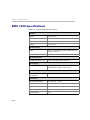
RMX 1500 Specifications ....................................................................... 1-2
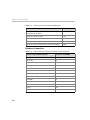
RMX 1500 System Capacities ................................................................ 1-3
Site Requirements ................................................................................... 1-5
Safety Requirements ...................................................................... 1-5
Rack Mount Safety Precautions .................................................... 1-5
Installation Precautions ................................................................. 1-6
Connecting the RMX 1500 to a Power Source ............................ 1-7
Connecting the RMX 1500 to AC Power ............................. 1-7
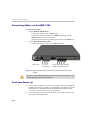
Connecting Cables on the RMX 1500 ........................................... 1-8
First-time Power-up ....................................................................... 1-8
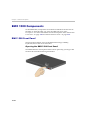
RMX 1500 Components ....................................................................... 1-10
RMX 1500 Front Panel ................................................................. 1-10
Opening the RMX 1500 Front Panel .................................. 1-10
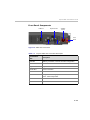
Front Panel Components ..................................................... 1-11
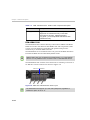
RMX 1500 Rear Panel ................................................................... 1-12
RTM IP 1500 .......................................................................... 1-12
RTM ISDN 1500 .................................................................... 1-14
ISDN/PSTN Clock Source .................................................. 1-15
RMX 1500 Power Supply ............................................................. 1-15
Power Supply LEDs ............................................................. 1-15
RMX 1500 LEDs .................................................................................... 1-16
RMX 1500 Front Panel LEDs ....................................................... 1-16
RMX 1500 Rear Panel LEDs ........................................................ 1-17
RTM IP 1500 LEDs ................................................................ 1-17
RTM ISDN 1500 LEDS ......................................................... 1-19
Power Supply LEDs ............................................................. 1-19
Component Installation & Replacement . . . . . . . . . . . . 2-1
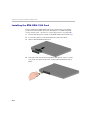
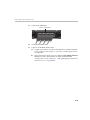
Installing the RTM ISDN 1500 Card ............................................ 2-2
Component Replacement ...................................................................... 2-4
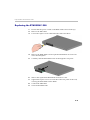
Replacing the RTM ISDN 1500 ..................................................... 2-5
i