1
ENGLISH
4.
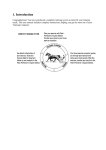
Start with bike settings is displayed. Press
OK.
5.
6.
7.
8.
9.
10.
11.
12.
13.
14.
Number of bikes : Select 1, 2 or 3 (CS600)
depending on how many bicycles you will be
using. If you only use one bicycle, settings for
bikes 2 or 3 (CS600) bikes can be entered
later.
Wheel : Enter the wheel size (mm) for each of
your bicycles. For further information, see
Measuring Wheel Size.
Basic settings is displayed. Press OK and
adjust the following data:
Time: Select 12h or 24 h. With 12h, select AM
or PM and enter the local time.
Date: Enter current date; dd = day, mm =
month, yy = year. If you use imperial units, set
the date; mm = month, dd = day, yy = year.
Units: Select metric (kg/cm/km) or imperial
(lb/ft/mi) units.
Weight: Enter your weight. To change units,
press and hold the LIGHT.
Height: Enter your height. In LB/FT format, first
enter feet then inches.
Birthday: Enter your date of birth; dd=day,
mm=month, yy=year.
Sex: Select Male or Female.
15. Settings OK? is displayed. Select Yes or No.
Select Yes to accept and save settings. The
cycling computer will display time of day.
Select No if settings are incorrect and need to
be changed. Press STOP to return to the data
you want to change.
Use the Polar ProTrainer 5 software to enter all
basic settings.
Getting started 7