1
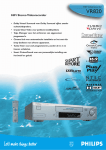
OPERATING INSTRUCTIONS PHILIPS VR860/07
Congratulations! You now own one of the most sophisticated
and simple-to-use video recorders (VCR) on the market. With
this VCR you can record and play VHS-standard cassettes.
So that you can identify your machine in the event of theft,
enter the serial number (PROD.NO) here. The serial number is
printed on the type plate fixed at the rear of the set.
MODEL NO.
Please take the time to read this operating manual before
using your video recorder.
VR860/07
PROD.NO: . . . . . .
This product complies with the requirements of the Directive
73/23/EEC + 89/336/EEC + 93/68/EEC.
Safety instructions and other notes
A Danger: High voltage!
Do not remove the top cover as there is a risk of an electrical
shock!
Technical information
A The video recorder does not contain any components that can
be repaired by the customer. When the appliance is connected
to the power supply there are some components that are
constantly operational. To switch off the video recorder
completely you must disconnect it from the power supply.
B Make sure that air can circulate freely through the ventilation
slots on the video recorder.
B Make sure that no objects or liquids enter the video recorder. If
liquid is spilt into it, disconnect the video recorder immediately
from the power supply and call the After-sales Service for
advice.
B The video recorder should not be used immediately after
transportation from a cold to a hot area or vice versa, or in
conditions of extreme humidity.
After unpacking the video recorder, it should be allowed to
acclimatize for at least three hours before installation.
C These operating instructions have been printed on nonpolluting
paper.
C Deposit old batteries at the relevant collection points.
Measurements in cm (W / H / D): 43.5 / 9.3 / 29.0
Power consumption (Standby) : less than 4W (Saving energy
mode)
Voltage : 220-240V/50Hz
Number of heads : 4 Video / 2 Audio
Winding time: approx. 90 seconds (Cassette E-180)
Recording/Playback time :SP (Standard Play) 4 hours
(Cassette E-240) / LP (Long Play) 8 hours (Cassette E-240)
Interference
The Department of Trade and Industry operates a Radio
Investigation Service to help TV licence holders improve
reception of BBC and ITC programmes where these are being
spoilt by interference.
If your dealer cannot help, ask at a Main Post Office for the
booklet ’How to Improve Television and Radio Reception’.
C Please make use of the facilities available in your country for
disposing of the packaging of the video recorder in a way that
helps to protect the environment.
C This electronic equipment contains many materials that can be
recycled. Please inquire about the possibilities for recycling
your old set.
D VIDEO Plus+ and PlusCode are registered trademarks of
Gemstar Development Corporation. The VIDEO Plus+
system is manufactured under licence from Gemstar
Development Corporation.
List of accessories
•
•
•
•
•
•
Operating instructions
Remote control and batteries
Aerial cable
Mains cable
Quick install quide
Scart cable (AV-Euro cable)
1