1
SVZ142.comb
4/7/99 6:30 PM
Page 23
Playing 23
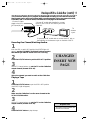
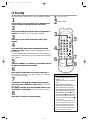
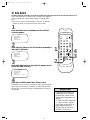
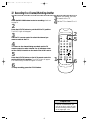
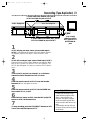
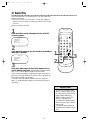
Read and follow the steps below to play a tape.
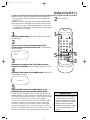
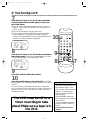
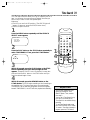
1
Turn on the TV and set it to channel 3 or 4, whichever
channel the CH3/CH4 switch on the back of the VCR is set to.
1
2
Turn on the TV.
Insert a tape.
2
Insert a tape in the VCR. The POWER and CST.IN lights will
appear. If the tape’s record tab has been removed, the VCR/TV
light will appear and playback will begin automatically.
POWER
3
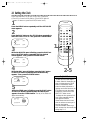
If playback does not start automatically, press the
VCR/TV button to put the VCR in VCR position (the
VCR/TV light will appear). Then, press the PLAY button.
4
5
6
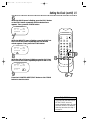
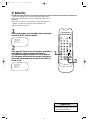
Press the STOP button to stop playback.
Press the REWIND button to rewind the tape.
5
4
VCR/TV
1
2
3
4
5
6
7
8
9
SPEED
0
+100
SLOW
QUICKFIND
MENU
DISPLAY
EJECT
6
CHANNEL
SEARCH
TIME
INDEX
EXIT
REWIND
RESET
/ PLAY
RECORD
/ STOP
COUNTER
MEMORY
F.FWD
3
PAUSE/STILL
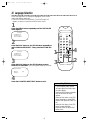
When the tape has finished rewinding, press the EJECT
button to remove the tape.
Helpful Hints
• If the tape you want to play is
already in the VCR, make sure the
VCR power is on and the VCR is in
VCR position. (Press the VCR/TV
button so that the VCR/TV light
appears.) Then, press the PLAY button.
• Other playback options and features are on pages 34 - 41.