1
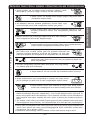
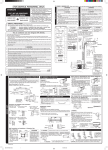
AUTOMATIC OPERATION
1
●
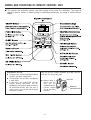
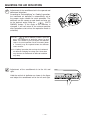
Press the
Operation start with a “beep”.
STOP
●
(START/STOP) button
Press the
(START/STOP) button
Please make sure you have been selected the
by use the
●
(Automatic) mode
(FUNCTION) Button.
The fan speed selector does not work at this operation.
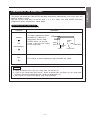
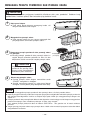
■ You can slightly adjust the room temperature.
●
●
(ROOM TEMPERATURE) button
Temperature setting change by 1°C for each 1 time press.
°C
●
°C
Press the
▲ ▲
1
Up
Down
You can raise or lower the temperature setting by a maximum of
3°C.
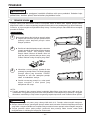
The display does not indicate the preset temperature in the Automatic
mode. Device will receive the setting by a “beep”.
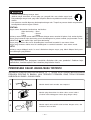
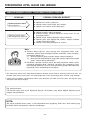
■ CONDITION OF AUTOMATIC OPERATION
●
The selected mode of operation will not change during the operation even though the room
temperature change.
INITIAL ROOM
TEMPERATURE (APPROX.)
16 ~ 27°C
- -
Over 27°C
FUNCTION
TEMPERATURE
SETTING
COOL
27°C
DEHUMIDIFY
Slightly lower than the
room temperature
– 7 –
FAN SPEED
HIGH at start, MEDIUM or
LOW after the preset
temperature is reached
LOW
ENGLISH
■ The device will automatically determine the operation mode either COOL or DEHUMIDIFY, depending
on the initial room temperature.