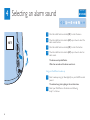
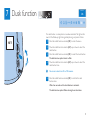
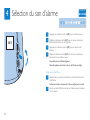
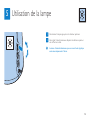
1
press
3 Setting the alarm
press
turn
Clock time
Alarm time
Al
Alarm sounds
Dusk timer
Displ
turn
Clock time
Alarm time
1 Push the control lever down to the middle position to switch on
the alarm.
SET
0 15 30 60 90 120 min
The hour indication of the alarm time flashes.
15 - 120 min
2 Move the middle function selector (SET) up or down to select
the hour.
3
Press the middle function selector (SET) to confirm.
The minute indication of the alarm time starts to flash.
4 Move the middle function selector (SET) up or down to select the
minutes.
5
Press the middle function selector (SET) to confirm.
Wait a few seconds and the alarm time is set.
5