1
 [User]: Select a personalized picture
setting. This option is activated only
when [User] under [Picture settings]
is selected.
[Watch 3D video]: Set to 3D or 2D
output when playing a Blu-ray 3D disc.
The player must be connected to a 3D
TV through HDMI.
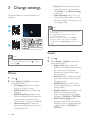
3 Change settings
This section helps you change the settings of
this player.
1
Note
2
If you change a setting, make sure that the TV supports
the new setting.
For settings related to HDMI, the TV must be
connected through HDMI.
For the composite connection (via the VIDEO
connector), select a video resolution of 480i/576i
or 480p/576p under [HDMI video] to enable video
output.
3
Sound
Note
You cannot change a menu option that is grayed out.
To return to the previous menu, press . To exit the
menu, press
.
Picture
1
2
18
Press
.
Select [Setup] > [Video] to access the
video setup options.
[TV display]: Select a picture display
`
[HDMI video]: Select an HDMI video
resolution.
[HDMI Deep Color]: Display colors
with more shades and hues when the
video content is recorded in Deep
Color and the TV supports this feature.
[Picture settings]: Select the most
optimum picture setting (powered by
CinemaPerfect HD).
EN
1
2
Press
.
Select [Setup] > [Audio] to access the
audio setup options.
[Night mode]: Select quiet or full
dynamic sound. Night mode decreases
the volume of loud sound and
increases the volume of soft sound
(such as speech).
[Neo 6]: Enable or disable a surround
sound effect which is converted from
2.0 channel audio.
[HDMI Audio]: Set an HDMI audio
format when this player is connected
through HDMI.
[Digital Audio]: Select an audio format
for the sound output when this
player is connected through a digital
connector (COAXIAL or OPTICAL).
[PCM Downsampling]: Set the
sampling rate for PCM audio output
when this player is connected through
a digital connector (COAXIAL or
OPTICAL).