1
Quick installation
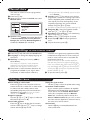
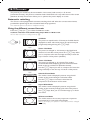
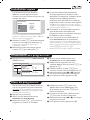
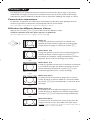
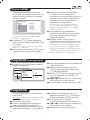
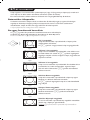
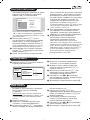
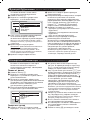
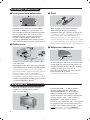
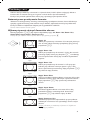
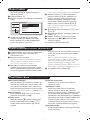
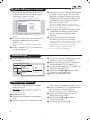
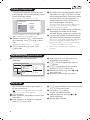
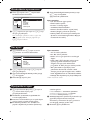
When you turn on the TV set for the first
time, a menu is displayed on screen.This menu
prompts you to select the country and
language for the menus:
Select Country
Country
Language
DK
E
F
FI
Æ GB
Español
Svenska
English
Dansk
Nederlands
If the menu is not displayed, press and hold down
the ”- and ”+ keys on the TV set for 5
seconds to display the menu.
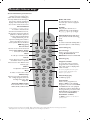
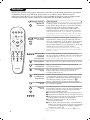
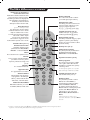
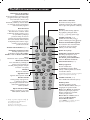
& Use the îÏ keys on the remote control to
select your country and validate with ¬.
If your country does not appear in the list, select
choice “. . .”
é Next select your language using the îÏ
keys and validate with ¬.
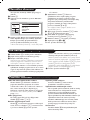
“ The search starts automatically.All the available
TV programmes and radio stations will be
stored. This operation takes a few minutes.The
display shows the progress of the search and
the number of programs found. At the end of
the search, the menu disappears.
To exit or interrupt the search, press H. If no
programme is found, consult the possible solutions p. 12.
‘ If the transmitter or cable network sends the
automatic sort signal, the programs will be
numbered correctly. In this case, the
installation is complete.
( If this is not the case, you need to use the
Sort menu to number the programs correctly.
Some transmitters or cable networks broadcast
their own sort parameters (region, language, etc.).
In this case, indicate your choice using the îÏ
keys and validate with ¬.
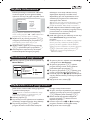
Program sort
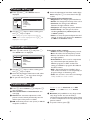
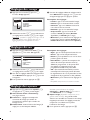
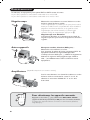
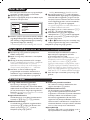
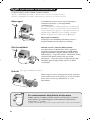
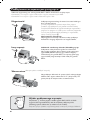
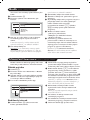
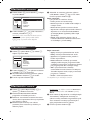
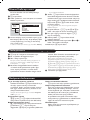
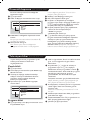
& Press key H.The Main menu is displayed on
the screen.
Mainge
• Picture
• Sound
• Features
$ Install
Install
• Language
• Country
• Auto Store
• Manual Store
$ Sort
Æ
• Name
00
01 TF1
02 FR2
03 Æ FR3
04 C +
05 ARTE
é With the cursor, select the Install menu
followed by the Sort menu.
“ Select the programme you want to move using
the îÏ keys and press ¬.
‘ Then use the îÏ keys to select the new
number and validate with È.
( Repeat steps “ and ‘ for each program you
wish to renumber.
§ To quit the menus, press d.
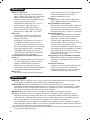
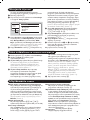
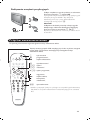
Program name
If required, you can give a name to the
programmes and external connectors.
Note: on installation, the programs are named
automatically when an identification signal is sent.
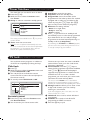
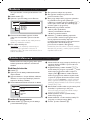
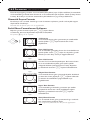
& Press the H key.
é With the cursor, select the Install menu, then
Name
“ Use the îÏ keys to select the programme
to name or rename.
4
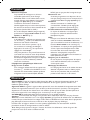
‘ Use the Ȭ keys to move around the
name display area (5 characters) and the
îÏ keys to select the characters.
( When the name has been entered, use the
È key to exit.The name is stored.
§ Repeat steps “ to ( for each programme
you wish to name.
è To quit the menus, press d.