1
®
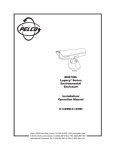
EH5700 Series
Environmental
Enclosure
Installation/
Operation Manual
C1431M-C (8/04)
Pelco • 3500 Pelco Way, Clovis • CA 93612-5699 USA • www.pelco.com
In North America and Canada: Tel (800) 289-9100 or FAX (800) 289-9150
International Customers: Tel (1-559) 292-1981 or FAX (1-559) 348-1120
CONTENTS
Section
Page
GENERAL
................................................................................................... 3
IMPORTANT SAFEGUARDS AND WARNINGS ............................................... 3
DESCRIPTION .................................................................................................. 4
MODELS ................................................................................................... 4
INSTALLATION .................................................................................................. 5
OPERATION
.................................................................................................. 12
MAINTENANCE ................................................................................................ 13
SERVICE MANUAL .................................................................................. 13
SPECIFICATIONS ............................................................................................ 14
WARRANTY AND RETURN INFORMATION ................................................... 16
LIST OF ILLUSTRATIONS
Figure
1
2
3
Page
Exploded Assembly Diagram for Blower and Circuit Board ............... 6
EH5700 Series Input Wiring Diagram ............................................... 10
EH5700 Dimension Drawing ............................................................. 15
LIST OF TABLES
Table
A
2
Page
24 VAC Wiring Distances .................................................................. 11
Pelco Manual C1431M-C (8/04)
GENERAL
IMPORTANT SAFEGUARDS AND WARNINGS
Prior to installation and use of this product, the following WARNINGS should be
observed.
1.
Installation and servicing should only be done by Qualified Service Personnel
and conform to all Local codes.
2.
Unless the unit is specifically marked as a NEMA Type 3, 3R, 3S, 4, 4X, 6, or
6P enclosure, it is designed for indoor use only and it must not be installed
where exposed to rain and moisture.
3.
Only use replacement parts recommended by Pelco.
4.
After replacement/repair of this unit’s electrical components, conduct a resistance measurement between line and exposed parts to verify the exposed
parts have not been connected to line circuitry.
5.
The installation method and materials should be capable of supporting four
times the weight of the enclosure, pan/tilt, camera and lens combination.
The product and/or manual may bear the following marks:
This symbol indicates that dangerous voltage constituting a
risk of electric shock is present within this unit.
This symbol indicates that there are important operating and
maintenance instructions in the literature accompanying this
unit.
CAUTION:
RISK OF
ELECTRIC SHOCK.
DO NOT OPEN.
CAUTION:
TO REDUCE THE RISK OF ELECTRICAL SHOCK,
DO NOT REMOVE COVER. NO USERSERVICEABLE PARTS INSIDE. REFER SERVICING
TO QUALIFIED SERVICE PERSONNEL.
Please thoroughly familiarize yourself with the information
in this manual prior to installation and operation.
Pelco Manual C1431M-C (8/04)
3
DESCRIPTION
Environmental enclosures in the EH5700 Series are used with Pelco’s pan/tilt units
or fixed mounts.
The enclosures are constructed of aluminum.
You can install cameras with either fixed focal length lenses or motorized zoom
lenses. All models have an adjustable camera sled to accommodate different sizes
of cameras and lenses.
MODELS
4
EH5723
Environmental enclosure with rear-opening lid. Lid has gas
spring to hold it open. 23-inch (58.42 cm) length.
EH5723-1
EH5723 with 120 VAC thermostatically controlled heater and
blower.
EH5723-2
EH5723 with 24 VAC thermostatically controlled heater and
blower.
EH5723-3
EH5723 with 230 VAC thermostatically controlled heater and
blower.
EH5729
Environmental enclosure with rear-opening lid. Lid has gas
spring to hold it open. 29-inch (73.66 cm) length.
EH5729-1
EH5729 with 120 VAC thermostatically controlled heater and
blower.
EH5729-2
EH5729 with 24 VAC thermostatically controlled heater and
blower.
EH5729-3
EH5729 with 230 VAC thermostatically controlled heater and
blower.
Pelco Manual C1431M-C (8/04)
INSTALLATION
1.
Unlatch and raise the enclosure lid. The gas spring will hold the lid in place
when it is fully opened.
2.
Remove the camera sled from the rail:
3.
a.
Loosen the screws.
b.
Slide the sled so that the screws are in the large part of the mounting
slots.
c.
Remove the sled.
d.
Remove the parts tied to the sled.
EH5723-1, -2, -3 Models, and EH5729 -1, -2, -3 Models Only – If
you are installing the enclosure in a marine or high-moisture environment,
make the following modifications to your enclosure:
Refer to Figure 1 for an exploded assembly diagram of the blower assembly.
Pelco Manual C1431M-C (8/04)
a.
Disconnect the electrical plug (3) from the fan (4).
b.
Remove the three sets of screws and washers (A, B, and C) that secure
the fan plate (5) and fan (4) to the enclosure.
c.
Remove the four screws and washers (B and D) that secure the fan to
the fan plate.
d.
Turn the fan around so that it blows toward the viewing window (refer to
the arrows on the fan).
e.
Reinstall the fan on the fan plate.
f.
Reinstall the fan plate and fan in the enclosure.
g.
Reconnect the electrical plug on the fan.
h.
Close the enclosure lid.
i.
On the bottom of the enclosure, remove the vent grill (1) and filters (2) at
the front of the unit. Replace the grill with one of the vent covers that was
attached to the camera sled as loose equipment.
j.
On the bottom of the enclosure, attach the other vent plate over the grill
at the rear of the unit.
k.
Open the enclosure lid.
4.
If you are going to wire the enclosure with cable, remove the wiring glands and
nuts from the parts bag and install them in the bottom of the enclosure. If you
are going to wire the enclosure with conduit, do not install the glands.
5.
Mount the camera/lens to the sled with the 1/4-20 Phillips-head screws that
are provided in the parts bag. You can mount the camera to either side of the
U-shaped sled, depending on the camera height required.
6.
There are two threaded mounting holes on the bottom of the enclosure. Mount
the enclosure to a pan/tilt assembly or fixed mount with 1/4-20 screws with
threads that do not exceed 5/8 of an inch (1.59 cm) in length (not supplied with
the enclosure).
5
C
4
D
5
B
C
A B
3
B
A
TO FAN
BLACK
22 GA. (1 FT.)
RED
22 GA. (1 FT.)
TO PC BOARD
2
24 VAC MODELS
1
Figure 1. Exploded Assembly Diagram for Blower and Circuit Board
6
Pelco Manual C1431M-C (8/04)
7.
Install the sled and camera/lens in the enclosure:
a.
If the camera’s lens is adjustable, extend the lens to its maximum length.
b.
Place the sled over the mounting screws in the enclosure.
c.
Slide the sled forward until the camera’s lens almost touches the window.
d.
Tighten the screws to secure the camera sled to the enclosure.
8.
Wire the video output from the camera.
9.
If you are going to synchronize cameras, wire the camera’s synchronization
connection.
10. If your camera has a motorized zoom lens control, wire it.
EH5723 and EH5729 Models Only – Wire the camera’s lens control
directly to the lens controller.
EH5723-1, -2, -3 Models, and EH5729 -1, -2, -3 Models Only –
Refer to Figure 2 and wire the motorized zoom lens control as follows:
a.
Connect or wire the lens control from the camera to the LENS or LENS
CONTROL connector on the circuit board.
b.
Wire the 10-connector INPUTS terminal on the circuit board to the lens
controller as follows:
•
Lens Common - Connector 1
•
Focus - Connector 2
•
Zoom - Connector 3
•
Iris - Connector 4
•
Preset Common - Connector 5
•
Preset Focus - Connector 6
•
Preset Zoom - Connector 7
•
Preset High - Connector 8
11. EH5723-1, -2, -3 Models, and EH5729 -1, -2, -3 Models Only –
Refer to Figure 2 and connect the camera’s power input to the circuit board.
There are two ways to supply power to the camera - when the power requirements for the camera and enclosure’s accessories are the same (for example,
if the camera and accessories use 24 VAC), and when the power requirements for the camera and the enclosure’s accessories are different (for example, if the camera uses 24 VAC and the accessories use 120 VAC).
Pelco Manual C1431M-C (8/04)
7
WARNING: Camera
damage possible. You
can damage your camera
if you connect it to the
wrong connector.
When the power requirements are the same, there are two ways to connect
power:
(1)
If your camera will use the same
power as the enclosure, plug the
camera into the CAM 1 socket on
the circuit board.
If your camera’s voltage will be different from the enclosure’s voltage,
plug the camera into the CAM 2
socket. DO NOT plug the camera
into the CAM 1 socket or you can
damage your camera. CAM 1 has
enclosure voltage on it.
BE CAREFUL - REMEMBER
CAM 1 IS ENCLOSURE
POWER
NEVER PLUG YOUR CAMERA INTO CAM 1 IF THE
CAMERA’S VOLTAGE IS
DIFFERENT FROM THE
ENCLOSURE’S VOLTAGE.
A three-pin plug is supplied as loose equipment. Connect the wires from
the plug to the camera as follows:
Brown - AC HI
Blue - AC NT
Green - Ground
Connect the plug to the CAM 1 socket on the circuit board (remove the
plastic cover over the power supply section of the circuit board).
or
(2)
If both the camera and enclosure use 120 VAC and you ordered the optional 120 VAC electrical outlet accessory (O/I-OUTLET), connect the
120 VAC plug to the camera and the three-pin plug to CAM 1 (remove the
plastic cover over the power supply section of the circuit board).
When the power requirements are different, connect the wires from the twopin plug, which is supplied as loose equipment, to the camera as follows:
Brown - AC HI
Blue - AC NT
Connect the plug to the CAM 2 socket on the circuit board.
12. Wire power to the enclosure to operate the camera.
EH5723 and EH5729 Models Only – Wire power directly to the camera.
If you are using 24 VAC, refer to Table A to determine the size of wire to use.
EH5723-1, -2, -3 Models, and EH5729 -1, -2, -3 Models Only –
•
CAM 1 - If the camera’s power input is connected to CAM 1 on the circuit
board, go to step 13.
•
CAM 2 - If the camera’s power input is connected to CAM 2 on the circuit
board, wire power for the camera as follows:
a.
Connect AC high to connector 9 of the 10-connector INPUTS terminal
block (goes to the brown wire in the CAM 2 connector).
b.
Connect AC neutral to connector 10 of the 10-connector INPUTS terminal block (goes to the blue wire in the CAM 2 connector).
13. EH5723-1, -2, -3 Models, and EH5729 -1, -2, -3 Models Only –
Wire power to the enclosure to operate accessories (and the camera if its
power is connected to CAM 1 on the circuit board) as follows:
8
a.
Remove the plastic cover over the power supply section of the circuit
board.
b.
Connect AC high to AC HI of the 3-connector terminal block.
c.
Connect AC neutral to AC NT of the 3-connector terminal block.
d.
Connect ground to GND of the 3-connector terminal block.
e.
Reinstall the plastic cover over the power supply section of the circuit
board.
Pelco Manual C1431M-C (8/04)
If the camera’s power is connected to CAM 1 on the circuit board, add the
camera’s wattage to the power consumption of the accessories to determine
the size of wire to use. If you are using 24 VAC, refer to Table A to determine
the size of wire to use. Here are the wattages for the accessories:
Defrosters for all enclosures - 30 watts
Wipers for all enclosures - 15 watts
Blowers for 120 VAC enclosures - 15 watts
Blowers for 24 VAC enclosures - 10 watts
Blowers for 230 VAC enclosures - 15 watts
Heaters for 120 VAC enclosures - 90 watts
Heaters for 24 VAC enclosures - 50 watts
Heaters for 230 VAC enclosures - 70 watts
14. Adjust the camera focus and iris, if necessary.
15. Close the enclosure lid.
Pelco Manual C1431M-C (8/04)
9
Figure 2. EH5700 Series Input Wiring Diagram
RED
BLK
1 2
PLUG
CPC CONN.
KIT # O/I-IPP
432189765
BLK
BLK
5
J1
LENS
PELCO
LENS
CONN
P1
1
LENS CONN OPTIONS
LENS CONN W/PRESETS
(SUPPLIED WITH PCB)
1 2
PLUG
WHT
1
2
3
4
5
TB1
6
7
P3
8
9
CAM 2
TB4
1 2
10
P2
P7
P6
1 2
TB3
OPTIONAL
CAMERA
POWER
(SUPPLIED
WITH PCB)*
CAMERA POWER
24/120/230 VAC
(SUPPLIED
WITH PCB)*
KIT # O/I-OUTLET
OUTLET
PLUG
120 V
PLUG
1 2 3
TB2
AC HI NT GND
1
P5
1
PLUG 2
PLUG
1 2 3
TH2
TH1
HTRS
1
1
RED
PLUG
1 2
PCB9000276 (O/I-PCB)
1
INPUTS
1
SPARES
1
HEATER
24/120/230 V
KIT # HK57-1
KIT # HK57-2
KIT # HK57-3
HEATER
24/120/230 V
LENS CONTROL
LENS
COM
PCB9000277ASSY
PLUG
1
2
3
4
FOCUS
FAN
120/230 V
ZOOM
BLK
IRIS
RED
PRST
ZOOM
KIT # BK57-1 (120 V)
KIT # BK57-3 (230 V)
PRST
COM
RED
CAM
CAM
FAN
24 VDC
PRST
FOCUS
WHT
PRST
HI
W/W
CAM 1
1
FAN
FAN
HTR
DEF
WIPEON
WASH ON
BRN
BLU
W/W
BRN
BLU
GRN
CAUTION
HIGH
VOLTAGE
BLK
WHT
GRN
KIT # BK57-2
WHT/ORG
WHT/BRN
WHT/RED
WHT/BLU
BLK/WHT
YEL/WHT
RED/WHT
GRN/WHT
NOT USED
DEFROSTER
24/120/230 V
1 2 3 4
PLUG
BLK
BLU
WHT
TRF21240.70.7CM
BRN
BRN/WHT
BLU/WHT
BLU
BLK
BLK/WHT
24 VAC
KIT # WW57-2
PCB9000275
120/230 VAC
PCB9000275
KIT # WW57-1, -3
TO SWITCH FROM -1, TO -3,
USE JUMPER ON PC BOARD
CONNECT CAM 2 TO CAMERA WHEN THE CAMERA’S
POWER IS DIFFERENT FROM THE AC POWER INPUT.
M
M
* CONNECT CAM 1 TO CAMERA WHEN THE CAMERA’S
POWER IS THE SAME AS THE AC POWER INPUT.
1 2 3 4
PLUG
BLK
BLU
WHT
KIT # WD57-1
KIT # WD57-2
KIT # WD57-3
BLU
WHT
WHT
BLK
WHT
BLU
BLK
WHT
10
Pelco Manual C1431M-C (8/04)
Table A. 24 VAC Wiring Distances
The following are the recommended maximum distances for 24 VAC applications
and are calculated with a 10-percent voltage drop. (10-percent is generally the maximum allowable voltage drop for AC-powered devices.)
EXAMPLE: An enclosure that re-
Wire Gauge
Total VA 20 AWG 18 AWG 16AWG 14 AWG 12 AWG 10 AWG
(0.5 mm2) (1.0 mm2) (1.5 mm2) (2.5 mm2) (4.0 mm2) (6.0 mm2)
NOTE: Distances are calculated in
Total vA consumed
feet; values in parentheses are
meters.
Pelco Manual C1431M-C (8/04)
10
283
(86)
451
(137)
716
(218)
1142
(348)
1811
(551)
2880
(877)
20
141
(42)
225
(68)
358
(109)
571
(174)
905
(275)
1440
(438)
30
94
(28)
150
(45)
238
(72)
380
(115)
603
(183)
960
(292)
40
70
(21)
112
(34)
179
(54)
285
(86)
452
(137)
720
(219)
50
56
(17)
90
(27)
143
(43)
228
(69)
362
(110)
576
(175)
60
47
(14)
75
(22)
119
(36)
190
(57)
301
(91)
480
(146)
70
40
(12)
64
(19)
102
(31)
163
(49)
258
(78)
411
(125)
80
35
(10)
56
(17)
89
(27)
142
(43)
226
(68)
360
(109)
90
31
(9)
50
(15)
79
(24)
126
(38)
201
(61)
320
(97)
100
28
(8)
45
(13)
71
(21)
114
(34)
181
(55)
288
(87)
110
25
(7)
41
(12)
65
(19)
103
(31)
164
(49)
261
(79)
120
23
(7)
37
(11)
59
(17)
95
(28)
150
(45)
240
(73)
130
21
(6)
34
(10)
55
(16)
87
(26)
139
(42)
221
(67)
140
20
(6)
32
(9)
51
(15)
81
(24)
129
(39)
205
(62)
150
18
(5)
30
(9)
47
(14)
76
(23)
120
(36)
192
(58)
160
17
(5)
28
(8)
44
(13)
71
(21)
113
(34)
180
(54)
170
16
(4)
26
(7)
42
(12)
67
(20)
106
(32)
169
(51)
180
15
(4)
25
(7)
39
(11)
63
(19)
100
(30)
160
(48)
190
14
(4)
23
(7)
37
(11)
60
(18)
95
(28)
151
(46)
200
14
(4)
22
(6)
35
(10)
57
(17)
90
(27)
144
(43)
Maximum distance from transformer to load
quires 80 vA and is installed 35 feet
(10 m) from the transformer would
require a minimum wire gauge of
20 AWG.
11
OPERATION
If your enclosure has a thermostatically controlled blower, the thermostat is set to
turn the fan on between 77° and 93°F (25° and 34°C) and to turn the fan off between 62° and 78°F (17° and 26°C).
If your enclosure has thermostatically controlled heaters or defroster, the thermostat is set to turn them on between 42° and 58°F (6° and 14°C) and to turn them off
between 72° and 88°F (22° and 31°C).
12
Pelco Manual C1431M-C (8/04)
MAINTENANCE
Perform the following maintenance at regularly scheduled intervals to prolong the
operational life and appearance of the equipment.
1.
Clean the window with a mild non-abrasive detergent in water and a soft cloth
to maintain picture clarity.
2.
If your enclosure has a blower, clean the foam filters as follows:
a.
On the bottom front of the enclosure, remove the two screws in the vent
grill.
b.
Remove the vent grill and take out the filters.
c.
Clean the filters with warm water and mild detergent, dry thoroughly, and
replace them in the grill.
d.
Reinstall the vent grill.
To order replacement filters, use the part number EH550010045.
SERVICE MANUAL
If you need to service your enclosure, obtain a service manual in one of the following ways:
Pelco Manual C1431M-C (8/04)
•
Go to Pelco’s web site at ftp://www.pelco.com and find service manual
C1431SM.
•
Contact Pelco’s Literature Department and request service manual C1431SM.
13
SPECIFICATIONS
ELECTRICAL
Input Voltage:
Electrical
Connections:
24, 120 or 230 VAC, 50/60 Hz
One each of the following when equipped with optional circuit
board (O/I-PCB):
3-connector terminal block for power input
6-pin lens connector
9-connector terminal block for lens wiring
10-connector terminal block for camera/lens wiring
2-connector terminal block for spare connections
3-pin socket for camera power input
2-pin socket for optional camera power input
2-pin socket for blower
2-pin socket for defroster
4-pin socket for heaters
4-pin socket for wiper
2-pin socket for wiper control
Input Power
Heater -1:
Heater -2:
Heater -3:
90 watts
50 watts
70 watts
Defroster -1,
-2, -3:
30 watts
Blower-1, -3:
Blower -2:
15 watts
10 watts
Wiper -1, -2, -3: 15 watts
MECHANICAL
Construction:
Aluminum, 0.080-inch (0.02 cm) thick (Enclosure body and lid)
Finish:
Polyester vinyl powder coat
Cable Entry:
Two UL-approved glands on bottom of enclosures; maximum cable diameter 0.47 inch (1.19 cm). Will accept 1/2-inch
(1.27 cm) conduit without glands.
Window:
Glass, 0.25-inch (0.64 cm) thick
Window
Viewing Area:
3.8" H x 4.8" W (9.65 x 12.19 cm)
Camera Mounting: Removable camera sled that can be inverted to accommodate
various heights of cameras and lenses
Max. Camera and
Lens Size
EH5723:
22" L x 7.5" W x 5.5" H (55.88 x 19.05 x 13.97 cm)
EH5723-1, -2, -3: 15.5" L x 6.25" W x 5.5" H (39.37 x 15.88 x 13.97 cm)
EH5729:
28" L x 7.5" W x 5.5" H (71.12 x 19.05 x 13.97 cm)
EH5729-1, -2, -3: 21.5" L x 6.25" W x 5.5" H (54.61 x 15.88 x 13.97 cm)
14
Pelco Manual C1431M-C (8/04)
Latches:
Stainless Steel
Dimensions:
See Figure 3
Unit
Weight
EH5723:
11 lbs (4.99 kg)
EH5723-1, -2, -3: 13 lbs (6.37 kg)
EH5729:
16 lbs (7.26 kg)
EH5729-1, -2, -3: 18 lbs (8.14 kg)
Shipping
12 lbs (5.44 kg)
15 lbs (6.80 kg)
18 lbs (8.16 kg)
20 lbs (9.07 kg)
GENERAL
NEMA Rating:
Meets NEMA 3R Standards
IEC 144 Rating:
IP54 (EH5700-1, -2, -3)
Environment:
Indoor/outdoor -10° to 120°F (-23° to 49°C)
(Design and product specifications subject to change without notice.)
MODEL
A
B
C
EH5723
23.00
(58.42)
11.50
(29.21)
26.50
(67.31)
EH5729
29.00
(73.66)
14.50
(36.83)
32.50
(82.55)
NOTE: VALUES IN PARENTHESES ARE CENTIMETERS;
ALL OTHERS ARE INCHES
Figure 3. EH5700 Dimension Drawing
Pelco Manual C1431M-C (8/04)
15
PRODUCT WARRANTY AND RETURN INFORMATION
WARRANTY
Pelco will repair or replace, without charge, any merchandise proved defective in material or
workmanship for a period of one year after the date of shipment.
Exceptions to this warranty are as noted below:
• Five years on FT/FR8000 Series fiber optic products.
• Three years on Genex ® Series products (multiplexers, server, and keyboard).
• Three years on Camclosure ® and fixed camera models, except the CC3701H-2,
CC3701H-2X, CC3751H-2, CC3651H-2X, MC3651H-2, and MC3651H-2X camera models,
which have a five-year warranty.
• Two years on standard motorized or fixed focal length lenses.
• Two years on Legacy ®, CM6700/CM6800/CM9700 Series matrix, and DF5/DF8 Series
fixed dome products.
®
®
™
• Two years on Spectra , Esprit , ExSite , and PS20 scanners, including when used in
continuous motion applications.
• Two years on Esprit ® and WW5700 Series window wiper (excluding wiper blades).
• Eighteen months on DX Series digital video recorders, NVR300 Series network video
recorders, and Endura ™ Series distributed network-based video products.
• One year (except video heads) on video cassette recorders (VCRs). Video heads will be
covered for a period of six months.
• Six months on all pan and tilts, scanners or preset lenses used in continuous motion
applications (that is, preset scan, tour and auto scan modes).
Pelco will warrant all replacement parts and repairs for 90 days from the date of Pelco
shipment. All goods requiring warranty repair shall be sent freight prepaid to Pelco, Clovis,
California. Repairs made necessary by reason of misuse, alteration, normal wear, or accident
are not covered under this warranty.
Pelco assumes no risk and shall be subject to no liability for damages or loss resulting from
the specific use or application made of the Products. Pelco’s liability for any claim, whether
based on breach of contract, negligence, infringement of any rights of any party or product
liability, relating to the Products shall not exceed the price paid by the Dealer to Pelco for
such Products. In no event will Pelco be liable for any special, incidental or consequential
damages (including loss of use, loss of profit and claims of third parties) however caused,
whether by the negligence of Pelco or otherwise.
The above warranty provides the Dealer with specific legal rights. The Dealer may also have
additional rights, which are subject to variation from state to state.
If a warranty repair is required, the Dealer must contact Pelco at (800) 289-9100 or
(559) 292-1981 to obtain a Repair Authorization number (RA), and provide the following
information:
1. Model and serial number
2. Date of shipment, P.O. number, Sales Order number, or Pelco invoice number
3. Details of the defect or problem
If there is a dispute regarding the warranty of a product which does not fall under the
warranty conditions stated above, please include a written explanation with the product
when returned.
Method of return shipment shall be the same or equal to the method by which the item was
received by Pelco.
RETURNS
In order to expedite parts returned to the factory for repair or credit, please call the factory at
(800) 289-9100 or (559) 292-1981 to obtain an authorization number (CA number if returned
for credit, and RA number if returned for repair).
All merchandise returned for credit may be subject to a 20% restocking and refurbishing
charge.
Goods returned for repair or credit should be clearly identified with the assigned CA or RA
number and freight should be prepaid. Ship to the appropriate address below.
If you are located within the continental U.S., Alaska, Hawaii or Puerto Rico, send goods to:
Service Department
Pelco
3500 Pelco Way
Clovis, CA 93612-5699
If you are located outside the continental U.S., Alaska, Hawaii or Puerto Rico and are
instructed to return goods to the USA, you may do one of the following:
If the goods are to be sent by a COURIER SERVICE, send the goods to:
Pelco
3500 Pelco Way
Clovis, CA 93612-5699 USA
If the goods are to be sent by a FREIGHT FORWARDER, send the goods to:
Pelco c/o Expeditors
473 Eccles Avenue
South San Francisco, CA 94080 USA
Phone: 650-737-1700
Fax: 650-737-0933
REVISION HISTORY
Manual #
C1431M
C1431M-A
C1431M-B
Date
6/95
3/96
4/96
7/96
4/98
C1431M-C
C1431M-C
12/03
8/04
Comments
Original manual.
Revision A. Expanded installation instructions; added troubleshooting section; changed heater specifications.
Added Figure 6A and warning note to window wiper installation instructions.
Changed specification for maximum camera size in -1, -2 and -3 models. Changed specification for window viewing area.
Revision B. Removed installation instructions for accessories, which have their own manuals. Moved service information and
exploded assembly drawings to new manual, C1431SM. Changed manual to new format.
Updated certifications and removed section numbering.
Removed agency logos and updated warranty and return information.
® Pelco, the Pelco logo, Spectra, Genex, Legacy, Esprit, and Camclosure are registered trademarks of Pelco.
16
© Copyright 2004, Pelco.
All rights reserved.
Pelco Manual C1431M-C (8/04)