1
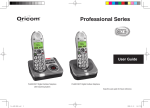
Professional Series
User Guide
Pro900 Amplified Cordless / Corded with Answering System
TABLE OF CONTENTS
Warnings and Safety Information ......................................................................................................1
Getting Started .................................................................................................................................2
Operating the Telephone ...................................................................................................................6
Telephone .........................................................................................................................................9
Using the Menu, Telephone Base.....................................................................................................16
Phone Book, Telephone Base ..........................................................................................................21
Caller ID, Telephone Base ................................................................................................................23
Using the Menu, Cordless Handset ..................................................................................................25
Phone Book, Cordless Handset........................................................................................................31
Caller ID, Cordless Handset .............................................................................................................33
Using the Answering Machine .........................................................................................................35
Using Remote Access .....................................................................................................................38
Advanced Setting ............................................................................................................................39
Troubleshooting ..............................................................................................................................41
Technical Properties........................................................................................................................43
Default settings ..............................................................................................................................44
Maintenance/Guarantee ..................................................................................................................45
Index ..............................................................................................................................................47
Warnings and Safety Information
IMPORTANT
• Persons with pacemakers should seek advice from their doctor before
using this product.
• Avoid exposure of this telephone to moisture or liquid.
• To prevent electric shock, do not open the handset or base cabinet.
• Avoid metallic contact (e.g. metal clips, keys) between the battery
contacts and charging conductors.
• There is a slight chance that the telephone could be damaged by an
electrical storm. It is recommended that users unplug the phone from
the mains supply and telephone socket during a storm.
• Do not use the handset in an explosive hazard area such as where
there is gas leaking.
• Follow the local regulations regarding the disposal of your packing
materials, exhausted batteries and used phone. Wherever possible,
recycle those materials.
• We advise that this phone should not be used near intensive care medical
equipment.
• Clean with a dry, soft, lint-free cloth. Never use cleaning agents,
particularly aggressive solvents.
• Because the phone works by sending radio signals between base
station and handset, wearers of hearing aids may experience
interference in the form of a humming noise. The telephone is
compatible with most popular hearing aids on the market. However,
due to the wide range of hearing aids available, there is no guarantee
that the telephone will function “problem free” with every model.
• Your phone can interfere with electrical equipment such as answering
machines, TV and radios, clock radios and computers if placed too
close. It is recommended that you position the base unit at least one
metre from such appliances.
• This telephone complies with applicable safety requirements for
exposure to radio waves (EMR). The mean power of this telephone
does not exceed 20mW limit at which point testing is required.
• The earpiece of the handset may attract small metal objects such as
staples and pins. Care should be taken when placing the handset near
these items.
• Do not use your telephone during an electrical storm thunderstorm as
it is possible to get an electric shock. Refer to information contained in
White pages directory.
• This phone is designed for connection to a PSTN telephone line or an
analogue extension port of a PBX system. If you connect this device to
a digital extension of a PBX, damage may result to the PBX.
CAUTION
!
Use only the mains adaptors supplied with this product.
Incorrect adaptor polarity or voltage can seriously
damage the unit.
Adaptor for base unit:
Input: 100~240VAC 50/60Hz 680mA
Output: 12VDC 670mA
This telephone is capable of producing very high volume
levels when the “Boost” is switched on and the volume
control is set to maximum. Extreme caution should be
taken if the handset is to be shared between users with
normal hearing and those with hearing impairments.
1
Getting Started
Installation
Select your country
After the phone is fully charged you will need to select your country.
Cordless Phone
The phone will display Welcome. Press [ ]. Scroll [ ] or [ ]
1. Connect the mains adaptor (supplied) to the socket on to select Australia or New Zealand. Press [ ] again to confirm.
the back of the base unit and to the wall mains supply.
Note:
2. Connect the telephone cord to the phone socket on the
It may take some time for the cordless handset to
back of the base unit and into the wall phone socket.
power up, and it may get warm during initial charge.
3. Insert 2 rechargeable Ni-MH AAA
This is normal.
1.2V 800mAh batteries (included),
It is good practice to put the cordless handset on the
observing the correct polarity, into
charging cradle when it is not in use to ensure that
the battery compartment on the
the handset is always fully charged.
handset. Slide the battery door firmly into place.
4. Place the handset on the charging cradle and charge the
IMPORTANT:
batteries for a full 15 hours before using it for the first time.
DO YOU HAVE BROADBAND/ADSL?
Corded Phone
If you do, you must connect an in line filter (not supplied) between
1. Connect the mains adaptor (supplied) to the socket on
the back of the base unit and to the wall mains supply.
2. Connect the telephone cord to the phone socket on the
back of the base unit and into the wall phone socket.
2
the telephone socket and your Pro900 base to ensure that your
broadband and Pro900 will work properly. If you do not install
the filter you will experience interference on the Pro900 and your
Broadband may suffer dropouts. Please refer to the user guide of
the in line filter for installation.
Getting Started
WARNING
DO NOT USE STANDARD/ALKALINE BATTERIES IN THIS PRODUCT,
AS THERE IS A RISK OF EXPLOSION AND/OR INJURY. USE ONLY
NI-MH RECHARGEABLE BATTERIES AS SPECIFIED IN THIS USER
GUIDE. CONTACT ORICOM FOR REPLACEMENT BATTERIES.
RISK OF EXPLOSION IF BATTERY IS REPLACED BY AN
INCORRECT TYPE.
Never use non-rechargeable batteries. Use recommended type
supplied with this product.
• Never use alkaline or lithium batteries.
• Do not dispose of the batteries in a fire, as they can explode.
• Do not open or mutilate the battery. Released electrolyte is
corrosive and can cause damage to the eyes or skin. It can be
toxic if swallowed.
• Avoid contact with metal objects when handling the battery.
These objects could short out the batteries or cause the
conductor to overheat resulting in burns.
• Do not attempt to recharge the battery cell by heating it.
Sudden release of battery electrolyte can cause burns or
irritation to the eyes or skin.
• Observe the proper polarity, or direction, of any battery.
Reverse insertion of the battery cell can result in leakage or
explosion.
• Remove the batteries if you do not plan to use the product for
several months at a time.
• Follow the local regulations regarding the disposal of your
packing materials, exhausted batteries and used phone.
Wherever possible, recycle those materials.
Pack contents
Depending on the model you have purchased this pack
should contain the following items:
If any of these are missing, please contact Oricom directly.
Pro900-1 Pro900-2
Corded Telephone Answering
Machine Base
Cordless handsets
Charging cradle
Power adaptors
Modular adaptor plug
Line cord
User guide
Handset Rechargeable AAA
Ni-MH Batteries (1.2V
800mAh)
Handset Battery cover
1
1
1
1
1
1
1
1
2
2
2
1
1
1
2
4
1
2
Purchasing additional handsets
You may expand your Pro900 by adding more handsets
(PROHS). These can be purchased separately from the
reseller where you purchased the product, or directly from
Oricom (Australia). The Pro900 can accommodate a total of
4 cordless handsets.
3
Getting Started
Corded Telephone answering machine base
Menu/OK
Play/Pause
Rewind/OGM Down/Calls list/Recall
Up/Redial/Pause
Fast forward/Memo
Incoming call light
Display
Phone Book
Stop/Esc/Answer on/off
30 dB Boost
(under handset)
Quick dial memories/
User profiles
Mute/Delete
Equaliser
Find handset/Intercom
Headset
Handsfree
Volume down
4
Volume up
Alphanumeric keypad
Getting Started
Cordless handset and base
Incoming call light
Volume up/down & Equalizer
Memory 1/Profile 1
Memory 2/Profile 2
30 dB Boost
Display
Up/Redial
Phone Book/Save/OK
Menu
Intercom
Recall
Headset socket (Headset not included)
End call
External call/Handsfree
Down/Calls list
*/Ringer on/off
Alphanumeric keypad
#/Keylock
Pause (long press 0)
Microphone
Charging
5
Operating the Telephone
Operating the Telephone
The instructions throughout this guide are for both the
telephone base and the cordless handset, unless stated
otherwise.
Icons in the telephone base station display
Icon
Display and explanation of operation sequences.
2x
2 sec
Press and hold
Release
VOLUME 1 or
6
Enter digits or letters
Press the button shown, briefly
Press the button shown, twice briefly
Press the button shown for 2 seconds
Press and hold the button shown
Release button shown
Handset rings
Base station rings
Cordless handset external call button
End a call and/or return to standby on
the cordless handset
Text or icon in the display
X
Description
Phone Book mode
Ringer off
Handsfree mode
Call in progress
Boost receiver volume is on
Handset microphone is muted
Handsfree mode
You have new calls
Internal call in progress
New calls in the calls list
Old calls in the calls list
Operating the Telephone
Icons in the handset display
Navigating in the menu
Icon
Description
All telephone base and cordless handset functions can
Phone Book mode
be accessed via the menu.
There are more digits to view on the left
Please refer to ‘‘Using the menu’’ on pages 16 and 25
for information on how to access each function.
There are more digits to view on the right
Battery status
All descriptions in this operating manual assume that
Ringer off
the handset is in Standby mode
Keylock is on
or
Open the main menu
Handsfree mode
or
Select the submenu required
Call in progress
or
Open the submenu
Boost receiver volume is on
or
Select the function required
Handset microphone is muted
or
Open the function
You have new calls
or
Select the setting required
When steady indicates that the handset is in
range of the base. When flashing indicates
Enter digits or letters using the relevant
that the handset is out of range of the base.
keys
Internal call in progress
, or Save
Confirm the entries
Message waiting
or
Cancel and return to standby mode
Note: Indicates a message from your
network operators service.
Every process is automatically cancelled if there is no
Subscription charges and access
input within 20 seconds. The handset will return to
fees may apply.
standby mode.
7
Operating the Telephone
Creating phone book entries in the telephone base - example
Storing a quick dial entry in the telephone base
2 sec M1, M2 or M3 Opens add quick dial entry mode
This example explains how to navigate and create
entries in the phone book. Proceed as in this example for
Enter the name (max. 16 letters) and
all the settings.
confirm it
Opens add phone book entry mode
2 sec
Enter the phone number (max. 24 digits)
Enter the name (max. 16 letters) and
and confirm it
confirm it
or ,
Select and confirm a ringing melody
Enter the phone number (max. 24 digits) Storing a quick dial entry in the cordless handset
and confirm it
M1 or M2
Opens add quick dial entry mode
or ,
Select and confirm a ringing melody
Option,
Select ‘‘New entry’’
Creating phone book entries in the cordless handset save
Enter the name (max. 16 letters) and
example
confirm it
Open the phone book
save
Enter the phone number (max. 24 digits)
Option,
Select ‘‘New entry’’
and confirm it
Save
Enter the name (max. 16 letters) and
or , save
Select and confirm a ringing melody
confirm it
If you see a or icon, there are more digits to be
Save
Enter the phone number (max. 24 digits)
viewed than can be shown on the display. Press the <
and confirm it
or > key to view the digits.
or , Save
Select and confirm a ringing melody
8
Telephone
Telephone
Making a call using the telephone base
Each digit you enter before picking up the handset or
pressing handsfree will be announced.
Enter the phone number (max. 24 digits)
Following incorrect input, press to delete
the last digit
or
Dial the phone number
It is also possible to press the external call button first
to obtain dialling tone. The digits entered will then be
dialled immediately.
It is not possible to correct wrong digits individually
using this dialling procedure.
Making a call using the cordless handset
Enter the phone number (max. 24 digits)
Following incorrect input, press to delete
the last digit
Dial the phone number
It is also possible to press the external call button first
to obtain dialling tone. The digits entered will then be
dialled immediately.
It is not possible to correct wrong digits individually
using this dialling procedure.
End a call
,
or
End the call
Take a call
,
,
,
or
Take the call
Redial using the telephone base
Your telephone stores the last 5 telephone numbers
dialled (max. 24 digits each). As you scroll to each
telephone number in the list, it will be announced.
Open the redial list
or , or
Select an entry and dial the number
9
Telephone
Redial using the cordless handset
Your telephone stores the last 10 telephone numbers
dialled (max. 24 digits each).
Open the redial list
,
Select an entry and dial the number
Calling back missed calls
Your telephone stores the last 30 incoming calls in the
calls list. As you scroll to each telephone number in the
calls list in the telephone base, it will be announced.
or
Open the calls list
or ,
or Select an entry and dial the number
Dialling phone numbers from the phone book
There must be phone numbers stored in the phone book.
See pages 21 & 31.
Your telephone can store up to 200 name and number
entries in the phone book. As you scroll to each
telephone number in the phone book in the telephone
base, it will be announced.
or
Open the phone book
or ,
or Select an entry and dial the number
10
Quick dial
Phone numbers must have been stored as quick dial
numbers. See page 8. The stored quick dial number in
the telephone base will be announced when you press
the quick dial button.
M1, M2 or M3
Press the required quick dial button.
, or
Dial the number
Chain dialling
This feature is used for more complex telephone
services, eg for telephone banking or calling card
procedures. Several numbers stored in the phone
book can be dialled successively when a connection
has already been made. It is also possible to combine
numbers from the phone book with numbers entered
manually. Numbers stored in the phone book can be
chained and transmitted as required.
or
Open the phone book when a connection
has been made
or , or
Select an entry and dial the number
Telephone
Adjusting the receiver volume, telephone base
The receiver volume of your telephone is louder than
with a standard telephone.
or
When on a call, adjust the setting with
the volume buttons
Adjusting the receiver volume, cordless handset
Handsfree, telephone base
Use Handsfree to listen to your caller via the
loudspeaker.
Switch on handsfree mode
Deactivate handsfree mode
Handsfree, cordless handset
The receiver volume of your telephone is louder than a
Use Handsfree to listen to your caller via the loudspeaker.
standard telephone. Push up or down and release for
2x
Switch on handsfree mode
each volume step.
Deactivate handsfree mode
When on a call, adjust the setting with
the side switch
Adjusting the Handsfree volume, telephone base
Boosting the receiver volume
When on a call, you can increase the loudness of each
volume setting if you press the 30dB button.
or
Press the button, an icon flashes in the
display
There are 5 handsfree volume levels available. The
‘‘30dB’’ feature is not available in handsfree mode.
or
Adjust the volume with the volume
buttons
Adjusting the Handsfree volume, cordless handset
There are 5 handsfree volume levels available. The
‘‘30dB’’ feature is not available in handsfree mode.
or
Adjust the volume with the side switch
or up and down arrows
and
11
Telephone
Talk time display
The duration of each call is displayed in minutes and
seconds during the call.
Equaliser, telephone base only
Everyone’s hearing is different and some people can
hear higher frequencies more clearly that others. Press
the button to adjust the tone and high frequencies
within a call, until it’s right for you.
, << or >>
Adjust the tone with the left and right
buttons
Please don’t be surprised to find that the volume can
reduce when you set the tone control to a frequency
higher or lower than normal. This is a normal effect.
Please use the volume control to correct the volume if
necessary.
Using a Headset (not included), telephone base
Connect a headset to the headset socket and press the
headset button. You will now be able to hear and speak
to your caller via the headset
12
Using a Headset (not included), cordless handset
Connect a headset to the headset socket. You will now
be able to hear and speak to your caller via the headset.
Muting the microphone, telephone base
The microphone can be activated and deactivated during
a telephone conversation when you are in handset or
handsfree mode.
, Mute
Switches the microphone off (Mute)
, Unmute
Switches the microphone on
Muting the microphone, cordless handset
The microphone can be activated and deactivated during
a telephone conversation when you are in handset or
handsfree mode.
, Mute
Switches the microphone off (Mute)
, Unmute
Switches the microphone on
Ringer on/off, cordless handset only
You can turn the bell of the ringer on and off.
2 sec ,
Switches the bell ringer off
2 sec
Switches the bell ringer on
Telephone
Keylock, cordless handset only
Transferring external calls internally
Calls can still be answered in the normal way when the
keylock is on.
Locks the keypad
2 sec ,
Unlock,
Unlocks the keypad
HS0: Press
During an external call, dial the number
and hold INT of the required handset
until a short beep
is heard, , eg 1
HS1:
Accept the internal call on the other
handset
External call is transferred to the other
HS0:
handset
Making internal calls
When making internal calls the telephone base is ‘‘HS0’’
and the cordless handset is HS1. Internal calls are free
of charge.
HS0: INT, , eg 1 Dial the internal call number of the
required handset
HS1:
Accept the internal call on the other
handset
End the internal call
HS0/HS1:
If the called handset does not answer, you can take the
button.
call back by pressing the
13
Telephone
Conference calls
At the base
You can hold a conference call between 1 external and 2 10 sec , Register
Activate registration mode
internal callers.
At the handset
HS0: Press
During an external call, dial the number
, or ,
Open the menu, select ‘‘Handset’’
and hold INT of the required handset
or , ,
Select ‘‘Registration’’, ‘‘Register’’
until a short beep
or ,
Select 1,2,3 or 4
is heard, , eg 1
,
, Enter the PIN code and confirm
Accept the internal call on the other
HS1:
handset
Handset deregistration, telephone base
INT
Activates conference call
HS0: 2 sec
You will only need to de-register a handset if you decide
HS0:
INT /HS1:<INT Put external call on hold
that you have too many handsets registered or your
HS0/HS1:
End conference call
handset develops a fault and you need to replace it.
, or ,
Open the menu, select ‘‘Remove HS’’
Handset registration
,
Enter the PIN code and confirm
You only need to register a handset that has become
,
Enter the handset number and confirm
deregistered from the base or if you have purchased a
new handset.
New handsets must be fully charged before you
attempt to register them.
14
Telephone
Handset deregistration, cordless handset
You will only need to de-register a handset if you decide
that you have too many handsets registered or your
handset develops a fault and you need to replace it.
, or ,
Open the menu, select ‘‘Handset’’
or , , , Select ‘‘Registration’’, ‘‘De-register’’
,
, Enter the PIN code and confirm
, ,
Enter the handset number and confirm
The phone will ring for an incoming call in power fail
mode but the incoming call light will not function and
the callers’’ details will not be stored in the calls list.
Power fail, telephone base
If you have a mains power failure, you can still use your
telephone base to make and receive telephone calls but
the display will only function when you lift the handset.
You can also use the following functions when the
handset is lifted:
- View or dial from the phone book or M1, M2 or M3
keys
- Dial out Recall (Flash) and pause
- Adjust the receiver volume
- Mute the microphone
15
Using the Menu, Telephone Base
Using the menu
Answering Machine (see page 35)
Phonebook (see page 21)
Priority/Default Setting
If you are the main user of this telephone you should
change the settings in the menu so that they are
just right for you.These settings will be memorised
automatically whenever you wish to make or answer a
call.
The user profile feature can be used by others in
the household whose preferences for volume, boost
and equaliser will also be memorised and applied as
indicated below.
User Profiles
You can store 3 different user profiles, each with
different settings for the ‘‘Volume’’, ‘‘Boost’’ and
‘‘Equaliser’’ features. You can also personalise each
Profile by naming it (Max 10 letters).
16
Changing the Profile name
You can personalise each profile by naming it.
, or ,
Open the Menu, select ‘‘Profile’’
Select ‘‘Profile 1, 2 or 3’’
or ,
Select ‘‘Name’’
or ,
Delete the current name
,
Enter the new name and confirm it (max.
10 letters).
Changing the Profile Handset Volume
There are 5 volume settings available
or ,
Select ‘‘Volume’’
3
The current setting is shown
or ,
Select and confirm the handset volume
Changing the Profile ‘‘Boost’’ setting
or
Off
or
,
,
Select ‘‘Boost’’
The current setting is shown
Select and confirm ‘‘On’’ or ‘‘Off’’
Using the Menu, Telephone Base
Changing the Profile ‘‘Equaliser’’ setting
or
or
,
,
Press the
Select ‘‘Equaliser’’
Select and confirm
key to return to standby.
Selecting a Profile for use
Incoming calls
When you receive an incoming call and before you
answer the telephone, press the M1, M2 or M3 key for
the profile you wish to use. The display will confirm the
profile that has been selected and you can answer the
call as normal.
Outgoing calls
When you wish to make an outgoing call, press and
hold the M1, M2 or M3 key for the profile you wish to
use. The display will confirm the profile that has been
selected and you can now make your outgoing call as
normal.
If you do not dial your outgoing call within 30 seconds
of pressing the M1, M2 or M3 key, the selected profile
will timeout and the default telephone settings will be
used for the call.
User profiles cannot be selected in Handsfree mode.
You must lift the handset.
Ringer tone
There are 10 different ringing melodies available for
External and Internal calls.
Open the Menu, select ‘‘Ringer Tone’’
, or ,
or , EXT
Select and confirm the melody to
Melody or INT
change
Melody,
Melody 8
The current setting is shown
Select and confirm a ringing melody
or ,
17
Using the Menu, Telephone Base
Ringer Volume
Display
There are 5 different volume settings available and
‘‘OFF’’.
Open the Menu, select ‘‘Ringer Tone’’
, or ,
Select ‘‘Volume’’
or ,
Ring Vol 3
The current setting is shown
Select and confirm a ringing volume or
or ,
‘‘Ring Off’’
Contrast
Key Tone
Choose to turn the key tone ‘‘ON’’ or ‘‘OFF’’.
, or ,
Open the Menu, select ‘‘Key Tone’’
ON
The current setting is shown
or ,
Select and confirm ‘‘ON’’ or ‘‘OFF’’
18
There are 5 different contrast levels available so that you
can set the display to how you find it most easy to read.
, or ,
Open the Menu, select ‘‘Display’’
or ,
Select ‘‘Contrast’’
Level 3
The current setting is shown
or ,
Select and confirm the contrast setting
Language
There are 5 languages available, English, German,
French, Spanish and Italian.
Open the Menu, select ‘‘Display’’
, or ,
or ,
Select ‘‘Language’’
English
The current setting is shown
Select and confirm a language
or ,
Using the Menu, Telephone Base
Settings
Change Case
Boost Memory
, or
or ,
ABC
or ,
,
With this feature set to ‘‘ON’’ , if you use the 30dB
button, your handset will remember and use your last
Boost setting for each call.
, or ,
Open the Menu, select ‘‘Settings’’
or ,
Select ‘‘Boost Mem’’
OFF
The current setting is shown
Select and confirm ‘‘ON’’ or ‘‘OFF’’
or ,
System PIN
Read Number
2x
With this feature set to ‘‘ON’’, each incoming caller
display number will be announced. See page 23 for
caller display.
, or ,
Open the Menu, select ‘‘Settings’’
or ,
Select ‘‘Read Number’’
ON
The current setting is shown
or ,
Select and confirm ‘‘ON’’ or ‘‘OFF’’
NZ Caller ID
, or
or ,
, or
or ,
OFF
or ,
,
,
Open the Menu, select ‘‘Settings’’
Select ‘‘Change case’’
The current setting is shown
Select and confirm
Open the Menu, select ‘‘Settings’’
Select ‘‘System PIN’’
Enter the old PIN and confirm it
Enter the new PIN and confirm it
Open the Menu, select ‘‘Settings’’
Select ‘‘NZ Caller ID’’
The current setting is shown
Select and confirm ‘‘ON’’ or ‘‘OFF’’
19
Using the Menu, Telephone Base
Time
Time Format
Date/Time
You can set the time to be displayed in 24 or 12 hour
clock
, or ,
Open the Menu, select ‘‘Time’’
or ,
Select ‘‘Format’’
24 hour
The current setting is shown
or ,
Select and confirm 24 or 12 hour
, or
or ,
,
,
,
Open the Menu, select ‘‘Time’’
Select ‘‘Date & Time’’
Enter the day, month and year and
confirm
Enter the hours (24 hour clock) and
confirm
When setting the time and date (on the telephone
base), it is also possible to use the left and right keys
to move backward and forward to make corrections.
This also applies when entering phonebook entries.
20
Remove HS (See page 15)
Reset (see page 40)
Phone Book, Telephone Base
Phone Book
Creating phone book entries
Opens add phone book entry mode
2 sec ,
200 names and phone numbers can be stored in the
Enter the name (max. 16 letters) and
phone book with a maximum of 16 letters and 24 digits
confirm it
for each entry.
Enter the phone number (max. 24 digits)
* Always enter the area dialling code with each phone
and confirm it
book entry.
or ,
Select and confirm a ringing melody
* The phone book entries are managed alphabetically. To
go quickly to a phone book entry, enter the first letter of Editing phone book entries
the corresponding entry.
,
Open the phone book
Entering a name
or
Select a phone book entry
The digit keys are also labelled with letters for the entry
, or ,
Open phone book options, select ‘‘Edit’’
of the respective letters. Pressing the respective key the
<< >>
Edit the name (max. 16 letters) and
necessary number of times enables capital letters and
confirm it
digits to be entered.
Edit the phone number (max. 24 digits)
<< >>
Space
and confirm it
Delete
or ,
Select and confirm a ringing melody
Special characters
To enter the same letter twice, press the button to
enter the letter. Wait until the cursor moves forward
one place. Enter the letter again.
21
Phone Book, Telephone Base
Deleting single phone book entries
,
or
, or
Delete?,
,
or
Open the phone book
Select a phone book entry
Open phone book options, select
‘‘Delete’’
Confirm the deletion or Cancel
Deleting all phone book entries
,
or
, or
Delete All?,
or
,
Open the phone book
Select a phone book entry
Open phone book options, select ‘‘Delete
All’’
Confirm the deletion or Cancel
Copy phone book entries to another registered handset
Copy entry - copy a single entry to another registered
handset
Copy append - copy only those entries that are not
already in the phone book of the other registered
handset
Copy all - copy all the entries to another registered
handset
,
Open the phone book
or
Select a phone book entry
Activate the copying process (Copy entry,
, or ,
Copy append or Copy all)
<< >> eg HS2 Select the destination handset
HS2
Accept on destination handset
If you copy all the entries from one handset to
another. All the existing entries on the destination
handset will be deleted.
22
Caller ID, Telephone Base
Caller ID
During a call, you will hear two loud beeps periodically to
notify you of another incoming call. If you wish to answer
this call
1. When the handset receives a second call, the
number of the caller appears on the display. It will
display for 20 seconds or until you press a key on
the phone.
2. Press [ ] to listen for dial tone then Press [ 2 ] to
put the current call on hold and talk with the second
caller.
3. Subsequent presses [ ] to listen for dial tone then
Press [ 2 ] will toggle you between these 2 callers.
If you subscribe to your telephone operators service
(charges may apply), numbers of the incoming calls
will be displayed on the screen and stored in the call
log (please consult your telephone service provider for
details).
The number of the caller (or name if stored in the Phone
Book) appears in the display when the phone rings. If the
caller has withheld their phone number, a corresponding
message appears in the display. The phone number is
not displayed and will not be stored in the calls list. A
total of 30 incoming calls, with a maximum of 16 letters
for the name and 23 digits for the number can be stored Displaying calls list entries
in the calls list.
Opens the calls list at most recent entry
The number of new calls received will be shown in the
or
Select an entry
display along with the flashing icon.
Take two different calls at the same time
If you have subscribed to your telephone network
operators Call Waiting Caller ID service, your phone
will display the number of the second incoming call for
around 20 seconds while you are talking on the phone.
23
Caller ID, Telephone Base
Other messages that you may see in the display, if your
telephone network provider supports this service, are:
WITHHELD
PRIVATE
The caller has withheld their number or
the information is not available
The caller is dialling you whilst abroad or
INTERNATIONAL
may be using an internet telephony service.
The caller has dialled you from a public
PAYPHONE
payphone
OPERATOR
Deleting a single calls list entry
or
, or
Delete?,
,
or
A phone number stored in the calls list can be stored
directly to the phone book or quickdial memories.
Opens the calls list at most recent entry
or
Select an entry
, or ,
Open the Options Menu, select ‘‘Save to
PB’’ or ‘‘M1, M2 or M3’’
,
Enter the name and confirm it
Edit the number and confirm it
<< >> ,
Select and confirm a ringing melody
or ,
Opens the calls list at most recent entry
Select an entry
Open the Options Menu, select ‘‘Delete’’
Confirm the deletion or Cancel
Deleting all calls list entries
Call from a network operator
Storing calls list entries in the phone book, or quickdial
memories
24
Deleting calls list entries
or
, or
Delete All?,
or
,
Opens the calls list at most recent entry
Select an entry
Open the Options Menu, select ‘‘Delete
All’’
Confirm the deletion or Cancel
Using the Menu, Cordless Handset
Using the menu
Answering Machine (see page 35)
Phone book (see page 31)
Priority/Default Setting
If you are the main user of this telephone you should
change the settings in the menu so that they are
just right for you.These settings will be memorised
automatically whenever you wish to make or answer a
call.
The user profile feature can be used by others in
the household whose preferences for volume, boost
and equaliser will also be memorised and applied as
indicated below.
User Profiles
You can store 2 different user profiles, each with
different settings for the ‘‘Volume’’, ‘‘Boost’’ and
‘‘Equaliser’’ features. You can also personalise each
Profile by naming it (Max 10 letters).
Changing the Profile name
You can personalise each profile by naming it.
Open the Menu, select ‘‘Profile’’
, or ,
or ,
Select ‘‘Profile 1 or 2’’
or ,
Select ‘‘Name’’
Delete the current name
, Save
Enter the new name and confirm it (max.
10 letters).
Changing the Profile Handset Volume
There are 5 volume settings available
or ,
Select ‘‘Volume’’
3
The current setting is shown
or , Save
Select and confirm the handset volume
Changing the Profile ‘‘Boost’’ setting
or
Off
or
,
,
Select ‘‘Boost’’
The current setting is shown
Select and confirm ‘‘On’’ or ‘‘Off’’
25
Using the Menu, Cordless Handset
Changing the Profile ‘‘Equaliser’’ setting
or
or
,
, Save
Press the
Select ‘‘Equaliser’’
Select and confirm
key to return to standby.
Copy a User Profile
You can also copy a user profile to other registered
compatible Professional series handsets.
Open the Menu, select ‘‘Profile’’
, or ,
or ,
Select ‘‘Profile 1 or 2’’
or ,
Select ‘‘Copy’’
< > 2, 3, 4
Select the destination handset
Accept or cancel on the destination
or
handset
Selecting a Profile for use
Incoming calls
When you receive an incoming call and before you
answer the telephone, press the M1 or M2 key for the
profile you wish to use. The display will confirm the
profile that has been selected and you can answer the
call as normal.
Outgoing calls
When you wish to make an outgoing call, press and hold
the M1 or M2 key for the profile you wish to use. The
display will confirm the profile that has been selected
and you can now make your outgoing call as normal.
If you do not dial your outgoing call within 30 seconds
of pressing the M1 or M2 key, the selected profile will
timeout and the default telephone settings will be used
for the call.
User profiles cannot be selected in Handsfree mode.
26
Using the Menu, Cordless Handset
Handset
Handset Ringing melody
There are 10 different ringing melodies available.
Open the Menu, select ‘‘Handset’’
, or ,
Select ‘‘Ring tone’’
or ,
Select ‘‘External’’ or ‘‘Internal (intercom)’’
Melody 8 (External),
The current setting is shown
Melody 8 (Internal)
or , Save
Select and confirm a ringing melody
Handset Ringing volume
Equaliser
Use the equaliser feature to adjust the tone and high
frequencies until they are right for you.
Open the Menu, select ‘‘Handset’’
, or ,
or ,
Select ‘‘Equaliser’’
or , Save
Adjust the settings and confirm
You can also adjust the equaliser settings when you
key to
are on a call. Press the middle of the
switch between the volume control and the equaliser.
When the equaliser screen is displayed, use the up or
down of the
key to adjust the setting.
There are 5 ringing volume settings available and ‘‘OFF’’.
Boost Memory
Open the Menu, select ‘‘Handset’’
, or ,
With this feature set to ‘‘On’’ , if you use the 30dB
,
Select ‘‘ Ringer volume’’
button, your handset will remember and use your last
Volume 3
The current setting is shown
Boost setting for each call.
or , Save
Select and confirm a ringing tone volume
Open the Menu, select ‘‘Handset’’
, or ,
or ‘‘OFF’’
or ,
Select ‘‘Boost memory’’
Off
The current setting is shown
or ,
Select and confirm ‘‘On’’ or ‘‘Off’’
27
Using the Menu, Cordless Handset
Handset name
Auto talk
You can personalise your handset by naming it (max. 12
letters).
Open the Menu, select ‘‘Handset’’
, or ,
or ,
Select ‘‘Handset name’’
Delete the current name
, Save
Enter new name and confirm it
Keypad Beep
, or ,
or ,
On
or ,
Open the Menu, select ‘‘Handset’’
Select ‘‘Keypad Beep’’
The current setting is shown
Select and confirm ‘‘On’’ or ‘‘Off’’
Contrast
There are 5 different contrast levels available so that you
can set the display to how you find it most easy to read.
Open the Menu, select ‘‘Handset’’
, or ,
or ,
Select ‘‘Contrast’’
Level 3
The current setting is shown
or , Save
Select and confirm the contrast setting
28
With this feature set to ‘‘On’’, your handset will
automatically answer the call when you pick up the
handset from the base. This is the default setting.
Open the Menu, select ‘‘Handset’’
, or ,
or ,
Select ‘‘Auto talk’’
Off
The current setting is shown
or ,
Select and confirm ‘‘On’’ or ‘‘Off’’
Backlight time
You can select the number of seconds 10, 20, 30 or 40
before the backlight turns off.
Open the Menu, select ‘‘Handset’’
, or ,
or ,
Select ‘‘Backlight time’’
10S
The current setting is shown
or , Save
Select and confirm
Confirm beep
, or ,
or ,
On
or ,
Open the Menu, select ‘‘Handset’’
Select ‘‘Confirm beep’’
The current setting is shown
Select and confirm ‘‘On’’ or ‘‘Off’’
Using the Menu, Cordless Handset
Select base
, or ,
or ,
Auto
or ,
Base Ringing volume
Open the Menu, select ‘‘Handset’’
Select ‘‘Select base’’
The current setting is shown
Select and confirm ‘‘Auto’’ or ‘‘Manual’’
Language
There are 5 languages available, English, German,
French, Spanish and Italian.
Open the Menu, select ‘‘Handset’’
, or ,
or ,
Select ‘‘Language’’
German
The current setting is shown
or ,
Select and confirm a language
Base settings
Base Ringing melody
There are 10 different ringing melodies available.
Open the Menu, select ‘‘Base settings’’
, or ,
Select ‘‘Ring tone’’
8
The current setting is shown
or , Save
Select and confirm a ringing melody
There are 5 ringing volume settings available and ‘‘OFF’’.
Open the Menu, select ‘‘Base settings’’
, or ,
,
Select ‘‘Ringer volume’’
3
The current setting is shown
or , Save
Select and confirm a ringing tone volume
or ‘‘Off’’
Shaker
You can plug a shaker accessory (VIB100 not included)
into the socket on the back of the base. This can
be purchased separately from the reseller where
you purchased the product, or directly from Oricom
(Australia). With this feature turned ‘‘ON’’ the shaker will
vibrate when you receive an incoming call.
Open the Menu, select ‘‘Base settings’’
, or ,
,
Select ‘‘Shaker’’
On
The current setting is shown
or , Save
Select and confirm ‘‘On’’ or ‘‘Off’’
29
Using the Menu, Cordless Handset
System PIN
, or ,
or ,
2x
Alarm
Open the Menu, select ‘‘Base settings’’
Select ‘‘System PIN’’
Enter the old PIN and confirm it
Enter the new PIN and confirm it
Time
Set Alarm
,
or ,
or ,
Save
Date/Time
,
or ,
, Save
Open the Menu, select ‘‘Time’’
Select ‘‘Date and Time’’
Enter the day, month and year, followed
by the time in 24 hour clock and confirm.
Set Time Format
,
or ,
,
24 Hour
or ,
30
Open the Menu, select ‘‘Time’’
Select ‘‘Set time format’’
The current setting is shown
Select and confirm ‘‘12 hour’’ or 24
hour’’
Save
Open the Menu, select ‘‘Alarm’’
Select ‘‘Set alarm’’
Select Once, Every Day, Mon to Fri or Off
Enter the alarm time (24hour clock) and
confirm
Select the alarm melody and confirm
Night Light
,
or ,
On
or ,
Open the Menu, select ‘‘Alarm’’
Select ‘‘Night Light’’
The current setting is shown
Select and confirm On or Off
Phone Book, Cordless Handset
Phone Book
200 names and phone numbers can be stored in the
phone book with a maximum of 16 letters and 24 digits
for each entry.
* Always enter the area dialling code with each phone
book entry.
* The phone book entries are managed alphabetically.
To go quickly to a phone book entry, enter the first
letter of the corresponding entry.
To enter the same letter twice, press the button to
enter the letter. Wait until the cursor moves forward
one place. Enter the letter again.
Creating phone book entries
Option,
Save
Save
Entering a name
The digit keys are also labelled with letters for the entry
of the respective letters.
Pressing the respective key the necessary number of
times enables capital letters and digits to be entered.
Space
Delete
Press the ‘‘*’’ key to switch between
upper ‘‘ABC’’ and lower ‘‘abc’’ case.
or
Save
Open the phone book
Select ‘‘New entry’’
Enter the name (max. 16 letters) and
confirm it
Enter the phone number (max. 24 digits)
and confirm it
Select and confirm a ringing melody
Editing phone book entries
or
Option, ,
Save
Save
or
Save
Open the phone book
Select a phone book entry
Activate the editing process
Edit the name (max. 16letters) and
confirm it
Edit the phone number (max. 24 digits)
and confirm it
Select and confirm a ringing melody
31
Phone Book, Cordless Handset
Show details
or
Option,
or
Copy phone book entries to another registered handset
,
Open the phone book
Select a phone book entry
Select ‘‘Show details’’
Deleting phone book entries
or
Option,
2x
or
or
,
Open the phone book
Select a phone book entry
Activate the deletion process (Delete
entry or Delete all)
Confirm the deletion or Cancel
Copy entry - copy a single entry to another registered
handset
Copy append - copy only those entries that are not
already in the phone book of the other registered
handset
Copy all - copy all the entries to another registered
handset
Open the phone book
or
Select a phone book entry
Option, or , Activate the copying process (Copy entry,
Copy append or Copy all)
< or >, eg HS2 Select the destination handset
HS2
Accept on destination handset
If you copy all the entries from one handset to
another. All the existing entries on the destination
handset will be deleted.
32
Caller ID, Cordless Handset
Caller ID
During a call, you will hear two loud beeps periodically to
notify you of another incoming call. If you wish to answer
this call.
1. When the handset receives a second call, the
number of the caller appears on the display. It will
display for 20 seconds or until you press a key on
the phone.
2. Press [ R> ] to listen for dial tone then Press [ 2 ] to
put the current call on hold and talk with the second
caller.
3. Subsequent presses [ R> ] to listen for dial tone then
Press [ 2 ] will toggle you between these 2 callers.
If you subscribe to your telephone operators service
(charges may apply), numbers of the incoming calls
will be displayed on the screen and stored in the call
log (please consult your telephone service provider for
details).
The number of the caller (or name if stored in the Phone
Book) appears in the display when the phone rings. If the
caller has withheld their phone number, a corresponding
message appears in the display. The phone number is
not displayed and will not be stored in the calls list.
A total of 30 incoming calls, with a maximum of 16
letters for the name and 23 digits for the number can be Displaying calls list entries
stored in the calls list. The flashing indicates new calls
Opens the calls list at most recent entry
in the calls list.
or
Select an entry
Take two different calls at the same time
To display further information.
If you have subscribed to your telephone network
operators Call Waiting Caller ID service, your phone
will display the number of the second incoming call for
around 20 seconds while you are talking on the phone.
33
Caller ID, Cordless Handset
Other messages that you may see in the display, if your
telephone network provider supports this service, are:
WITHHELD
PRIVATE
The caller has withheld their number
or the information is not available
INTERNATIONAL
The caller is dialling you whilst
abroad or may be using an internet
telephony service.
PAYPHONE
The caller has dialled you from a
public payphone
OPERATOR
Call from a network operator
Storing calls list entries in the phone book
A phone number stored in the calls list can be stored
directly to the phone book.
Opens the calls list at most recent entry
or
Select an entry
Option
Save to phone book
, Save
Enter the name and confirm it
, Save
Edit the number and confirm it
or , Save
Select and confirm a ringing melody
34
Deleting calls list entries
Deleting a single calls list entry
or
Option,
or
or
,
Opens the calls list at most recent entry
Select an entry
Select ‘‘Delete’’
Confirm or Cancel
Deleting all calls list entries
Option, or ,
Delete all calls?
or
Opens the calls list at most recent entry
Select ‘‘Delete all’’
Confirm or Cancel
Using the Answering Machine
Answering Machine
Your answering machine can be ready for use within a
few seconds of plugging in the telephone line cord and
switching on the mains power. Just follow the steps in
this section to set up and use your answering machine.
Switch on/off
Switches the answering machine on
or off. The current answer mode is
announced.
Set the voice prompt language
x2
or ,
or ,
Open the answering machine menu
Select ‘‘Language’’
Select ‘‘German’’, ‘‘French’’ or ‘‘English’’
and confirm
Set the answer mode
2 sec
Switch the answering machine on
To change the mode between ‘‘Answer &
Rec.’’, and ‘‘Answer Only’’
Record your outgoing message (OGM)
Your answering machine comes with a default outgoing
message but you can record your own personal OGM of
up to 2 minutes long.
2 sec
Record your message after the beep
Press to end your recording
Check your OGM
The current OGM is announced
To return to the factory pre-set OGM, just press and
hold the key whilst the current OGM is playing.
Set the answer delay
x2
or ,
3 rings
or ,
Open the answering machine menu
Select ‘‘Answer Delay’’
The current setting is shown
Select and confirm the number or rings
(2-9) or ‘‘Time Saver’’.
35
Using the Answering Machine
Time saver: This feature can save you the cost of a
call when you ring in to listen to your messages from
another phone. If your answering machine answers
after 2 rings you have new messages, if it answers
after 5 rings then there are no new messages. Hang
up after the 2nd ring and you will not be charged for
the call.
Record a memo
Listening to your messages/memos
Your messages/memos are played back in the order that
they were received. New messages are played before
old messages. The time and date of each recording is
announced before each message is played back. The
maximum length of the message is 2 minutes.
Play/Pause
Stop
Rewind
Fast forward
You can use your answering machine to record memo
messages for other users to listen to later. The maximum
length of the message is 2 minutes. The minimum length Delete a single message/memo
of the message is 1 second.
Play the message to be deleted
Record your memo after the beep
2 sec
2 sec
Delete the message
Press to end your recording
Delete all messages/memos
x2
or ,
Delete All?
or
36
Open the answering machine menu
Select ‘‘Del All Msgs’’
Confirm or cancel
Using the Answering Machine
Listen to your messages/memos via the handset
, or ,
or ,
Press the
Open the Menu, select ‘‘Ans Machine’’
Select ‘‘Play New Msgs’’ or ‘‘Play All
Msgs’’
key to return to standby.
Memory Full
Should your answering machine become full either
during a recording or after the memory has become
full, ‘‘Answering Machine Full’’ will be announced and
the Answer Mode will change automatically to ‘‘Answer
Only’’. You will need to delete some messages before
any new messages can be recorded.
37
Using Remote Access
Remote Access
You can call your answering machine from any
TouchtoneTM phone or mobile phone whilst you are away
from home to listen to your messages.
PIN Code for remote access
A 3-digit PIN code is required for remote access to
your answering machine. The default code is ‘‘000’’ but
for security reasons you should change this to a code
personal to you.
Changing the PIN code
x2
or ,
Open the answering machine menu
Select ‘‘Remote PIN’’
Enter the old PIN code and confirm it
Enter the new PIN code and confirm it
Call in to check your messages
3x
38
,
Dial your own phone number
Switch to remote access and enter your
3 digit PIN code
If you enter your PIN code correctly you can now
remotely control your answering machine by using the
digits on the keypad.
If you enter your PIN code incorrectly 3 times, the
answering machine will hang up the call.
Remote commands
Digit
1
2
3
4
5
6
7
8
9
0
#
Function
Rewind
Play/Pause
Fast Forward
1st OGM Playback (Answer & Record)
1st OGM Recording
Stop
Delete current message
Answer Off
Answer On
Delete all old messages
Record a memo
Advanced Setting
Advanced Setting
R button and Supplementary services
Your telephone supports the supplementary services
offered by your telephone network provider, such as
call waiting and conference calls. The supplementary
services can be used in conjunction with the R button.
Please contact your telephone network provider with
regard to enabling the supplementary services and
which recall time must be used.
Setting the Recall time, telephone base
Two recall timings are available. Short 100ms (Australia)
and Long 600ms (New Zealand).
or ,
Open the Menu, select ‘‘Settings’’
or ,
Select ‘‘Recall’’
Short
The current setting is shown
or ,
Select and confirm ‘‘Short’’ or ‘‘Long’’
Dialling pause (PBX ONLY)
When using some older PBX phone systems, it takes
a little time before the dialling tone becomes available.
It is possible to insert a pause after the number for
the outside line so that the number can be dialled in a
continuous process without having to wait for the dial
tone.
Setting the Recall time, cordless handset
Two recall timings are available. Short 100ms (Australia)
and Long 600ms (New Zealand).
Open the Menu, select ‘‘Base settings’’
, or ,
or ,
Select ‘‘Recall’’
Short
The current setting is shown
or , Save
Select and confirm ‘‘Short’’ or ‘‘Long’’
Telephone base
,
R button on PBX phone systems
If the telephone is connected to a PBX phone system
functions such as transferring calls and automatic call
back can be used via the R button.
Enter digit/s, Insert a pause. ‘‘P’’ is
shown in the display.
Cordless handset
2 sec
Insert a pause. ‘‘P’’ is shown in the
display.
39
Advanced Setting
Reset to default settings, telephone base
You can reset the telephone base to its original default
settings.
Caution: The phone book, calls list, redial list and
any answering machine messages and memos are
deleted when you reset the telephone base.
or ,
Base Reset?,
or
Open the Menu, select ‘‘Reset’’
Confirm or Cancel
Reset to default settings, cordless handset
You can reset your handset to its original default settings.
The phone book, calls and redial lists are not deleted
when you reset the handset.
10 sec R>,
Activate Reset
Confirm or cancel
or
40
Troubleshooting
Troubleshooting
Problem
Possible cause(s)
Solution(s)
Bad audio quality
(crackles,echo, etc.).
1. Interference from nearby electrical appliance.
2. Base unit is installed in a room with thick walls.
3. The handset is too far from the base unit.
4. If you have Broadband/ADSL you need an in line filter
(not supplied) connected where this product connects
to the phone socket.
5. Faulty telephone line.
Caller ID does not work.
1. Service not activated with your Network service
provider.
2. Caller ID service is activated but does not work or is
is intermittent.
1. The ringer is off.
2. Too many phones are sharing the same phone line.
3. Base unit not plugged in.
Keypad may be locked.
1. Try a different connection point, one that is away
from other electrical appliances.
2. Install the base unit in a DIFFERENT room OR use
EXTENSION leads.
3. Move CLOSER to the base unit.
4. Ensure a in-line ADSL filter is installed on all phone
sockets between wall plate and your phone.
5. Contact your network service provider to check your
line.
1. Check your SUBSCRIPTION with the SERVICE
provider.
2. Ask your service provider to re set your caller ID
service.
1. Turn ON the ringer.
2. Disconnect some of the phones from the phone line.
3. Check base unit CONNECTIONS.
UNLOCK the keypad.
1. Other handset may still be connected.
2. Check power supply connection.
The base memory may be fully charged.
1. Check ALL handsets and END all calls.
2. Check CONNECTIONS to wall and base.
Delete un-used handsets and try again.
Phone does not ring when a
call comes in.
Keypad does not work.
Busy tone + in use light on.
Handset registration fails
continuously.
41
Troubleshooting
Problem
Possible cause(s)
Solution(s)
Cannot make/answer a 2nd
call.
2nd call service can be activated.
The battery icon is not
scrolling when the handset is
placed on the base.
A phonebook entry cannot be
stored.
Answering machine does not
record messages.
1. Bad battery contact.
2. Dirty contact.
3. Battery is fully charged
Check with your service provider. Check the recall
selection is correct.
1. Move the handset slightly.
2. Clean the battery contact with a dry cloth.
3. Its fine to leave on the base when fully charged.
The phonebook is full.
Delete any unused entries to free memory.
1. The answer machine may be turned off.
2. The memory may be full.
3. Answer mode may be set to ANSWER ONLY.
1. Remote access may be switched off.
2. Wrong PIN is entered.
1. Switch the answering machine on.
2. Delete some messages.
3. Change the mode to ANSWER & REC.
1. Switch Remote access on.
2. Enter the PIN once again.
Cannot record outgoing
message.
1. The memory may be full.
1. Delete messages.
Answering machine stops
recording part way through a
message.
1. The memory may be full.
2. The maximum message length is more than 2
minutes.
1. Delete messages.
Cannot access messages
remotely.
Note:
If none of the above solutions help, reset your phone by disconnecting the mains power from the base and removing
all batteries from handset/s. Reconnect after 15 minutes.
42
Technical Properties
Technical properties
Feature
Value
Standard
DECT1 GAP2
Power supply (base station)
Input: 100~240VAC 50/60Hz 680mA
Output: 12VDC 670mA
Power supply (charging station)
Input: 100~240VAC 50/60Hz 200mA
Output: 7.5VDC 100mA
Range
Outdoors Approx 300m
Indoors Approx 50m
Standby
Up to 100 h
Max. talk time
Up to 11 h
Rechargeable batteries
AAA 1.2V 800mAh NiMH
Permissable ambient temperature
0°C to 45°C
Permissable relative humidity
20% to 80%
Recall
100, 600 ms
1
DECT: Digital Enhanced Cordless
Telecommunication = Standard for cordless telephones.
2
GAP: Generic Access Profile = Standard for the interoperation of handsets and base stations from different manufacturers.
43
Default settings
Cordless handset
Default settings
Telephone base
The default settings can be restored via the menu. Refer
to page 40 for the sequence of menu option selections.
Language
Answer mode
PIN-Code for remote access
Answer delay
Time format
External melody
Internal melody
Ringing volume
Key tone
Contrast
Boost memory
Shaker
Recall time
Dialling mode
44
English
Answer and record
000
3
24 Hour
8
8
3
On
3
Off
On
100 ms
Tone
The default settings can be restored via the menu. Refer
to page 40 for the sequence of menu option selections.
Language
Handset name
English
Oricom
Handset Ringing melody (External)
8
Handset Ringing melody (Internal)
8
Handset Ringing volume
Base Ringing melody
Base Ringing volume
Keypad beep
Auto talk
Contrast
Backlight time
Boost memory
Recall time
Dialling mode
PIN-Code
3
8
5
On
Off
3
10S
Off
100 ms
Tone
0000
Maintenance/Guarantee
Warranty (Australia)
(a) Warranty Oricom International Pty Ltd (Oricom) warrants
that the product is free from defects in materials and
workmanship for a period of 12 months effective from the
date of purchase. This warranty in no way affects your
statutory warranty under the Trade Practices Act 1974 or
any other similar legislation. It is important that you read the
Warranty Card as it contains full and additional details of the
warranty, limitation of warranty and conditions for receiving
the warranty services during the warranty period. The
Warranty Card is located in the package.
(b) Exclusion and limitation of liability. Oricom will not be in
breach of a warranty or condition expressly stated in this
User Guide or the Warranty Card or implied by the Trade
Practices Act and excludes any liability arising under any
statutory or common law for damages or any other remedy if
the damage occurs as a result of:
(i) Failure by you to follow the instructions in the User Guide
for the installation and proper functioning of the product;
(ii) Negligence on your part or misuse by you of the product;
(iii) Any un-controlled external cause to the product not
functioning including but not limited to electricity failure,
lighting, over voltage;
(iv) Non adherence by you to the warnings in the User Guide
and the User Guide generally; and
(v) Modification to the product or services carried out to the
product by anyone other than Oricom or on Oricom's
behalf.
Oricom will not be liable for consequential losses including loss
of profits arising from a cause of action in contract, tort or any
other statutory or common law (except where a statute or any law
prohibits this exclusion). The warranty does not extend to damage
caused by misuse, negligence, excessive voltage or lightning. This
warranty in no way affects your statutory rights. Full details of the
warranty are contained in the enclosed warranty card.
Customer Support
If you feel this product is not working correctly please consult
the user guide and ensure that you are using the product in
accordance with the instructions.
To order spare parts additional parent units, replacement parts
and in case of any technical issues you may have with this
product please consult our website for further information or
send us an email for a prompt response to your enquiry.
In the unlikely event of a fault developing, please contact us
for assistance. If the product is then found to be faulty you will
be asked to return it directly to us with a copy of the purchase
receipt.
45
Maintenance/Guarantee
Notes for operation in New Zealand
The grant of a Telepermit for any item of terminal equipment
indicates only that Telecom has accepted that the item
complies with the minimum conditions for connection to
its network. It indicates no endorsement of the product by
Telecom, nor does it provide any sort of warranty. Above all,
it provides no assurance that any item will work correctly in
all respects with another item of Telepermitted equipment of
a different make or model, nor does it imply that any product
is compatible with all of Telecom’s network services. This
device may be subject to ringing or bell tinkle when certain
other devices are connected to the same line. If this occurs,
the problem should not be referred to the Telecom Faults
service.
This equipment shall not be set to make automatic calls to
the Telecom “111” Emergency Service.
This equipment may not provide for the effective hand-over
of a call to another device connected to the same line.
This equipment should not be used under any circumstances
that may constitute a nuisance to other Telecom Customers.
46
REN (RN for New Zealand)
The REN (Ringer Equivalence Number) or (RN) is of
significance only if you wish to connect more than 1
telephone to your telephone line. A standard telephone line
has a maximum REN capacity of 3 (RN of 5). It is possible
to connect 3 (5) devices with a REN of 1 (RN of 1) with no
degradation to the product’s performance. Exceeding this
limit may cause the volume of the ringer in any phone to
decrease or not ring at all.
Caller ID
Customers using non Telecom toll services should not use
the dial back feature for local calls as this will incur a charge
only the 7 digit number should be dialled. Some of the CID
services listed may not be available in New Zealand.
Index
Index
A
Adjusting the Handsfree volume, cordless handset ·································11
Adjusting the Handsfree volume, telephone base ·····································11
Adjusting the receiver volume, cordless handset ······································11
Adjusting the receiver volume, telephone base ·········································11
Answering Machine················································································35
Auto talk (Cordless Handset) ··································································28
B
Backlight time (Cordless Handset) ··························································28
Base Ringing melody (Cordless Handset) ················································29
Base Ringing volume (Cordless Handset) ················································29
Boost Memory (Cordless Handset)··························································27
Boost Memory (Telephone Base) ·····························································19
Boosting the receiver volume ··································································11
C
Call in to check your messages ·······························································38
Caller ID (Cordless Handset)····································································33
Caller ID (Telephone Base) ······································································23
Calling back missed calls ·······································································10
Chain dialling ·························································································10
Change Case (Telephone Base) ·······························································19
Changing the PIN code ···········································································38
Changing the Profile ‘‘Boost’’ setting (Cordless Handset) ··························25
Changing the Profile ‘‘Boost’’ setting (Telephone Base)······························16
Changing the Profile ‘‘Equaliser’’ setting (Cordless Handset) ·····················26
Changing the Profile ‘‘Equaliser’’ setting (Telephone Base) ························17
Changing the Profile Handset Volume (Cordless Handset) ························25
Changing the Profile Handset Volume (Telephone Base) ····························16
Changing the Profile name (Cordless Handset) ········································25
Changing the Profile name (Telephone Base) ···········································16
Check your OGM····················································································35
Conference calls ····················································································14
Confirm beep (Cordless Handset) ···························································28
Contrast (Cordless Handset)···································································28
Contrast (Telephone Base) ······································································18
Copy a User Profile (Cordless Handset) ···················································26
Copy phone book entries to another registered handset
(Cordless Handset) ·················································································32
Copy phone book entries to another registered handset
(Telephone Base) ···················································································22
Corded Telephone answering machine base ··············································4
Cordless handset and base·······································································5
Creating phone book entries (Cordless Handset) ·····································31
Creating phone book entries (Telephone Base) ·········································21
Creating phone book entries in the cordless handset - example ··················8
Creating phone book entries in the telephone base - example·····················8
D
Date/Time (Cordless Handset) ································································30
Date/Time (Telephone Base) ···································································20
Default settings······················································································44
Delete a single message/memo ······························································36
Delete all messages/memos ···································································36
Deleting a single calls list entry (Cordless Handset) ·································34
Deleting a single calls list entry (Telephone Base) ·····································24
Deleting all calls list entries (Cordless Handset) ·······································34
Deleting all calls list entries (Telephone Base) ··········································24
47
Index
Deleting all phone book entries (Telephone Base) ·····································22
Deleting phone book entries (Cordless Handset) ······································32
Deleting single phone book entries (Telephone Base) ································22
Dialling pause (PBX ONLY) ······································································39
Dialling phone numbers from the phone book ··········································10
Display and explanation of operation sequences.········································6
Displaying calls list entries (Cordless Handset) ········································33
Displaying calls list entries (Telephone Base) ············································23
E
Editing phone book entries (Cordless Handset) ········································31
Editing phone book entries (Telephone Base) ···········································21
End a call ································································································9
Entering a name (Cordless Handset) ·······················································31
Entering a name (Telephone Base) ··························································21
Equaliser (Cordless Handset)··································································27
Equaliser, telephone base only ································································12
G
Guarantee ·····························································································52
H
Handset·································································································27
Handset deregistration, cordless handset·················································15
Handset deregistration, telephone base ···················································14
Handset name ·····················································································28
Handset registration ···············································································14
Handset Ringing melody ·········································································27
Handset Ringing volume ·········································································27
Handsfree, cordless handset ···································································11
Handsfree, telephone base ·····································································11
48
I
Icons in the handset display ······································································7
Icons in the telephone base station display ················································6
Installation ·······························································································2
K
Key Tone (Telephone Base) ·····································································18
Keylock, cordless handset only ·······························································13
Keypad Beep (Cordless Handset)····························································28
L
Language (Cordless Handset) ································································29
Language (Telephone Base) ····································································18
Listen to your messages/memos via the handset ·····································37
Listening to your messages/memos ························································36
M
Making a call using the cordless handset ··················································9
Making a call using the telephone base ·····················································9
Making internal calls ··············································································13
Memory Full ··························································································37
Muting the microphone, cordless handset················································12
Muting the microphone, telephone base ··················································12
N
Navigating in the menu·············································································7
Night Light (Cordless Handset) ·······························································30
Notes for operation in New Zealand·························································46
NZ Caller ID (Telephone Base) ·································································19
P
Phone book ····················································································26, 37
Index
Power fail ·····························································································20
Private branch exchanges ······································································45
Q
Quick dial ······························································································10
R
R button and Supplementary services ·····················································39
R button on PBX phone systems ·····························································39
Read Number (Telephone Base) ······························································19
Record a memo ·····················································································36
Record your outgoing message (OGM)·····················································35
Redial using the cordless handset ···························································10
Redial using the telephone base································································9
Remote commands ················································································38
REN (RN for New Zealand) ······································································46
Reset to default settings, cordless handset ··············································40
Reset to default settings, telephone base ·················································40
Ringer on/off, cordless handset only ························································12
Ringer tone (Telephone Base)··································································17
Ringer Volume (Telephone Base) ·····························································18
S
Select base (Cordless Handset) ······························································29
Select your country ··················································································2
Selecting a Profile for use (Cordless Handset) ·········································26
Selecting a Profile for use (Telephone Base) ·············································17
Set Alarm (Cordless Handset)·································································30
Set the answer delay ··············································································35
Set the answer mode ·············································································35
Set the voice prompt language································································35
Set Time Format (Cordless Handset) ·······················································30
Setting the Recall time, cordless handset·················································39
Setting the Recall time, telephone base ···················································39
Shaker (Cordless Handset) ·····································································29
Show details (Cordless Handset) ····························································32
Storing a quick dial entry in the cordless handset ·······································8
Storing a quick dial entry in the telephone base ·········································8
Storing calls list entries in the phone book (Cordless Handset) ·················34
Storing calls list entries in the phone book,
or quickdial memories (Telephone Base) ··················································24
Switch on/off ·························································································35
System PIN (Cordless Handset) ······························································30
System PIN (Telephone Base) ··································································19
T
Take a call ·······························································································9
Take two different calls at the same time (Telephone Base) ·······················23
Talk time display ····················································································12
Technical properties ···············································································43
Time Format (Telephone Base) ································································20
Transferring external calls internally·························································13
Troubleshooting ·····················································································41
U
User Profiles (Cordless Handset) ····························································25
User Profiles (Telephone Base) ································································16
Using a Headset (not included), cordless handset ····································12
Using a Headset (not included), telephone base ·······································12
W
Warranty (Australia) ················································································45
49
Australia
Customer Support
Oricom International Pty Ltd
Locked Bag 658
South Windsor, NSW 2756
Email: [email protected]
Web: www.oricom.com.au
Phone: 02 4574 8888
Fax: (02) 4574 8898